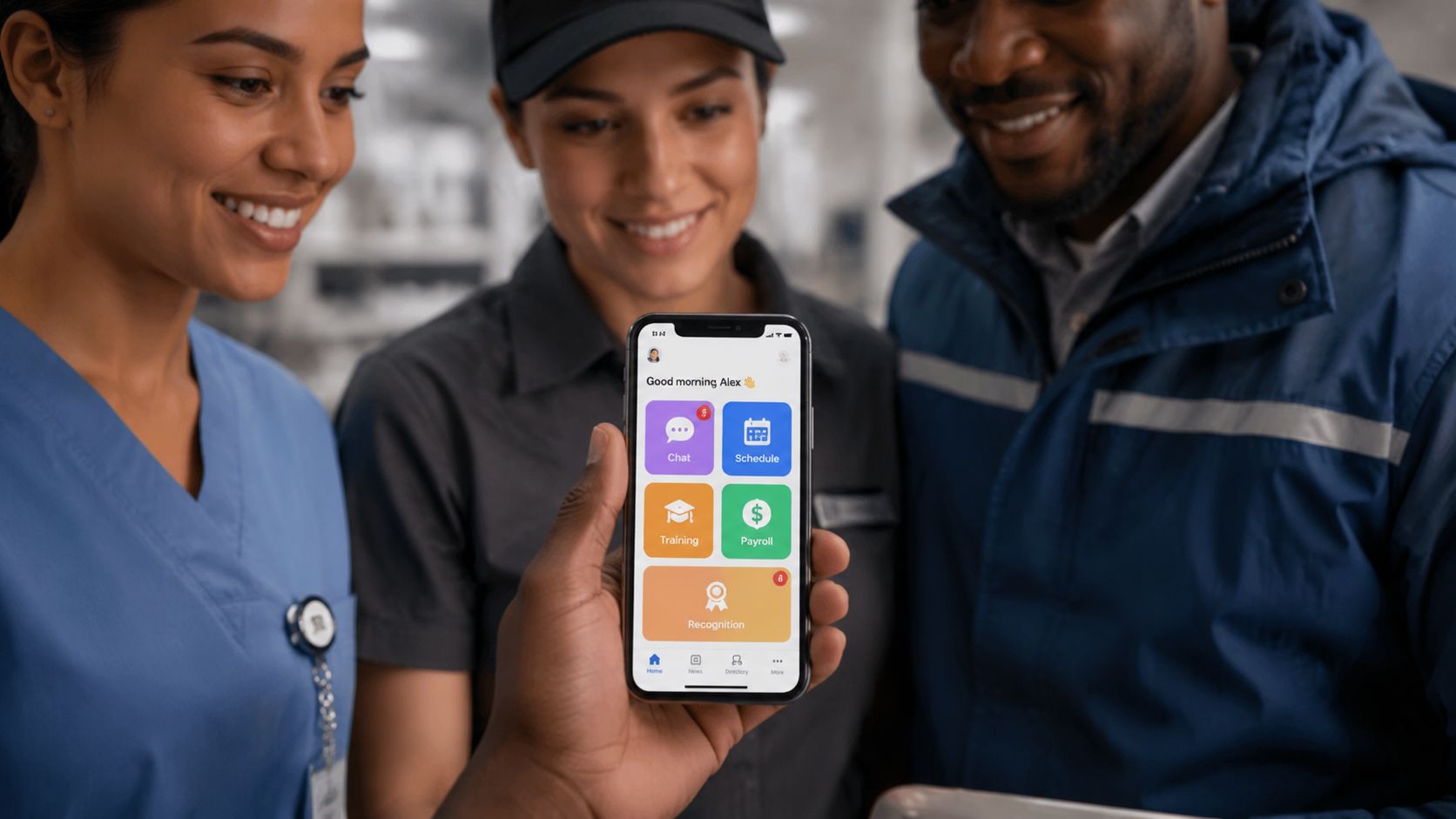
Frontline workers do not need more apps. They need fewer handoffs, fewer logins, and fewer places where a shift can break down.
A frontline superapp is a mobile-first workspace that brings communication, schedules, tasks, training, knowledge, recognition, surveys, and employee self-service into one connected experience for deskless workers.
Its purpose is not simply to consolidate software. It is to give frontline employees one place to understand what changed, what they need to know, what they need to do, and where to get help.
That is why the frontline superapp belongs in the workforce operations conversation first and the communications conversation second. The problem is not just getting messages out. It is helping people complete work reliably on a phone in the middle of a shift.
Key Takeaways
- A frontline superapp is a mobile-first workspace for communication, learning, employee self-service, and task execution.
- Frontline employees should not need separate apps for schedules, announcements, training, HR questions, tasks, surveys, recognition, and knowledge.
- Office-first tools fail because they assume desktop access, corporate email, long reading sessions, and uninterrupted time.
- The best superapps connect three parts of work: communicate, learn, and execute.
- A superapp does not need to replace every system of record. It can provide one employee experience across existing HR, payroll, scheduling, learning, and operational systems.
- The strongest rollout begins with one high-friction workflow rather than every module at once.
The Scale of the Frontline Workforce Problem
The frontline workforce is not a niche segment waiting for a better app. It is the center of gravity for retail, logistics, healthcare, hospitality, manufacturing, and field services.
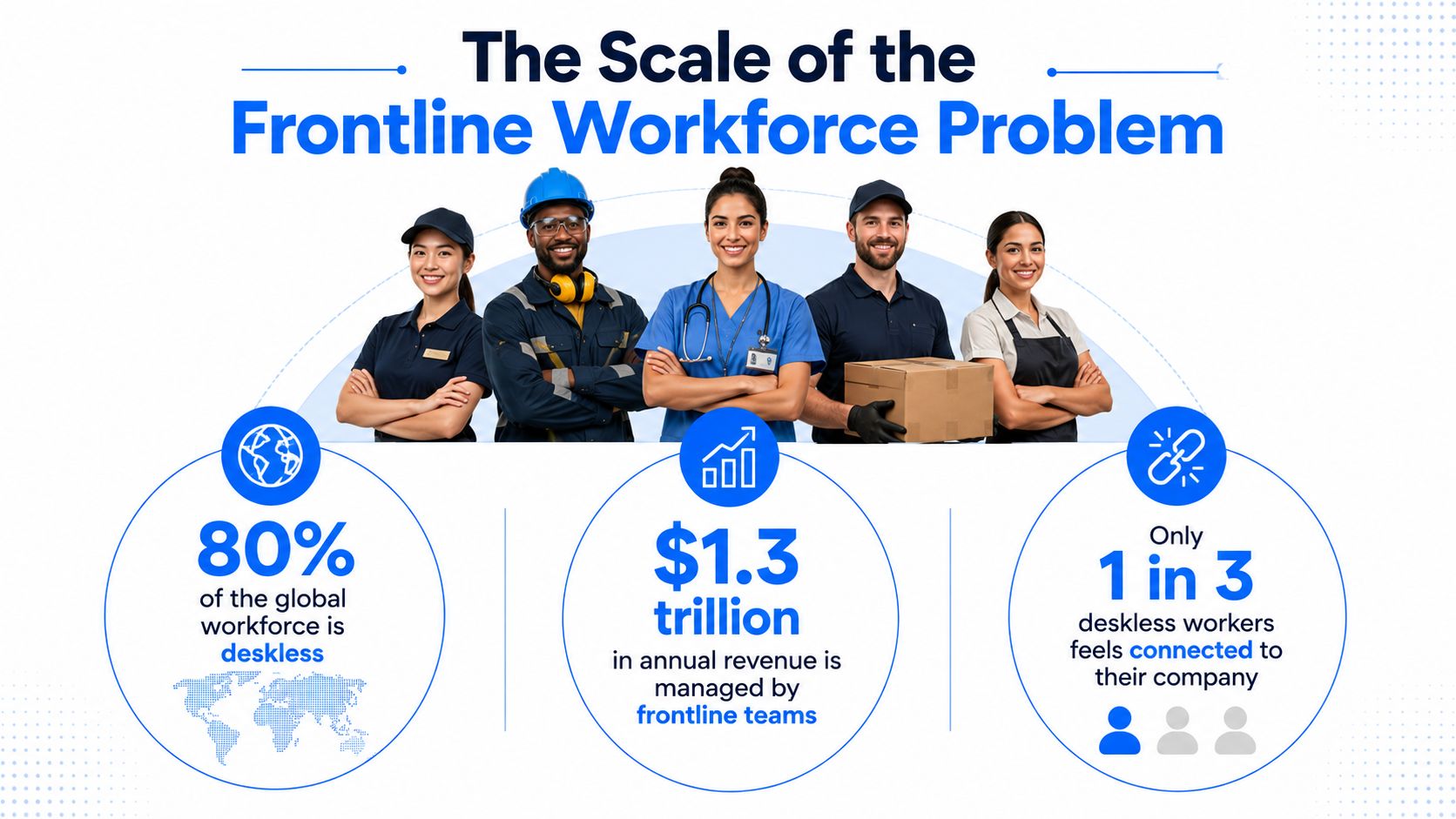
Workday’s Frontline Workforce Study, as cited by Business Wire, estimates that frontline employees represent approximately 82% of the U.S. workforce and 2.7 billion workers globally.
At that scale, fragmented technology is not a minor user-experience problem. It becomes an operating-model failure.
A typical frontline employee may need one app to view a schedule, another to receive announcements, another to complete training, another to submit HR requests, and another to access task instructions. Recognition, surveys, payroll information, and knowledge may live somewhere else again.
Each tool may work individually. The employee still experiences one fragmented workday.
The result is predictable:
- Missed updates
- Incomplete training
- Repeated manager questions
- Delayed shift swaps
- Forgotten tasks
- Outdated procedures
- Low participation in surveys
- Extra administrative work for supervisors
Practical rule: If a frontline employee must switch between separate apps to understand and complete one task, the technology stack is working against the shift.
What a Frontline Superapp Actually Is
A frontline superapp is best understood as the mobile front door to the workday. It brings together the information and actions employees need most frequently without requiring them to understand which system owns each function.
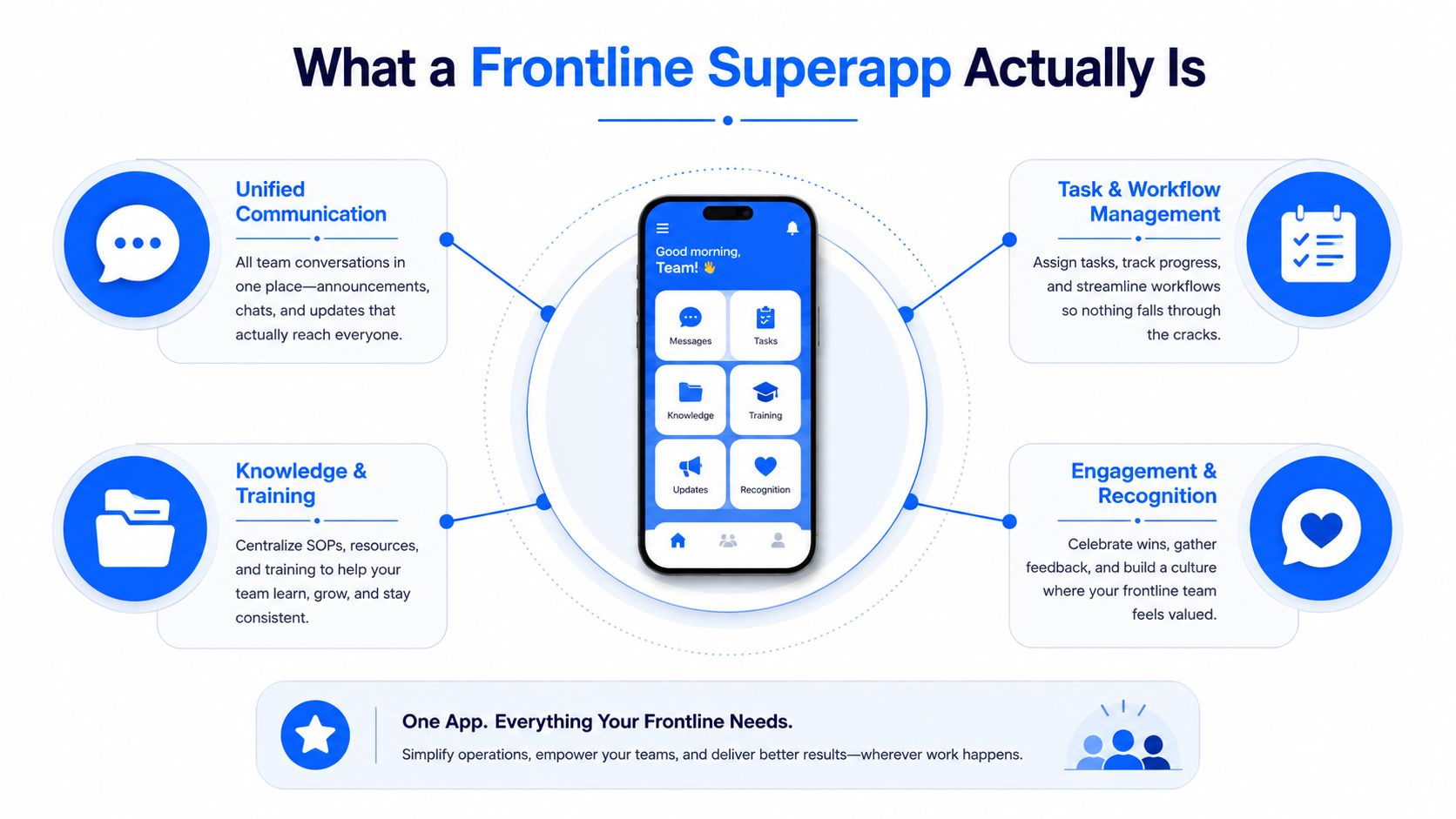
An employee should be able to open one app and:
- See the current schedule
- Read an urgent announcement
- Complete a required task
- Take a short training module
- Find an SOP
- Ask an HR question
- Respond to a survey
- Recognize a coworker
- Request a shift swap
- Escalate an issue
The distinction between a superapp and a general employee app matters.
An employee app often focuses on news, social communication, and policy access. A workforce-management platform may focus on scheduling and time. A learning platform may focus on courses. A chat tool may improve messaging without connecting it to the work that follows.
A frontline superapp connects communication directly with learning, self-service, and execution.
Its value does not come from having the longest feature list. It comes from making the most important frontline workflows feel connected.
One Employee Experience, Not Necessarily One System
A frontline superapp does not need to replace every HR, payroll, scheduling, learning, and operations platform behind the scenes. Its role may be to provide one consistent mobile experience while connecting securely to existing systems of record.
For example, the employee may view a schedule inside the superapp even though the official schedule remains in a workforce-management system. They may receive a payroll answer inside the app while the payroll data remains in the payroll platform.
This distinction makes the superapp model more practical. The organization can preserve specialized systems while reducing the burden they place on employees.
To the worker, it should feel like one product. Behind the scenes, different teams and platforms may still manage separate services.
Why Office-First Tools Fail Deskless Teams
Office-first tools assume employees have a laptop, corporate email, reliable connectivity, and uninterrupted time to read and respond.
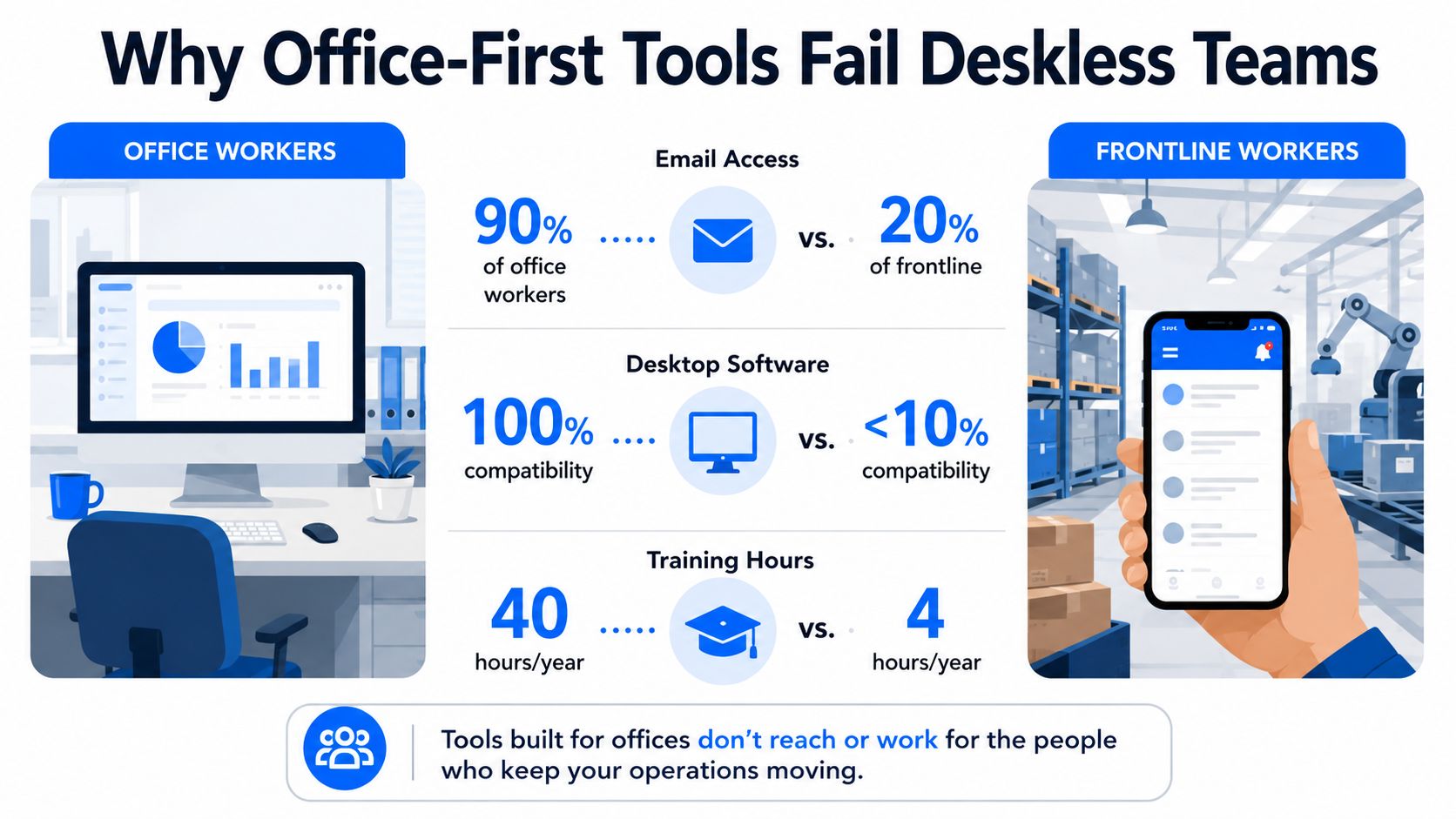
Frontline work assumes almost the opposite.
A store associate, nurse, technician, driver, hotel employee, or line operator may be moving continuously, sharing devices, wearing gloves, working in noisy environments, or making decisions during a live shift.
They may not have:
- A company email address
- A company-managed device
- Time to browse long pages
- Reliable network access
- Permission to leave the work area
- A quiet place to complete training
- Familiarity with several enterprise systems
Office-first technology also tends to separate functions that frontline workers experience as part of the same job.
A policy update may live on the intranet. The task affected by that policy may appear in an operations system. The required training may live in an LMS. The employee may then need to contact a manager through a separate messaging tool.
That fragmentation may be manageable for a desk-based worker with several browser tabs open. It becomes operational friction on a warehouse floor or hospital corridor.
The Hidden Cost of App Fatigue
App fatigue in frontline environments is not merely annoyance. It creates delays, rework, and avoidable escalation.
A shift swap that takes too long may leave a manager scrambling for coverage. A training assignment that is difficult to access may remain incomplete. An HR question that cannot be answered during the shift may become another task for the supervisor.
Managers often become the human integration layer between disconnected systems.
They remind employees which app to use, resend links, answer routine questions, confirm that tasks were completed, and explain which document is current.
A frontline superapp should reduce that manager dependency.
It should help employees complete common actions directly, while giving managers a clear view of what still needs attention.
What Leaders Should Stop Assuming
Organizations should stop assuming that a desktop experience will translate effectively to a phone.
The frontline experience should be designed around several different conditions.
Mobile first, not desktop adapted
The app should be built for short sessions, large touch targets, simple navigation, and fast action.
One task, not many tabs
Employees should be able to read, act, and confirm without moving through several tools.
Two-way communication, not broadcasting alone
Employees need ways to ask questions, provide feedback, report issues, and confirm understanding.
Shift and location context
The app should recognize that information may apply to a particular location, role, team, or shift.
Simple and secure access
Employees may need passwordless login, access without corporate email, support for shared devices, or secure use on personal phones.
Reliable access in real conditions
Critical procedures and tasks may need low-bandwidth or offline access, especially in manufacturing, logistics, and field service environments.
Use Cases Across Frontline Industries
A frontline superapp does not mean every industry uses the same modules in the same way. The shared platform remains consistent, while the highest-value workflows vary by environment.
| Industry | Common Frontline Friction | High-Value Superapp Capabilities |
|---|---|---|
| Retail | Shift swaps, store updates, promotions, compliance acknowledgements | Scheduling, targeted communication, tasks, training |
| Healthcare | Policy changes, clinical handoffs, onboarding, urgent alerts | Knowledge access, mobile learning, messaging, escalation |
| Manufacturing | Safety briefings, standard work, inspections, audit trails | SOP access, task execution, proof of work, compliance |
| Logistics | Route changes, dispatch coordination, proof of delivery | Real-time tasks, notifications, issue escalation |
| Hospitality | Schedule volatility, multilingual teams, service standards | Shift management, translation, learning, recognition |
| Field services | Remote updates, job-site instructions, limited connectivity | Offline knowledge, mobile tasks, checklists, manager support |
Retail teams may need one place to manage shift changes, store announcements, promotional tasks, and policy acknowledgements without making the store manager the bottleneck.
Healthcare workers need fast access to current procedures and targeted alerts that follow their role, facility, and unit.
Manufacturing teams may care more about safety execution, standard work, inspections, and audit-ready confirmation than broad engagement content.
In logistics and field services, the app must travel with the worker. Route changes, job instructions, proof of completion, and issue escalation should appear in the same workflow.
Hospitality adds scheduling volatility, high turnover, and language diversity. Clear, multilingual communication and mobile learning may matter more than long policy pages.
A useful buying question is not:
“Does the platform include every possible feature?”
It is:
“Which three workflows create the most friction for our frontline teams, and does the platform solve them cleanly?”
The Capability Set a Future-Ready Superapp Must Include
A credible frontline superapp must do more than send announcements. It should support the full loop from information to action. The clearest way to assess the capability set is through three pillars: communicate, learn, and execute.
Communicate
Unified communication
Targeted news, push notifications, chat, and SMS fallback should work together so employees do not miss important updates.
Communication should be targeted by factors such as:
- Role
- Location
- Shift
- Language
- Department
- Employment type
- Required action
Surveys and listening
Short pulse surveys, polls, and check-ins should help leaders identify where work is breaking down.
Listening should be tied to action. Employees are less likely to participate when they never see what changed as a result.
Recognition
Peer and manager recognition can reinforce service, safety, teamwork, and company values.
Recognition also prevents the app from feeling like a tool used only to issue instructions and monitor completion.
Multilingual and accessible communication
A future-ready app should support translation, accessible content, and clear language.
Voice search, audio content, captions, and screen-reader support may also be important depending on the workforce.
Learn and Find
Mobile learning
Training should be designed for short mobile sessions and connected to the employee’s role and current work.
The app should support:
- Onboarding
- Microlearning
- Certifications
- Refresher training
- Compliance learning
- Task-specific guidance
- Completion reminders
Knowledge and SOP access
The answer to “How do I do this?” should be available inside the app.
Employees should be able to search procedures, policies, FAQs, troubleshooting guidance, and approved instructions in plain language.
AI-powered answers can help, but employees should still be able to see the source and escalate when the answer is unclear.
Contextual guidance
Knowledge should surface when it becomes relevant.
A new task may trigger the correct procedure. A role change may trigger required training. A location-specific issue may surface the appropriate local instruction.
Execute
Scheduling and shift management
Employees should be able to:
- View schedules
- Confirm shifts
- Update availability
- Request time off
- Swap shifts
- Claim open shifts
- Receive schedule-change alerts
Tasks and checklists
Managers should be able to assign, track, and verify work without relying on paper, group texts, or repeated verbal reminders.
Tasks may include:
- Opening and closing checklists
- Safety inspections
- Store execution
- Maintenance
- Quality checks
- Compliance acknowledgements
- Customer follow-up
Proof of work
Where appropriate, employees should be able to confirm completion through a checklist, note, photo, signature, timestamp, or other approved evidence.
HR and payroll self-service
Workers should be able to access common employment information without chasing a manager.
This may include:
- Pay information
- Tax documents
- Leave balances
- Benefits answers
- Employee documents
- Personal information updates
- HR requests
- Case status
Issue escalation
Employees should be able to report a blocked task, unsafe condition, customer problem, or operational issue and route it to the right person.
What Separates Useful From Noisy
AI should operate as an execution layer rather than a chatbot novelty.
It may help employees by:
- Surfacing the next action
- Prioritizing urgent information
- Answering approved questions
- Personalizing the feed
- Recommending training
- Routing issues
- Translating content
- Identifying missed steps
But AI should reduce friction rather than create another layer of complexity.
Scorecard rule: If a feature does not reduce search time, switching time, follow-up time, or manager intervention, it may be decorative rather than essential.
Leaders should also guard against feature bloat.
Turning on every module at once can overwhelm employees and make the app feel like another complicated enterprise suite. The most important workflows should remain obvious, while less frequently used capabilities stay available without cluttering the experience.
What Makes a Superapp Feel Like One App
The technical foundation matters, but employees should not need to understand it.
A credible superapp experience should include:
- One secure login
- Consistent navigation
- Shared employee identity and permissions
- Reliable mobile performance
- Connections to HR, payroll, scheduling, learning, and operations systems
- Contained failures so one unavailable service does not break the entire app
- Fast performance during shift changes and other peak periods
- Clear audit trails for sensitive actions
IT teams should also examine whether the platform supports:
- Single sign-on
- Passwordless access
- Employees without corporate email
- Shared or kiosk devices
- Personal-device access
- Role- and location-based permissions
- Existing HRIS, payroll, LMS, POS, and workforce-management systems
- Data synchronization without duplicate entry
The best technical design is invisible to employees. It simply makes the experience reliable.
The Business Case Beyond Engagement Scores
A frontline superapp should make its business case through operational improvement, not only engagement metrics.
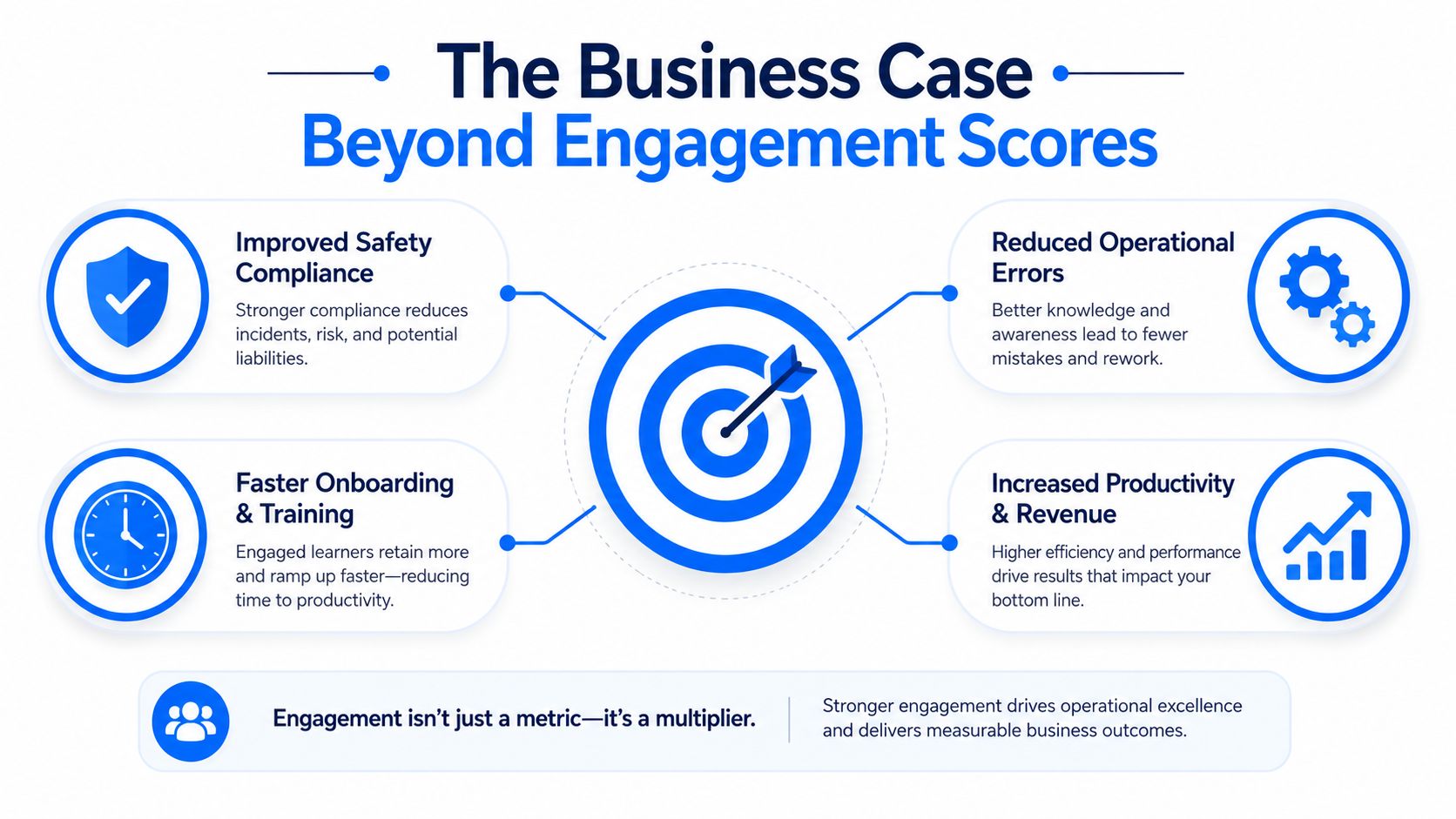
The most valuable outcomes may include:
- Faster access to information
- Fewer repeated manager questions
- Higher training completion
- Cleaner shift handoffs
- Faster schedule changes
- Better compliance
- Fewer missed tasks
- Reduced app switching
- More consistent service
- Lower administrative burden
Engagement still matters, but it is only one part of the value.
Frequent app use may indicate that the experience is useful. It may also reflect mandatory activity. Leaders should therefore connect adoption to actual work outcomes.
What to Measure in a Pilot
A practical pilot scorecard should include:
Time to information: How quickly can employees find a current, trusted answer?
Completion rates: Do training, tasks, acknowledgements, and workflows get completed more consistently?
Manager interruption load: Are supervisors answering fewer routine questions and sending fewer reminders?
Shift execution friction: Do swaps, approvals, handoffs, and updates move faster?
Audit readiness: Can the organization easily retrieve confirmations, training records, and proof of completion?
App switching: Are employees using fewer separate tools for the selected workflow?
Employee trust: Do workers understand what the app collects, what managers can see, and how information is used?
The best pilots are not judged solely by whether employees like the interface. They are judged by whether the operation becomes easier to run.
Failure Patterns That Sink Rollouts
Consolidation can fail when the superapp becomes one more tool rather than the replacement for existing friction.
Common problems include:
- Launching too many modules at once
- Keeping every old app and process in place
- Requiring another login
- Sending too many notifications
- Weak integrations
- Outdated knowledge
- Poor manager adoption
- No clear content ownership
- Treating the app as a broadcast tool
- Using the platform primarily for monitoring
- Ignoring employee privacy concerns
- Expecting off-shift participation without clear policies
A superapp is also not a substitute for good management.
It can reinforce clear communication, consistent processes, and timely feedback. It cannot compensate for leaders who fail to close loops or act on employee concerns.
Privacy, Trust, and Employee Boundaries
Bringing communication, schedules, tasks, surveys, recognition, knowledge, and HR access into one app concentrates a significant amount of employee information. That makes governance essential.
Leaders should clearly explain:
- What data the app collects
- Why the data is needed
- Whether location is tracked
- What managers can see
- What employees can correct
- How long information is retained
- Whether personal-device use is optional
- How work and personal data remain separate
- When notifications may be sent
- Whether required off-shift activity is compensated
The app should not feel like surveillance hardware. The same platform that simplifies work can damage trust if employees believe it is quietly tracking behavior without clear boundaries.
A 90-Day Pilot Framework for Evaluating a Frontline Superapp
A pilot should be small enough to manage and structured enough to prove something real. Start with one site, shift, team, or region and one clearly defined workflow.
Days 1 to 30: Baseline and Design
Map the current employee experience.
Document:
- Which apps employees use
- Where logins or handoffs create friction
- Which questions managers answer repeatedly
- Where tasks or training stall
- Which content is outdated
- What the existing completion rates are
Choose one workflow and define the metrics that will indicate improvement.
Days 31 to 60: Launch the Narrow Pilot
Turn on only the capabilities required for the selected use case.
For example, a shift-execution pilot may need scheduling, targeted communication, task confirmation, and issue escalation. It may not need every recognition, survey, or learning feature immediately.
Train managers first so they reinforce the new process rather than continuing to rely on side channels.
Days 61 to 90: Review and Decide
Measure:
- Adoption
- Completion
- Time saved
- Manager feedback
- Employee trust
- Support issues
- App switching
- Operational outcomes
The pilot succeeds when information moves faster, employees complete the work more easily, and managers spend less time chasing routine actions.
Decision rule: Select the platform because it reduces repeatable operational friction, not because it performs well in a product demonstration.
The strongest final question is:
Would this team’s work become harder if the app disappeared tomorrow?
If the answer is yes, the platform may have earned a broader rollout.
Final Thoughts
The future frontline app will not win because it contains the most modules. It will win because it makes the shift easier to navigate. Employees should be able to open one place and see what changed, what they need to know, what they need to do, and where to get help.
That makes the frontline superapp more than an app-consolidation strategy. It becomes an operating layer for deskless work—one that connects communication, learning, employee support, and execution around the reality of the shift.
Office employees have long benefited from connected digital workspaces designed around their day. Frontline employees deserve the same coherence, built for mobile devices, short interactions, changing locations, and operational urgency.
The goal is not to place every company feature inside one crowded screen. It is to create one clear path through the work.
FAQs on Frontline Superapps
What is a frontline superapp?
A frontline superapp is a mobile-first workplace platform that brings communication, scheduling, training, knowledge, HR access, recognition, surveys, and task execution into one connected experience for deskless employees.
How is it different from an employee app or intranet?
An employee app or intranet often focuses primarily on communication and content access. A frontline superapp connects information with scheduling, learning, self-service, tasks, and operational workflows.
Does a frontline superapp replace every existing system?
Not necessarily. It can act as the mobile experience layer across existing HR, payroll, scheduling, learning, and operations platforms.
Which teams benefit most?
Retail, healthcare, manufacturing, logistics, hospitality, and field-service teams often benefit because they depend on timely mobile access and repeatable shift-based workflows.
What should leaders ask vendors first?
Ask how the platform handles frontline identity, mobile access, shared devices, low connectivity, scheduling, tasks, training, integrations, permissions, and privacy. Then ask which existing tools and processes the platform will actually replace.
How should an organization start a pilot?
Choose one workforce group and one high-friction workflow. Establish baseline metrics and enable only the capabilities required to improve that workflow.