Most intranet advice is stuck in the past. It still assumes employees want a homepage, a news carousel, and a tidy menu tree.
When the intranet becomes an answer layer, the publishing system behind it still has to be an employee communications hub with permissions, not a folder tree.
They do not.
In the post-intranet workplace, people want answers, actions, and context inside the tools they already use, and they want them fast.
That shift changes everything for HR, internal communications, IT, operations, and knowledge owners. The job is no longer to build a prettier portal. The job is to stop making employees browse for basic work.
If your workforce still has to hunt through pages to find a policy, a form, or the next step in a task, your digital workplace is adding friction rather than value.
The intranet is not necessarily disappearing. Its role is changing. Instead of asking employees to visit a destination, browse a hierarchy, and interpret a page, the post-intranet workplace delivers a trusted answer, the context needed to understand it, and the next action inside the flow of work.
Key Takeaways
- Employees are moving from browsing to asking, so the workplace must answer in context rather than simply host content.
- The destination-intranet model is giving way to a distributed answer-and-action layer.
- AI search, conversational assistants, personalized feeds, mobile employee apps, and workflow-triggered communication are becoming the new access points.
- Task-based information architecture works better than department-based navigation because employees think in actions, not organizational charts.
- The strongest employee experience delivers three things: an answer, the relevant context, and a clear next action.
- Governance still matters, and trust depends on source visibility, ownership, permissions, and human review.
Why the Intranet Era Is Ending
A better homepage will not fix a broken intranet model.
The core problem is that the traditional homepage assumes employees will come to one place first and browse until they find what they need. That behavior made more sense when company information lived in a few controlled repositories.
It does not match how work gets done now.
Employees move across chat, email, HR systems, employee apps, project tools, knowledge platforms, and mobile devices. They work inside an ecosystem rather than one portal.
In that environment, another standalone site becomes one more place to visit rather than the natural place to begin.
The destination intranet is therefore giving way to a distributed workplace experience in which information appears where the employee is already working.
A policy may be searchable through an AI assistant. A benefits update may appear in a personalized feed. A leave request may trigger a reminder inside the HR system. A safety procedure may appear on a frontline employee’s phone when a related task begins.
The post-intranet workplace is not defined by the absence of an intranet. It is defined by the end of browsing as the primary way employees access company information.
From Destination Site to Answer Layer
Employees do not want to remember where a policy lives or which department owns a process.
They want to ask a question, receive a reliable answer, understand how it applies to them, and move to the next action without jumping between systems.
That is the shift from a destination site to an answer layer.
The strongest post-intranet workplaces recognize that communication, knowledge, and execution may live in different channels while still feeling like one connected experience.
For example:
- An employee asks, “How much parental leave do I have?” and receives the policy answer that applies to their location and employment status.
- A frontline worker asks, “What do I do if this equipment fails?” and receives the current procedure, escalation contact, and reporting step.
- A manager asks, “Which form do I use for this request?” and receives the correct form with the approval workflow already started.
- A new hire asks, “What do I need to complete today?” and receives a personalized list based on their role and onboarding stage.
The employee should not need to understand the internal architecture behind the answer.
A useful post-intranet experience delivers:
- The answer
- The context
- The action
That is a better measure of success than whether the employee visited the homepage.
Practical rule: If an employee has to understand your site structure before they can act, the experience is too complicated.
The Data Behind Changing Intranet Engagement
Intranet traffic can look healthy while the actual employee experience remains shallow.
A global SharePoint intranet usage report found that 86% of employees visited the intranet over a three-month period, but the average time spent per employee was approximately 16 minutes per day. Most of that time was spent accessing practical material such as policies and procedures, while relatively little was spent reading news.
That does not necessarily mean the intranet has no value. It suggests that employees often use it as a quick-reference tool rather than a place for sustained communication or discovery.
Employee reading patterns
Employees may visit an intranet to complete a specific task, retrieve a document, confirm a policy, or find a link.
That is useful behavior, but it is not the same as engagement.
Too many organizations still treat visits and page views as proof that communication worked. A page may have been opened without being understood. A message may have been seen without prompting the intended action.
The more useful questions are:
- Did the employee find the right answer?
- Did the information apply to their situation?
- Did they understand what to do next?
- Did they complete the intended task?
- Did they still need to ask a manager or support team for help?
Traffic tells you that someone arrived. It does not tell you whether the experience worked.
Why fragmentation makes it worse
App sprawl makes the destination model harder to defend.
When employees already work across several systems, a separate intranet becomes one more place to check. Internal communications teams may respond by publishing more content and sending more reminders, which can increase noise without improving clarity.
The result is often a weaker information-to-action ratio.
The information-to-action ratio describes how much content an employee must consume or navigate before completing the intended task.
A strong post-intranet experience reduces that ratio. It gives employees only the information needed to understand the situation and act correctly.
If a manager is approving leave, a frontline worker needs a safety procedure, or a new hire needs a benefits answer, the relevant information should appear where the task begins.
If it does not, employees will continue doing what they already do: skip the portal and ask someone they trust.
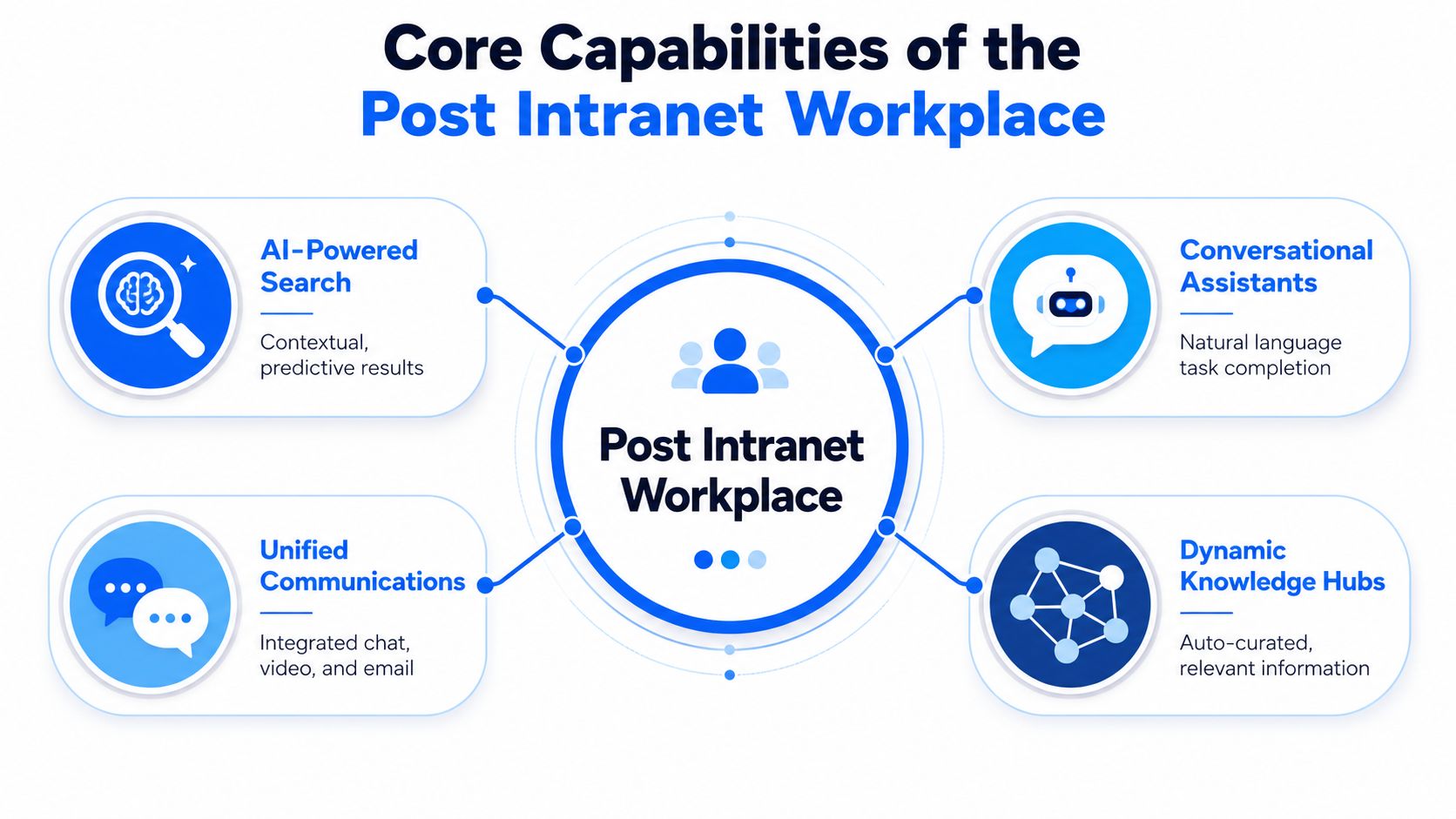
Core Capabilities of the Post-Intranet Workplace
The replacement for the legacy destination model is not one tool. It is a set of connected capabilities.
If organizations want employees to stop browsing and start asking, they need systems that can understand intent, deliver relevant content, show trusted sources, and help complete the next step.
AI Search and Assistants Change the Behavior
Employees do not think in site structures. They think in questions.
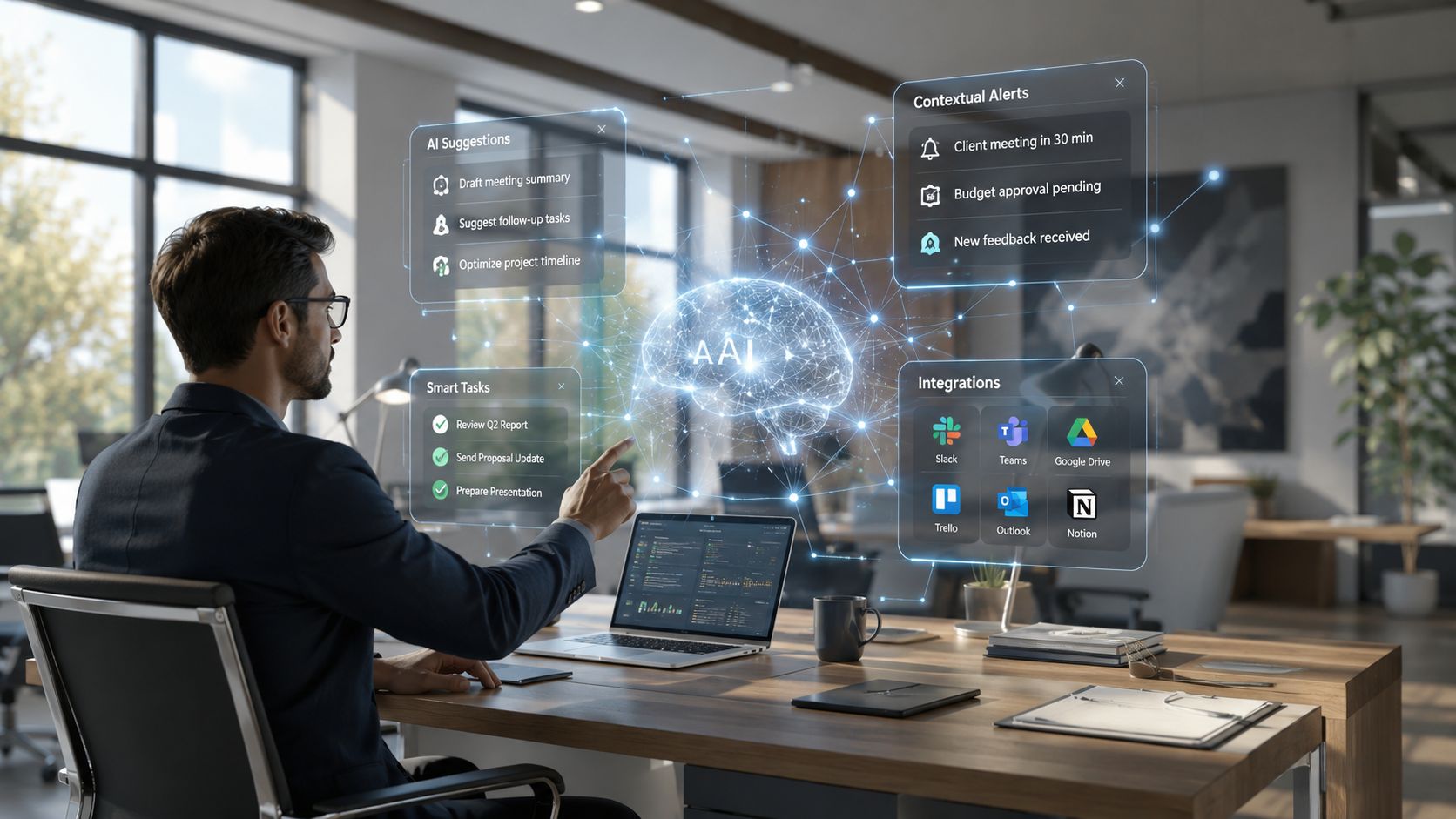
A modern AI search or conversational assistant allows employees to ask in plain language and receive an answer based on approved company knowledge.
Instead of clicking through a sequence such as:
HR → Benefits → Leave → Family Leave → Regional Policies
the employee can ask:
“How much parental leave do I receive in Illinois?”
A useful system should return:
- A clear answer
- The source policy
- The effective date
- Relevant eligibility or location context
- The next action
- A route to human support if the answer is uncertain
AI is most valuable here as an answer, search, and routing layer. It should not replace policy owners, subject-matter experts, or human review for high-impact questions.
Personalized Feeds Reduce Irrelevant Noise
Not every employee needs the same update at the same time.
A field technician, store associate, plant worker, corporate recruiter, and regional manager should not see identical content in the same order.
A well-designed personalized feed may consider:
- Role
- Location
- Shift
- Language
- Department
- Current tasks
- Employee journey stage
- Required actions
- Local or regulatory context
The purpose is not simply to increase clicks. It is to reduce irrelevant noise and surface information that helps the employee work.
Personalization also creates risks.
It should not hide essential company-wide information, create isolated content bubbles, or depend on inaccurate employee data. Employees should be able to access broader information when needed and understand why certain messages were prioritized.
Good personalization improves relevance without making the communication system feel invisible or manipulative.
Mobile Employee Apps Reach the Workforce Where They Work
Frontline and deskless employees do not sit at desktops waiting for a homepage to refresh.
They may work on shop floors, in stores, in vehicles, at client sites, in hospitals, or across several locations.
They need access that works:
- On mobile devices
- During short breaks between tasks
- Outside traditional office hours
- Across multiple shifts
- In a format designed for quick action
- Without requiring complex navigation
That is why mobile employee apps are not simply an add-on to the intranet. They are a core part of the post-intranet workplace.
The experience should be designed for the conditions in which the employee needs the information.
A 30-page policy may be acceptable as an authoritative source. A frontline worker may still need a short, task-specific answer with the relevant steps and a link to the full document.
Workflow-Triggered Communication Closes the Gap
The strongest internal communication appears when it becomes relevant.
A benefits reminder should appear when enrollment opens. A training prompt should arrive when an employee changes roles. A policy confirmation should be triggered after a manager completes an approval. A safety update should appear before the related task begins.
This is communication tied to action rather than communication published in isolation.
Workflow-triggered communication reduces the gap between:
- Receiving information
- Understanding why it matters
- Completing the required action
It can also reduce reminder fatigue because employees receive fewer generic messages and more contextually relevant prompts.
Employees do not need more content. They need better timing and clearer next steps.
Dynamic Knowledge Hubs Organize Around Work
The post-intranet workplace still needs organized, trusted knowledge.
The difference is that knowledge should be structured around roles, tasks, locations, and employee needs rather than static department pages alone.
A dynamic knowledge hub may bring together:
- Policies
- FAQs
- Procedures
- Forms
- Training content
- Related contacts
- Required tasks
- Local exceptions
- Workflow links
- Recent updates
For example, an onboarding hub should not simply list documents from HR, IT, payroll, and training.
It should help the employee understand:
- What to complete
- In what order
- Which items apply to their role
- Which steps are finished
- Where they are blocked
- Who can help
- What happens next
That turns knowledge from a publishing structure into an operational experience.
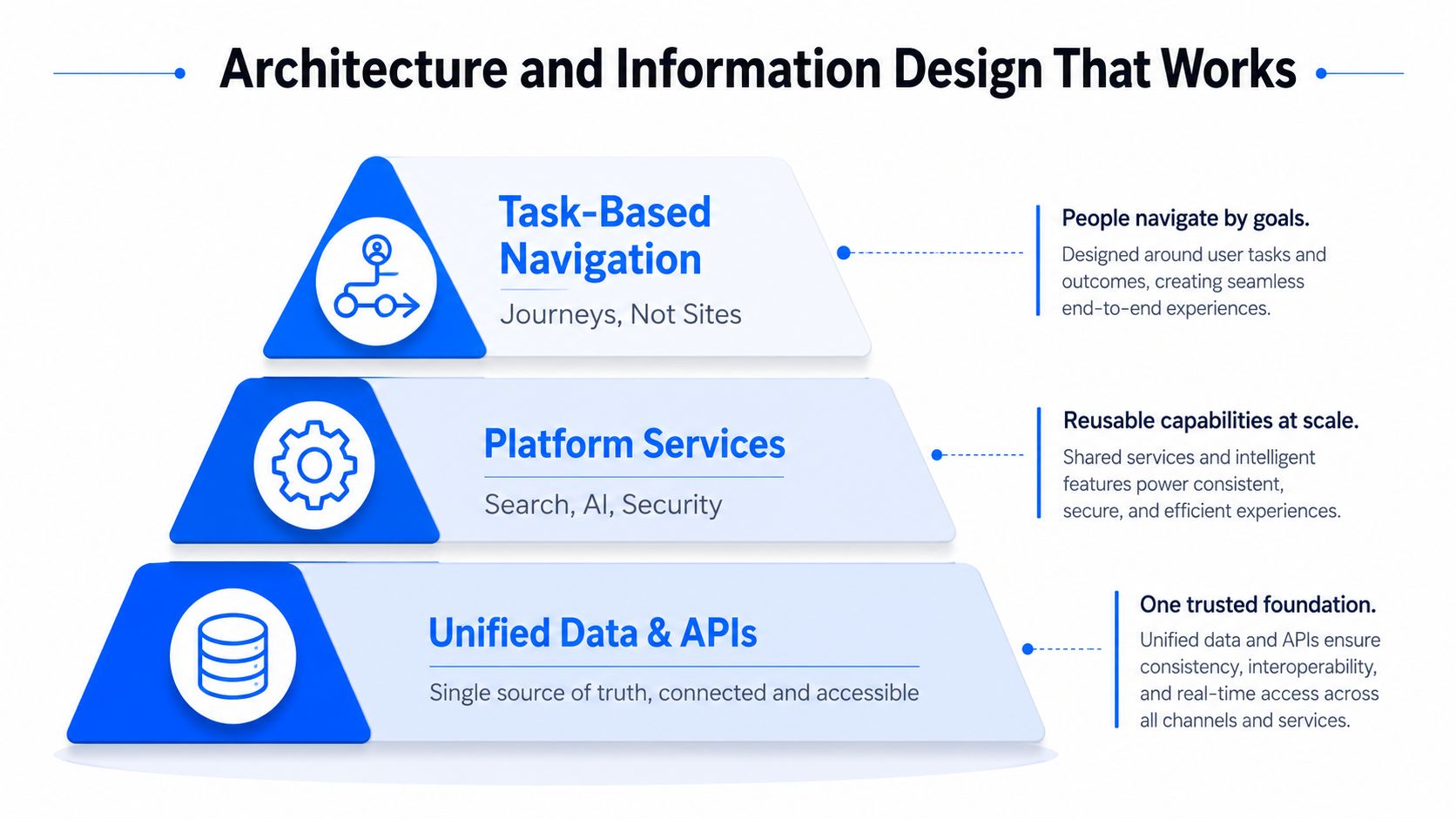
Architecture and Information Design That Works
The biggest mistake in digital workplace design is organizing everything around departments.
Employees do not wake up thinking:
“I need the Legal page.”
They think:
“I need to report an incident.”
They do not think:
“I need Benefits Administration.”
They think:
“I need to add my spouse to my health plan.”
That is why task-based information architecture often works better than department-based navigation.
Use Hubs, Not One Giant Homepage
The post-intranet workplace may still use hubs, portals, and shared knowledge spaces.
The goal is not to create one page that contains everything. The goal is to create a governed structure that supports several types of work:
- Company-wide communication
- High-value reference content
- Team collaboration
- Employee self-service
- Local knowledge
- Task and workflow support
In Microsoft 365 environments, this may involve a combination of SharePoint hubs, communication sites, team sites, search, and employee-facing applications. Other organizations may use different platforms.
The specific technology matters less than whether employees can receive a consistent answer and action experience without understanding where every piece of content is stored.
Decide What Belongs Where
Leaders need to make clear decisions about placement.
Central portal or hub content
This may include:
- Company news
- Policy summaries
- Executive communication
- High-traffic links
- Corporate resources
- Broad reference material
Messaging apps and workflow tools
These are better suited for:
- Time-sensitive alerts
- Approvals
- Reminders
- Task-specific prompts
- Escalations
- Required acknowledgements
AI search and answer tools
These should help employees:
- Ask questions naturally
- Retrieve approved answers
- See the source
- Understand relevant context
- Begin the next action
Retired content
This should include:
- Outdated pages
- Duplicate guidance
- Expired campaigns
- Broken links
- Old forms
- Unowned content
- Material that no longer supports a real employee need
Keeping dead content creates confusion and weakens trust. A cleaner system is usually a more useful system.
What the Shift Means for Each Team
The post-intranet workplace changes responsibilities across the organization.
Internal communications
Internal communicators move from page publishers to experience designers.
Their work increasingly includes:
- Audience targeting
- Channel selection
- Message timing
- Workflow triggers
- Personalization rules
- Source visibility
- Measurement of action
- Communication governance
The question is no longer only, “What should we publish?”
It becomes, “Where and when should this information appear so the employee can act?”
HR
HR must translate policies and processes into usable answers and next steps.
That includes:
- Clear policy ownership
- Employee-friendly explanations
- Eligibility context
- Local variations
- Forms and workflows
- Escalation routes
- Regular content review
A technically correct policy that employees cannot understand or apply is not an effective employee experience.
IT
IT enables the connected answer layer.
Its responsibilities may include:
- Integrations
- Search
- Permissions
- Identity
- Mobile access
- Source connections
- Data quality
- Security
- Analytics
- AI governance
IT should not be expected to own the meaning of every policy or process. Business owners must remain accountable for the content.
Frontline leaders and employees
Frontline teams need fast, mobile, task-level access.
They should be involved in testing:
- Whether answers are understandable
- Whether content reflects real working conditions
- Whether information arrives at the right time
- Whether local exceptions are represented
- Whether workflows are practical on mobile devices
The people performing the work often see content gaps before the teams designing the system.
Knowledge owners
Knowledge owners become central to the reliability of the post-intranet workplace.
They must maintain:
- Accuracy
- Approval status
- Effective dates
- Review cycles
- Local context
- Permissions
- Source authority
- Retirement of outdated material
AI can retrieve an answer quickly. It cannot decide which conflicting policy should be treated as organizational truth.
Governance, Trust and Source Visibility
A post-intranet workplace does not mean a loose or uncontrolled workplace.
It requires stronger governance because information is being delivered through more channels and may be summarized or surfaced by AI.
Source Visibility Is Not Optional
Employees need to see where important answers came from.
That may include:
- The source document
- The content owner
- The effective date
- The last review date
- The applicable location or audience
- Whether the answer was generated or summarized by AI
Source visibility is especially important for:
- Employment policies
- Pay and benefits
- Compliance
- Safety
- Leave
- Performance
- Legal requirements
- Operational procedures
An AI-generated answer should not become the final authority when the underlying source requires interpretation or human judgment.
Ownership Has to Move Closer to the Business
Content owners should not require IT intervention for every policy update, page edit, or procedural change.
Subject-matter experts need the ability to maintain their own material inside a controlled governance model.
That model should define:
- Who owns the source
- Who approves changes
- Who can publish
- When the content is reviewed
- How outdated versions are removed
- What happens when sources conflict
- Which content requires human review
The faster information changes, the more important clear ownership becomes.
Trust Depends on Human Review
AI can help employees find and interpret information. It should not be the unquestioned final authority in every situation.
Human review is especially important when:
- A policy affects pay, employment, safety, or legal rights
- The system finds conflicting sources
- Local context changes the answer
- The employee disputes the result
- The answer requires professional judgment
- The source is outdated or unclear
- The system has low confidence
The post-intranet workplace should make escalation easy rather than presenting uncertain information with false confidence.
Measure Usefulness, Not Just Activity
The right metrics are operational rather than cosmetic.
Page views, visits, and opens may still be useful, but they should be connected to outcomes.
More meaningful measures include:
- Time to find an answer
- Search success rate
- Percentage of questions answered from approved sources
- Task completion after communication
- Repeat-question rate
- Escalation rate
- Time from a policy change to an updated answer
- Mobile reach among frontline employees
- Percentage of content with an owner
- Employee trust in returned answers
- Outdated-answer incidents
- Reduction in manager intervention
A page that receives fewer visits may still be successful if employees now receive the same information automatically inside the workflow.
The win is not more browsing. It is fewer dead ends.
Migration Roadmap and Change Management
The cleanest migration begins with an audit rather than a redesign.
An organization may find policies, procedures, safety updates, onboarding material, forms, and announcements scattered across a legacy intranet, shared drives, email attachments, and local systems.
The first job is to decide what gets retained, what gets merged, what gets rewritten, and what gets removed.
Otherwise, the organization simply recreates the same content problem inside a newer interface.
A Practical Sequence That Avoids Chaos
1. Audit
Identify:
- High-value employee tasks
- Common questions
- Frequently used content
- Outdated pages
- Duplicate guidance
- Broken workflows
- Missing owners
- Important frontline use cases
2. Design
Build employee journeys around answer, context, and action.
Decide:
- What employees should be able to ask
- Which source should answer
- What context is needed
- What action should follow
- When human review is required
3. Pilot
Test the experience with one defined group, such as:
- A plant or location
- A frontline region
- New hires
- HR support
- Shift supervisors
- One business unit
The pilot should test search, mobile access, source visibility, ownership, workflow triggers, and escalation.
4. Scale
Expand only after the organization understands:
- Which questions are being asked
- Where employees still encounter dead ends
- Which answers lack trust
- Which channels work best
- Which content owners need support
5. Govern
Continue reviewing:
- Content freshness
- Search failures
- Employee feedback
- Source conflicts
- Permission issues
- Adoption gaps
- Workflow performance
The migration is not complete when the technology launches. It is complete when employee behavior changes and the new experience becomes easier than the old one.
Change Management Has to Respect Frontline Reality
Frontline and deskless workers are often the least tolerant audience for friction because they have less time to navigate it.
They need:
- Secure mobile access
- Short, action-oriented content
- Clear language
- Fast loading
- Current procedures
- Location and shift context
- Minimal authentication friction
- Practical escalation routes
The transition should be explained in terms of employee value.
“New platform” sounds like more work.
“Fewer clicks to get the right answer” communicates the actual benefit.
Managers and local leaders should also understand how the new experience works so they do not continue redirecting employees to outdated pages or unofficial processes.
Launch in Phases, Then Keep Tuning
A launch fails when no one owns adoption after go-live.
The stronger approach is phased rollout, continuous feedback, and a firm commitment to removing low-value content.
Treat the migration as a reset of employee information behavior.
People should gradually stop asking:
“Where is that page?”
and begin asking:
“What do I need to know or do?”
That shift requires steady tuning. Search terms change. Processes change. Policies change. Employees identify new gaps.
The post-intranet workplace should be managed as a living workforce experience rather than a one-time technology project.
Measuring Success With Operational KPIs
If you cannot measure how quickly employees reach a reliable answer and complete the intended action, you are guessing.
HR, internal communications, IT, and operations need a shared scorecard.
| KPI Category | Specific Metric | What It Measures | Positive Signal |
|---|---|---|---|
| Answer quality | Search or answer success rate | Whether employees receive a useful result | More questions resolved without additional searching |
| Speed to action | Time from question or message to task completion | How quickly employees move from information to action | Faster completion of high-value workflows |
| Trust | Percentage of answers with visible approved sources | Whether employees can verify information | Higher trust and fewer disputes |
| Self-service | Repeat-question and escalation rate | Whether employees still need help after using the system | Fewer routine questions to managers and support teams |
| Frontline access | Mobile reach and completion | Whether deskless employees receive and act on information | Consistent access across shifts and locations |
| Knowledge health | Content ownership and freshness | Whether the underlying knowledge is maintained | Fewer outdated or conflicting answers |
| Experience quality | Employee satisfaction with findability | Whether employees feel the experience is easier | Fewer complaints about searching and navigation |
| Operational impact | Completion of intended action | Whether communication and knowledge changed behavior | More employees completing the correct next step |
A useful KPI framework reflects real behavior rather than vanity metrics.
For example, if a manufacturing company rolls out a post-intranet experience for shift supervisors, it should measure whether supervisors can find the current safety update, understand how it applies, and complete the required acknowledgement without calling HR or operations for help.
If the system returns the wrong form or an outdated procedure, that is not a minor user-experience issue. It is a process failure.
Measure the question, answer, source, and completion path together. Then fix the underlying content or workflow rather than focusing only on the page view.
Read the Gaps, Not Just the Averages
Averages can hide uneven experiences.
One department may use the system successfully while another barely uses it. Office employees may receive timely answers while frontline workers still depend on managers. One region may have current content while another receives outdated guidance.
Use analytics to identify:
- Search queries with poor results
- Questions that repeatedly escalate
- Employee groups with low mobile access
- Content with no owner
- Answers based on outdated sources
- Tasks with low completion
- Locations with high manager intervention
Then fix the specific gap instead of publishing more general content.
The win is not more visits. It is fewer dead ends, fewer repeated questions, and faster action.
Final Thoughts
The post-intranet workplace is not about replacing one homepage with another homepage. It is about changing how employees access information and get work done. The traditional model asks employees to visit a destination, understand a hierarchy, locate a page, interpret the content, and determine the next step.
The emerging model gives them an answer, the context needed to trust it, and a direct path to action. That shift will change the work of internal communications, HR, IT, operations, and knowledge owners. It will also raise the standard for governance. AI-generated answers and personalized communication will only succeed when the underlying sources are current, visible, permissioned, and supported by human review.
The intranet is not simply dying. It is becoming less visible. Its content, controls, and knowledge structures will remain important, but employees will increasingly experience them through assistants, feeds, mobile apps, search, and workflows rather than through menu trees and homepages.
The future of the digital workplace will not be judged by how attractive the portal looks. It will be judged by how quickly an employee can ask a question, trust the answer, and get the work done.
Post-Intranet Workplace FAQs
Should we eliminate the intranet completely?
No.
Retire the old destination-only model, keep the useful content, and evolve the intranet into a governed knowledge, communication, and source layer that supports answers and actions across the workplace.
What changes most for internal communicators?
They stop acting primarily like page publishers and begin acting like experience designers.
Their role expands to include audience, timing, channels, triggers, personalization, source visibility, and action measurement.
What do frontline workers need that office workers do not?
They need mobile access, short action-oriented content, location and shift relevance, and workflows that reflect real working conditions rather than desktop habits.
How do we maintain control when content is spread across tools?
Use clear ownership, source visibility, permissions, approval workflows, review dates, and analytics.
Distributed content requires stronger governance, not weaker governance.
Where does AI fit best?
AI fits best as the answer, search, personalization, and routing layer.
It should help employees find trusted information and take the next action, not replace knowledge owners or human review.
Will employees really stop browsing completely?
Not entirely.
Some employees will still browse news, communities, campaigns, and reference content. The major change is that browsing will no longer be the required first step for routine questions and tasks.