
Choosing an employee engagement platform in 2026 starts with four questions: What problem are you trying to solve? What will the platform really cost? Which systems must it connect with? What security and workforce requirements cannot be compromised?
A 400-person software company with corporate email for every employee does not need the same platform as a 6,000-person manufacturer operating across plants, shifts, languages, and frontline teams. Headcount matters, but workforce structure, access, integrations, governance, and administration often matter more.
The best buying process therefore does not begin with a feature comparison. It begins with requirements. Define what employees need to do, identify the systems and controls the platform must support, compare complete costs, and then make shortlisted vendors demonstrate those exact workflows before you sign.
This guide walks through that process and compares HubEngage, Staffbase, Workvivo, Simpplr, and LumApps as five platforms worth evaluating in 2026.
What Is an Employee Engagement Platform?
An employee engagement platform is software used to help organizations communicate with employees, collect feedback, support recognition, measure participation, and make workplace information easier to access.
Depending on the product, the platform may combine employee communications, pulse surveys, recognition, mobile apps, messaging, social features, internal email, digital signage, intranet content, employee directories, analytics, and integrations with HR and workplace systems.
That broad definition creates an important problem for buyers: two products described as employee engagement platforms may be designed for very different jobs.
One may primarily measure employee sentiment. Another may focus on rewards and recognition. A third may function as an employee communication app. A fourth may operate more like an enterprise intranet or employee experience platform.
Before comparing vendors, understand which category of product you actually need.
| Product type | Primary job | Usually strongest when |
| Employee survey software | Collect and analyze employee feedback | Listening and measurement are the main requirements |
| Recognition software | Manage appreciation, rewards, milestones, and peer recognition | Recognition is the central engagement program |
| Employee communication software | Distribute targeted internal communication | Reaching employees consistently is the problem |
| Employee intranet/experience platform | Organize information, communication, search, apps, and employee services | Employees need a central workplace destination |
| Broader employee engagement platform | Combine communication, feedback, recognition, participation, and related workflows | Several engagement functions need to work together |
The differences matter because buying a broader platform when you only need pulse surveys adds cost and administration. Buying a narrow survey tool when your real problem is reaching frontline workers solves the wrong problem.
HubEngage maintains a separate overview of current employee engagement platforms if you are still building an initial vendor list.
Employee Engagement Platform vs. Employee Experience Platform
The terms employee engagement platform and employee experience platform often overlap, but they are not the same.
Employee engagement describes how connected, informed, motivated, and involved employees are. Employee experience is broader. It covers the interactions employees have with the organization, its people, technology, information, processes, and workplace from joining through departure.
That distinction affects software selection.
A platform focused mainly on surveys, recognition, and feedback may sit firmly within employee engagement. A product that also acts as an intranet, enterprise search layer, service portal, workplace hub, and gateway into other employee systems is closer to an employee experience platform.
Do not reject a product because of the label it uses. Evaluate what the platform actually does.
Start With the Problem, Not the Product Demo
Current software buyer guides increasingly recommend defining the workforce problem before comparing platforms. TechnologyAdvice, for example, advises buyers to identify the primary engagement challenge, compare total cost, evaluate usability, review privacy controls, verify integrations, and test products before committing.
That sequence is sensible because demonstrations can make almost any mature platform look attractive.
Before contacting vendors, write down the two or three outcomes that genuinely need to improve.
| Current problem | Requirements that deserve more weight |
| Frontline employees miss company updates | Mobile access, SMS, push notifications, digital signage, targeting, non-email login |
| Employees receive too much irrelevant communication | Segmentation, HRIS synchronization, targeting, preference controls |
| Survey participation is poor | Easy mobile access, reminders, anonymity controls, multilingual distribution |
| Recognition is inconsistent | Peer recognition, manager recognition, milestones, workflows, reward administration |
| Employees cannot find policies or resources | Search, intranet, content governance, Microsoft 365 or Google Workspace connections |
| HR maintains too many disconnected employee tools | Platform consolidation, APIs, data synchronization, modular capabilities |
| Global teams need local autonomy | Languages, role permissions, location-level administration, governance |
| Employee communication cannot be measured | Delivery analytics, audience reporting, interaction data, survey feedback |
| Managers struggle to act on feedback | Manager reporting, permissions, follow-up workflows, practical reporting |
This simple exercise prevents feature creep.
A vendor may demonstrate twenty interesting functions. If only six solve problems you currently have, concentrate the evaluation on those six.
The Four Core Buying Criteria
The title of this guide centers on budget, integrations, security, and company size because those four areas frequently decide whether an employee engagement platform works after the contract is signed.
Features attract attention during demonstrations. These four areas determine whether the product fits your organization.
1. Budget: Calculate Total Cost of Ownership
Employee engagement platform pricing is difficult to compare because vendors package their software differently.
One vendor may charge according to employee count. Another may structure pricing by workforce type. A third may sell a core product plus optional modules. Implementation, integrations, migration, premium support, SMS, digital signage, rewards, or professional services may be separate.
That makes a headline price a poor comparison.
Instead, build a three-year total cost of ownership, or TCO.
A practical TCO model
| Cost area | What to ask |
| Subscription | What employee count and functionality does the quote cover? |
| Modules | Are surveys, recognition, messaging, intranet, email, or analytics separate? |
| Implementation | Is configuration and onboarding included? |
| Migration | Who moves existing content, employee data, or historical information? |
| Integrations | Which standard connections are included and which require paid work? |
| Support | What support is standard and what requires a higher service package? |
| Additional channels | Are SMS, digital signage, email, or mobile capabilities priced separately? |
| Rewards | Is recognition funding separate from the software subscription? |
| Growth | How does pricing change when headcount increases? |
| Internal administration | How much staff time will be required each week? |
| Renewal | How are future contract increases calculated? |
A useful comparison is:
Three-year TCO = subscription + required modules + implementation + migration + integrations + support + optional channel costs + reward funding + expected expansion costs + internal administration
You do not need a complicated financial model.
You need all vendors to price the same scenario.
If Vendor A quotes an employee app and Vendor B quotes an employee app plus surveys, recognition, implementation, and two integrations, comparing their totals tells you very little.
Ask every vendor to price the same employee count, modules, integrations, channels, support level, and contract term.
Ask about renewal before signing
Year-one pricing attracts most of the negotiating attention. The second and third years often receive much less scrutiny.
Ask what happens if your workforce grows by 20%, if you add another module, if you remove a module, or if your employee population falls.
Also ask whether minimum user counts or minimum annual commitments apply.
The better buying question is not:
“What does the platform cost?”
It is:
“What will the configuration we intend to use cost over the next three years?”
2. Integrations: Test Depth, Not Logo Count
A long integrations page is useful for discovery, but it does not prove that the connections will do what your organization needs.
Consider the question:
“Do you integrate with Workday?”
A vendor can truthfully answer yes even if the connection only imports a limited employee file once a day.
A better question is:
“Which employee attributes can you synchronize from Workday, how often are they updated, and what happens when someone changes location, manager, employment status, or department?”
That gets closer to the actual workflow.
The four levels of integration
Level 1: Authentication
Can employees use your organization’s existing identity system?
Common examples include Microsoft Entra ID, Okta, Google Workspace, and other SAML-based identity providers.
Authentication reduces password friction, but it is only the first layer.
Level 2: Provisioning and deprovisioning
Can new employees automatically receive access?
Can departed employees automatically lose access?
If IT or HR has to manually maintain accounts in two systems, the integration has not solved employee lifecycle management.
Level 3: Employee-data synchronization
Can employee attributes remain current?
Important fields may include location, department, manager, role, employment type, business unit, language, or region.
Those fields often control communication targeting.
Imagine an employee moves from one factory to another but continues receiving updates from the old location for three weeks. The platform technically has an HRIS integration, but its targeting is still unreliable.
Level 4: Workflow and content integration
This is where integrations begin providing substantial operational value.
If you use SharePoint, can current documents remain accessible without someone creating another copy?
If you use Teams, can employees meaningfully interact with communications or do they receive only a notification?
If you use Workday or another HR system, can employee self-service information appear within the platform?
If you use Google Workspace, can employees search or access relevant Drive content?
The correct test is not how many integrations a vendor lists. It is whether the five systems that matter most to your workforce work properly.
HubEngage’s current enterprise integrations documentation describes SAML authentication, Microsoft Entra ID, Google Workspace, Okta, HR-system synchronization, SharePoint, Microsoft Teams, APIs, and event-based connections.
3. Security: Ask for Current Evidence
An employee engagement platform can hold employee profiles, organizational information, company communications, survey responses, recognition activity, and potentially sensitive employee feedback.
Security review should therefore begin before procurement reaches its final stage.
Do not treat security badges as the review.
What SOC 2 actually tells you
AICPA describes SOC 2 examinations as examinations of controls relevant to security, availability, processing integrity, confidentiality, or privacy.
Procurement and security teams can refer directly to AICPA’s SOC 2 resources.
When a vendor says it has SOC 2, ask what that means for the exact service you are purchasing.
Confirm whether there is a current report, whether it is Type I or Type II, what period it covers, which products are in scope, and whether your security team can review it.
GDPR requires more than a logo
The European Commission explains that organizations processing personal data need to address matters such as processing purposes, storage periods, security, and protection against unauthorized access, unlawful processing, loss, damage, or destruction.
The Commission’s GDPR guidance for businesses and organizations is a useful authority source for procurement teams.
Instead of asking only whether software is “GDPR compliant,” ask where employee information is processed, which subprocessors are involved, how long information is retained, how deletion requests work, which contractual transfer mechanisms apply, and what happens to company data after termination.
Authentication and identity management
NIST’s current Digital Identity Guidelines, SP 800-63-4, cover identity proofing, authentication, authenticator management, and federation.
You do not need to turn an employee engagement procurement project into a federal identity program, but the principles are useful.
Ask whether the platform fits the identity policies your IT team already uses. Confirm SSO, MFA, account recovery, role-based access, session controls where relevant, automatic account removal, and administrator permissions.
For additional technical reference, see NIST SP 800-63-4 Digital Identity Guidelines.
Survey anonymity needs separate scrutiny
“Anonymous surveys” should never be accepted as a single checkbox.
Ask what administrators can see when only four employees in a department respond.
Ask whether managers can filter results by location, title, tenure, shift, or team.
Ask whether raw comments are visible.
Ask what minimum response threshold prevents a manager from identifying a respondent indirectly.
An employee’s name can be removed while other attributes still reveal who responded.
Employee engagement platform security checklist
| Area | Evidence or answer to request |
| SOC 2 | Current report, type, audit period, product scope |
| ISO 27001 | Current certificate and scope |
| GDPR/privacy | DPA, subprocessor list, retention, deletion, transfer mechanism |
| Authentication | SSO, MFA, identity-provider compatibility |
| User lifecycle | Provisioning and automatic deprovisioning |
| Encryption | At-rest and in-transit treatment |
| Hosting | Regions, providers, backup and residency options |
| Permissions | Admin roles, local roles, content permissions |
| Survey confidentiality | Thresholds, filtering rules, raw-response access |
| Contract termination | Export and deletion procedures |
| Incident handling | Notification and response process |
4. Company Size: Think About Workforce Complexity
Company size affects employee engagement software pricing and administration, but headcount does not fully explain the difficulty of a deployment.
Consider two organizations.
Company A employs 800 people. Almost everyone works at a computer, all employees have corporate email, the company operates in two offices, and one HR system manages employee records.
Company B employs 500 people. It operates twenty healthcare facilities, runs multiple shifts, employs part-time staff, has employees without corporate email, and allows local leaders to manage communications.
Company B may have the more demanding platform requirements.
That is why workforce complexity is more useful than headcount alone.
Factors that increase complexity
A buyer should account for number of locations, countries, languages, frontline employees, shift structures, brands, business units, identity systems, HR systems, employee types, local administrators, and regional data requirements.
Smaller organizations
A smaller organization should generally prioritize low administrative effort, clear pricing, standard integrations, straightforward setup, and the core functions it will genuinely use.
It should also ask whether a full platform is necessary.
If a 150-person company communicates well but needs quarterly pulse surveys, specialist survey software may be a better purchase.
A broad platform becomes easier to justify when communication, feedback, recognition, mobile access, and other employee activities are already fragmented.
Mid-market organizations
Growth typically makes segmentation and administration more important.
A company that once communicated to “everyone” may now need separate audiences by office, department, region, or employee type.
At this stage, HRIS synchronization, SSO, role permissions, analytics, mobile access, and governance deserve much greater scrutiny.
Also evaluate the system you expect to need in two or three years.
Choosing strictly for today’s workforce can create another migration project after the next phase of growth.
Large and global enterprises
Enterprise buyers should concentrate heavily on governance.
Can regional teams publish locally without receiving global administrator access?
Can different brands or subsidiaries operate independently within shared governance?
Can the platform support several languages?
Can frontline employees authenticate without corporate email?
Can multiple HR systems or instances be handled?
Can data be hosted in required regions?
Can different employee populations receive different channel combinations?
These questions are often more important than whether the platform has another social or recognition feature.
Two More Criteria That Should Be Included in the Final Decision
Budget, integrations, security, and company size are the foundation. Before choosing a vendor, add two final tests: adoption and administrative ownership.
Employee adoption
A platform can pass every procurement requirement and still fail if employees avoid using it.
During a demonstration, ask the vendor to show an ordinary employee journey.
For a frontline workforce, for example:
“Show us how a newly hired warehouse employee who does not have corporate email gets access, reads a safety announcement, acknowledges it, completes a short survey, and finds the announcement again two weeks later.”
Then repeat the exercise for a manager.
Then for an administrator.
Watch how many steps each workflow takes.
Look at the mobile experience rather than accepting screenshots.
Check language support.
Ask what happens when an employee forgets credentials.
See how notification preferences work.
Find out whether managers can perform common tasks without training sessions every time.
Administrative ownership
Every platform needs an owner.
Ask what HR, Internal Communications, and IT will actually need to do each week.
Who maintains employee audiences?
Who manages permissions?
Who responds when an integration fails?
Who creates content?
Who manages survey confidentiality?
Who maintains local administrator access?
Who reviews outdated content?
A product may be inexpensive in software terms and expensive in staff time.
Build a Weighted Vendor Scorecard Before Demos
A structured scorecard prevents a polished demo from receiving more weight than requirements.
The exact weighting should reflect your organization, but the following is a useful starting model.
| Evaluation area | Example weight |
| Fit with primary business/use-case requirements | 25% |
| Integrations and employee-data management | 15% |
| Security, privacy, and governance | 15% |
| Employee usability and adoption | 15% |
| Three-year total cost | 10% |
| Administration and scalability | 10% |
| Implementation, support, and vendor service | 10% |
| Total | 100% |
Do not give every possible feature a point.
Doing so rewards large feature catalogs rather than fit.
Score the requirements that could materially affect the success of your deployment.
5 Employee Engagement Platforms Worth Evaluating in 2026
The following platforms approach employee engagement from different directions.
This is not a ranking. Each vendor should be considered against the requirements established earlier.
Employee Engagement Platform Comparison
| Platform | Strongest fit to evaluate | Pricing approach | Integration/security position |
| 1. HubEngage | Multi-channel engagement and distributed/frontline workforces | Employee-count-based custom proposal; monthly, annual, multi-year contracts | SSO/HRIS/content integrations; vendor states ISO 27001, SOC 2, HIPAA and GDPR-related controls |
| 2. Staffbase | Enterprise employee communication, intranet, frontline communication | Tailored pricing by workforce composition and configuration | Workday/HR integrations, M365 and workplace integrations; ISO 27001 and SOC 2 Type II documented |
| 3. Workvivo | Communication, community, engagement, employee hub | Custom quote by licenses and requirements | HR/productivity integrations, SSO, provisioning; ISO 27001 and annual SOC 2 Type II report |
| 4. Simpplr | Intranet, employee experience, search and connected workplace | Volume-based custom pricing by size, complexity and support | Microsoft/Google and business integrations; ISO 27001:2022 and annual SOC 2 Type II audit |
| 5. LumApps | Enterprise intranet, employee hub and connected workplace | Tailored plans based on organization and functionality | Workday, SAP, Microsoft, Google and business integrations; ISO 27001 and SOC 2 Type II documented |
1. HubEngage
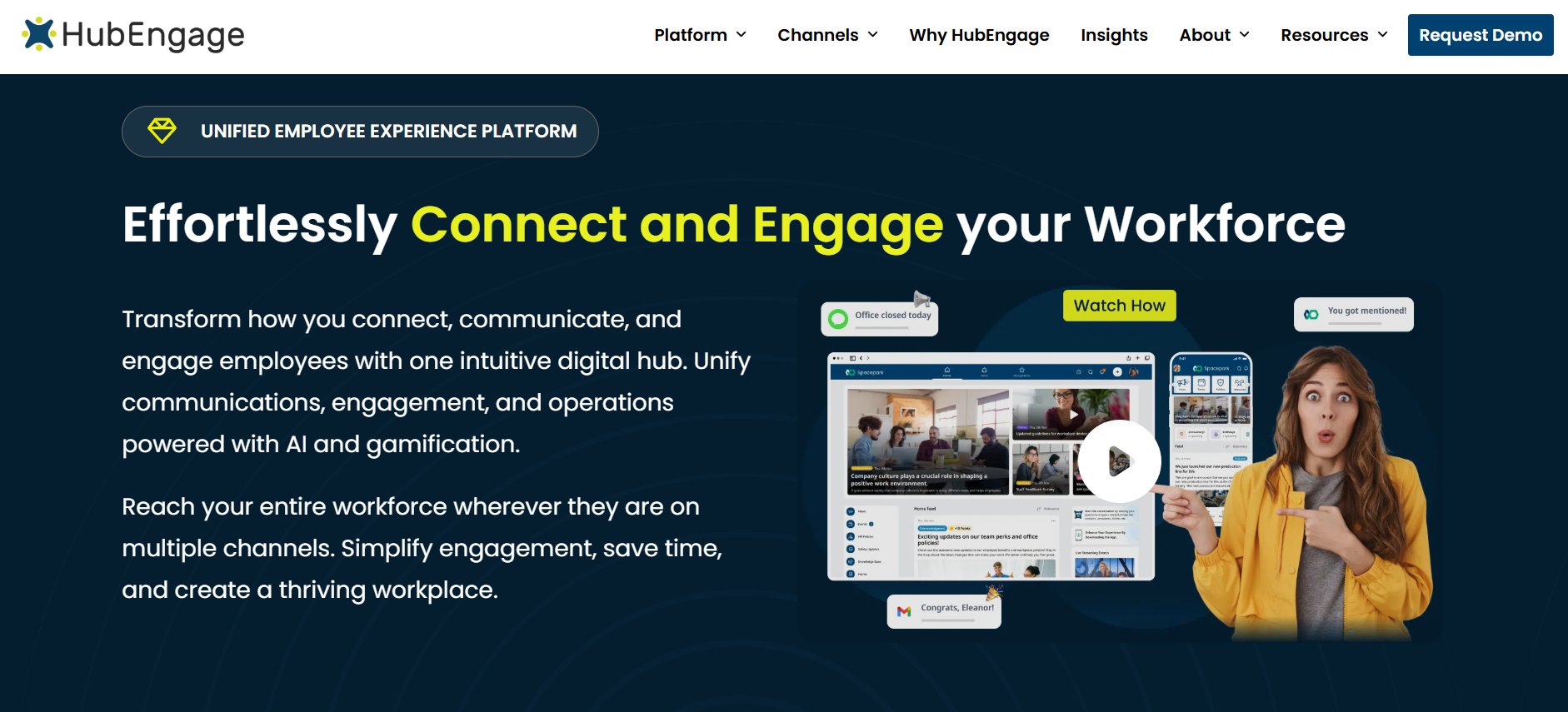
Best suited to evaluate when: your organization wants to combine employee communications, surveys, recognition, messaging, social participation, and multiple communication channels, particularly when a large part of the workforce is frontline or distributed.
HubEngage takes a modular approach to employee engagement. Its current employee-app documentation describes communications, recognition, social participation, surveys/forms, and messaging modules that can be combined inside one employee app. Organizations can also extend communication through web/intranet, internal email, SMS, and digital displays.
That channel mix is particularly relevant when employees do not all work the same way.
A manufacturer may have office employees using email and Teams, technicians checking mobile devices, production workers seeing shared screens, and employees who need urgent notifications by text. A multi-channel platform gives the communications team a way to distribute information through more than one route without building separate programs for every channel.
HubEngage pricing
HubEngage does not publish a universal per-user price on its employee-app page. It states that pricing proposals are based on employee count and that monthly, annual, and multi-year contracts are available, with longer commitments eligible for greater discounts. HubEngage also states that web and email extensions can be added to the employee app without additional cost, while SMS and digital displays may add cost depending on requirements.
For procurement, ask HubEngage to quote the exact combination you plan to use rather than asking only for the app price.
If communications, surveys, recognition, SMS, and digital displays are all part of your use case, put them into the same proposal.
HubEngage integrations
HubEngage documents SAML 2.0 support with identity providers including Microsoft Entra ID, Google Workspace, Okta, Ping Identity, Zoho One, and OneLogin.
Its current integration page also describes HR/HCM and payroll data synchronization through APIs or secure file exports, SharePoint content connections, Microsoft Teams, Google Workspace, RSS/API content sources, and event-based integrations.
That breadth is useful, but buyers should still ask exactly which employee fields their HR system will synchronize and how frequently.
HubEngage security
HubEngage’s current employee-app materials state support for ISO 27001, SOC 2, HIPAA, GDPR, SSO, and encrypted data handling. Its data-security page separately describes data isolation, replicated data centers, and encryption in transit and storage.
Treat these as vendor-stated controls and request current supporting documents for any requirement that is mandatory in your procurement process.
HubEngage implementation
HubEngage states that its employee app can typically be configured and rolled out in 2 to 5 weeks, although actual timing will depend on integrations, content preparation, employee data, branding, and rollout scope.
A broader HubEngage article on employee experience solutions describes four to eight weeks as a common range for standard cloud deployments, with more complex HRIS or payroll integrations extending the project.
Do not treat either figure as a guarantee. Ask for a project plan based on your actual requirements.
What to ask HubEngage to demonstrate
A useful demo scenario is:
“Create one operational announcement, target it to employees at three specific locations, distribute it through the channels those workers use, and show how an administrator confirms delivery and participation.”
Then ask the team to show what happens when an employee changes location in your HR system.
Those two tests cover communication, segmentation, integrations, and administration in a way that a standard product tour will not.
For the product itself, see the HubEngage employee mobile app and engagement platform.
2. Staffbase
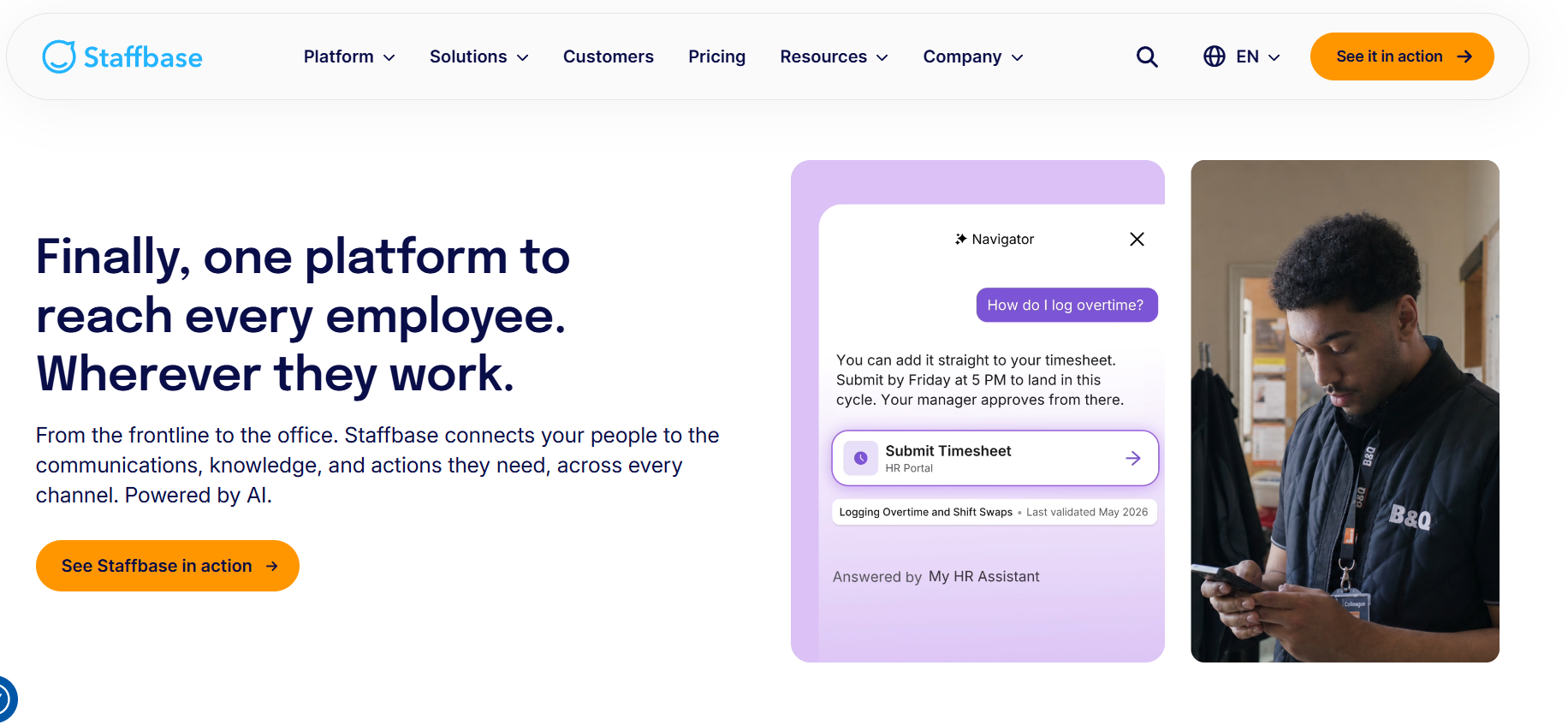
Best suited to evaluate when: enterprise employee communication, intranet capabilities, frontline access, distributed workforces, and structured governance are central to the project.
Staffbase has a strong enterprise communications orientation. Its current pricing page explicitly distinguishes between frontline workforces, mixed workforces, and complex enterprise configurations. It also says organizations can start with one channel and expand into employee app, intranet, email, or digital signage as requirements grow.
This makes Staffbase particularly relevant when the project begins as an internal-communications problem but could later expand into a broader employee platform.
Staffbase pricing
Staffbase does not publish a standard rate card.
Its current pricing model is tailored around workforce composition, scale, channel mix, and commercial structure.
The company offers dedicated frontline pricing for workers without desks, mixed pricing for organizations combining office and frontline populations, and individually scoped enterprise configurations for larger organizations with multiple regions, subsidiaries, or brands.
This creates an important procurement question:
How does Staffbase classify different employee populations in our organization, and what functionality does each population receive?
A company with 15,000 employees but only 3,000 office workers may receive a very different proposal from a business with the same total headcount but a completely desk-based workforce.
Staffbase integrations
Staffbase’s employee-app page lists HR-system connections and workplace services such as Microsoft 365, Google Drive, ServiceNow, Confluence, and Box. It also provides APIs and SDK options.
Staffbase maintains detailed Workday integration documentation as well. Current developer documentation describes automated Workday user synchronization that can run on a 24-hour cycle, with imported employee attributes used for mappings and targeted communication groups.
Its newer HR integration model also supports Workday and SAP SuccessFactors connections and multiple configurations for organizations operating with different systems or subsidiaries.
That level of documentation is useful for technical evaluation because buyers can move beyond “does it integrate?” and examine the actual process.
Staffbase security
Staffbase’s current Data Processing Agreement states that its information-security management system is ISO/IEC 27001:2022 certified and that its current SOC 2 Type II report can be obtained from its Trust Center subject to confidentiality arrangements.
Its employee-app documentation also references flexible hosting across the EU, North America, and Australia, plus SSO or passkey authentication without requiring employee email addresses.
These controls make Staffbase particularly relevant to global organizations, but hosting, data residency, and product scope still need to be confirmed during procurement.
Staffbase company-size fit
Staffbase positions itself heavily toward mid-market and enterprise environments, including organizations with large frontline populations and federated communication structures.
The important test is governance.
Ask Staffbase to demonstrate how a global communications team, a regional communications manager, and a local site administrator can each have different publishing rights without creating an administrative mess.
What to ask Staffbase to demonstrate
Use a scenario such as:
“Our company operates in six countries. Show us how global communications publishes to everyone, a country manager publishes only to local employees, and a factory manager publishes only to one site, while each user sees the correct content.”
That makes governance visible.
3. Workvivo
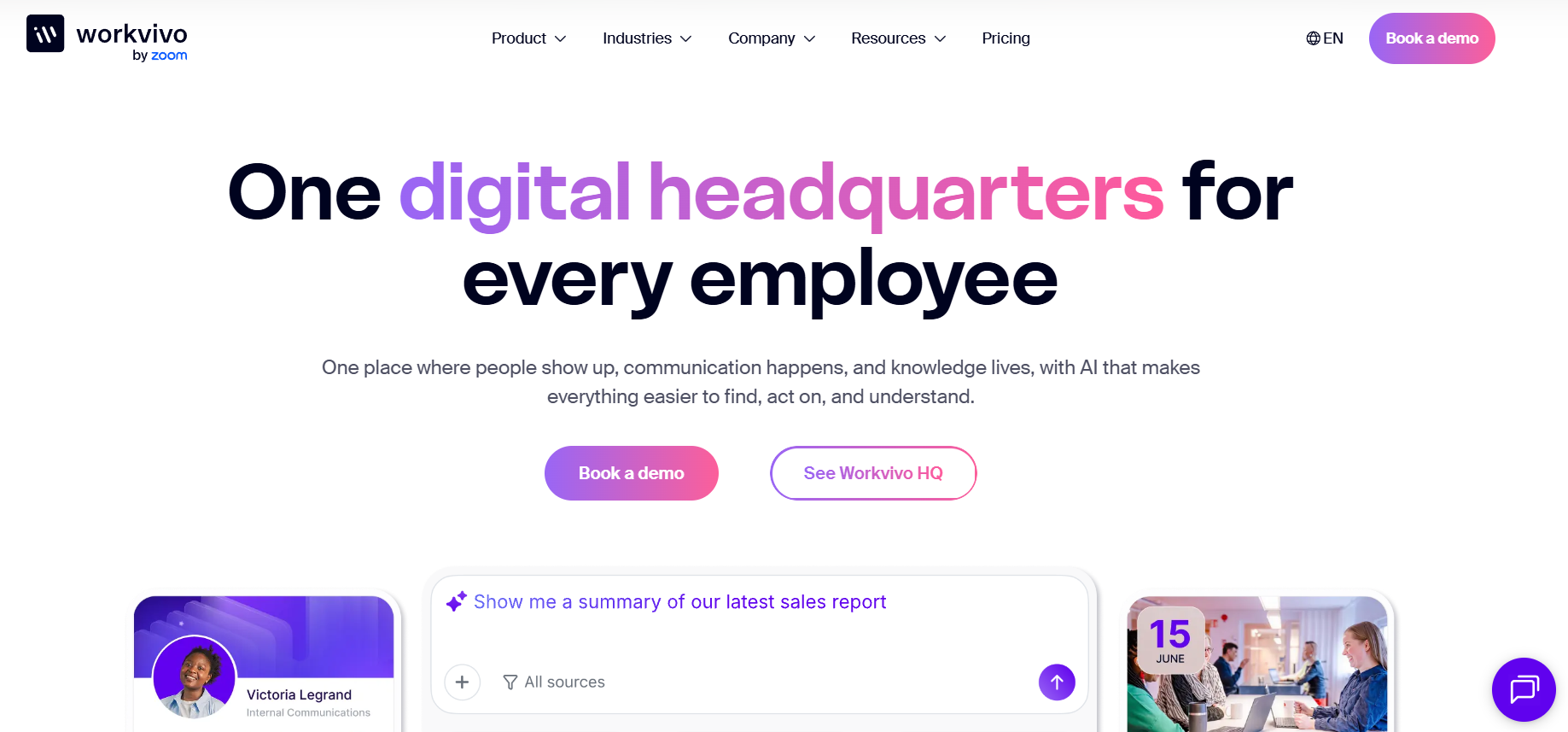
Best suited to evaluate when: employee communication, community participation, knowledge access, engagement, mobile access, and a broader employee hub are part of the same project.
Workvivo’s current pricing page centers its offering around Workvivo HQ, which combines communication, knowledge, engagement functions, audience targeting, SSO, user provisioning, mobile access, integrations, APIs, role-based security, and other platform controls. Additional products can extend the platform into employee listening, search, chat, digital signage, and deeper analytics.
This architecture makes scope particularly important when evaluating Workvivo.
A polished demonstration can contain functionality from several products or add-ons. Procurement should clearly identify which parts belong to the core configuration being quoted.
Workvivo pricing
Workvivo uses custom pricing.
Its current pricing page states that cost depends on required licenses and organizational needs. It also says Workvivo does not currently offer a free trial, although customized demonstrations are available.
The practical pricing question is:
“Which products and add-ons are required to reproduce everything we have seen in this demonstration?”
If employee listening, advanced search, chat, digital signage, or advanced analytics are important, make sure they are included in the commercial comparison.
Workvivo integrations
Workvivo’s current integrations page documents Microsoft 365, Teams, SharePoint, Google Workspace, Zoom, storage services, HR connections, Salesforce, APIs, and federated authentication.
It specifically identifies HR connections including Workday, UKG, BambooHR, Sage HR, and Personio, and describes automated provisioning and deprovisioning through connected identity or HR systems.
Workvivo’s July 2026 support documentation also maintains a list of currently supported HR providers and notes that some integrations may have additional prerequisites or beta status.
That is exactly why buyers should verify the specific HR system and functions they need rather than assuming every listed provider works identically.
Workvivo security
Workvivo states that it maintains ISO 27001 certification and produces an annual SOC 2 Type II report that customers can access under NDA.
Its developer security resources also document current SOC 2 Type II and ISO 27001 status alongside privacy and subprocessor resources.
Workvivo implementation
Implementation should be scoped carefully.
Workvivo has published an onboarding Statement of Work describing an eight-week structure for a particular onboarding package: two weeks of readiness, five weeks of onboarding through launch, and one week of post-launch support. That document is older and should not be treated as a universal 2026 promise, but it illustrates the fact that implementation includes organizational readiness and change work, not simply software configuration.
Workvivo also currently publishes a dedicated adoption playbook that addresses pre-launch planning, change management, launch strategy, the first 90 days, and common rollout problems.
What to ask Workvivo to demonstrate
Ask Workvivo to show the same workflow for an office employee and a frontline employee.
Then ask the vendor to identify, screen by screen, which capabilities belong to Workvivo HQ and which require additional products.
That makes both adoption and commercial scope clearer.
4. Simpplr
Best suited to evaluate when: the project is moving toward an employee intranet, enterprise search, employee communication hub, or broader employee experience layer connected with existing workplace systems.
Simpplr covers employee communication, intranet, enterprise search, surveys, recognition, analytics, and other workplace functions. Its product positioning therefore overlaps with employee engagement but extends beyond a narrow engagement tool.
It is particularly relevant when the organization’s problem is not simply collecting feedback but giving employees one destination for company information and connected work resources.
Simpplr pricing
Simpplr’s current pricing page says quotes are tailored according to organization size, complexity, and ongoing support level.
Its subscription uses volume-based pricing and includes technical support, Customer Success oversight, training, and product guidance. Additional premium products or support services can be purchased separately.
Simpplr also states that organizations with 500 or more employees may receive volume discounts.
Unlike several other enterprise products in this comparison, Simpplr currently advertises a limited 14-day trial.
For buyers, the key question is which functions are part of the standard employee experience subscription and which sit in premium products.
Simpplr integrations
Simpplr’s integrations page describes connections with Microsoft and Google productivity suites, plus prebuilt, low-code, no-code, and API-based integration methods for other systems.
This is particularly important when the intranet is expected to work as a doorway into information stored elsewhere.
During evaluation, do not test only whether Microsoft 365 or Google Workspace connects.
Search for a real policy, document, employee resource, or process that lives outside Simpplr and see what the employee experiences.
Simpplr security
Simpplr provides relatively detailed public security documentation.
Its current security page states that the company is ISO 27001:2022 certified annually and undergoes an annual SOC 2 Type II audit covering a 12-month period, with reports available under NDA. It also publishes information relating to SOC 3, privacy programs, HIPAA, data transfer agreements, penetration testing, and other controls.
For organizations with formal SaaS security reviews, the amount of public documentation can make early-stage assessment easier, although current reports still need to be reviewed by the appropriate internal teams.
Simpplr implementation
Simpplr offers implementation and migration services through its current pricing program.
Implementation times should not be treated as universal. Simpplr has older case studies showing customers launching around eight weeks, while a September 2026 company article citing current G2 data says large-organization Simpplr customers report an average go-live of 3.4 months.
Those figures reinforce an important buyer lesson: deployment time depends heavily on what you are implementing and how much content, integration, governance, and change work is involved.
What to ask Simpplr to demonstrate
Ask:
“An employee searches for our current parental-leave policy, but the authoritative information lives in another connected system. Show us the entire search, permissions, and access experience.”
This tests whether Simpplr reduces information fragmentation rather than simply adding another interface.
5. LumApps
Best suited to evaluate when: a larger or more complex organization wants an enterprise intranet or connected employee hub that brings communication, knowledge, workplace applications, personalization, and employee self-service closer together.
LumApps sits toward the broader employee-experience and intranet side of this category.
That makes it more relevant for organizations looking for a digital workplace layer than for companies simply wanting recognition or surveys.
LumApps pricing
LumApps does not publish a universal rate card on the current pages reviewed for this guide.
Its 2026 RFP guidance says its pricing plans are tailored around organizational requirements and required functionality, and advises buyers to account for setup, licensing, customization, maintenance, upgrades, training, and support.
A separate 2026 build-versus-buy article states that packages are tailored around company size and desired functionality.
This means LumApps should be evaluated using the same TCO method described earlier rather than through a simple license-price comparison.
LumApps integrations
Integration breadth is one of the more substantial areas to investigate with LumApps.
Its current integration pages include Workday, SAP SuccessFactors, Microsoft 365, SharePoint, Google Workspace, ServiceNow, Salesforce, Okta, Slack, Zoom, and many additional systems. LumApps also provides an SDK for organizations building custom extensions.
Its Workday integration page specifically describes bringing HR information and self-service functions such as organizational information and time-off workflows closer to the intranet experience.
For enterprises that already run several major workplace applications, this connected-workplace approach may be more important than traditional engagement functions.
LumApps security
LumApps’ current security page states support for ISO 27001, SOC 2 Type II, GDPR-related controls, granular permissions, and encryption at rest and in transit.
LumApps also announced completion of a SOC 2 Type II audit on August 12, 2026.
Because that development is recent, organizations already evaluating LumApps should request the current documentation rather than relying on older comparison articles.
LumApps implementation
LumApps says implementation timing depends on organizational size and complexity, with straightforward deployments potentially going live in weeks.
A separate 2026 article describes examples in the three-to-six-month range for broader intranet implementations.
Again, this is not a contradiction. A focused rollout and a global intranet replacement are different projects.
What to ask LumApps to demonstrate
Ask for an employee journey across systems:
“An employee opens the platform, finds a current policy stored outside LumApps, checks information from our HR system, and starts a ServiceNow request. Show us exactly how identity, permissions, and navigation work throughout that journey.”
That evaluates LumApps against the reason a connected employee hub is being considered in the first place.
Which Platform Should You Shortlist?
The correct shortlist depends on the problem.
If frontline communication is the main requirement
HubEngage and Staffbase deserve close evaluation.
HubEngage is particularly relevant when you want to combine an employee app with email, SMS, digital displays, surveys, recognition, and other communication functions.
Staffbase deserves attention when enterprise communications governance and dedicated frontline licensing are especially important.
Workvivo can also belong on the shortlist where community and employee-hub functionality matter alongside frontline access.
If you are replacing an intranet
Start by looking at Simpplr, LumApps, Staffbase, and HubEngage.
The final choice should depend on search, content governance, integrations, employee access, local publishing, and how much of the existing digital workplace needs to sit inside the new platform.
If internal communication and employee community are the main goals
Consider HubEngage, Workvivo, and Staffbase.
Test actual targeting and publishing workflows rather than comparing feeds.
If you want to consolidate several employee tools
HubEngage deserves particular attention where communication, surveys, recognition, messaging, social participation, email, and other channels are currently fragmented.
Workvivo may consolidate several communication and engagement functions.
Simpplr and LumApps can consolidate intranet, information-access, search, and connected workplace functions.
Consolidation makes sense only when the broader platform can adequately replace the specialist tools employees and administrators rely on today.
Run Scenario-Based Demos
Do not allow the first demonstration to be entirely vendor-led.
Send vendors three to five scenarios before the call.
A strong scenario has a person, a task, and a constraint.
For example:
Frontline communication: A warehouse employee without corporate email needs to receive and acknowledge an urgent safety update.
Manager communication: A regional manager needs to publish an announcement to employees at three locations without accessing other regions.
HRIS change: An employee transfers location in the HR system and should automatically move into the correct communication audience.
Survey confidentiality: Four employees in a small team respond to a survey and the manager attempts to filter the results.
Information retrieval: An employee searches for a current policy that is stored in Microsoft 365 or Google Drive.
A product that performs well under your scenarios is far more informative than one that looks good during its standard demonstration.
Run a Pilot Before a Large Rollout
A controlled pilot can expose problems that never appear in a sales presentation.
The pilot does not need to include half the organization.
Choose a representative group containing the employees who will be hardest to serve.
For many organizations, that means a mixture of office employees, frontline workers, managers, and the administrators who will own the platform.
Test real content rather than demonstration data.
The most useful pilot asks employees to perform the tasks the platform was purchased to improve.
Your pilot should measure adoption, task completion, communication reach, survey participation where applicable, support requests, administrator effort, manager feedback, and employee feedback.
Define the success criteria before the pilot starts.
If you decide what success means after seeing the numbers, the pilot stops being an objective buying test.
Implementation: Software Setup Is Only Part of the Project
One of the biggest mistakes in employee-platform procurement is treating implementation as a technical configuration project.
The technology may be ready before the organization is.
Implementation can include employee-data preparation, identity configuration, content migration, taxonomy, branding, administrator roles, communication strategy, manager training, employee education, pilot testing, change communication, and support planning.
That explains why vendor timelines vary so widely.
A focused employee app with standard data connections may launch within weeks. A global intranet replacement involving several countries, content repositories, identity systems, and local publishing structures may take months.
Ask every vendor to separate the implementation plan into:
Vendor responsibilities, customer responsibilities, technical dependencies, content work, training, pilot, launch, and post-launch support.
If those responsibilities are unclear before the contract, they will not become clearer automatically afterward.
Red Flags During Procurement
A polished product demonstration can hide operational problems.
Be cautious when the price changes substantially every time the scope becomes clearer; when an advertised integration turns out to require frequent manual imports; when security questions receive marketing language instead of evidence; when the vendor cannot clearly explain survey confidentiality; when frontline workers require corporate email even though your workforce does not have it; when important capabilities exist only on the roadmap; when routine administrator tasks are avoided during the demo; or when implementation responsibility remains vague.
Another warning sign is a vendor promising outcomes without explaining the customer conditions required to achieve them.
Software can support communication, listening, recognition, and access.
It cannot guarantee engagement by itself.
Questions to Ask Every Employee Engagement Platform Vendor
Use these ten questions as the final procurement checklist:
- What exact workforce or business problem is your proposed configuration designed to solve for us?
- What is our complete first-year and three-year cost, including implementation, integrations, support, modules, and additional channels?
- Which of our critical integrations are already available, and what data or workflows actually move through them?
- Can our security team review the current reports, certificates, DPA, subprocessor information, and hosting details that apply to our service?
- How do employees without corporate email addresses authenticate and recover access?
- How are new employees provisioned, employee attributes updated, and former employees removed?
- Show us what an administrator will need to do during a normal week.
- What does implementation require from HR, IT, Internal Communications, managers, and your own implementation team?
- Can we pilot the product using our own employees, workflows, integrations, and success measures?
- What support, training, Customer Success, or technical assistance remains available after launch, and what costs extra?
If a vendor cannot answer these questions clearly, more evaluation is needed.
Frequently Asked Questions
What is the best employee engagement platform in 2026?
There is no single best employee engagement platform for every organization.
HubEngage is worth evaluating when multi-channel communication, frontline access, surveys, recognition, and several engagement functions need to work together.
Staffbase is well suited to evaluation for enterprise communications, employee apps, intranet, frontline reach, and complex governance.
Workvivo is relevant when communication, community, engagement, and a broader employee hub are important.
Simpplr and LumApps deserve particular attention when the project is closer to an employee intranet, enterprise search, or connected digital workplace.
The best choice depends on your problem, workforce, systems, budget, and security requirements.
How much does an employee engagement platform cost?
There is no useful universal price.
Pricing can depend on employee count, modules, workforce composition, integrations, implementation, support, channels, contract duration, and optional services.
Many enterprise vendors, including the five covered in this guide, rely heavily on customized proposals.
Compare three-year TCO rather than headline pricing.
What integrations should employee engagement software support?
The required employee engagement platform integrations depend on the systems your organization already uses.
For many organizations, this means an HRIS such as Workday, UKG, ADP, or SAP SuccessFactors; an identity provider such as Microsoft Entra ID or Okta; Microsoft 365 or Google Workspace; and collaboration, content, service-management, or payroll systems.
The number of integrations is less important than their depth.
What security requirements should an employee engagement platform meet?
Requirements should be determined by your IT, information-security, privacy, procurement, and legal teams.
Common review areas include SOC 2, ISO 27001, encryption, SSO, MFA, identity lifecycle management, hosting region, data residency, privacy agreements, subprocessors, role-based access, retention, deletion, incident procedures, and survey confidentiality.
Do not accept certification logos as a substitute for current evidence.
Can employee engagement surveys really be anonymous?
They can be designed to protect respondent identity, but controls vary between platforms.
Buyers should check minimum response thresholds, administrator access, filtering, free-text comments, employee attributes, and retention policies.
Removing names is not enough if a manager can isolate responses from a team of three people.
Do small companies need an employee engagement platform?
Not necessarily.
A small organization that already communicates effectively and only needs occasional surveys may be better served by a focused product.
A broader platform becomes easier to justify when employee communication, recognition, surveys, mobile access, information, and other employee functions are scattered across several disconnected tools.
How long does employee engagement platform implementation take?
Implementation can range from weeks to months depending on scope.
Employee count is only one variable. HRIS integrations, SSO, content migration, languages, locations, administrator structures, data requirements, branding, employee access, and change management can all affect the timeline.
Ask vendors for a project plan based on your environment rather than relying on a generic implementation figure.
Should we buy one employee engagement platform or several specialist tools?
A single platform can reduce duplicate administration, employee logins, integrations, and reporting fragmentation.
Specialist products can provide greater depth for individual functions.
The correct choice depends on whether breadth or specialist capability matters more.
Before consolidating, document what each existing tool does and verify that the proposed replacement can perform the workflows you cannot afford to lose.
Final Thoughts
Choosing an employee engagement platform in 2026 should start with your organization, not with a software ranking.
Define the problem first.
Then establish the real budget, identify the integrations that must work, give security teams enough information to verify the vendor, and evaluate workforce complexity rather than relying on headcount alone.
Once those requirements are documented, compare vendors against the same scenarios.
HubEngage, Staffbase, Workvivo, Simpplr, and LumApps can all belong on a serious shortlist, but they approach employee engagement from different directions.
The strongest buying question is therefore not:
“Which employee engagement platform has the most features?”
It is:
“Which platform can handle the way our employees actually work, within the budget, systems, security requirements, and administration model we actually have?”
That is the question your final selection should answer.