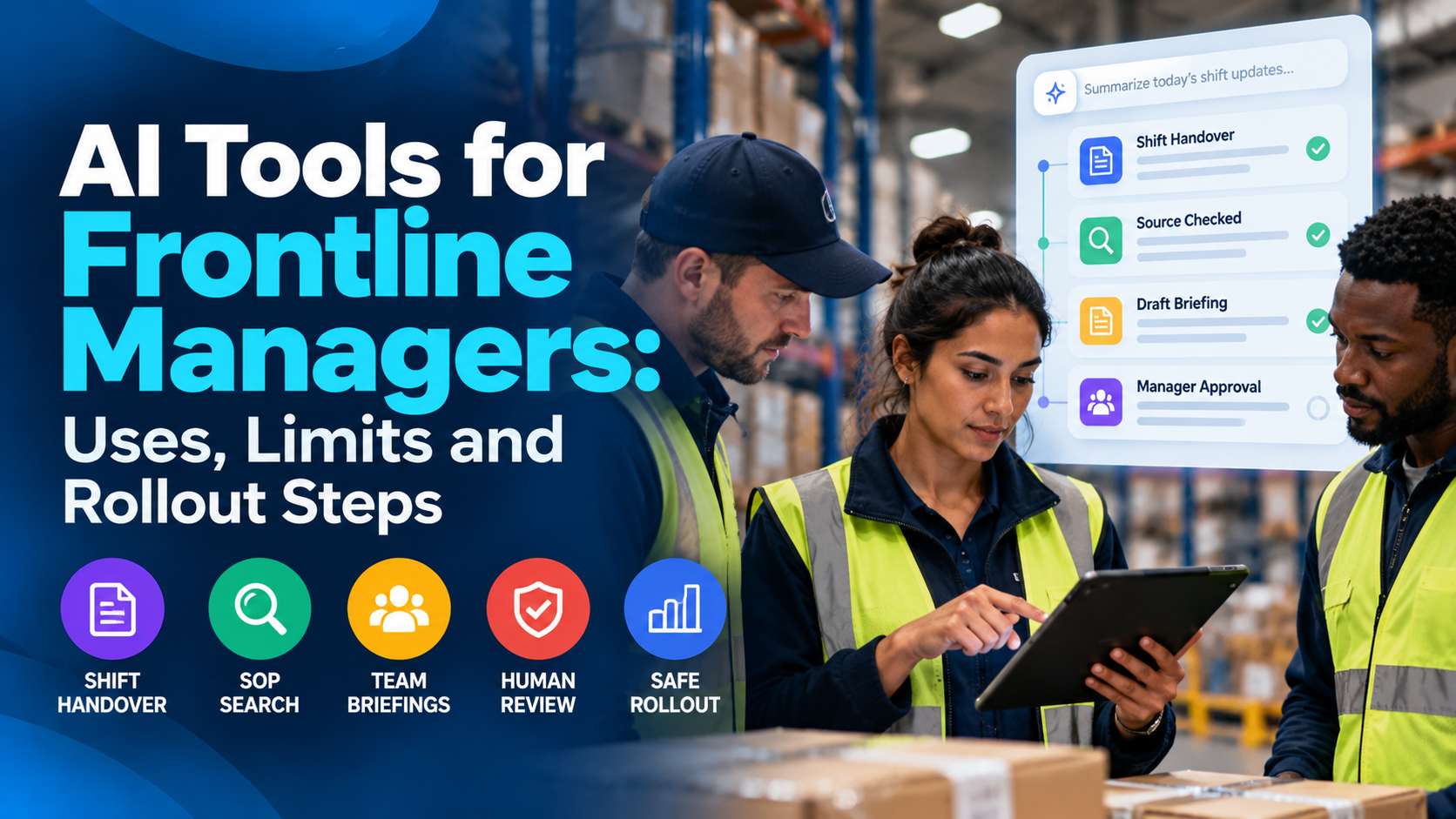
AI tools for managers can help frontline leaders prepare shift briefings, search approved procedures, draft team messages, summarize handovers, and organize routine follow-up. They are most useful when they reduce information work without transferring decisions about safety, pay, staffing, discipline, or employee welfare to a model. A successful rollout starts with a narrow, measurable use case, approved information sources, meaningful human review, and practical access for managers working across shifts.
A warehouse supervisor trying to finish a handover at 11 p.m. has a different AI problem from an executive writing a presentation. The supervisor may need to identify an unresolved equipment issue, explain a changed process to a multilingual team, find the current operating instruction, and make sure the incoming manager understands what requires attention. None of that work can depend on a polished answer that might be wrong.
This topic guide examines where AI genuinely helps frontline managers in 2026, where the technology remains unreliable or inappropriate, how to compare relevant tools, and how to introduce them without creating another app that employees are expected to use during unpaid time. It focuses on retail, manufacturing, logistics, healthcare, hospitality, facilities, field service, and other workforces where managers lead people rather than spend their whole day at a desk.
The organizing principle is assist the manager; do not automate accountability. Useful AI prepares a draft or finds evidence. A qualified human checks context, approves the decision, and remains responsible for what happens on the floor.
Why Frontline Managers Are Interested in AI Now
Frontline management contains a surprising amount of information work. A supervisor reads messages from several systems, checks staffing, answers questions about policies, reviews incidents, completes handover notes, reminds employees about training, and writes explanations for people on different shifts. Much of that coordination happens between operational tasks rather than during an uninterrupted office hour.
AI is attractive because it can compress long messages, assemble first drafts, find relevant documents, translate plain-language notices, and highlight unresolved actions. These benefits can be significant when managers have limited access to computers and little administrative support. But that same environment makes mistakes more consequential: a confident false answer about a chemical procedure or a leave entitlement can reach someone already trying to perform the task.
Different tools also solve different problems. A general writing assistant can rewrite a bulletin; it may have no access to the current company policy. A search assistant integrated with approved documents can cite a procedure but cannot necessarily verify that machinery is safe. A workforce-management optimizer may suggest coverage patterns but requires separate testing for labor constraints and fairness.
It is helpful to distinguish three classes of AI tools for managers: content assistants for summarizing and drafting, knowledge assistants for retrieving approved information, and workflow assistants for coordinating authorized actions. A fourth category—people analytics and automated recommendations about workers—deserves substantially stronger controls.
Many software vendors describe these features collectively as “AI.” Buyers should not assume that one vendor’s assistant does everything another vendor’s agent can do. Features, licensing, integrations, permissions, regional availability, and human-review controls change over time.
Define the real problem before buying an assistant
An organization might say it wants AI because its supervisors spend too much time on paperwork. The underlying problems may be completely different. One site has poor shift handovers. Another cannot find current standard operating procedures. A third has slow employee onboarding. The fourth already has good documentation but too many different communication channels.
The appropriate intervention is different in each case. AI cannot repair missing policy ownership, inaccessible source systems, or a scheduling rule that has never been agreed. In some cases a better template, a mobile knowledge hub, or a simpler approval process will deliver a more reliable result.
Begin with a week of observation. Follow several managers through shift start, peak activity, handover, and end-of-day administration. Record where information is searched for, rewritten, manually copied, chased, or re-entered. Separate work that is merely repetitive from work that requires judgment, professional qualifications, or employee trust.
A practical definition of success
A manager should be able to produce an accurate, shorter briefing in less time, with fewer omitted actions, without disclosing more employee data or increasing off-duty work. That is a better target than “every manager uses AI daily.”
The outcome should be visible to employees as well: clearer instructions, fewer contradictory messages, faster access to current procedures, smoother handovers, and more supervisor time available for coaching or problem solving.
For the communication side of this challenge, TurnOnWork’s internal communications strategy for distributed workforces explains why channels and information ownership need to be designed before adding a new technology.
Start With a Frontline Manager Workflow Audit
AI projects usually fail when a tool is selected before a workflow is understood. Map the manager’s actual decisions and the documents or systems supporting them. Include day, evening, overnight, weekend, and remote teams, because those working patterns often expose the gaps that office-based testing misses.
Document how managers receive changes, which devices they are permitted to use, whether connectivity is reliable, what languages their teams prefer, which sources are authoritative, and what work happens on shared devices. Identify where information is sensitive, where errors could cause harm, and which actions require approval or a professional license.
Ask frontline managers to demonstrate a real task, not simply describe it. If handovers occur as verbal messages, photos, and paper notes, an AI model will not magically find the missing facts. If the current policy exists in four different versions, retrieval could surface the wrong one faster.
Sort work by risk, not just time saved
| Workflow | Plausible AI role | Primary risk | Required check |
| Drafting a routine shift briefing | Condense approved updates into a short draft | Missing or overstated facts | Manager checks against sources |
| Searching approved SOPs | Retrieve passages with links to current documents | Outdated or wrong procedure | Confirm version and scope |
| Preparing a training explanation | Simplify language for an approved lesson | Change in technical meaning | Qualified trainer validates |
| Producing handover notes | Suggest a summary of documented actions | Omitted exception or unresolved hazard | Outgoing and incoming managers review |
| Suggesting shift coverage | Flag possible options under explicit rules | Labor, fatigue or fairness violations | Authorized scheduler applies constraints |
| Scoring employee performance | Avoid as a default pilot use case | Bias, privacy, unfair outcomes | Formal legal and HR review, meaningful human decision |
| Recommending a safety response | Provide navigation to approved emergency guidance only | Dangerous fabricated instruction | Qualified personnel follow validated protocol |
This table is a prioritization aid, not permission to use AI in regulated work. A low-risk draft can become a high-risk artifact if a manager sends it without checking the facts.
Use a green, amber, and red classification
A simple risk system helps managers understand where an AI tool belongs. Green tasks involve publicly shareable or properly authorized, low-consequence drafts—such as shortening a non-sensitive event invitation. Amber tasks involve internal procedures, individual schedules, or operational records where verification and approvals are essential. Red tasks include automated disciplinary decisions, medical or safety-critical instructions, covert surveillance, and highly sensitive personal information outside an explicitly reviewed system.
Risk categories need an owner. A manager should know what information can be entered, which tasks require a second reviewer, and when AI use is not allowed at all. “Use your judgment” is not an adequate policy when the relevant concern is invisible to an untrained employee.
Pillar 1: Where AI Tools for Managers Can Actually Help
The most practical frontline AI use cases are not dramatic. They are small improvements to repeated tasks, ideally based on current approved data and integrated into channels managers already use. The value comes from less searching, less retyping, clearer communication, and fewer handover gaps—not from replacing the manager’s relationship with the team.
Use Case 1: Draft Better Shift-Start Briefings
A shift-start huddle often combines the same categories of information: staffing, safety, service goals, equipment status, urgent changes, and an item requiring employee feedback. A manager may draw those details from a schedule, an operations report, a team chat, and a handwritten log.
AI can assemble a draft from approved inputs. It can distinguish items that apply to the whole site from information relevant only to one line or shift, shorten technical language, and suggest a consistent order. The manager must check whether each item is accurate, timely, and suitable for verbal delivery.
A useful workflow is: gather authoritative updates, ask the assistant to draft a two-minute briefing, require source citations or line references, remove unsupported statements, then deliver and record employee questions. Never use the model’s confidence as proof that a notice is correct.
Example prompt: “Using only the approved updates below, draft a 120-word shift-start briefing with Safety, Staffing, Priorities, and Open Questions. Do not invent dates or instructions. Mark any unsupported detail as ‘Verify with manager.’”
This works particularly well when the organization has standardized the structure of its huddles. Without a good input process, the output may simply repackage inconsistent information.
Use Case 2: Make Shift Handovers More Consistent

Handover quality depends on knowing what was completed, what remains open, who owns the next step, and whether any risk or exception needs direct attention. A poorly prepared note can make the incoming shift repeat work or miss a significant problem.
AI can turn a structured log into a readable handover draft, identify missing fields, group actions by urgency, and list unanswered questions. It should not fill gaps with guesses. “No incidents mentioned” is not the same as “No incidents occurred.”
For a manufacturing supervisor, a safe output might include: completed maintenance, equipment requiring inspection, blocked jobs, staffing changes, and items needing a face-to-face handoff. For a hospitality manager, the headings might be guest issues, maintenance tickets, room readiness, staff coverage, and service commitments.
A supervisor should verify the source records, mark the document as reviewed, and confirm high-priority issues directly where required. This is a task for supporting operational continuity, not a substitute for mandatory incident reporting or safety sign-off.
TurnOnWork’s shift scheduling best practices offers related guidance on the planning and handoff practices that must be dependable before automation.
Use Case 3: Find the Current Policy or SOP Faster
Frontline managers often need fast answers: Which escalation path applies to this customer complaint? Where is the revised returns policy? What is the current cleaning checklist? Which document explains the updated leave-request process?
A retrieval-based assistant can be useful when it searches a controlled repository of approved, dated documents and provides direct links to the relevant passage. Its value depends on clean permissions and document governance. If the source is outdated or inaccessible, a well-written answer is still a bad answer.
For operational use, require the assistant to return a document title, owner, version or last-reviewed date where available, and the precise source section. Test what happens when the answer is absent or conflicting. A good system should say “I cannot verify this from approved material” rather than improvise.
Do not ask an AI answer box to replace the posted emergency procedure. If someone needs a safety instruction during an incident, the approved response protocol and qualified personnel take precedence.
When knowledge search is not ready for AI
If employees routinely find multiple versions of the same SOP, invest first in content ownership, expiration or review dates, access permissions, and retirement of obsolete copies. AI search amplifies the consequences of poor information hygiene.
Knowledge retrieval is also not the same as authorization. An assistant that can retrieve an HR document does not necessarily have permission to disclose it to a warehouse supervisor. Apply role-based access and test permission boundaries with realistic accounts.
Use Case 4: Translate and Adapt Routine Team Communication
Managers may need to share the same operating update across different languages or reading levels. AI can produce an initial translation, shorten a long memo, write a spoken version for a huddle, or create a simple FAQ.
The limitation is fidelity. A sentence about an eligibility rule, a wage policy, a hazardous procedure, or a mandatory safety instruction cannot safely be changed because the model made the language more conversational. High-consequence translations need appropriate review by people with relevant language and subject-matter competence.
A practical process is to approve the source notice first, use AI to draft variants, validate key terms and dates, then publish the approved versions through the correct channels. Keep the original source accessible. Provide captions, accessible alternatives, and opportunities for employees to ask for clarification.
Example prompt: “Rewrite this approved announcement in plain English for a two-minute shift huddle. Keep every requirement, date, and exception unchanged. Flag terms that need legal, safety, or language review.”
For a more complete approach to reaching employees without a common inbox, see TurnOnWork’s frontline communication guide.
Use Case 5: Turn Repeated Questions Into a Useful FAQ
A supervisor may answer the same scheduling or policy question several times per week. AI can cluster de-identified questions, identify recurring themes, and propose a short FAQ draft for an owner to approve.
The distinction between pattern detection and individual judgments matters. A list of common questions can improve documentation. An automated claim that a specific employee is “difficult” because they asked several questions is inappropriate and potentially harmful.
Publish an approved, searchable answer, then observe whether repeat questions decline and whether employees can find the source. A good FAQ should include a route for exceptions and not pretend one answer covers every contract, jurisdiction, or role.
Use Case 6: Prepare Training Materials and Coaching Conversations
AI can turn a qualified trainer’s existing outline into a practice quiz, generate examples for a non-sensitive topic, prepare a checklist for a coaching conversation, or suggest ways to make an explanation clearer. This is most useful when a subject-matter expert has already approved the underlying material.
It should not independently certify competence, diagnose why an individual performs poorly, or decide who deserves a promotion. In healthcare, safety-sensitive manufacturing, transport, and other regulated settings, approved instruction and assessment procedures remain essential.
Good managers can also use an assistant to prepare questions for a constructive one-to-one conversation without entering unnecessary employee performance histories. For example, a neutral prompt can ask for ways to explain a changed process or encourage a two-way discussion. The manager should never substitute the draft for listening to the employee.
Use Case 7: Make Administrative Follow-Up Easier
A manager may finish the day with a list of small commitments: confirm spare parts, check a revised roster, route an HR question, review training completion, or ask another site about an inventory discrepancy. AI can categorize action items and create drafts for authorized task systems.
This is safer when the assistant proposes actions rather than sending messages or changing records automatically. The relevant user should see the action, source, assignee, and consequence before approval.
Automated reminders can reduce manual chasing, but they should respect working hours and job roles. An employee should not receive repeated off-duty nudges merely because a bot can send them. The tool should inherit the company’s notification and wage policies.
Use Case 8: Explore Staffing Scenarios Carefully
Workforce management systems increasingly offer forecasting or optimization features. A manager may want to compare staffing demand with available capacity, simulate a changed opening hour, or find eligible volunteers for an uncovered shift.
The AI’s job should be to produce constrained options based on accurate data, not quietly choose who must work. Scheduling involves qualifications, contractual hours, breaks, rest periods, accommodation needs, notice rules, union agreements, fairness, and fatigue risks. Managers need to understand which constraints are enforced by software and which still depend on review.
A forecast can be useful even when it is imperfect, provided assumptions are visible. The decision to change someone’s shift should remain with authorized personnel, using the applicable rules and communication process. Do not treat an opaque “best match” score as sufficient justification.
What to avoid in the first rollout
Do not start with AI scoring individual employee productivity, predicting who will quit, recommending discipline, ranking candidates for promotion, or analyzing private conversations. These tasks are contentious, potentially discriminatory, and likely to erode trust. A positive early pilot is more likely with drafting, retrieval, and structured handovers than with employee surveillance.
Pillar 2: Compare AI Tools for Managers by the Workflow They Support
It is tempting to list every popular AI chatbot and declare them interchangeable. That is not how a frontline team should buy software. A useful comparison starts with what the tool can access, whether it is approved for employee information, how it handles permissions, which systems it integrates with, whether it provides usable citations, and whether the manager can complete the work on the device available during a shift.
The broad distinction is between a general assistant that can draft content and a connected assistant that can retrieve company-approved information or take authorized steps. Connections make the workflow more useful but also raise the cost of mistakes and the importance of access controls.
Software features and pricing change quickly. The examples below describe relevant product directions rather than a current price ranking. Confirm the edition, region, integration, feature status, and security terms during procurement. Never assume a feature included in a screenshot or marketing video is enabled in a customer’s tenant.
Microsoft 365 Copilot and Frontline Agent
Microsoft is a relevant choice when frontline managers already use Teams, SharePoint, and Microsoft 365. Its Microsoft 365 frontline worker guidance describes a broader environment spanning Teams Shifts, Planner, Lists, Approvals, Power Platform, and AI-supported workflows.
Microsoft’s Frontline Agent setup documentation describes features intended to help workers and managers find approved information, catch up on updates, draft handovers, and gather operational information. The agent’s permissions, licensing, data sources, and configuration need to be assessed in the specific tenant. Microsoft also notes that licensing varies by scenario.
That is a stronger fit than a disconnected chatbot when the organization’s authoritative data already lives in SharePoint and Teams. It is not a license to trust every summary. The manager should still verify the current SOP version, relevant safety conditions, and anything carried over into an incident report or staffing decision.
Best fit: Managers in Microsoft-heavy organizations who need information retrieval and shift-coordination assistance within governed tools. Main limitation: Quality depends on source hygiene, configuration, entitlement, and access permissions. An AI tool cannot infer facts that never entered the system.
Google Workspace with Gemini

Google Workspace can be useful for organizations whose managers work in Docs, Sheets, Gmail, Meet, and Drive. Gemini-based assistance may support drafting messages, reorganizing a report, summarizing approved content, and finding information in connected workspace sources depending on product configuration.
Google’s Workspace generative-AI privacy documentation describes organizational controls and data protections for supported Workspace experiences. These arrangements should be evaluated against the actual subscription, features, and any third-party integrations the buyer enables.
The frontline question is not simply whether the assistant can write a good paragraph. Can a supervisor with a limited device find the correct document, confirm the source, and produce an approved update without switching among several inaccessible systems?
Best fit: Teams that already maintain their policies and routine operational documents in Google Workspace. Main limitation: A general drafting experience is not a purpose-built safety or workforce-management system, and source access does not guarantee correctness.
ChatGPT Enterprise or Business
A general enterprise AI assistant can help draft short shift communications, organize non-sensitive notes, create training examples from approved content, compare two policy drafts, or turn structured data into an explanatory report. The benefit is flexibility, especially for teams whose workflows do not live entirely inside one software ecosystem.
The organization should choose a sanctioned business environment, establish data-sharing rules, assess enterprise controls, and determine which connectors or approved knowledge sources the assistant may use. The manager should know the difference between a response grounded in a verified document and a plausible answer generated from general model knowledge.
A conversation with a general assistant is not a substitute for formal case management, medical advice, legal interpretation, or a workforce-management system that enforces scheduling rules. Keep prompts free of unnecessary names, medical conditions, personnel records, customer identifiers, and other restricted data.
Best fit: Controlled drafting, summarizing, and document-analysis tasks that can be reviewed before action. Main limitation: Broad capabilities invite misuse if data rules, source checks, and approval requirements are unclear.
Employee Communication Platforms With AI Functions
Some employee communication and frontline experience platforms add AI-assisted writing, targeting, translation, content discovery, knowledge search, or workflow support. For organizations using products such as Staffbase, Blink, HubEngage, or Beekeeper by LumApps, it can be sensible to assess the capabilities already available in the employee environment.
The buyer should distinguish publishing assistance from decision automation. A platform that improves the clarity of a manager’s message is not necessarily equipped to optimize staffing, analyze employee complaints fairly, or answer specialized safety questions.
Ask for a live demonstration that begins with a manager preparing a shift update and ends with a real employee being able to receive and understand it. Verify what data the vendor stores, what the assistant can read, which content is eligible for generation, and whether translated text can be approved before publication.
Best fit: Organizations seeking AI support as part of an existing employee communications workflow. Main limitation: Capability breadth, integrations, and commercial packaging vary considerably; use case testing is more valuable than counting features.
Workforce Management, Knowledge, and Training Systems
Separate from general assistants, specialist tools may use predictive analytics or generative features inside workforce planning, knowledge management, maintenance, safety training, and scheduling. They can be more operationally useful because they are closer to the records managers actually need.
The risk is treating a product-specific output as objective simply because it appears inside a system of record. Demand forecasts are predictions. Suggested rosters are recommendations. Automatically assembled incident summaries are drafts. Training quizzes assess limited evidence rather than establishing full on-the-job competence.
A good procurement exercise asks the provider to show the precise sources, business rules, permission boundaries, audit trail, fallback process, and manager override—not only the final recommended answer.
A practical software-fit comparison
| Category | Good first task | Must verify | Avoid assuming |
| Microsoft 365 Copilot / Frontline Agent | Source-linked handover and knowledge lookup | Licenses, tenant permissions, source quality | An older Shifts plugin is still supported |
| Google Workspace Gemini | Drafting and summarizing approved workspace content | Available features, admin settings, data handling | Automatic understanding of local site rules |
| Sanctioned general AI assistant | Briefing drafts, FAQs, non-sensitive analysis | Enterprise data controls, review, approved inputs | Model answers are authoritative |
| Frontline communication platform with AI | Localized updates and employee-facing content | Channels, approvals, translation review | Communication AI is a scheduling engine |
| Specialist WFM / operational tool | Scenario modeling in a governed system | Constraints, bias testing, override and audit trail | Recommendation equals compliant decision |
One product may appear in several categories. The distinction is the controlled workflow being tested, not the label on the sales page.
Run a Realistic Vendor Demonstration
Provide a scenario that reflects the company rather than asking for a generic tour. For example: an overnight distribution-center manager needs a three-minute handover from approved notes, must find a new inventory procedure, and needs to draft a clear announcement for employees who have no company email.
Evaluate the journey from sign-in to final output. Count the screens and minutes required. Ask what happens when a document is outdated, when the employee lacks permission, when the question cannot be answered, and when the model generates an unsupported claim.
Invite a frontline manager, IT/security representative, communications owner, and relevant operations or HR specialist into the test. They will see different failure points. The product should support the actual manager’s device and access conditions rather than assuming a desk environment.
Questions worth asking every vendor
Ask which model and data pathways support each feature; what inputs, outputs, and logs are retained; whether prompts or content are used for training under the proposed contract; who can access logs; how source permissions are enforced; whether content can leave the chosen region; how a user reports a wrong answer; and what control exists to stop or reverse automated actions.
Also ask for pricing based on the exact number of managers, modules, API usage, storage, connectors, and necessary support. Many organizations discover that an apparently inexpensive chatbot requires expensive integration or content-cleanup work before it becomes reliable.
The answer is not automatically “buy the tool with the highest accuracy.” A narrower assistant that produces trustworthy, cited answers in an accessible workflow may be more valuable than a broad assistant managers cannot safely govern.
Where AI Should Not Make the Decision
A frontline manager’s duties include judgment, worker wellbeing, safety, legal compliance, and accountability. AI can help organize evidence but should not independently determine an employee’s career, treat sensitive predictions as fact, or turn a probabilistic answer into an operating instruction.
The NIST Generative AI Profile identifies risks including erroneous generated content and data privacy harms. Those risks matter in frontline settings because managers may be moving quickly and may not have the time or context to catch a convincing mistake.
Hallucinations, missing context, and outdated procedures
A model can invent an exception, conflate two sites, misread a table, miss a date, or provide an answer from an obsolete policy. It may sound certain even when it lacks reliable evidence. This is particularly dangerous when a response seems to authorize a safety step or change an employment condition.
Require source-linked answers wherever feasible. For critical procedures, the manager should open the approved document and verify the relevant section rather than rely on a summary alone. Define an escalation path for absent or conflicting information.
A safe assistant should distinguish among “I found this in the current policy,” “I inferred this from context,” and “I cannot verify this.” If the interface does not make that distinction possible, narrow the permitted tasks.
Privacy and employee monitoring
Frontline operational records can contain names, shifts, attendance, accommodation requests, medical details, complaints, and disciplinary histories. Pasting an entire roster or incident narrative into an unauthorized tool can expose more data than the task requires.
Establish data-minimization rules and role-based access. De-identify examples when possible. Keep confidential information inside systems approved to process it, with suitable retention, contracts, security, audit, and deletion controls.
The UK’s ICO guidance on monitoring workers stresses proportionality, transparency, purpose limitation, and assessment of the effects of monitoring. Requirements vary by jurisdiction, but those principles are broadly useful when deciding whether a new analytics feature is appropriate.
Do not quietly deploy software that monitors workers’ messages, devices, location, or behavior for purposes employees were not told about. Consult relevant employee representatives and specialists where required.
Bias, accessibility, and unfair people decisions
A model may reflect biased patterns in training data or operational records. It can also be less accurate for certain languages, accents, communication styles, disabilities, or groups with limited digital access.
The EEOC’s Artificial Intelligence and the ADA resources explain how employment technology can create disability-related barriers. The DOJ’s guidance on algorithms and disability discrimination in hiring reinforces that automated tools can disadvantage qualified people.
Do not use unvalidated AI rankings to choose employees for discipline, promotion, termination, hiring, or other consequential decisions. If the organization is exploring a system with such effects, it needs formal legal, HR, technical, accessibility, and fairness assessment, meaningful human decision-making, and appropriate notice or consultation.
A human who clicks “approve” without the authority, information, or time to challenge a recommendation is not meaningful oversight.
Occupational safety and regulated work
AI should not improvise emergency steps, chemical handling instructions, clinical treatment, electrical lockout procedures, or other regulated practices. A search assistant may help locate an authoritative approved document, but a qualified employee must follow the correct procedure and escalation path.
For a workplace with mandatory training or certifications, an AI-generated quiz or summary does not replace legally or operationally required instruction and assessment. Do not assume a fluent explanation proves technical competence.
When an employee reports a near miss, injury, or equipment defect, use the official reporting and corrective-action system. An AI draft should not erase uncertainty, assign blame, or substitute its analysis for a qualified investigation.
Accuracy without explainability is not enough
A useful AI recommendation needs traceable inputs and a way to challenge it. Managers should understand which facts were used and which assumptions were introduced. A high-level score is often insufficient.
For staffing, explain the rules governing availability, skills, rest periods, and eligibility. For knowledge retrieval, provide links to approved sources. For drafting, preserve the original records. For actions, record who reviewed and authorized the change.
Not every tool can provide meaningful explanations for every output. When that matters to the task, do not use it until the workflow can supply the necessary evidence.
Do not turn AI into unpaid extra work
Mobile AI tools may encourage managers to answer questions, check dashboards, or complete tasks outside the shift. They can also produce automatic follow-ups to workers at times when those employees should not be expected to respond.
Employers need clear rules about required work, notification windows, paid time, and expectations. In the United States, Department of Labor guidance on off-the-clock work explains that covered nonexempt workers generally must be compensated for work the employer requires or allows them to perform.
An AI rollout should make work easier during paid working time, not move administrative tasks invisibly onto personal devices and hours.
Use a human-in-the-loop policy that means something
The policy should specify who checks an AI output, what evidence must be checked, how corrections are recorded, and which decisions cannot be delegated. For a routine employee announcement, a manager may review names, dates, and operational facts before sending. For a safety document, a qualified subject-matter owner should approve changes. For a roster recommendation, the authorized scheduler should verify constraints and the reasons for the choice.
Managers also need a clear way to say no to an AI suggestion without negative consequences. Human oversight is useful only when a person can reject the output, request clarification, or use the ordinary non-AI workflow.
A simple AI use policy for frontline managers
| Permission level | Example | Required control |
| Allowed with normal review | Rewrite approved general announcement | Check facts and audience before sending |
| Allowed with cited source check | Summarize approved SOP or policy | Open current source and verify relevant passage |
| Restricted to approved specialists | Safety training draft, sensitive translation | Qualified review and documented approval |
| Restricted pending formal assessment | Employee analytics, staffing recommendations affecting individuals | Legal, HR, fairness, privacy, labor and human-oversight review |
| Prohibited as unsupervised action | Discipline, termination, emergency instructions, unsafe equipment decisions | Do not delegate the decision to generative AI |
This framework should be adapted by jurisdiction and sector. It is a starting point for operational governance, not a substitute for legal or safety advice.
Data Readiness Comes Before Automation

An assistant cannot be better informed than the material it is permitted to use. Most frontline organizations have information spread across emails, PDFs, binders, group chats, shared drives, rosters, maintenance systems, and individual managers’ notes. The first rollout may therefore reveal a documentation problem rather than an AI problem.
Create an authoritative list of sources for the initial use case. Give each source an owner, appropriate permissions, review date, and retirement process. Remove contradictory copies or flag them explicitly until they can be reconciled.
For a shift-handover pilot, standardize what data is captured. Require a distinction among completed actions, unresolved issues, incidents, and information that still needs confirmation. Do not feed unstructured rumors into a summarizer and expect the result to be an accurate record.
Test missing information on purpose
A strong pilot includes situations where no answer exists, two policies conflict, the request falls outside permission boundaries, or the system lacks sufficient context. Measure whether the assistant stops, requests clarification, or produces an unsupported answer.
The failure response is part of the product. In operational work, a transparent “source not found” is usually safer than a fabricated answer that looks complete.
Pillar 3: Roll Out AI Tools for Managers Without Disrupting Operations
A frontline AI program should be introduced like an operational process change, not a consumer app launch. Managers need to know which work is in scope, what good output looks like, how to correct a mistake, how employee information is protected, and how to return to the ordinary workflow if the technology fails.
The rollout should be deliberately small at first. Choose a task where a manager can compare an AI-assisted result with a familiar, accountable manual process. Keep the initial scope stable long enough to collect evidence. Do not measure adoption only by license activations or prompt counts.
Step 1: Choose One Repeatable, Low-Risk Task
Start with a workflow that occurs often and has visible inputs and outputs. A two-minute huddle brief, a structured non-sensitive handover, or a search of approved HR FAQs can be easier to test than a broad assistant that supposedly answers anything.
Write down the exact user, trigger, source documents, expected output, reviewer, and completion condition. For example: “At the end of each shift, the supervisor uses an approved summary assistant to draft a handover from verified log entries; the supervisor checks all open actions, and the incoming manager confirms receipt.”
Document how the work is done today. If current handovers take eight minutes and often omit an owner, the pilot can test both speed and completeness. Without a baseline, claims of productivity improvement become anecdotes.
Step 2: Select a Representative Pilot Group
Include managers from different shifts, locations, languages, and technology comfort levels. A pilot consisting only of enthusiastic office-based managers is unlikely to reveal where mobile access, unreliable connections, missing data, or the rhythm of frontline work undermines usage.
The group should include skeptical managers and a few employees affected by the output. Workers may notice that a rewritten message is confusing, that a shift notice arrives too late, or that the tool’s language sounds unlike local practice.
Give managers protected time to learn the tool. Do not make the pilot depend on staff exploring prompts during breaks or after their shift.
Step 3: Approve Sources, Devices, and Data Rules
Decide what the tool can see and where it can be used. Check the actual account, contract, administrator settings, connectors, retention controls, authentication, access privileges, and logging behavior. Restrict the initial workflow to known, approved data.
Where a manager uses a shared device, confirm automatic sign-out, separation of sessions, screen visibility, and whether a previous user’s conversation can be exposed. On personal devices, review security, privacy, reimbursement, and off-duty policies as applicable.
Do not rely on a product’s marketing claim of “enterprise-ready” as the full security evaluation. IT, security, privacy, HR and relevant operational specialists should approve the configuration that will actually be deployed.
Step 4: Define Output Standards and Escalation Rules
Specify what a usable answer must contain. A handover may need an owner, status, timestamp, source record, and list of unresolved exceptions. An SOP answer may need the current document title, relevant section, and a direct source link. A briefing may need the effective date and which shift is affected.
Design the correction path before launching. If an answer is false, the manager should know whether to edit, regenerate, report, escalate, or avoid using the system. For a critical error, the owner should determine whether the incorrect information reached anyone else and correct the downstream communication.
Include a visible “do not use” boundary for emergency instructions, confidential HR cases, and unapproved decisions about individuals.
Step 5: Train Managers on Verification, Not Just Prompts
Prompt training is necessary but insufficient. Teach managers to identify omissions, plausible invented facts, broken source links, unsupported recommendations, and outdated assumptions. Demonstrate how to compare a generated draft with its inputs.
Practice with intentionally difficult examples: two conflicting policy versions, a missing incident report, an employee complaint containing personal data, an incomplete roster, and an ambiguous safety instruction. The desired answer may be to stop and ask a qualified colleague rather than obtain a faster model response.
Make training accessible and relevant to the manager’s shift. A short supervised practice session with a realistic task is often more useful than a long slide presentation about AI in general.
Step 6: Pilot in Shadow Mode Before Taking Action
For the first phase, let AI generate suggested outputs without automatically publishing them or altering systems of record. Compare the suggestion with the manager’s normal work. Record time required, factual errors, omissions, correction effort, and whether the final result was actually useful.
Shadow mode helps reveal issues without immediately affecting employees. A summary that looks good but regularly drops one unresolved maintenance ticket is not ready for automatic handover use.
Once the process is reliable, expand to manager-approved output. Keep autonomous action disabled unless a separate assessment establishes that the specific action is safe, authorized, auditable, and reversible.
Step 7: Tell Employees What Is Changing
Workers need a plain-language explanation of what AI will and will not do in the workflow. A useful notice might say: “Managers may use an approved assistant to draft team briefings from official updates. A manager checks the result before sharing it. The tool does not decide pay, discipline, or staffing assignments.”
Do not make vague promises that “AI has no access to data” when the system clearly uses employee records. Explain access and privacy accurately, including who can see the information, how it is used, and how people can raise a concern.
In workplaces with employee representatives or collective bargaining obligations, follow the required consultation or bargaining process. An internal communication campaign is not a substitute for those obligations.
Step 8: Review Weekly and Adjust the Controls
During the pilot, review a sample of outputs and failures each week. Categorize mistakes: wrong source, unsupported fact, missing action, poor translation, incorrect audience, confidentiality breach, or unnecessary manager effort.
Ask whether the tool reduces friction or creates more checking. If the manager now spends five minutes fixing a three-minute AI draft, the workflow has not improved. A pilot can be technically accurate and still fail because the authentication process is too slow.
Set clear stop conditions, such as repeated high-severity errors, unauthorized data exposure, inability to produce required sources, or evidence that an affected group receives systematically worse results.
Step 9: Expand One Workflow at a Time
After the pilot demonstrates value, standardize the working process and extend it to additional sites or shifts. Keep the same core definitions and collect the same measures so performance can be compared fairly.
Expand to a second use case only when the first one has an owner, training, support route, and ongoing quality review. Avoid introducing many different AI assistants at once; managers already juggle enough systems.
New integrations may change the risk level. A tool that only drafts a message is different from one that can send it to hundreds of employees or modify a schedule. Reassess whenever new permissions or actions are added.
A 30-60-90 day AI rollout plan
| Phase | Main objective | Practical actions | Gate before expansion |
| Days 1–30 | Map and control | Select task, baseline process, review data and access, choose pilot | Approved use case and safeguards |
| Days 31–60 | Test with managers | Train users, operate in shadow mode, log corrections and feedback | Acceptable accuracy, usability and no critical failures |
| Days 61–90 | Standardize and scale carefully | Introduce reviewed use, publish SOP, monitor by shift and location | Named owner, measured value and repeatable support process |
Timelines should match operational complexity. A hospital or safety-critical site may need a longer and more formal validation process than a retailer testing non-sensitive communication drafts.
Measure Outcomes That Matter to Managers and Employees
AI usage alone does not prove value. A manager might generate dozens of summaries because they are required to, even when the output is inaccurate. An assistant can reduce first-draft time while increasing correction time or causing an avoidable error downstream.
Measure the entire workflow, including retrieval, review, editing, approval, and follow-up. Compare with a reasonable baseline under similar operating conditions. Segment the results by location, shift, language, manager role, and device access where practical and privacy-appropriate.
A practical manager AI scorecard
Illustrative dashboard only: metrics and percentages in this image are fictional examples, not research findings or measured pilot results.
| KPI | What to measure | Why it matters |
| End-to-end completion time | Minutes from task start to approved output | Captures review burden rather than draft speed |
| Verified factual accuracy | Supported claims in a reviewed sample | Exposes confident but incorrect responses |
| Omission rate | Required items missing from output | Essential for handovers and briefings |
| Source reliability | Correct approved citation or document version | Reduces policy and SOP drift |
| Manager override rate | Suggestions rejected or substantially corrected | Indicates whether output is usable |
| Access across shifts | Eligible managers able to use tool during work | Reveals rollout inequality |
| Employee clarity | Whether recipients understand the final message | Measures downstream usefulness |
| Privacy or safety incidents | High-severity issues and near misses | Establishes stop conditions |
| Task completion / operational effect | Desired action after communication | Connects the tool to real work |
| Support burden | Questions, resets, and troubleshooting time | Detects hidden costs |
Use qualitative feedback as well. Ask managers whether the tool helps them spend more time coaching, resolving issues, or listening to staff. Ask employees whether messages are clearer and whether they trust the process for correcting mistakes.
Do not invent ROI from time-saved estimates
An illustrative example may show that a manager saves three minutes on a daily handover. That is not yet a measured financial saving. There are setup costs, licenses, document cleanup, training, review time, and potential error correction. The saved minutes may be valuable because they improve shift transitions rather than reduce payroll expense.
Estimate ROI only from measured changes in the full workflow. Do not assume every minute saved becomes a cash saving or that increased usage equals productivity.
TurnOnWork’s internal communications KPIs and metrics guide and internal communications ROI guide provide complementary frameworks for distinguishing channel activity, employee response, and measurable outcomes.
Prompts Managers Can Adapt Safely
These examples are intended for sanctioned tools using approved inputs. They should be adapted to the organization’s data policy and review requirements.
Briefing prompt
“Create a 90-second shift briefing using only the approved updates provided. Sections: safety, staffing, top priorities, and open questions. Preserve all dates, quantities, exceptions, and named owners. Flag missing evidence. Do not add suggestions not present in the sources.”
The supervisor checks each point before the huddle and gives employees a route to ask questions.
Handover prompt
“Summarize these verified shift log entries into Completed, Open Issues, Risks to Escalate, and Next Owner. Quote the relevant record identifier for every open item. Do not infer that a task is complete simply because no update was recorded.”
This should not replace the official log or any required face-to-face safety handover.
SOP retrieval prompt
“Using only approved procedures accessible to my role, show the current document and the exact section covering this question. Include title, version date if available, and source link. If the sources disagree or the procedure is missing, say so without inventing instructions.”
A manager should inspect the primary document before acting in a consequential situation.
Multilingual communication prompt
“Draft a plain-language version of this approved update for our team’s language needs. Keep the policy meaning, requirements, dates, and exceptions unchanged. List terminology that should be reviewed by a qualified translator or subject-matter owner before publication.”
Do not use an unchecked translation for safety-critical procedures or individual employment rights.
Training preparation prompt
“From this approved training outline, create five realistic discussion questions and a checklist of topics a trainer should explain. Do not add technical steps that are not in the outline. Mark any proposed example that needs qualified validation.”
A certified or qualified trainer remains responsible for the content and assessment.
Industry Examples: Same Technology, Different Constraints
Retail
A store manager may use AI to condense promotion changes, prepare a shift huddle, search returns rules, and draft a response to a recurring customer-service question. The highest-value improvement may be clearer, faster updates across stores and variable schedules.
Avoid feeding identifiable customer complaints or employee performance histories into an unapproved tool. Check that promotional dates and prices match the official system. A general AI assistant should not overrule a point-of-sale or policy source.
Manufacturing
A production supervisor may benefit from structured end-of-shift summaries, maintenance-status communication, and retrieval of approved procedures. The output should clearly identify unresolved equipment issues and the source of every claimed action.
Manufacturing also illustrates the strongest boundary: AI must not invent lockout/tagout instructions, clear machinery for use, or replace a qualified inspection. Operational safety processes remain authoritative.
Healthcare
A non-clinical manager may use AI for administrative scheduling explanations, training reminders, or summarizing approved operational updates. Clinical decisions, patient-specific information, and regulated documentation require substantially tighter controls and approved systems.
Do not assume a general chatbot can safely handle patient records or produce medical instructions. Access permissions, privacy law, clinical governance, and professional responsibility are not optional.
Hospitality
Hotel and food-service managers often need frequent shift handovers, guest-service briefings, policy answers, and multilingual communication. AI may make standard updates easier to prepare across housekeeping, maintenance, front desk, and food-service teams.
Ensure that room numbers, guest complaints, and identifying information are not exposed unnecessarily. Review translations and preserve privacy when turning repeated issues into common FAQs.
Warehousing and logistics
Supervisors can test AI-assisted dispatch summaries, equipment issue lists, and short training reminders. Mobile use and inconsistent connectivity may limit adoption; managers may also need a shared kiosk rather than a personal device.
Do not let a model improvise procedures for hazardous goods, vehicle operations, loading safety, or emergency response. Use approved systems for route, qualification, and compliance decisions.
Field service and construction
Managers may value finding current job procedures, organizing approved service notes, or drafting customer-facing status updates. Offline access and source version control are particularly important when employees work across sites.
An assistant should not authorize technical work outside a worker’s qualifications or replace equipment-specific instructions. Keep the source record visible and require a person to approve the final work instruction.
Common Mistakes in Frontline AI Projects

One mistake is to start with a flashy tool instead of a recurring manager problem. Another is to measure output volume rather than accuracy, usability, and downstream effects. Organizations may announce that the assistant can answer any policy question while its knowledge base contains several contradictory versions.
Some pilots use sensitive employee records without a clear purpose or permission model. Others require managers to check AI tools during breaks, after hours, or on personal phones. A product can also be deployed across sites while its training materials exist only in English or its interface assumes stable connectivity.
Overconfidence is another danger. A polished summary looks complete even when a critical unresolved action is missing. An apparently objective staffing score can conceal assumptions or unfair constraints. A fast translation can change the meaning of a mandatory instruction. A manager who does not understand these limitations may trust the output too much.
The common thread is confusing plausible generation with operational reliability. A successful project gives managers more clarity and employees better support; it does not turn a black-box suggestion into an authority.
Frequently Asked Questions
What are AI tools for managers?
AI tools for managers are software features that assist with tasks such as summarizing information, drafting communications, retrieving approved documents, organizing follow-up, and analyzing permitted operational data. They range from general-purpose assistants to tools integrated into communications, scheduling, knowledge, or workforce systems. Their usefulness depends on accuracy, data access, human review, and fit with the manager’s real job.
What are the best AI tools for frontline managers in 2026?
There is no universal winner. Microsoft 365 Copilot and Frontline Agent may suit organizations already using Teams and SharePoint. Google Workspace Gemini may fit Workspace-based communication and document tasks. Sanctioned enterprise assistants can support general drafting. Specialist workforce or frontline communication tools may offer tighter operational workflows. Choose by demonstrated task fit, security, source reliability, and the exact features available under the intended license.
Can AI write shift handovers?
Yes, it can draft a handover from structured and approved source notes, flag missing fields, and organize open items. The outgoing and incoming managers must still verify information, particularly incidents, equipment issues, safety matters, and task ownership. A generated summary should not overwrite the original system of record.
Can AI decide who works a shift?
AI or analytics may suggest coverage scenarios, but the authorized scheduling process must apply qualifications, rest rules, contracts, accommodations, notice obligations, and fairness. Do not delegate consequential assignments to an unchecked model, and do not assume an opaque recommendation is lawful or appropriate.
Can managers paste employee data into ChatGPT or another AI assistant?
Only when the organization has authorized that specific tool and data type, and the use is consistent with privacy, security, contracts, and employment rules. Avoid unnecessary names, medical records, disciplinary histories, and other sensitive information. Prefer approved integrations, minimal input data, and role-based access.
Is AI safe for health and safety procedures?
Not as an independent authority. It may help locate approved instructions or prepare a draft for qualified review, but it can fabricate facts or omit important conditions. Workers must use the relevant validated procedures and qualified personnel for safety-critical tasks and emergencies.
Can AI translate frontline employee messages?
It can generate an initial translation or plain-language draft. Important policy, safety, legal, or technical meaning must be checked by an appropriately qualified reviewer. Employees also need a way to ask questions and access the authoritative version.
How do managers know an AI answer is correct?
Check it against the current approved source, including relevant dates, scope and exceptions. Require citations or document links where feasible. For consequential tasks, use a second qualified reviewer or established approval process. A confident answer without reliable evidence should not be used as an instruction.
How long should an AI pilot run?
A 30-60-90 day framework can guide task selection, shadow testing, and controlled expansion, but the appropriate duration depends on complexity and risk. A safety-sensitive or regulated workflow may need longer validation. Expand only when accuracy, access, privacy, approval controls, and measurable benefits are established.
Does AI replace frontline managers?
The practical goal is to support managers by reducing administrative friction, not replace their accountability for employee care, judgment, safety, and operations. Leadership, coaching, conflict resolution, exceptions and consequential decisions require human responsibility.
How should companies measure AI adoption?
Measure more than logins. Track whether eligible managers can access the system during work, task completion time including corrections, source accuracy, omissions, overrides, employee clarity, support effort, and any relevant operational outcome. Segment results so that success at headquarters does not conceal failure on night shifts.
Can AI monitor employees or score performance?
Some products can analyze employee-related data, but that introduces significant privacy, fairness, labor, and legal risks. Do not begin with opaque individual scoring or covert monitoring. Any contemplated use needs a documented purpose, necessity assessment, proper notices or consultation, appropriate legal review, and meaningful human decision-making.
How do you introduce AI without creating employee distrust?
Explain the exact tasks in scope, what information the tool uses, who reviews outputs, what it will not decide, and how employees can raise concerns. Demonstrate visible corrections and keep the non-AI route available where necessary. Transparency and working safeguards matter more than promotional claims.
Final Take
The most valuable AI tools for managers are often the least dramatic. A better handover, a shorter and more accurate briefing, a direct link to the current procedure, and a clearer follow-up list can make a frontline manager’s day more manageable.
Start with a well-defined workflow and approved information. Test it with real managers across shifts, require evidence and human review, protect employee data, measure the whole process, and expand only when the results hold up outside a demo.
AI should give frontline managers more time to lead people and solve problems—not greater confidence in unverified answers or less accountability for decisions that affect employees.