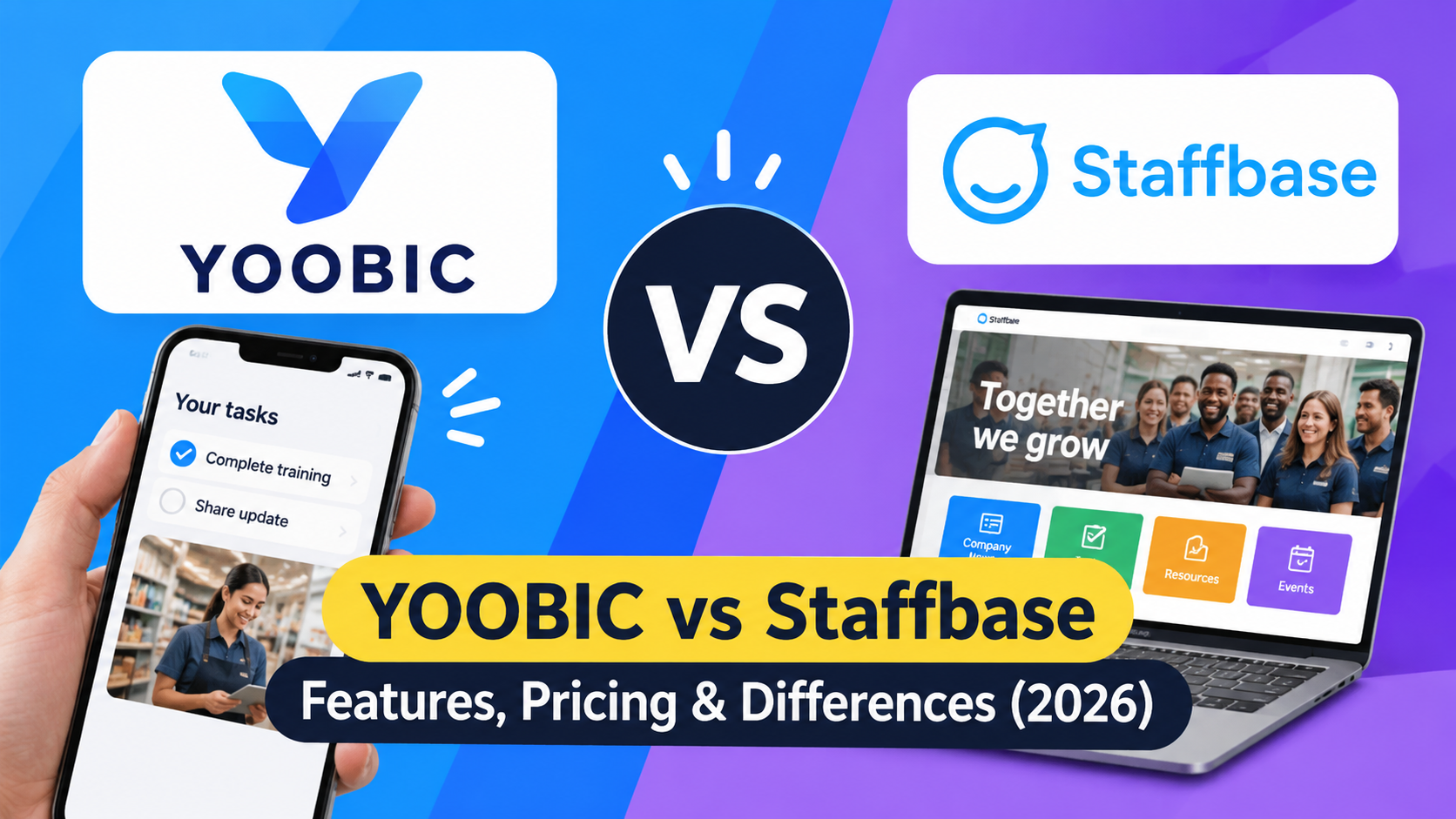
YOOBIC and Staffbase are enterprise employee experience platforms that help organizations connect frontline and deskless employees with workplace information, communications, and operational tools. However, they address different priorities.
YOOBIC is generally the stronger starting point for organizations that need structured frontline task execution, retail audits, visual merchandising verification, and mobile learning. Staffbase is generally the better starting point for enterprises that prioritize internal communications, employee apps, intranets, workplace information, and connected employee services.
The distinction is not absolute. YOOBIC includes communication and learning capabilities, while Staffbase has expanded into frontline task management and AI-assisted workflows.
For enterprise decision-makers, the right choice depends on whether the organization needs to improve how employees execute operational work, how information reaches employees, or both.
This comparison examines their features, operational capabilities, communication tools, AI functionality, integrations, security, pricing, and implementation requirements. It also introduces a practical TurnOnWork decision framework and considers HubEngage as an additional option.
YOOBIC vs Staffbase: Quick Comparison
The primary difference is how each platform connects employee information with daily work.
YOOBIC combines frontline communications, learning, and operational execution. Staffbase connects enterprise communications, employee knowledge, workplace services, and increasingly, structured frontline tasks.
| Comparison area | YOOBIC | Staffbase |
|---|---|---|
| Primary focus | Frontline operations and retail execution | Enterprise employee communications and experience |
| Best starting point | Multi-location retail and operational teams | Distributed enterprises with complex communication needs |
| Task management | Operational missions, audits, checklists, action plans | Projects, lists, assignments, deadlines, priorities |
| Photo verification | Dedicated photo feedback and visual compliance capabilities | Image, video, and PDF task attachments |
| Employee communication | Newsfeed, targeted updates, messaging, communities | Employee app, intranet, email, SMS, digital signage |
| Employee learning | Native mobile learning and microlearning | Learning access through integrations, including Cornerstone |
| AI capabilities | AI Assistant, Store Manager Copilot, Visual Copilot, AI learning | Navigator, On Air, Content Pro, AI writing assistance |
| Mobile experience | Frontline-focused mobile workflows | Branded employee app, offline content, flexible login |
| Integrations | 200+ advertised out-of-the-box integrations and API | Enterprise integration framework, APIs, MCP and Agent connectors |
| Analytics | Store execution, compliance, learning, and performance | Communication, adoption, content, and task analytics |
| Pricing | Custom quotation based on locations or users and modules | Tailored frontline, mixed-workforce, and enterprise pricing |
Assessment based on publicly documented capabilities as of November 9, 2026. Feature availability, licensing, configuration, and integrations may vary by contract.
YOOBIC’s official documentation emphasizes retail execution, audits, task management, learning, and operational intelligence. Staffbase’s documentation emphasizes enterprise communications, digital workplace services, employee access, and its expanding task management capabilities.
What Is a Frontline Employee Experience Platform?
A frontline employee experience platform connects deskless employees with the communication, information, training, and workplace tools they need to perform their jobs.
Traditional intranets are often designed around office employees who regularly use corporate computers and email. Frontline platforms must also accommodate employees working in stores, factories, warehouses, hospitals, restaurants, and field locations.
For example, a retail associate might need to:
-
Receive an announcement about a new promotion.
-
Review the updated merchandising guidelines.
-
Complete a short product training course.
-
Receive an assigned display setup task.
-
Submit a photograph showing the completed work.
-
Receive feedback from a manager.
-
Find the relevant policy when a customer asks a question.
A useful platform connects these activities instead of requiring employees to navigate several disconnected applications.
Essential capabilities
| Capability | Business purpose |
|---|---|
| Employee communication | Distributes company news, instructions, and updates |
| Task management | Assigns and tracks operational responsibilities |
| Mobile learning | Supports onboarding, training, and skill development |
| Knowledge management | Makes policies and procedures accessible |
| Employee engagement | Supports feedback, recognition, and participation |
| Analytics | Helps managers understand adoption and execution |
| AI assistance | Helps employees find information and access supported workflows |
Not every platform offers the same depth in every category. This is why comparing the actual workflows matters more than comparing feature counts.
For additional context, see TurnOnWork’s guide to frontline employee communication apps.
1. YOOBIC: A Frontline Operations Platform Built Around Execution
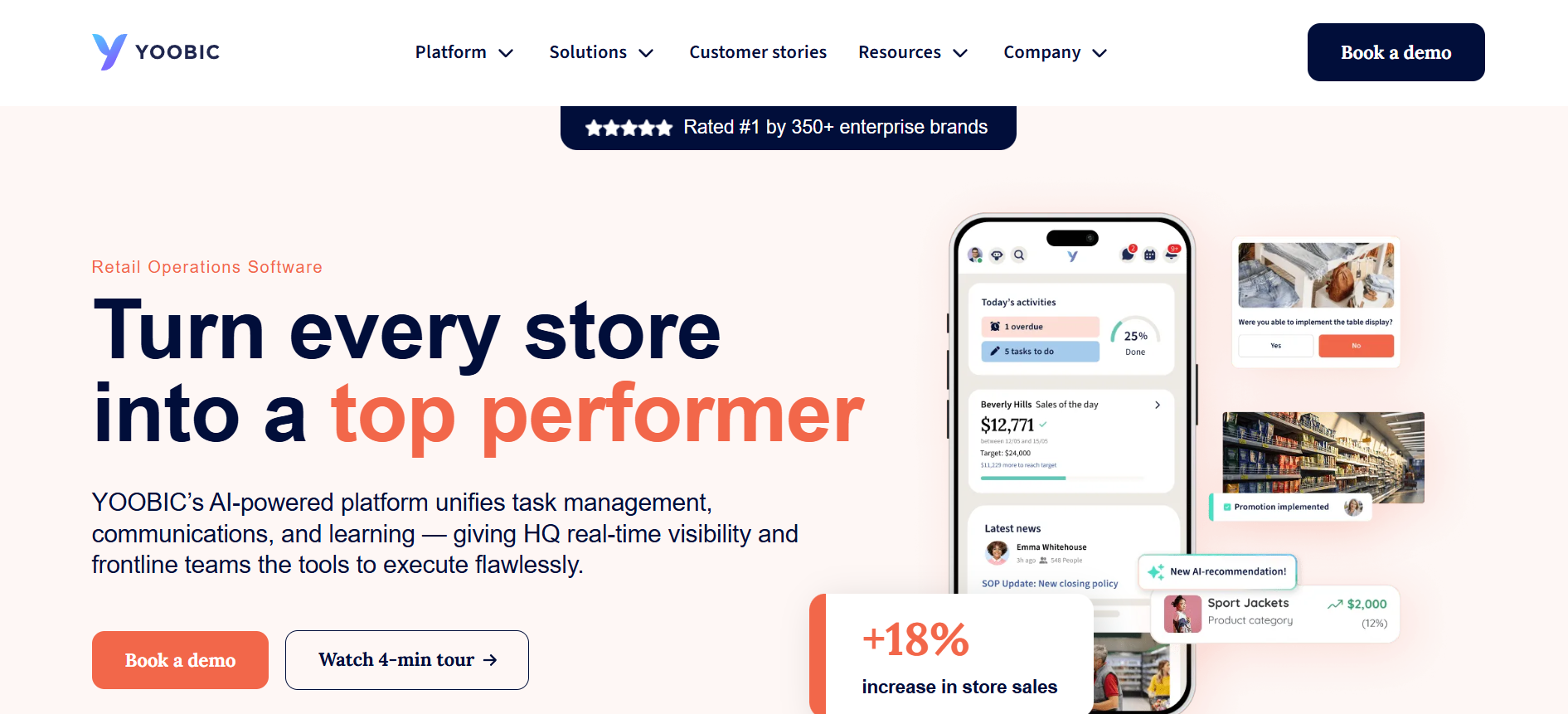
YOOBIC is an AI-powered retail operations platform that combines task management, employee communications, mobile learning, and operational intelligence.
Its main proposition is to connect headquarters’ instructions with the work employees do across stores and other frontline environments.
Rather than treating communication, training, and operational execution as separate activities, YOOBIC brings them together through a mobile-first experience.
Its strongest differentiation is its focus on measurable operational execution, particularly in multi-location retail organizations.
YOOBIC’s main capabilities
1. Frontline task management
Task management is one of YOOBIC’s central capabilities.
The platform helps headquarters and regional managers distribute work across stores, assign responsibilities, establish deadlines, and monitor completion.
Documented capabilities include:
-
Digital task assignment and tracking.
-
Store visits and operational audits.
-
Customizable digital checklists.
-
Corrective action plans.
-
Photo-based execution feedback.
-
Visual merchandising checks.
-
Promotion management.
-
Operational reporting and dashboards.
For example, a retailer launching a seasonal promotion can distribute instructions to relevant stores, assign display setup tasks, request photographs, and review execution across locations.
Managers can also annotate submitted photographs and provide visual feedback when a display does not meet the required standard.
This is an important distinction between ordinary task assignment and operational verification: the objective is not simply to record that work was completed but to assess whether it was completed correctly.
2. Employee communication
YOOBIC includes a communication environment designed for distributed retail teams.
Its documented features include:
-
Company-wide newsfeeds.
-
Targeted announcements.
-
Read receipts for important updates.
-
One-to-one and group messaging.
-
Employee communities.
-
Polls and surveys.
-
Multilingual translation.
-
Communication engagement analytics.
-
Searchable knowledge resources.
For example, headquarters can distribute a product recall announcement to affected stores and use read receipts to monitor acknowledgment.
Employees can also share feedback, ask questions, and exchange operational knowledge.
The platform’s communication functionality is particularly useful when announcements need to lead directly to store-level action.
3. Mobile learning and employee training
YOOBIC offers a dedicated mobile learning environment for frontline employees.
Its learning capabilities include:
-
Mobile training courses.
-
Microlearning experiences.
-
Interactive quizzes.
-
Gamified learning.
-
Rewards and achievement badges.
-
AI-assisted course creation.
-
AI-powered quizzes.
-
Multilingual content translation.
-
Training dashboards.
-
Learning completion and skill-gap analysis.
For example, when a retailer introduces a new product range, employees can receive product information, complete a short learning activity, and then perform the related merchandising or customer-service task.
This creates a practical connection between training and daily operations.
The important advantage is that learning is integrated into the same employee environment as communications and operational tasks.
4. AI-powered frontline assistance
YOOBIC’s AI capabilities focus on retail knowledge, store performance, and operational execution.
Its documented features include:
AI Assistant
Helps frontline employees find answers using approved company knowledge, including policies, procedures, training materials, and operational documentation.
Employees can ask questions through text or voice and receive answers linked to relevant source documents.
Store Manager Copilot
Helps store managers understand performance, identify sales opportunities, and prioritize actions.
Visual Copilot
Supports visual merchandising compliance by analyzing store photographs and identifying potential execution issues.
AI-powered learning
Supports course creation, personalized learning activities, quizzes, and multilingual training.
For example, an associate can ask about a product return procedure and receive guidance based on the company’s approved documentation.
A store manager can use performance recommendations to identify areas requiring attention, while Visual Copilot helps review merchandising photographs.
These applications connect AI with operational workflows rather than limiting it to writing assistance.
5. Integrations and enterprise connectivity
YOOBIC advertises more than 200 out-of-the-box integrations.
Its published integration capabilities include connections with business applications, employee directories, HR systems, POS platforms, ERP systems, business intelligence tools, and communication services.
The platform also provides a public REST API for custom integrations and data exchange.
Examples include:
-
Using POS information in operational workflows.
-
Updating ERP systems after task completion.
-
Synchronizing employee information from HR systems.
-
Connecting learning content and LMS applications.
-
Sending operational data to BI tools.
-
Triggering actions based on external application events.
Importantly, the advertised integration count does not mean every business application has an identical plug-and-play connection. Some integrations may require configuration or custom development.
YOOBIC’s advantages
-
Specialized multi-location retail execution capabilities.
-
Store audits, checklists, and corrective action workflows.
-
Photo-based verification and feedback.
-
Integrated communication and mobile learning.
-
AI assistance connected to retail knowledge and performance.
-
Operational reporting across locations.
-
A broad published integration ecosystem.
What buyers should evaluate before choosing YOOBIC
YOOBIC’s retail focus is an advantage for many organizations, but buyers should examine:
-
Whether its operational workflows fit their specific industry.
-
How much configuration non-retail use cases require.
-
Whether its communication capabilities meet enterprise-wide publishing needs.
-
How temporary and seasonal employees are onboarded.
-
Which AI features are included in the proposed package.
-
Whether integrations require additional development or services.
-
How data access and permissions work across locations.
YOOBIC is not automatically the right choice for every organization with deskless employees. Its strongest differentiation is where communication and training must support measurable frontline execution.
2. Staffbase: An Enterprise Communication and Employee Experience Platform
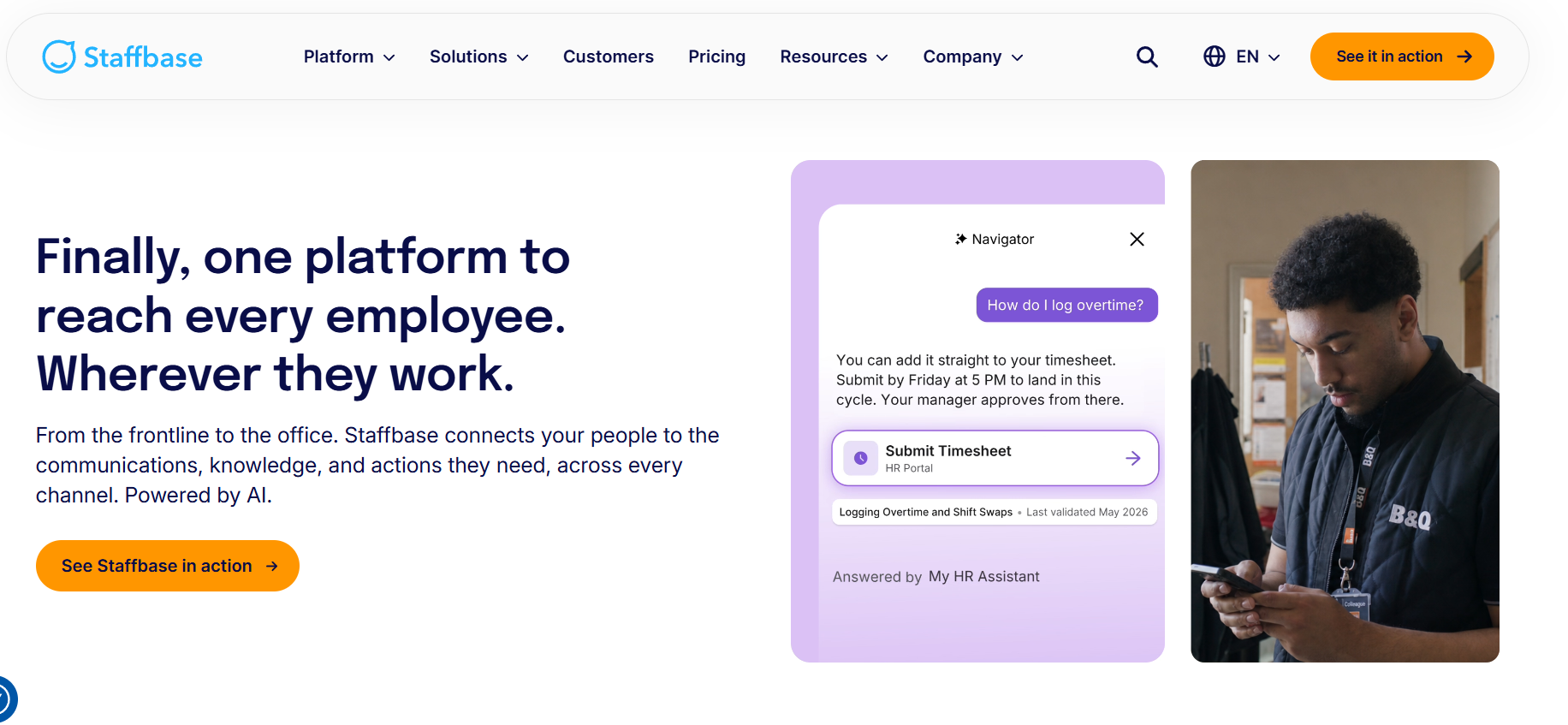
Staffbase is an enterprise employee experience platform focused on internal communications, employee apps, intranets, digital workplace services, and frontline access to operational information.
Its traditional strength is helping organizations communicate consistently with employees across offices, factories, warehouses, hospitals, stores, and other distributed locations.
Staffbase brings company updates, workplace information, communication channels, employee services, and connected applications into a shared digital workplace.
Its expansion into frontline task management and AI assistance has made it more relevant to operational teams as well.
Staffbase’s main capabilities
1. Enterprise employee communication
Communication is central to Staffbase’s product offering.
Its wider communication environment includes:
-
Branded employee mobile applications.
-
Company news and announcements.
-
Internal newsletters and employee email.
-
Employee intranet.
-
Push notifications.
-
Audience targeting.
-
Employee communities.
-
Chat and messaging.
-
SMS communication.
-
Digital signage.
-
Communication analytics.
-
Employee events and engagement tools.
Staffbase also supports centralized and local publishing arrangements.
For example, a multinational manufacturer can distribute company-wide safety announcements while allowing individual facilities to publish location-specific updates.
Its communication architecture is particularly relevant to organizations that want to coordinate several internal channels through a common platform.
2. Frontline task management
Staffbase has expanded its task management functionality significantly.
Its Tasks feature organizes work through three main elements:
-
Projects: Organize related work and control access.
-
Lists: Group activities within projects, such as inventory or daily operations.
-
Tasks: Assign, schedule, prioritize, and track individual activities.
Additional capabilities include:
-
Individual and group assignments.
-
Due dates and scheduling.
-
Priority settings.
-
Task completion tracking.
-
Image attachments.
-
Video attachments.
-
PDF attachments.
-
Task lists and progress visibility.
Managers can organize work within projects and monitor team progress. Employees can access their assigned tasks through the Staffbase app or intranet.
For example, a manufacturing manager can organize equipment inspections, assign tasks to relevant employees, and monitor outstanding work.
A retail manager can organize branch activities and distribute tasks through the employee app.
There is an important product-history distinction:
-
December 2025: Staffbase introduced Task Management in beta.
-
Q1 2026: Tasks moved out of beta and became an activation add-on.
-
Q2 2026: Attachment support for images, videos, and PDFs was introduced.
Therefore, it is inaccurate to describe Staffbase Tasks as merely an experimental beta feature.
However, Staffbase Tasks should not automatically be treated as equivalent to specialized retail execution software. Its documentation describes structured task organization and tracking, while YOOBIC has dedicated store audit, visual merchandising, and photo-verification capabilities.
Staffbase itself describes Tasks as a frontline work-management feature rather than a replacement for complex enterprise project management tools.
3. AI-powered employee assistance
Staffbase has expanded its AI capabilities across employee knowledge access, communication productivity, and workplace services.
Its major capabilities include:
Navigator
An AI assistant that helps employees find answers using company knowledge. Employees can ask questions through text or voice and receive contextual answers.
On Air
Creates personalized audio briefings from internal company updates, making information easier to consume for employees who do not regularly use computers.
Content Pro
Provides content governance capabilities, including identifying outdated, duplicate, or contradictory pages that may need editorial attention.
Companion Editor
Helps communication teams draft, refine, and improve internal content.
Sentiment Analysis for Comments
Uses AI to identify positive, neutral, and negative sentiment in employee comments.
These features address different problems. Navigator supports employee knowledge access, On Air improves information consumption, and Content Pro helps communication teams maintain content quality.
4. Navigator connectors and enterprise workflows
An important 2026 development is Staffbase’s expansion of Navigator through external connectors.
Its October 22, 2026 Q4 release documentation describes two connector types:
-
Model Context Protocol (MCP) connectors.
-
Agent connectors.
Examples include Atlassian and Workday.
Employees connect to available services after authentication. Navigator uses the employee’s permissions in the external application when retrieving information or performing supported actions.
This creates a path from asking a question to completing a supported workplace task without switching between applications.
However, organizations should distinguish between a connector being available and a particular workflow being supported. Administrators must configure or activate the appropriate connectors, and individual employees must connect to them.
5. Mobile experience for deskless employees
Staffbase offers a branded employee app designed for both office-based and frontline employees.
Its documented capabilities include:
-
Access without requiring a corporate email address.
-
Role-based content personalization.
-
Push notifications.
-
Employee messaging.
-
Multilingual translation.
-
Offline access to supported downloadable pages.
-
Employee self-service.
-
AI-assisted information discovery.
-
Connections to workplace applications.
The offline functionality can help employees access downloaded policies and reference materials in environments where connectivity is inconsistent.
Flexible authentication is also relevant to businesses with hourly, temporary, and seasonal employees who may not have corporate email accounts.
The actual onboarding process, account recovery, and shared-device security arrangements should still be tested during procurement.
Staffbase’s advantages
-
Broad enterprise internal communication capabilities.
-
Employee app and intranet functionality.
-
Multiple publishing and communication channels.
-
Access for employees without corporate email.
-
Workplace information and HR integrations.
-
AI-powered knowledge assistance.
-
Expanding frontline task management.
-
Enterprise governance and localization options.
What buyers should evaluate before choosing Staffbase
Staffbase’s broad digital workplace capabilities make it attractive to large organizations, but buyers should investigate:
-
Whether Tasks meets their operational requirements.
-
Whether advanced workflows require additional integrations.
-
Whether existing learning systems need to be connected.
-
Which features require activation add-ons.
-
How communication governance works across subsidiaries.
-
Whether the employee app supports their identity architecture.
-
How pricing changes with workforce composition and communication channels.
For a retailer with complex merchandising and compliance workflows, test Staffbase Tasks against actual store scenarios instead of assuming that all task management platforms provide equivalent capabilities.
3. YOOBIC vs Staffbase: Task Management and Operational Execution
Task execution is one of the clearest areas of differentiation between these platforms.
Both offer task management, but their documented capabilities reflect different priorities.
YOOBIC emphasizes operational execution across stores, audits, visual merchandising, and corrective actions.
Staffbase Tasks brings structured work assignments into a wider employee communication and digital workplace environment.
Task management comparison
| Task capability | YOOBIC | Staffbase |
|---|---|---|
| Task creation | Yes | Yes |
| Task assignment | Yes | Yes |
| Deadlines and priorities | Yes | Yes |
| Projects and task lists | Operational campaigns and missions | Dedicated project/list/task structure |
| Location targeting | Retail location and role-based execution | Location and group-based organization; validate configuration |
| Digital checklists | Dedicated capabilities | Validate specific workflow |
| Store audits | Dedicated functionality | Not documented as an equivalent native audit capability |
| Photo evidence | Photo submission and verification | Image attachments |
| Photo-based feedback | Annotated photo feedback and approval | Attachments provide supporting context |
| Corrective action plans | Dedicated operational workflows | Validate implementation requirements |
| Operational analytics | Store execution and compliance reporting | Task progress and team visibility |
Where YOOBIC has an advantage
Consider a retailer managing hundreds of stores.
Headquarters introduces a new merchandising standard and requires every location to:
-
Receive the instructions.
-
Review the updated visual guidelines.
-
Complete the merchandising task.
-
Submit photographs.
-
Receive feedback if execution is incorrect.
-
Complete corrective actions.
-
Allow regional managers to review compliance.
YOOBIC’s operational architecture is closely aligned with this workflow.
It connects instructions, task completion, visual feedback, and operational reporting.
Where Staffbase is suitable
Consider a manufacturer that needs employees across several facilities to complete assigned activities.
A manager might create equipment inspection tasks, assign responsibilities, establish priorities, and monitor completion.
Staffbase Tasks can organize these activities within the employee experience platform.
The organization can also distribute related safety information through its communication channels.
What this means for buyers
Choose YOOBIC when operational execution and verification are major business requirements.
Choose Staffbase when task assignments are part of a broader employee communication and workplace services strategy.
If your organization requires recurring inspections, conditional workflows, photo-based compliance verification, or detailed audit reporting, ask both vendors to demonstrate those exact processes.
4. YOOBIC vs Staffbase: Employee Communication
Both platforms provide communication capabilities, but Staffbase has a broader enterprise communication architecture.
YOOBIC concentrates on connecting frontline teams through targeted mobile communication, newsfeeds, feedback, and communities.
Staffbase supports a wider environment involving employee apps, intranets, email, SMS, and digital signage.
| Communication capability | YOOBIC | Staffbase |
|---|---|---|
| Mobile employee app | Yes | Yes |
| Company newsfeed | Yes | Yes |
| Push notifications | Yes | Yes |
| Targeted announcements | Yes | Yes |
| Read receipts | Yes | Confirm channel and configuration |
| One-to-one messaging | Yes | Yes |
| Group messaging | Yes | Yes |
| Employee communities | Yes | Yes |
| Surveys and polls | Yes | Through forms and engagement capabilities |
| Multilingual communication | Yes | Yes |
| Intranet | Knowledge resources | Full intranet capabilities |
| Internal email | Connected workflows | Dedicated Employee Email product |
| SMS | Integration options | Supported channel |
| Digital signage | Integration options | Supported channel |
| Communication analytics | Yes | Yes |
YOOBIC communication use case
A retailer wants to communicate a new product launch across its store network.
The communications team publishes the announcement, targets relevant locations, and provides supporting product information.
Employees can ask questions, share feedback, and access training within the same frontline environment.
This is useful when communication needs to lead directly to store-level activity.
Staffbase communication use case
A multinational enterprise wants to coordinate internal communications across headquarters, factories, warehouses, and regional business units.
Its communication team needs:
-
Central publishing governance.
-
Local publishing permissions.
-
Employee newsletters.
-
Mobile push notifications.
-
Intranet content.
-
Targeted updates.
-
SMS announcements.
-
Digital signage.
-
Communication analytics.
Staffbase’s wider communication architecture makes it a strong candidate for this requirement.
Verdict: YOOBIC is particularly useful for communication embedded in retail execution. Staffbase has an advantage when the priority is coordinated enterprise-wide communication across multiple channels.
5. YOOBIC vs Staffbase: Learning and Employee Development
YOOBIC has a stronger native frontline learning proposition.
Staffbase is useful for making existing learning resources more accessible through the employee experience platform and integrations.
| Learning capability | YOOBIC | Staffbase |
|---|---|---|
| Mobile learning | Native capability | Access through app and connected resources |
| Microlearning | Yes | Depends on connected learning solution |
| Interactive quizzes | Yes | Depends on connected solution |
| Gamification | Learning rewards and badges | Other employee engagement capabilities |
| AI-assisted course creation | Yes | AI content assistance, not equivalent course-authoring functionality |
| Learning analytics | Dedicated dashboards | Connected learning analytics |
| LMS integrations | Yes | Yes, including Cornerstone |
Why YOOBIC may be better for frontline learning
Retail businesses regularly introduce new products, promotions, customer-service standards, and operating procedures.
YOOBIC allows employees to access short learning activities alongside relevant communications and tasks.
For example, a store employee can receive a product announcement, complete a short training activity, and then participate in the related sales or merchandising activity.
This helps connect learning with operational readiness.
Where Staffbase fits
Staffbase is useful when an organization already uses an LMS and wants employees to access learning resources through its employee experience platform.
Its Cornerstone integration is particularly relevant to enterprises that need to make assigned learning content accessible to frontline employees.
The buying question is whether the organization needs a dedicated mobile learning environment or simply a more accessible entry point to an existing LMS.
6. YOOBIC vs Staffbase: AI Capabilities in 2026
AI is becoming an important part of both platforms, but their priorities differ.
YOOBIC focuses on operational intelligence, store performance, and visual execution.
Staffbase focuses on employee knowledge access, communication productivity, content governance, and connected workplace services.
| AI capability | YOOBIC | Staffbase |
|---|---|---|
| Employee AI assistant | AI Assistant | Navigator |
| Knowledge-based answers | Yes | Yes |
| Voice-based assistance | Yes | Yes |
| AI content creation | Yes | Yes |
| AI-powered learning | Course creation and quizzes | Not equivalent native LMS functionality |
| AI audio briefings | Not a primary differentiator | On Air |
| Store performance recommendations | Store Manager Copilot | Not a primary differentiator |
| Visual merchandising AI | Visual Copilot | Not a directly comparable core feature |
| Content governance | Knowledge and content support | Content Pro |
| Comment sentiment analysis | Communication analytics include sentiment | Dedicated AI sentiment analysis for comments |
| External AI connectors | Integration and API ecosystem | MCP and Agent connectors |
YOOBIC AI: Operational intelligence
YOOBIC’s AI capabilities are closely connected to frontline retail activities.
Store Manager Copilot helps managers identify sales opportunities and prioritize actions.
Visual Copilot supports visual merchandising checks using store photographs.
AI Assistant provides answers from approved company knowledge.
AI-assisted learning supports course creation and knowledge reinforcement.
These capabilities can help reduce the gap between operational data and the employees responsible for acting on it.
Staffbase AI: Knowledge and workplace assistance
Staffbase’s Navigator helps employees access organizational information using conversational questions.
Its other AI capabilities support:
-
Content creation and editing.
-
Personalized audio briefings.
-
Content governance.
-
Comment sentiment analysis.
-
Knowledge discovery.
-
Connected workplace actions.
The Q4 2026 Navigator connector developments add another dimension by allowing supported interactions with external workplace systems through MCP and Agent connectors.
This is particularly relevant for enterprises exploring AI-assisted employee services.
Which platform has better AI?
There is no universal winner.
Choose YOOBIC when AI should help managers identify store performance opportunities, review merchandising execution, and support frontline operations.
Choose Staffbase when AI should help employees find trusted workplace information, access services, and work across connected enterprise applications.
Buyers should also evaluate AI governance. Staffbase states that customer content is not used to train its AI models or third-party models, and that its AI features respect existing content permissions. It also advises customers to review AI-generated outputs because accuracy is not guaranteed.
Staffbase Support Portal
The more useful procurement question is which AI features solve an actual business problem and how those features handle permissions, data access, and human review.
7. YOOBIC vs Staffbase: Integrations and Enterprise Technology
Both platforms support enterprise integrations, but their ecosystems emphasize different requirements.
YOOBIC integrations
YOOBIC advertises more than 200 out-of-the-box integrations and provides a public REST API.
Its published integration capabilities cover:
-
POS systems.
-
Enterprise resource planning platforms.
-
HR systems and employee directories.
-
Workforce management applications.
-
Business intelligence tools.
-
Communication platforms.
-
Learning systems.
Examples include using POS information in operational tasks, synchronizing employee information, and updating ERP systems after task completion.
Its integration approach is particularly relevant when frontline execution depends on information from several operational applications.
Staffbase integrations
Staffbase emphasizes integration with the wider enterprise digital workplace.
Its documented integration ecosystem includes:
-
Microsoft 365.
-
Microsoft Teams.
-
SharePoint.
-
Google Workspace.
-
Workday.
-
ServiceNow.
-
Cornerstone.
-
Box.
-
Confluence.
-
Other enterprise applications through APIs and integration frameworks.
Its integration framework supports access to workplace information and services from the employee experience platform.
The 2026 Navigator developments also extend the integration environment through MCP and Agent connectors.
Which has better integrations?
YOOBIC publishes a clear numerical integration count and emphasizes retail and operational systems.
Staffbase has a broad enterprise digital workplace integration ecosystem.
Neither the number of integrations nor the presence of a named connector guarantees that a particular workflow will work without configuration.
Before purchasing, ask each vendor to demonstrate:
-
Employee identity synchronization.
-
Role- and location-based access.
-
HRIS data exchange.
-
Integration with operational systems.
-
Reporting and analytics data flows.
-
API limitations and maintenance requirements.
-
AI access permissions and auditability.
8. YOOBIC vs Staffbase: Mobile Experience and Deskless Employee Adoption
Both platforms recognize that frontline employees cannot be expected to use technology designed exclusively for office workers.
However, mobile access must be evaluated in practical terms.
YOOBIC mobile experience
YOOBIC provides a mobile-first frontline experience where employees can access communications, learning, tasks, and operational information.
This is useful in retail environments where employees move between customer-facing responsibilities and operational activities.
Its main advantage is the connection between mobile access and store execution.
Staffbase mobile experience
Staffbase provides a branded employee app for office-based and frontline employees.
Its documented frontline capabilities include:
-
Login without requiring a corporate email address.
-
Role-based content personalization.
-
Multilingual translation.
-
Push notifications.
-
Employee messaging.
-
Offline access to supported downloadable resources.
-
HR self-service.
-
AI-powered information assistance.
This is useful for organizations with employees working different shifts or with limited access to corporate computers.
Which is better for deskless employees?
Both platforms support deskless workforces.
YOOBIC is particularly relevant when employees need to complete operational tasks and training.
Staffbase is particularly relevant when employees need access to communications, workplace policies, HR services, and information without corporate email or regular computer access.
For businesses with temporary workers, seasonal employees, or shared devices, test:
-
Employee registration.
-
Account recovery.
-
Shared-device security.
-
Personal device policies.
-
Language selection.
-
Offline workflows.
-
Notification delivery.
-
Access changes after an employee moves roles or locations.
A mobile application is only useful if employees can access it easily without disrupting their shifts.
9. YOOBIC vs Staffbase: Enterprise Security and Compliance
Both vendors publish enterprise security and compliance information.
YOOBIC’s Trust Center lists security documentation and compliance materials covering SOC 2 Type II, GDPR, ISO 27001, ISO 27017, ISO 27018, and ISO 27701.
Staffbase publishes information about its ISO 27001 certification, SOC 2 Type II reporting, privacy controls, hosting arrangements, and data-processing commitments.
Its security documentation describes hosting options in the EU, United States, and Australia.
However, buyers should not assume that every certification, report, or contractual commitment applies identically to every product and service.
Enterprise IT and security teams should examine:
| Security consideration | Questions to ask |
|---|---|
| Identity management | Does the platform support your SSO and provisioning requirements? |
| Data residency | Where will employee and operational data be stored? |
| Encryption | How is information protected in transit and at rest? |
| Access controls | Can permissions be managed by location, role, and business unit? |
| AI governance | What customer information is processed by AI features? |
| Model training | Is customer data used to train shared or third-party AI models? |
| Auditability | Can administrators review user and system activity? |
| Data retention | Can the organization define retention and deletion policies? |
| Compliance | Which certifications and contractual commitments apply to the specific service? |
For international enterprises, also verify regional hosting, applicable privacy obligations, data-processing terms, and industry-specific requirements.
The better platform is the one that meets your actual security architecture and contractual requirements, not simply the one with the longest list of compliance references.
10. YOOBIC vs Staffbase: Pricing and Total Cost of Ownership
Neither YOOBIC nor Staffbase publishes a universal per-user price for the enterprise configurations discussed in this comparison.
YOOBIC pricing
YOOBIC uses modular pricing based on business locations or users, depending on the selected modules.
Its published pricing structure covers:
-
Task Management.
-
Communications.
-
Learning.
-
AI capabilities.
Organizations can select the capabilities they require and request a tailored quotation.
Staffbase pricing
Staffbase also uses customized pricing.
Its official pricing page describes three broad deployment approaches:
-
Frontline workforce.
-
Mixed frontline and office workforce.
-
Enterprise configurations involving multiple brands, subsidiaries, or regions.
Pricing depends on workforce composition, communication channels, organizational complexity, and configuration.
What should buyers include in total cost?
Comparing subscription prices alone can produce misleading results.
A more useful total-cost assessment includes:
| Cost component | YOOBIC | Staffbase |
|---|---|---|
| Base platform | Request quotation | Request quotation |
| Additional modules | Verify selected modules | Verify add-ons and channels |
| Employee licensing | Confirm location/user model | Confirm frontline and mixed-workforce model |
| Implementation | Confirm scope and services | Confirm rollout and configuration |
| Integrations | Assess prebuilt and custom requirements | Assess connectors and custom development |
| AI features | Confirm included capabilities | Confirm AI availability and licensing |
| Administration | Estimate internal ownership | Estimate internal ownership |
| Training and adoption | Include manager and employee training | Include communication and employee onboarding |
| Ongoing support | Confirm contract terms | Confirm contract terms |
Request a three-year total cost of ownership estimate.
Ask vendors to separate mandatory costs from optional modules, integrations, implementation services, and support.
Also model what happens when the workforce grows, additional locations are added, or new business units join the platform.
11. Which Platform Is Better for Different Industries?
The industry and operating model can influence the purchasing decision.
The following recommendations identify which platform is a sensible starting point, not which industries are exclusively served by each vendor.
| Industry | Starting point | Reason |
|---|---|---|
| Retail chains | YOOBIC | Store tasks, audits, merchandising, and training |
| Grocery | YOOBIC | Store execution and operational consistency |
| Fashion and luxury | YOOBIC | Visual merchandising and product training |
| Restaurants and QSR | Depends on workflow | YOOBIC for execution; Staffbase for wider communications |
| Manufacturing | Staffbase | Enterprise communication and workplace information |
| Healthcare | Staffbase | Communication across distributed employee groups |
| Logistics | Staffbase | Employee information and digital workplace access |
| Multinational enterprises | Staffbase | Broad communication and digital workplace architecture |
| Multi-location fitness businesses | YOOBIC | Operational workflows and employee training |
Retail: YOOBIC is a strong starting point
Retailers often need a direct connection between headquarters instructions and store execution.
YOOBIC’s combination of operational tasks, visual checks, learning, communications, and reporting makes it particularly relevant.
Staffbase may be more suitable when a retailer prioritizes broader internal communication, employee services, and enterprise-wide publishing.
Manufacturing: Staffbase is worth evaluating first
Manufacturers often need to communicate across factories, offices, shifts, and regional operations.
Staffbase’s employee app, internal communication, workplace information, and integration capabilities make it a strong candidate.
YOOBIC can also be considered when the organization needs specialized operational execution workflows.
Hospitality: Compare the actual operating workflows
Hospitality businesses may need shift communication, employee learning, task execution, and operational updates.
YOOBIC may fit multi-location businesses with structured service and execution standards.
Staffbase may fit organizations with broader enterprise communication and employee service requirements.
The decision should depend on the complexity of the tasks and the communication environment rather than the industry label alone.
12. Where Does HubEngage Fit in the YOOBIC vs Staffbase Comparison?
Additional platform to consider: HubEngage
HubEngage provides a modular employee experience platform combining communication, employee engagement, recognition, surveys, social interaction, messaging, and AI assistance.
Organizations comparing YOOBIC and Staffbase may also consider HubEngage when employee communication and engagement are important parts of their workforce technology strategy.
Its published capabilities include:
-
Communications Hub: Company announcements, policies, updates, and employee communication.
-
Recognition Hub: Peer and manager recognition, milestones, and appreciation.
-
Social Hub: Employee interaction, communities, and workplace discussions.
-
Survey and Forms Hub: Pulse surveys, employee feedback, and structured forms.
-
Messaging Hub: Individual and group communication.
-
AI Assistant: Employee information discovery and workplace assistance.
HubEngage also supports multiple communication channels, including mobile applications, intranet, email, SMS, Microsoft Teams, Slack, and digital signage.
Connect & Engage Employees – HubEngage+1
When should organizations consider HubEngage?
HubEngage is worth evaluating when the primary requirements include:
-
Connecting frontline and office employees through mobile communication.
-
Delivering company updates across multiple channels.
-
Strengthening employee recognition and participation.
-
Gathering feedback through surveys.
-
Supporting employee communities and messaging.
-
Consolidating disconnected communication and engagement applications.
The distinction is important.
Based on their publicly documented positioning, YOOBIC emphasizes specialized retail execution, Staffbase emphasizes enterprise communications and digital workplace services, and HubEngage emphasizes employee communication and engagement.
Organizations with complex store audits, visual merchandising verification, or advanced operational task requirements should separately validate those workflows before considering an engagement-focused platform as a replacement for specialist retail operations software.
Explore the HubEngage employee mobile app and employee experience capabilities for more information.
13. How to Choose Between YOOBIC and Staffbase: The TurnOnWork Decision Framework
Choosing between YOOBIC and Staffbase should start with the business problem, not the number of features listed in a product brochure.
The following TurnOnWork Editorial Decision Model is a practical purchasing framework. It is not an established industry benchmark or an independently validated vendor ranking.
Step 1: Identify the primary business problem
Start by identifying the most important challenge.
| Business problem | Platform to investigate first |
|---|---|
| Inconsistent store execution | YOOBIC |
| Poor retail audit visibility | YOOBIC |
| Weak visual merchandising compliance | YOOBIC |
| Disconnected frontline learning | YOOBIC |
| Fragmented enterprise communication | Staffbase |
| Limited access to company information | Staffbase |
| Multiple disconnected communication channels | Staffbase |
| Employee access to HR and workplace services | Staffbase |
If the organization has both operational and communication problems, evaluate the platforms across the complete employee workflow.
Step 2: Score the most important buying criteria
The following weights are suggested starting points. Adjust them according to the organization’s requirements.
| Evaluation criterion | Suggested weight |
|---|---|
| Operational task execution and verification | 30% |
| Employee communication and reach | 25% |
| Learning and knowledge access | 15% |
| Integrations and automation | 15% |
| Adoption, analytics, and employee experience | 15% |
| Total | 100% |
Score each vendor from 1 to 5 based on demonstrated capabilities.
-
1 = Does not meet the requirement.
-
2 = Limited capability.
-
3 = Meets basic requirements.
-
4 = Strong capability.
-
5 = Excellent fit for the defined requirement.
Step 3: Evaluate the complete employee workflow
A useful way to assess a frontline platform is to examine the complete journey.
The frontline execution-to-experience loop
-
Communicate: Headquarters distributes relevant instructions to the right employees.
-
Understand: Employees access supporting knowledge, procedures, and training.
-
Execute: Employees complete assigned operational work.
-
Verify: Managers review completion, evidence, and unresolved issues.
-
Improve: Leaders analyze performance, coach employees, and improve future processes.
The important question is whether the platform connects these activities or simply provides access to separate features.
For example, an announcement should not end with an employee reading a message. If it requires a change in operational behavior, the platform should help employees understand and complete the necessary action.
Step 4: Run a practical vendor demonstration
Use the same demonstration scenario for both vendors.
For a retail organization, consider a new product promotion:
-
Headquarters publishes campaign instructions.
-
Relevant employees receive the announcement.
-
Employees access product information and training.
-
Managers assign store-level tasks.
-
Employees complete the required work.
-
Evidence is submitted where necessary.
-
Managers review outstanding activities.
-
Headquarters compares execution across locations.
Ask both vendors to demonstrate which parts work natively, which require additional modules, and which depend on external integrations.
For a manufacturer, use a safety inspection or operational procedure change instead.
This approach reveals practical differences that ordinary feature comparisons may miss.
Step 5: Evaluate adoption and manager workload
Technology adoption is not simply the number of employees who download an application.
Evaluate:
-
How easily employees can log in.
-
Whether employees without corporate email can access the platform.
-
How managers assign and monitor work.
-
Whether notifications create unnecessary interruptions.
-
How easily employees find relevant information.
-
Whether training fits around shift schedules.
-
How much manual administration is required.
-
Whether employees receive useful feedback.
A platform should make daily work easier rather than introduce another administrative responsibility for frontline managers.
For a more detailed selection process, see the Frontline Superapp Buyer’s Guide.
14. Implementation Considerations Before Purchasing
A successful implementation requires more than installing an employee application.
Both platforms operate within enterprise environments, so buyers should plan for workforce data, integrations, content governance, security, and change management.
1. Map the workforce structure
Identify:
-
Locations and business units.
-
Employee roles.
-
Reporting relationships.
-
Shift structures.
-
Temporary and seasonal workers.
-
Regional language requirements.
-
Device access arrangements.
This information helps establish how employees should be organized and what content they should receive.
2. Define ownership and governance
Establish which teams own different responsibilities.
| Responsibility | Suggested owner |
|---|---|
| Company-wide announcements | Internal communications |
| Operational instructions | Operations |
| Learning content | Learning and development |
| Employee feedback | HR and employee experience |
| User provisioning | IT |
| Platform governance | Cross-functional platform team |
| Local employee updates | Site and regional managers |
Without clear ownership, employee platforms can become cluttered with outdated content and competing messages.
3. Plan integrations early
Identify which systems must connect with the platform.
These may include HRIS, payroll, POS, ERP, workforce management, LMS, identity management, and business intelligence applications.
Do not assume every integration is included in the subscription.
Ask for technical documentation, implementation responsibilities, and ongoing support commitments.
4. Pilot with representative teams
A useful pilot should include different locations, employee roles, and operating conditions.
A retailer might test the platform in a combination of high-volume and low-volume stores.
A manufacturer might include production, warehouse, and field teams.
Measure adoption, task completion, information access, manager workload, and employee feedback before expanding the deployment.
5. Establish measurable outcomes
Choose metrics that correspond to the original business problem.
For YOOBIC, relevant measures might include:
-
Task completion rates.
-
Audit performance.
-
Evidence submission rates.
-
Time to resolve operational issues.
-
Training completion.
-
Store execution consistency.
For Staffbase, relevant measures might include:
-
Communication reach.
-
Employee app adoption.
-
Important announcement acknowledgment.
-
Knowledge search success.
-
Employee participation.
-
Completion of supported workplace tasks.
Both platforms should ultimately be evaluated against business outcomes rather than application activity alone.
15. Final Verdict: Should You Choose YOOBIC or Staffbase in 2026?
YOOBIC and Staffbase are both credible enterprise platforms, but they solve different frontline employee experience problems.
Choose YOOBIC if operational execution is your primary requirement.
It is a strong starting point for retail organizations that need to connect tasks, audits, learning, communication, visual merchandising, and operational performance.
Its task management and AI capabilities are particularly relevant when headquarters needs measurable visibility into activities across multiple stores.
Choose Staffbase if enterprise communication and employee experience are your primary requirements.
It is a strong starting point for organizations that need to connect frontline and office employees through mobile communication, intranet, newsletters, workplace information, HR services, and enterprise integrations.
Its expansion into task management and AI-assisted workflows makes it increasingly relevant to operational teams.
Final comparison by business requirement
| Requirement | Recommendation |
|---|---|
| Specialized retail task execution | YOOBIC |
| Store audits and visual compliance | YOOBIC |
| Native frontline mobile learning | YOOBIC |
| Retail operations analytics | YOOBIC |
| Enterprise internal communications | Staffbase |
| Multichannel employee communication | Staffbase |
| Intranet and digital workplace | Staffbase |
| AI-powered retail recommendations | YOOBIC |
| AI-powered enterprise knowledge assistance | Staffbase |
| Frontline task lists and assignments | Both |
| Broad employee experience across office and frontline teams | Staffbase |
| Retail execution connected with communication and training | YOOBIC |
The most important consideration is that a frontline employee experience platform should connect employees with both information and action.
Communication without execution can leave operational changes incomplete. Task management without communication and learning can leave employees unclear about what they need to do.
The strongest purchasing decision is the one that connects employee understanding, operational responsibilities, manager support, and measurable business outcomes.
For organizations whose requirements extend beyond these two platforms, HubEngage is another option worth evaluating for its combination of employee communication, recognition, surveys, social engagement, and mobile employee experience.
Frequently Asked Questions
1. What is the main difference between YOOBIC and Staffbase?
YOOBIC primarily focuses on frontline operations, retail task management, employee communication, and mobile learning.
Staffbase focuses on enterprise internal communications, employee apps, intranets, workplace services, and expanding frontline task management.
YOOBIC is generally stronger for specialized retail execution, while Staffbase is generally stronger for enterprise-wide employee communications.
2. Is YOOBIC better than Staffbase for retail operations?
YOOBIC is generally the stronger starting point for retailers that need store audits, visual merchandising checks, operational tasks, mobile learning, and execution reporting.
Staffbase may be preferable for retailers that prioritize internal communications, employee services, and enterprise-wide digital workplace capabilities.
3. Is Staffbase suitable for frontline task management?
Yes. Staffbase offers Tasks, which supports projects, lists, assignments, priorities, scheduling, attachments, and completion tracking.
It is designed for frontline operational work across distributed teams. However, buyers should not automatically consider it equivalent to specialist retail execution software.
4. Which platform is better for deskless employees?
Both support deskless employees.
YOOBIC is particularly relevant when employees need to complete operational tasks and training.
Staffbase is particularly relevant when employees need access to communications, workplace information, policies, and services without corporate email or regular computer access.
5. How do YOOBIC and Staffbase compare in AI capabilities?
YOOBIC emphasizes AI-powered retail assistance, store performance recommendations, visual merchandising analysis, and learning.
Staffbase emphasizes Navigator, AI-powered knowledge assistance, personalized audio briefings, content governance, and external workplace connectors.
The better option depends on the AI use cases the organization needs to support.
6. How do YOOBIC and Staffbase compare in pricing?
Both use customized enterprise pricing rather than publishing universal rates.
YOOBIC bases pricing on locations or users, depending on the selected modules.
Staffbase offers tailored pricing for frontline-only, mixed-workforce, and enterprise configurations.
Buyers should request a complete quotation covering licensing, modules, integrations, implementation, and ongoing support.
7. What should businesses evaluate before choosing YOOBIC or Staffbase?
Businesses should evaluate:
-
Primary operational requirements.
-
Employee communication needs.
-
Task management depth.
-
Mobile access and onboarding.
-
Learning requirements.
-
AI capabilities and governance.
-
Integration requirements.
-
Security and data residency.
-
Pricing and total cost of ownership.
-
Implementation complexity.
-
Employee and manager adoption.
The most reliable approach is to test both platforms using the same real-world frontline workflow before making a purchasing decision.
Research Methodology and Sources
This comparison is based on publicly available vendor documentation, official product pages, product release notes, integration documentation, security information, and pricing information reviewed on November 9, 2026.
The article is a desk-based editorial comparison. It does not claim independent hands-on product testing, customer interviews, or original performance benchmarking.
Vendor documentation is used to establish product capabilities. Recommendations and comparisons are editorial assessments based on the documented functionality and the business requirements described in the article.
Features, licensing, integrations, availability, and commercial terms should be confirmed directly with each vendor before purchase.