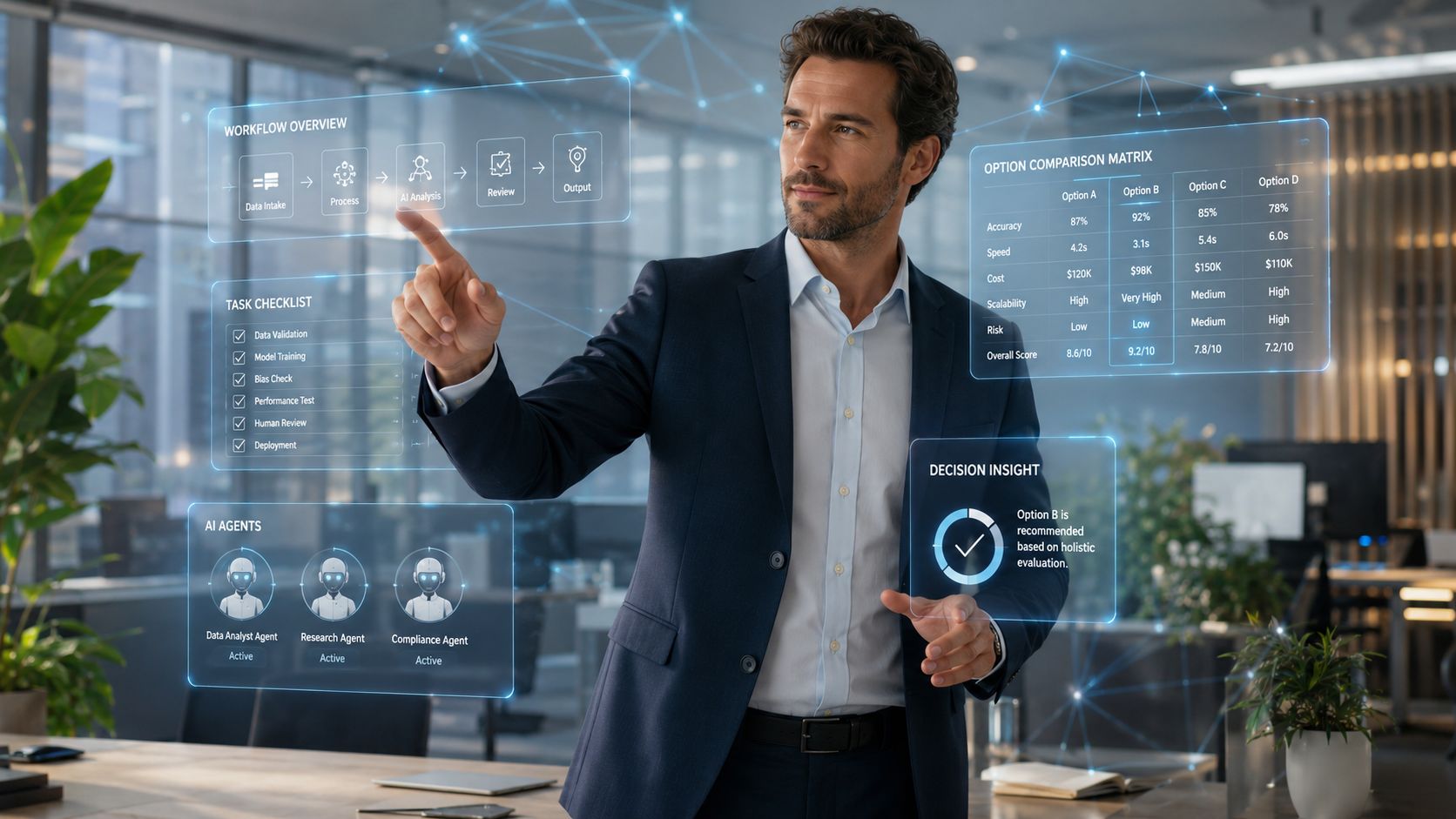
AI in workforce management isn’t a niche software category anymore. The market is projected to grow from USD 1.9 billion in 2023 to approximately USD 14.2 billion by 2033, with a 22.3% CAGR, according to Market.us research on AI in workforce management. That number matters because it signals a real operational shift. Frontline organizations are moving away from static scheduling tools and toward systems that help managers decide what to do next.
That’s the more useful way to think about AI workforce management in 2026. It’s not just about building schedules faster. It’s about helping stores, hospitals, field teams, plants, and service operations respond to change as it happens, while making work feel clearer and less chaotic for employees.
For frontline teams, workforce experience lives where scheduling, communication, HR systems, task execution, and manager judgment meet. When those pieces are disconnected, employees feel it immediately. Missed updates. Unclear task ownership. Last-minute shift scrambles. Inaccurate timecards. Compliance friction. AI becomes valuable when it reduces that daily drag, not when it automates only one isolated workflow.
The New Era of Workforce Operations
The biggest change in workforce operations is simple. Teams no longer need software that only records what happened. They need systems that help them act on what is likely to happen next.
That matters most in distributed and deskless environments, where small planning errors cascade fast. A weak forecast creates bad schedules. Bad schedules create coverage gaps. Coverage gaps force frantic messages, manual shift filling, overtime decisions, and frustrated employees. The old model was administrative. The new model is operational.
A strong workforce operations strategy now depends on how well organizations connect labor planning, internal communication, frontline enablement, and execution data. AI workforce management sits right in the middle of that intersection. It can help a manager decide who is available, who is qualified, what demand is changing, which rules apply, and what action should happen now.
Key Takeaways
- AI WFM is moving upstream: It’s no longer limited to schedule creation. It now supports forecasting, shift coverage, compliance flagging, leave planning, and task orchestration.
- Frontline value is practical: Better scheduling and clearer task routing reduce confusion, rework, and last-minute disruption.
- Employee experience improves when systems feel fair: Workers care less about the algorithm itself and more about whether schedules, swaps, alerts, and task assignments feel transparent.
- Human oversight still matters: The strongest operating models use AI for decision support, not blind decision replacement.
- Adoption depends on trust: A technically capable system still fails if managers and employees don’t believe its recommendations.
Operating principle: The best AI workforce management programs improve service and employee experience at the same time. If one gets better while the other gets worse, the system design is incomplete.
Beyond Automation Core AI Capabilities
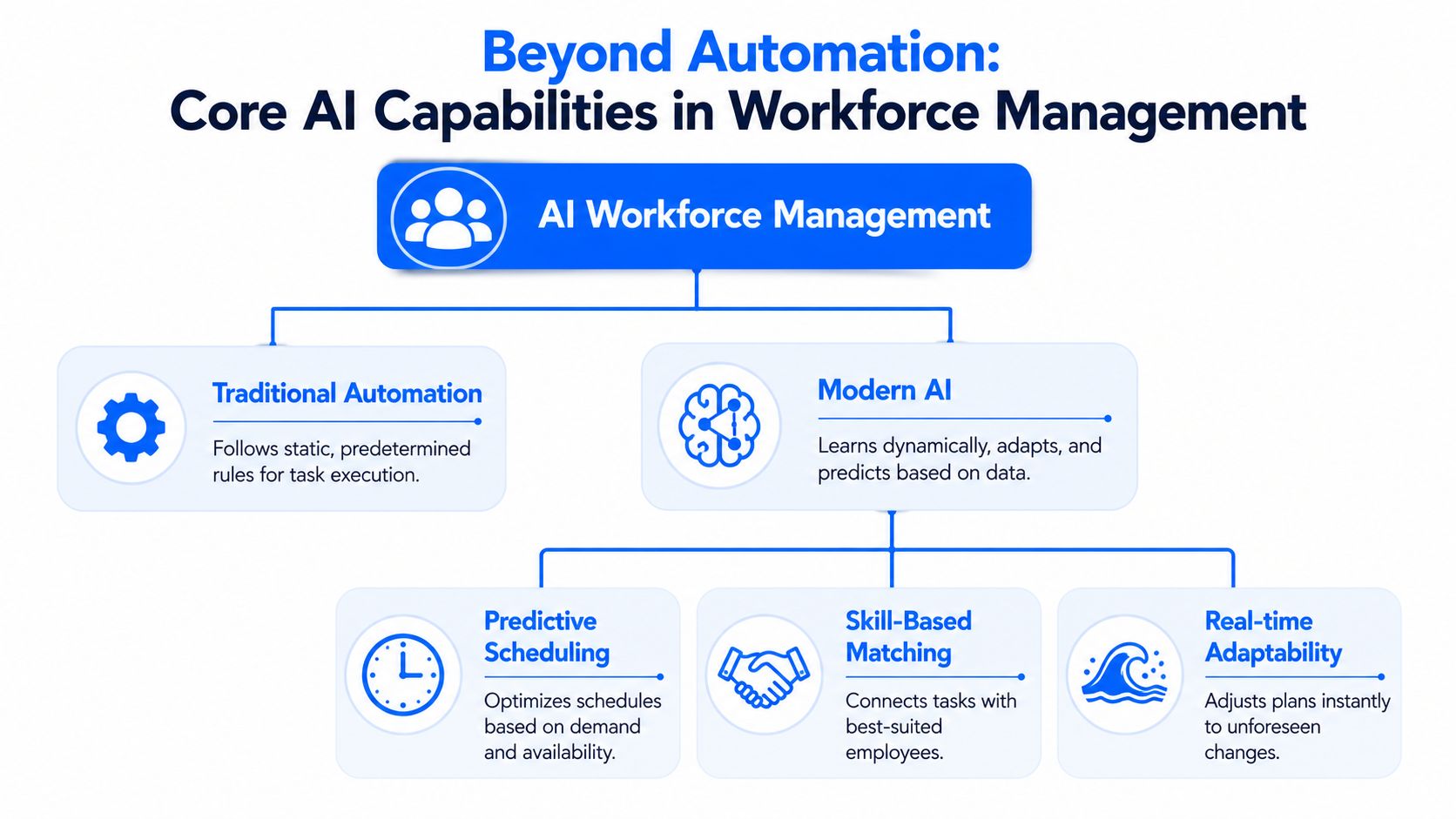
Older workforce tools behave like calculators. They apply rules, run constraints, and produce an output. Modern AI systems behave more like advisors. They ingest more signals, detect patterns, surface trade-offs, and recommend actions in context.
That distinction matters because frontline operations rarely stay still. Demand shifts. People call out. Travel time changes. Skills availability changes. Labor rules interact with union rules, break rules, fatigue thresholds, and local policy. Static automation struggles when the operating environment changes faster than the rule set.
A useful overview looks like this:
Predictive forecasting changes the starting point
Forecast quality is where a lot of workforce outcomes are won or lost. Paycor’s overview of AI workforce management notes that AI workforce management systems improve forecast accuracy by combining historical patterns with external variables, which reduces forecast error rates tied to coverage reliability and overtime KPIs.
In practice, that means a retail operation can factor in more than last year’s sales pattern. A hospital can account for seasonal patterns and operational signals. A field service team can adjust labor assumptions based on real-time conditions instead of relying solely on templates.
The practical shift is this: managers stop reacting to labor problems after they appear and start getting earlier, more informed recommendations.
For a deeper view of where these systems are heading, Turn On Work’s piece on AI in HR practical use cases for 2026 is useful context.
Dynamic scheduling is more than auto-building rosters
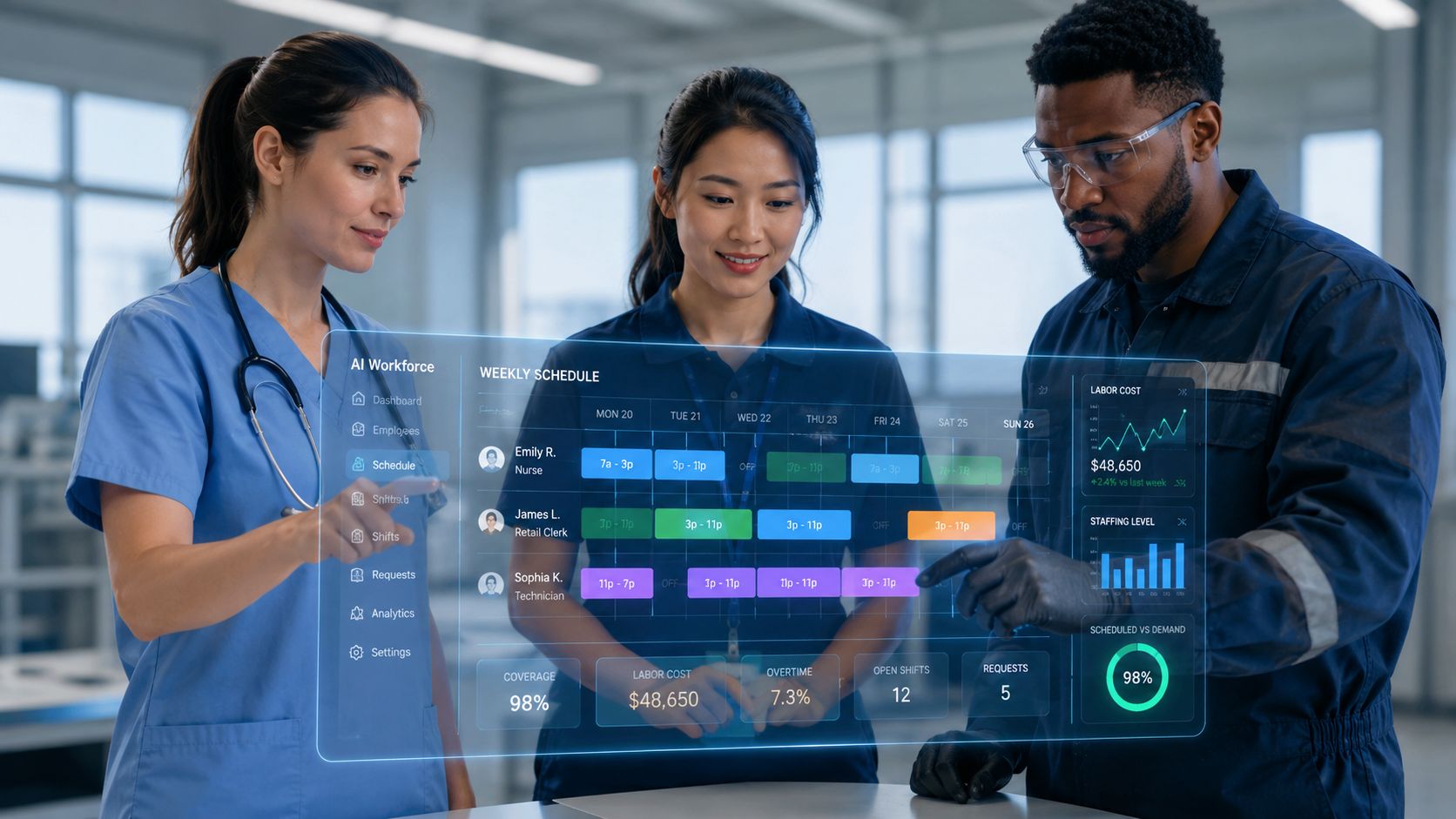
Auto-scheduling has existed for years. The difference now is that better systems don’t just fill slots. They weigh availability, skill fit, demand variation, shift preferences, and rule conflicts together.
Three capabilities matter most on the ground:
- Smarter shift matching: The system can recommend who should be offered an open shift based on skill, availability, and fairness logic.
- Adaptive coverage decisions: It can suggest whether to extend a shift, trigger internal float coverage, or reroute work.
- Leave-aware planning: It can identify schedule fragility earlier when approved leave, recurring absences, or onboarding gaps are likely to create risk.
Task orchestration is the next frontier
Here, the category gets more interesting. AI workforce management increasingly touches the layer between schedule and execution.
A schedule tells someone when to work. Task orchestration helps define what they should do, in what order, with what priority, and based on what operating condition. In a store, that could mean routing replenishment tasks differently if foot traffic rises. In healthcare, it could mean reprioritizing non-clinical work when patient flow changes. In field operations, it could mean assigning the nearest qualified technician to a job while accounting for compliance and fatigue constraints.
That’s why AI WFM is becoming less of an admin platform and more of an operating system for hourly work.
AI in Action for Frontline and Deskless Teams
The fastest way to understand AI workforce management is to watch what it changes in a manager’s day.

A hospital shift doesn’t stay covered by accident
A nurse manager gets a same-day absence before a busy evening handoff. In a manual environment, that usually triggers texts, hallway conversations, policy checks, and a lot of guesswork. With AI-supported workforce management, the system can narrow the options quickly. It identifies who is qualified, who is available, which labor rules apply, and whether offering the shift creates a compliance issue or fairness concern.
The employee experience piece is easy to miss here. A fairer process reduces the feeling that extra work always lands on the same people. It also shortens the uncertainty window for the rest of the team.
Retail staffing works better when scheduling and tasks talk to each other
A store manager’s real problem isn’t just staffing the day. It’s staffing the day while keeping replenishment, curbside fulfillment, customer service, and break coverage aligned.
In stronger setups, AI doesn’t stop at the labor grid. It helps route work based on who is clocked in, what demand is rising, and which tasks are time-sensitive. That cuts down on the classic frontline failure mode where the schedule looks full on paper but the floor still feels understaffed because labor isn’t deployed well.
Teams thinking about this from an engagement angle should look at how frontline employee engagement changes when schedule visibility, task clarity, and communication live in one experience instead of three disconnected tools.
Good frontline systems don’t just tell employees when to show up. They reduce the number of moments where workers have to guess what matters most right now.
Field and service teams need routing logic, not just labor plans
For deskless service teams, the value often shows up in task assignment. A technician calls in sick. Another job runs long. A high-priority work order appears. Static schedules break quickly in that environment.
AI-assisted orchestration can help dispatchers and supervisors decide who should pick up the next task based on skill, location, workload, and service urgency. It can also surface likely downstream issues early, such as a compliance conflict, missed break, delayed arrival, or unresolved leave impact on later shifts.
Timecards and onboarding deserve more attention
Timecard workflows are another under-discussed use case. AI can help flag anomalies for manager review, surface likely exceptions before payroll close, and reduce the back-and-forth that frustrates both employees and supervisors.
The same goes for onboarding. A new starter’s first weeks often fail because the operation treats onboarding as an HR event instead of an execution event. Workforce systems work better when onboarding status, scheduling readiness, access provisioning, and first-shift task guidance are connected. That gives new hires a cleaner first experience and gives managers more confidence in placement decisions.
The Dual Impact on Workforce Experience
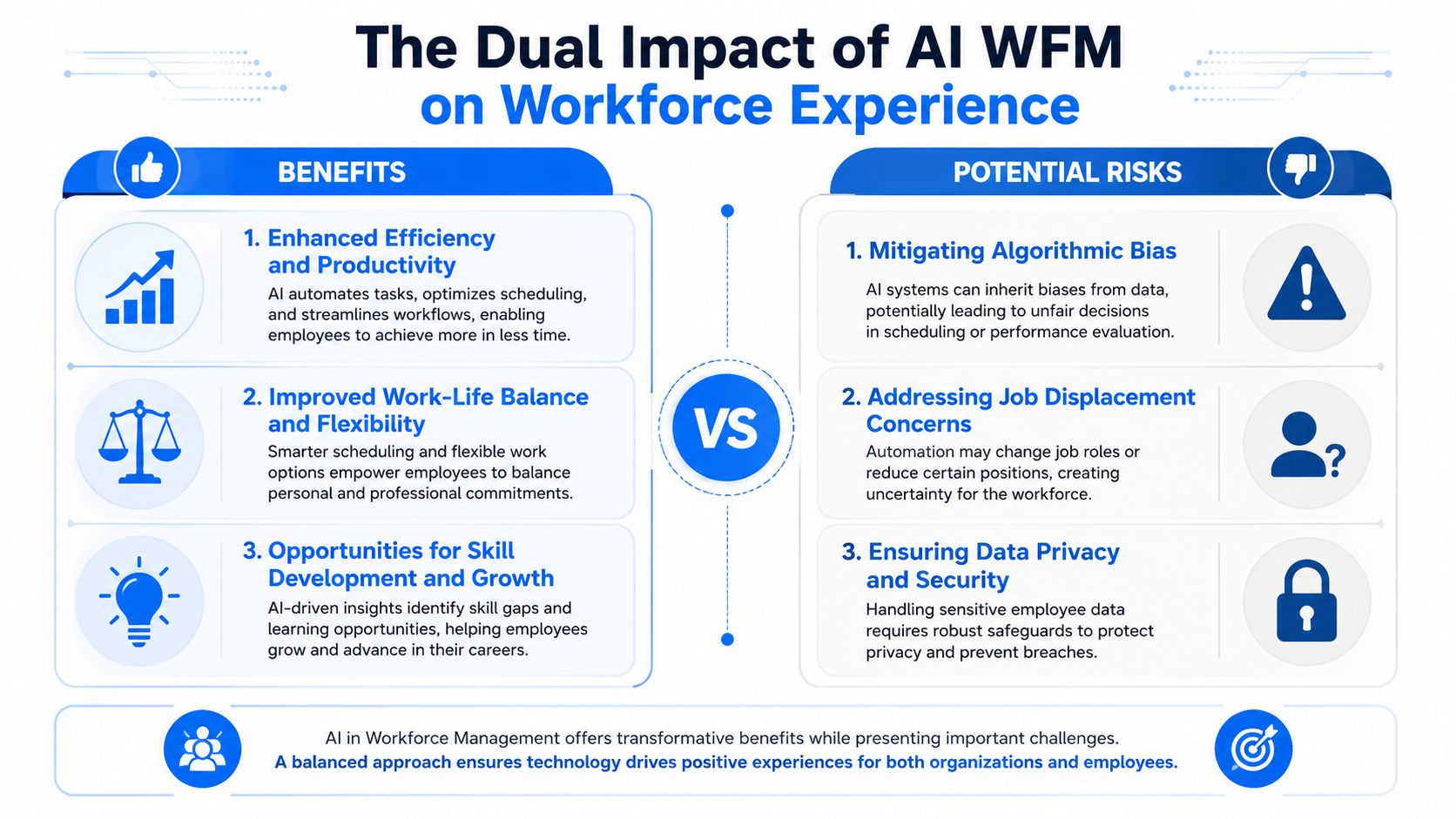
AI workforce management can make work feel more organized, more predictable, and more fair. It can also make work feel more monitored, less autonomous, and harder to trust. Both realities can exist at the same time.
That’s why this category needs a more honest conversation than “automation saves time.” Workforce experience changes based on how the system is designed, how transparently it operates, and how much human judgment still exists inside the workflow.
The tension is captured well in this visual:
Where AI improves daily work
When implementation is thoughtful, frontline teams usually feel the gains in ordinary moments:
- More predictable scheduling: Fewer last-minute changes and better visibility into open shifts.
- Clearer work priorities: Better task routing means less confusion at the start of a shift.
- Less admin burden on managers: Supervisors spend less time chasing attendance issues or manually reworking schedules.
- Faster support access: IBM’s overview of AI in employee engagement describes conversational AI tools that can handle policy questions, onboarding support, and administrative guidance around the clock, while escalating more complex cases to HR.
Those improvements are operational, but they also affect morale. When communication is cleaner and work feels less chaotic, employee experience improves.
Where things go wrong
The hidden risk is over-automation. MIT Sloan Management Review’s research on workforce impact highlights that 62% of workers in monitored roles report decreased confidence in their decisions after AI integration. That’s a serious warning for any frontline operation that wants to preserve initiative and judgment.
If employees feel the system is always scoring, correcting, or second-guessing them, they may comply without engaging. Managers can fall into the same trap. They stop reasoning through decisions and start deferring to the recommendation engine because it feels safer.
Practical test: If your managers can’t explain why the system made a recommendation, you don’t have operational intelligence. You have automation risk.
The distinction between employee experience and workforce experience matters. This comparison of employee experience vs workforce experience is useful because it shows why scheduling fairness, task control, and communication quality are not side issues. They shape how work is experienced.
Human-in-the-loop is not optional
A strong AI WFM design preserves agency in a few specific ways.
| Design choice | Better outcome |
|---|---|
| Managers can override recommendations | Local context still matters |
| Employees can see why schedules or tasks changed | Trust improves |
| Bias and rule conflicts are reviewed, not assumed solved | Fairness gets operational attention |
| Training focuses on judgment, not just clicks | Teams use the system with confidence |
The goal isn’t to slow automation down. It’s to keep people from becoming passive operators inside their own jobs.
A Roadmap for Successful Implementation
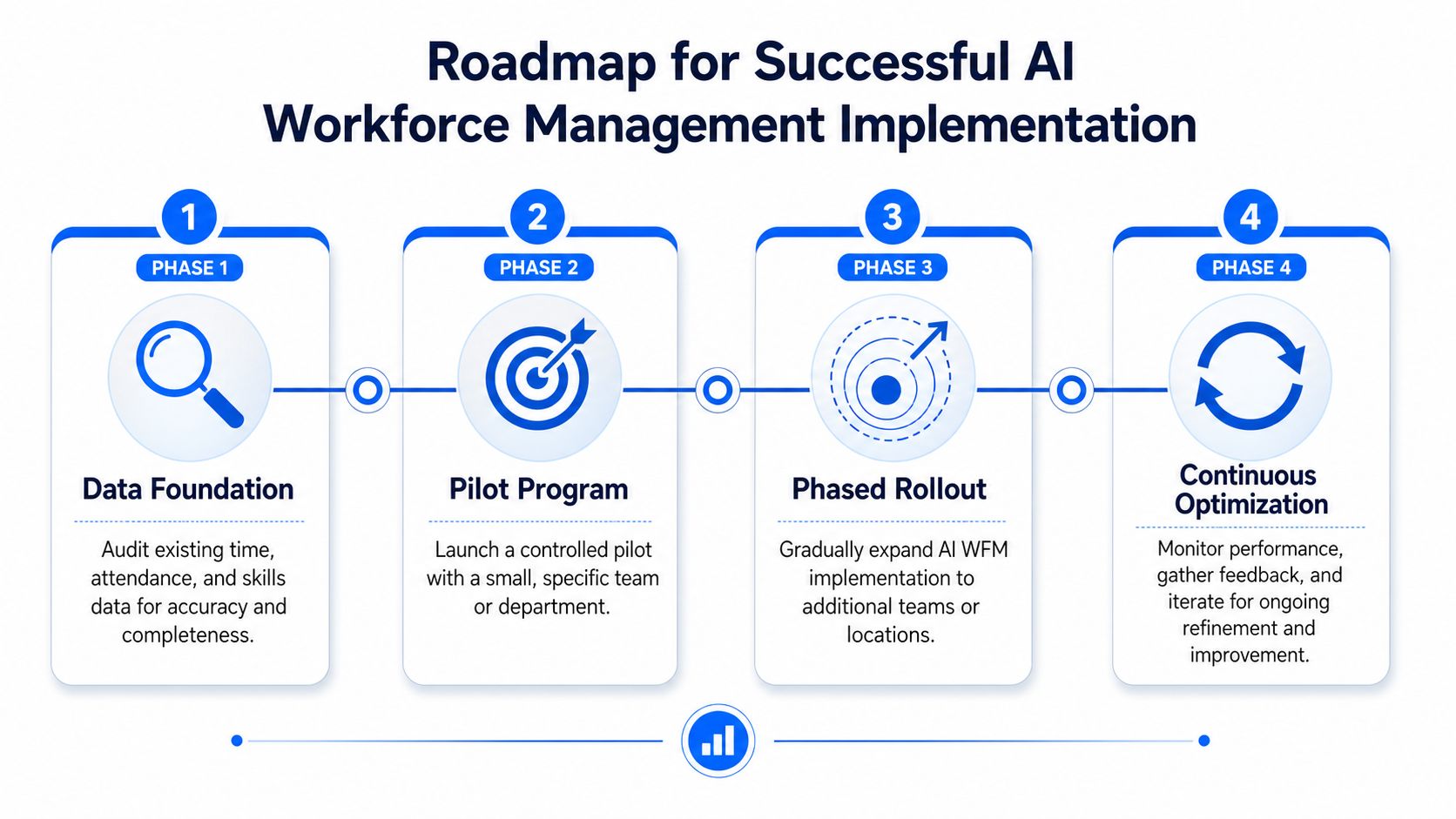
Most AI workforce management rollouts don’t fail because the concept is wrong. They fail because data is messy, governance is weak, and the organization treats adoption like a software launch instead of an operating model change.
A practical path is more disciplined than flashy.
Start with the data foundation
Bad time and attendance data creates bad recommendations. Incomplete skills data creates poor matching. Inconsistent leave coding creates avoidable schedule risk.
Before evaluating vendors, audit the inputs that will drive forecasting, scheduling, timecards, and task assignment. This usually means reviewing historical schedule quality, exception handling, skills tags, location data, and the quality of manager-entered notes.
Pilot a narrow use case first
Don’t start with a grand transformation pitch. Start where the operational pain is visible and measurable. Open shift coverage is often a good candidate. So is schedule quality in a high-variance location, or exception handling in timecards.
The pilot should answer practical questions:
- Can managers understand the recommendation logic?
- Do employees see the process as fair?
- Does the workflow reduce manual coordination, or just hide it?
Build governance before scale
WFM Labs’ guidance on generative AI governance for workforce systems is clear that strong governance requires explainability controls such as SHAP, conformity assessments before deployment, and documented bias audits so scheduling and staffing decisions remain fair and compliant.
That sounds technical, but the operating implication is straightforward. Someone in the organization must own model oversight, exception review, and fairness checks. Someone must also decide when a manager override is encouraged, required, or investigated.
A broader workforce experience platform strategy helps here because AI WFM works best when it connects to communication, knowledge, and execution layers instead of staying trapped inside scheduling alone.
Rollout discipline beats feature volume. A smaller system people trust creates more value than a bigger system they work around.
Measuring What Matters ROI and Adoption
Too many teams measure AI workforce management like a scheduling utility. They track speed, forecast lift, or labor variance, then wonder why the program stalls. That’s incomplete.
Deepak Virwani’s analysis of AI workforce management adoption pitfalls makes the point directly: many pilots fail because employees distrust the system’s suggestions, and leaders need to measure beyond “cool tech metrics” to include operational outcomes and human trust.
A better ROI lens
Use two scoreboards, not one.
Operational ROI should look at whether the system improves coverage decisions, reduces preventable manual work, speeds exception resolution, and supports better labor planning.
Adoption ROI should look at whether managers use recommendations, whether employees accept the workflow, and whether manual overrides indicate healthy judgment or broad distrust.
A simple working model looks like this:
- Decision quality: Are recommendations helping managers act earlier and with fewer surprises?
- Trust and usage: Are employees and supervisors relying on the system, or bypassing it?
- Experience impact: Has schedule communication become clearer? Are task expectations easier to follow?
- Execution stability: Are fewer problems cascading into end-of-day escalation?
What not to do
Don’t claim success because schedule-build time dropped if supervisors still rebuild schedules offline. Don’t celebrate algorithmic recommendations if workers perceive the process as opaque or unfair. And don’t separate employee sentiment from operational performance. In frontline environments, those two things are tightly connected.
AI Workforce Management FAQs
What is AI workforce management in plain English
It’s the use of AI to help organizations forecast labor needs, build and adjust schedules, route work, flag compliance issues, and support manager decisions. The most useful systems don’t just automate admin. They improve day-to-day operating choices.
How is AI workforce management different from traditional scheduling software
Traditional tools mostly apply fixed rules. AI-enabled systems can learn from patterns, incorporate more variables, and recommend actions when conditions change. That’s the difference between static automation and decision support.
Does AI workforce management replace managers
No. It works best when it reduces manual burden and improves judgment. Managers still need to interpret context, handle exceptions, and make calls the system can’t fully understand on its own.
What are the best frontline use cases
Common high-value use cases include shift coverage, labor forecasting, timecard exception review, leave-aware scheduling, task routing, onboarding readiness, and compliance flagging.
What should buyers look for first
Start with explainability, data quality, workflow fit, and employee trust. If managers can’t understand recommendations or employees don’t believe the process is fair, adoption will stall.
AI workforce management is becoming a core part of frontline operations because it connects planning to action. Done well, it helps organizations forecast better, schedule more fairly, route tasks more clearly, and communicate with less friction. Done poorly, it creates opacity, over-monitoring, and resistance.
The difference comes down to design, governance, and trust.
For more practical analysis on workforce operations, frontline enablement, employee experience, and AI at work, explore Turn On Work.