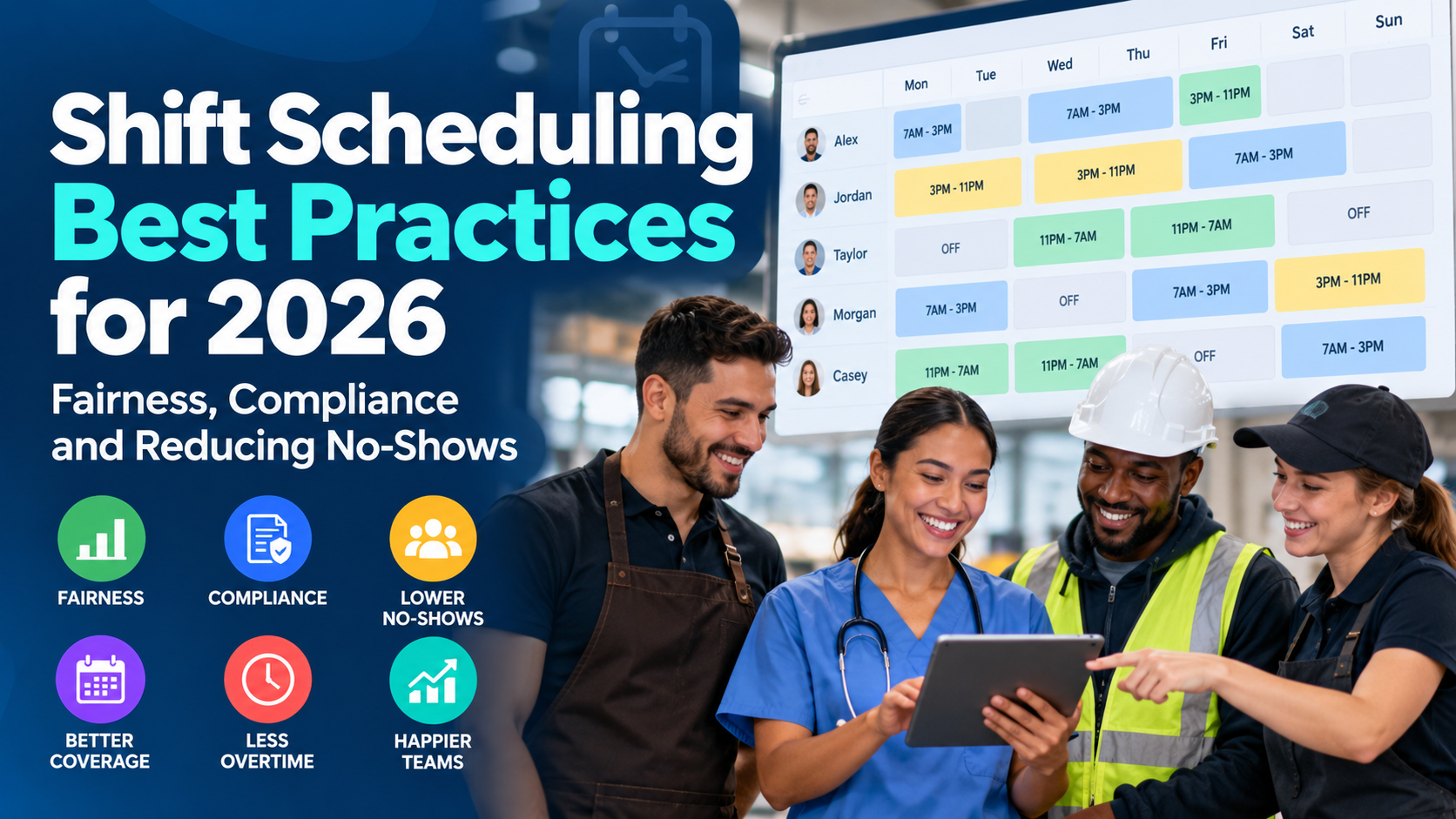
Bounded automation still needs a human comms and exception path; that is usually the same employee experience platform that already carries policies and manager messages.
An employee asks a benefits question. An AI agent checks the approved policy, confirms the employee’s location, gives the correct answer, starts the required form, alerts the manager, and schedules a reminder.
No ticket is opened. No one manually moves the request from one step to the next.
That is the autonomous workplace taking shape.
The shift is not about one system suddenly running the entire organization. It is happening workflow by workflow as software begins answering, assigning, triggering, routing, recommending, and escalating without waiting for a person at every stage.
For HR, internal communications, and operations leaders, the central question is no longer simply whether AI can assist employees. It is whether workflows can safely manage routine work inside rules the organization trusts, and whether humans remain responsible for the decisions that matter most.
Key Takeaways
- An autonomous workplace uses AI agents and automated workflows to complete approved actions with limited manual intervention.
- The biggest opportunities are repeatable workflows such as employee questions, onboarding, training, task routing, communications, scheduling, and issue escalation.
- Workflow autonomy is different from employee autonomy. Systems may act more independently without removing employees’ ability to understand or challenge them.
- The more consequential a decision is, the more human judgment, review, and accountability it requires.
- Leaders should optimize for safe delegation, not maximum automation.
- Readiness depends on stable processes, reliable data, clear ownership, auditability, reversibility, and employee trust.
What an Autonomous Workplace Actually Means
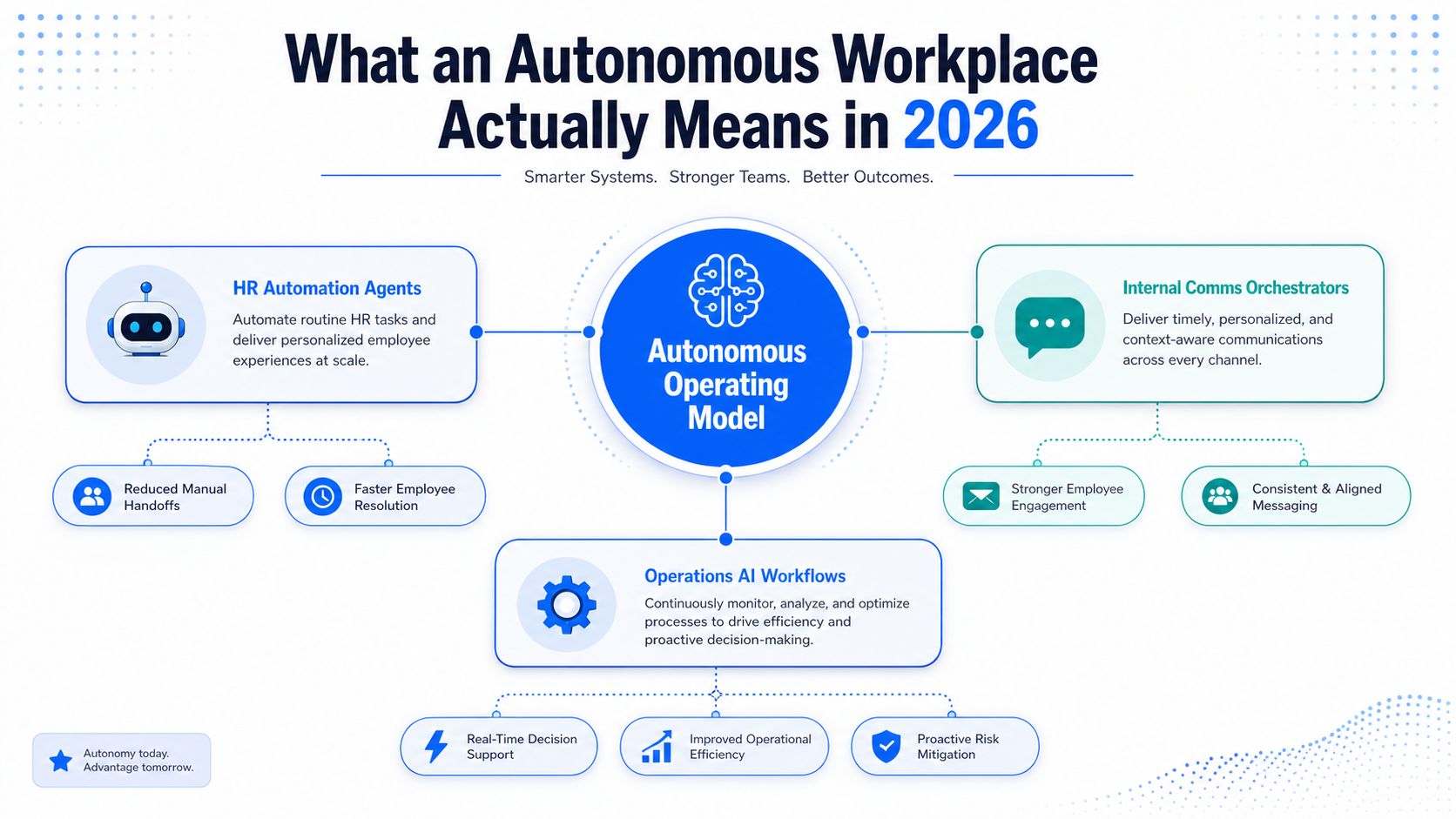
An autonomous workplace is one in which software can take approved actions across a workflow without requiring a person to initiate or approve every routine step. That is broader than traditional automation.
A simple automation follows a fixed instruction:
When a new employee is added, send a welcome email.
An autonomous workflow can respond to changing conditions:
Identify the employee’s role and location, assign the relevant onboarding tasks, deliver the correct policies, schedule required training, monitor completion, send reminders, and escalate missing steps to the appropriate manager.
The goal remains defined by people. The system manages more of the path toward that goal.
A useful way to understand the progression is:
Manual – A person performs and coordinates every step.
Assisted – AI drafts, recommends, summarizes, or suggests what the person should do.
Automated – A predefined rule completes a specific action when a known condition occurs.
Agentic – A system selects and completes several connected steps toward a defined outcome.
Autonomous within boundaries – The workflow manages the routine path, adjusts to approved conditions, and sends exceptions to a human owner.
Practical rule: If a system can choose, trigger, route, or escalate without a person clicking every time, workflow autonomy has already entered the organization.
Autonomy Is Broader Than Automation
The autonomous workplace should not be confused with full job automation. Most roles contain a mix of repeatable steps, judgment calls, human interactions, exceptions, and decisions involving values or accountability. The practical change is therefore more likely to be workflow redesign than the complete removal of roles. It is also important to distinguish workflow autonomy from employee autonomy. Employee autonomy describes the discretion people have over how they perform their work.
Workflow autonomy describes the ability of systems to complete approved actions without waiting for human intervention at every step. The two can support each other, but they can also conflict. A scheduling system may reduce a manager’s administrative work while leaving employees unable to understand or question shift changes. A task-routing agent may improve speed while ignoring local expertise.
More autonomous workflows should not automatically mean less human agency.
Why the Operating Model Matters More Than the Tool
Leaders often discuss AI agents as a technology category. In practice, autonomy changes how decisions and responsibilities move through the organization.
A workflow becomes autonomous when:
- The routine path is clearly defined.
- The system has access to trusted information.
- Approved actions are built into the process.
- Exceptions are recognized and escalated.
- Every action can be reviewed.
- A human owner remains accountable.
That makes autonomy an operating-model decision, not simply a software purchase.
A powerful agent placed on top of a broken process will move confusion faster. An agent connected to outdated policies may give incorrect answers at scale. A task-routing system using incomplete workforce data may create unfair or impractical assignments.
Before asking whether AI can manage a workflow, leaders should ask whether the workflow itself is stable enough to delegate.
Where Automated Workflows Are Already Running
The first autonomous workflows will not usually be dramatic. They will appear in routine work that organizations currently repeat hundreds of times.
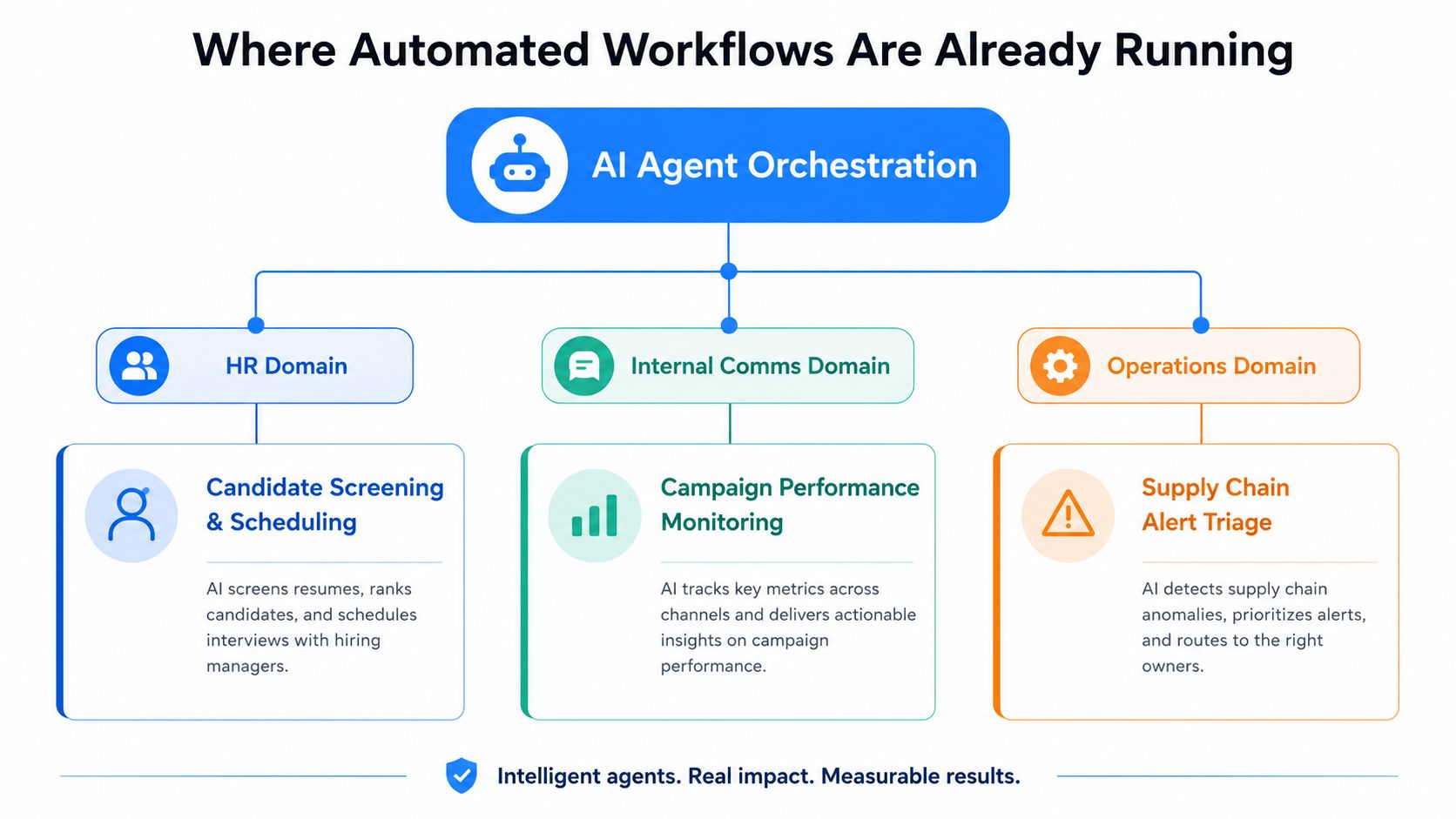
HR Workflows
AI agents and automated workflows may:
- Answer common employee questions from approved policies
- Start HR requests and forms
- Route complex cases to the right specialist
- Trigger onboarding steps
- Assign required training
- Remind employees about incomplete actions
- Detect missing documentation
- Escalate unusual or high-risk cases
- Recommend internal candidates based on verified skills
Consider onboarding.
A traditional process may require HR, IT, payroll, learning, and the hiring manager to track separate checklists.
An autonomous workflow could identify the new hire’s role, location, employment type, and start date. It could then assign the correct tasks, request equipment, enroll the employee in training, provide relevant policies, monitor progress, and alert the manager when something is blocked.
Humans still define the process and handle exceptions. The system prevents routine steps from being forgotten.
Internal Communications Workflows
Autonomy can also change how organizations plan and deliver communication.
A communications workflow may:
- Segment audiences by role, shift, location, or language
- Select the appropriate channel
- Adapt a message for different employee groups
- Trigger communication when a policy or workflow changes
- Follow up with employees who missed a required action
- Route questions to the relevant knowledge source
- Alert communicators when reach or understanding is low
- Escalate conflicting or outdated information for review
For example, a safety-policy update may need different treatment for office employees, plant workers, and supervisors.
The system could deliver a brief mobile alert to affected frontline employees, a manager briefing to supervisors, and a longer reference article to employees who need the full policy.
That is more useful than sending the same announcement to everyone and hoping the right people act.
Operations Workflows
Operations offers some of the clearest opportunities because many decisions are repetitive, time-sensitive, and dependent on changing conditions.
Autonomous workflows may:
- Assign and reprioritize tasks
- Detect delayed handoffs
- Escalate missed deadlines
- Route service issues
- Trigger maintenance or safety actions
- Rebalance workloads
- Recommend staffing adjustments
- Match available employees to required skills
- Notify managers about predicted capacity gaps
A staffing agent, for example, might detect rising demand at one location, compare the schedule with required skills, identify a likely coverage gap, and recommend moving two qualified employees before the schedule is published.
The system may prepare the recommendation. A manager may still need to approve it, especially when the change affects employee schedules, fairness, or working conditions.
Training Workflows
Training is often treated as a separate system even though it is closely connected to roles, tasks, compliance, and performance.
An autonomous training workflow could:
- Detect when an employee changes roles
- Identify the training required for the new assignment
- Assign the correct course or procedure
- Deliver task-level guidance
- Monitor completion
- Remind the employee before a deadline
- Alert the manager when training is overdue
- Recommend refresher content after repeated errors
- Remove assignments that no longer apply
This shifts training from a static course catalog to a process that responds to what employees are expected to do.
What Is Ready and What Still Needs a Human?
The best early candidates have:
- Clear inputs
- Repeatable steps
- Stable rules
- Low-cost errors
- Visible outcomes
- Defined exceptions
- Easy reversal
- A named owner
Examples may include:
- Common employee FAQs
- Onboarding reminders
- Standard training assignments
- Routine task routing
- Internal campaign targeting
- Basic case classification
- Policy acknowledgements
- Low-risk scheduling suggestions
More sensitive decisions require stronger human involvement.
These may include:
- Pay changes
- Final performance ratings
- Discipline
- Promotion or hiring decisions
- Employment termination
- Safety-critical assignments
- Legal or medical judgments
- Decisions affecting employee rights
The line between assistance and autonomy matters. A tool that drafts a message is different from a system that sends it, tracks the response, triggers another action, and escalates noncompliance without review. The more independently the system acts, the clearer the controls must be.
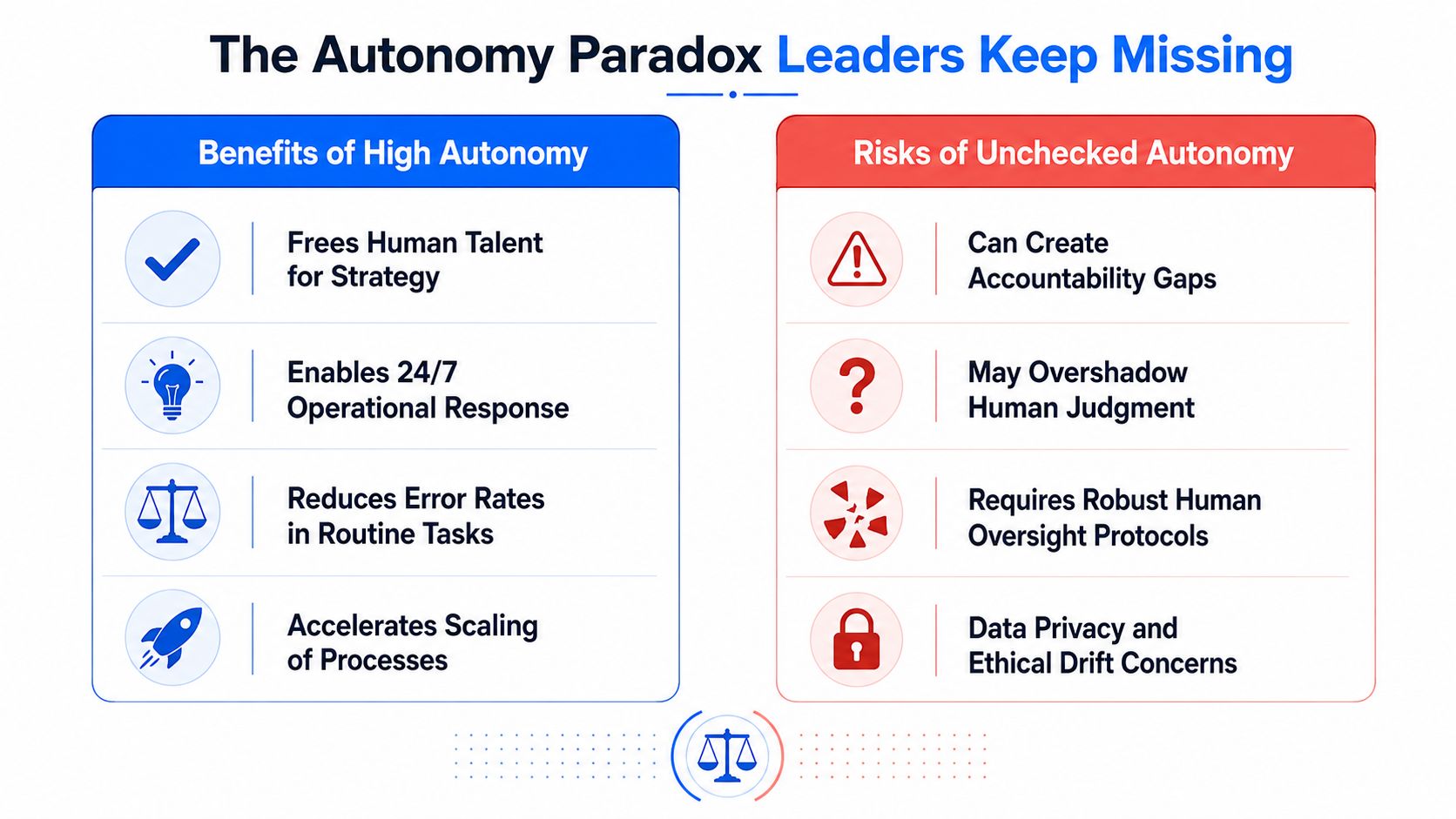
The Autonomous Workplace Paradox
Autonomous workflows promise less delay and less manual coordination.
They can also make decisions less visible.
An employee may receive a new shift, task, training requirement, or performance prompt without knowing:
- Which system produced it
- What data was used
- Why the decision was made
- Whether the result can be challenged
- Who is accountable for correcting it
That creates the autonomous workplace paradox:
The more independently a workflow operates, the more deliberately the organization must protect human visibility, influence, and recourse.
A technically efficient workflow may still fail if employees feel controlled by systems they cannot understand. This is especially important in frontline environments, where automated scheduling, task assignment, monitoring, and communications may shape much of the daily employee experience. The goal is not only to keep a human “in the loop.” It is to decide where human involvement creates meaningful judgment, fairness, trust, and accountability.
How to Measure Whether Autonomy Is Actually Working
Adoption and usage do not prove that an autonomous workflow is creating value. Leaders need to measure whether it reduces friction, produces reliable outcomes, and maintains trust.
| Category | What It Measures | Example Signal |
|---|---|---|
| Time recovered | Whether repetitive work was reduced | Fewer hours spent routing routine requests |
| Completion speed | Whether work moves faster | Shorter onboarding or case-resolution time |
| Decision accuracy | Whether actions are correct | Lower correction and error rates |
| Exception rate | How often the routine path fails | Percentage of cases escalated |
| Overrides required | How often humans must intervene | Manager reversal frequency |
| Reversibility | Whether incorrect actions can be undone | Time needed to correct an automated action |
| Employee trust | Whether people believe the workflow is reliable | Survey feedback and complaint patterns |
| Fairness | Whether outcomes differ unjustifiably across groups | Scheduling or assignment disparities |
| Source quality | Whether decisions use current, approved information | Percentage of actions based on verified sources |
| Business impact | Whether the workflow improves operations | Better service, quality, or staffing outcomes |
The strongest measurement systems pair an efficiency metric with a guardrail metric.
For example:
- Faster case resolution plus correction rate
- Lower support volume plus employee trust
- More automated assignments plus fairness differences
- Fewer manager actions plus exception rate
An autonomous workflow should not be considered successful simply because it removes people from the process. It should complete work more reliably without transferring hidden risk to employees, managers, or customers.
What Humans Must Still Control in an Autonomous Workplace
The purpose of autonomy is not to remove people from meaningful decisions. It is to remove unnecessary delay from routine work while keeping humans responsible for what requires values, judgment, fairness, trust, and accountability.
Values
Systems can optimize toward a goal. Humans must decide which goals are worth optimizing. A staffing workflow may minimize labor cost, improve service coverage, or distribute undesirable shifts more evenly. Those are different priorities with different consequences. Leadership must determine the values and trade-offs behind the workflow.
Judgment
AI agents can identify patterns, apply rules, and prepare recommendations. They should not be expected to carry institutional responsibility for ambiguous decisions involving context, relationships, ethics, or competing priorities. Judgment remains especially important when the available data does not tell the full story.
Exceptions
No workflow can anticipate every circumstance. Employees may face emergencies, accessibility needs, local operating conditions, policy conflicts, or situations that fall outside the standard path. Exception handling should be designed into the workflow rather than treated as a failure of the employee.
Fairness
Autonomous systems may produce consistent decisions without producing fair ones. Leaders need to review whether task assignments, schedules, recommendations, communications, or opportunities affect employee groups differently. Fairness requires ongoing inspection, not just a one-time test before launch.
Trust
Employees need to understand:
- When an agent is acting
- What it is allowed to do
- Why a decision was made
- Which source or rule was used
- How to report an error
- When a human will step in
Trust comes from bounded, explainable behavior, not from branding the system as an assistant.
Accountability
Accountability cannot be assigned to software.
Every autonomous workflow needs a named human owner who can answer for:
- The goal
- The approved actions
- The information used
- The exceptions
- The outcomes
- The failures
- The correction process
When something goes wrong, “the algorithm did it” is not an acceptable operating model.
Governance Patterns That Keep Autonomy Usable
A practical control model should include a few consistent patterns.
- Pre-approve low-risk actions. Define which actions the system may complete without review.
- Require approval for high-impact decisions. Keep humans responsible for decisions affecting pay, discipline, opportunity, safety, or employment.
- Make the decision path visible. Record what the system did, why it acted, and which information it used.
- Limit the system’s authority. Do not give an agent broader access or decision rights than the workflow requires.
- Build clear escalation rules. The system should know when to stop and route the case to a person.
- Make actions reversible. Incorrect automated actions should be easy to identify and correct.
- Assign one accountable owner. Shared governance is useful, but accountability cannot be vague.
Autonomous Workplace Readiness Checklist
Before allowing a workflow to manage itself, leaders should be able to answer yes to most of the following questions.
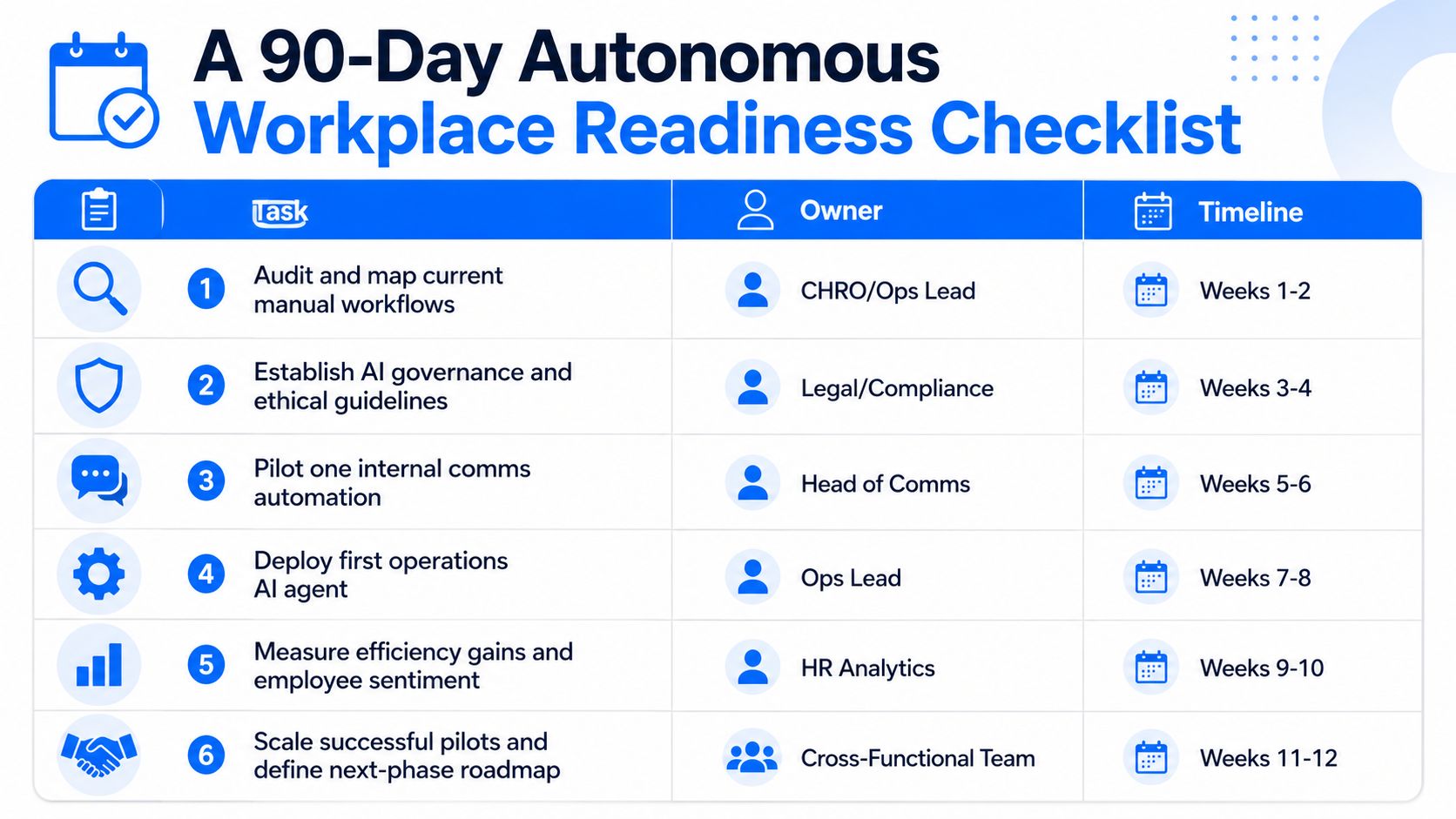
Process readiness
- Is the workflow stable and clearly documented?
- Are the routine path and expected outcome defined?
- Are common exceptions known?
- Is the current manual process worth improving?
- Can errors be detected quickly?
Knowledge and data
- Does the workflow use current, approved information?
- Is the underlying data accurate enough for the decision?
- Are permissions and privacy requirements clear?
- Is there an owner for each important data or knowledge source?
- Can employees correct inaccurate information?
Risk and control
- Are low-, moderate-, and high-impact actions separated?
- Are high-risk decisions excluded from full autonomy?
- Is every action logged and reviewable?
- Can an incorrect action be reversed?
- Are escalation conditions built into the workflow?
- Is there a formal appeal path when employees are affected?
Human ownership
- Is one person accountable for the workflow?
- Are managers clear about when they must intervene?
- Do employees know when AI is acting?
- Can employees provide feedback or challenge an outcome?
- Are fairness and trust being measured?
Pilot readiness
- Is the first use case narrow enough to control?
- Are the outcomes measurable?
- Are guardrail metrics defined?
- Can the pilot be stopped without disrupting essential work?
- Is there a plan for reviewing errors and improving the process?
A workflow that fails these checks is not ready for autonomy. It may still be appropriate for AI assistance or limited automation.
A Practical First Pilot
Choose a workflow that is repetitive, bounded, and visible.
Good candidates may include:
- HR case classification
- Common employee questions
- Onboarding reminders
- Internal communications targeting
- Routine training assignment
- Low-risk task routing
Avoid beginning with the most impressive or consequential use case.
The best first pilot is one where:
- Errors are easy to spot
- Corrections are inexpensive
- A human owner is available
- Employees can provide feedback
- The benefit can be measured quickly
The question at the end of the pilot should be straightforward:
Did the workflow reduce manual effort without reducing accuracy, fairness, or trust?
If the answer is unclear, the organization should improve the process before expanding autonomy.
Final Thoughts
The autonomous workplace will not arrive as one dramatic system that suddenly runs the company. It will emerge workflow by workflow as software begins answering, assigning, triggering, routing, recommending, and escalating without waiting for a person at every step. The leadership challenge is not to automate as much as possible.
It is to decide:
- Where autonomy removes unnecessary delay
- Where human judgment remains essential
- Which actions are safe to delegate
- How employees can understand and challenge decisions
- Who remains accountable when the system gets something wrong
The organizations that succeed will not be those that remove the most people from workflows. They will be those that remove the most unnecessary friction while keeping values, fairness, trust, and responsibility firmly human.
FAQs on the Autonomous Workplace
Is the autonomous workplace different for frontline and knowledge workers?
Yes. Frontline autonomy often appears in scheduling, task routing, knowledge delivery, safety workflows, and staffing recommendations. Knowledge workers may encounter more agentic support in email, meetings, research, internal communications, case handling, and project coordination. The best starting point is the highest-friction repeatable workflow in each environment.
Will employees trust AI agents with sensitive HR actions?
Only when the system is limited, explainable, auditable, and easy to challenge. Sensitive decisions should remain under human review. Employees should know what the system can do, what information it uses, who approved it, and how to correct an error.
What is the safest first pilot?
Choose a repetitive workflow with clear inputs, predictable outcomes, visible ownership, and low-cost mistakes. Employee FAQs, onboarding reminders, internal communications targeting, or standard case routing are generally safer than decisions involving compensation, discipline, safety, or employment status.
Does autonomous work mean fewer managers?
Not necessarily. Managers may spend less time moving information and approving routine steps. Their role may shift toward judgment, coaching, exception handling, workforce planning, and accountability.
How much autonomy should an organization aim for?
There is no ideal percentage. The goal is not maximum autonomy. It is the appropriate level of delegation for each workflow based on risk, stability, reversibility, and human impact.