The best knowledge sharing platforms depend on workforce context. Inkling is the strongest fit for mobile frontline operations, while Confluence, SharePoint, Notion, Guru, Bloomfire, and Slab serve different needs across governed documentation, adaptable workspaces, verified answers, enterprise knowledge hubs, and lightweight team wikis.
Knowledge sharing platforms capture, organize, and deliver internal expertise so employees can find answers, reuse work, and act without relying on scattered files or individual colleagues. For frontline, deskless, hybrid, and distributed teams, the right choice depends less on wiki features than on access in the flow of work, content governance, search and AI, integrations, contribution workflows, mobile usability, and operational adoption.
Key takeaways
- Best for mobile frontline work: Inkling combines operational guides, searchable knowledge, and learning delivery.
- Best for governed enterprise documentation: Confluence and SharePoint offer strong administration, permissions, and integration depth.
- Best for flexible workspaces: Notion supports adaptable wikis, databases, templates, and AI-assisted work.
- Best for verified answers: Guru puts reviewed knowledge into the tools employees already use.
- Best for measurable findability: Bloomfire emphasizes AI-assisted search, content health, and analytics, while Slab keeps the wiki experience focused and lightweight.
Turn On Work evaluates these tools through a workforce-experience lens. Communication, technology, data, and execution have to work together. A platform that stores excellent content but fails on a phone, surfaces stale answers, or adds work for managers won’t improve the employee experience.
1. Atlassian Confluence Cloud
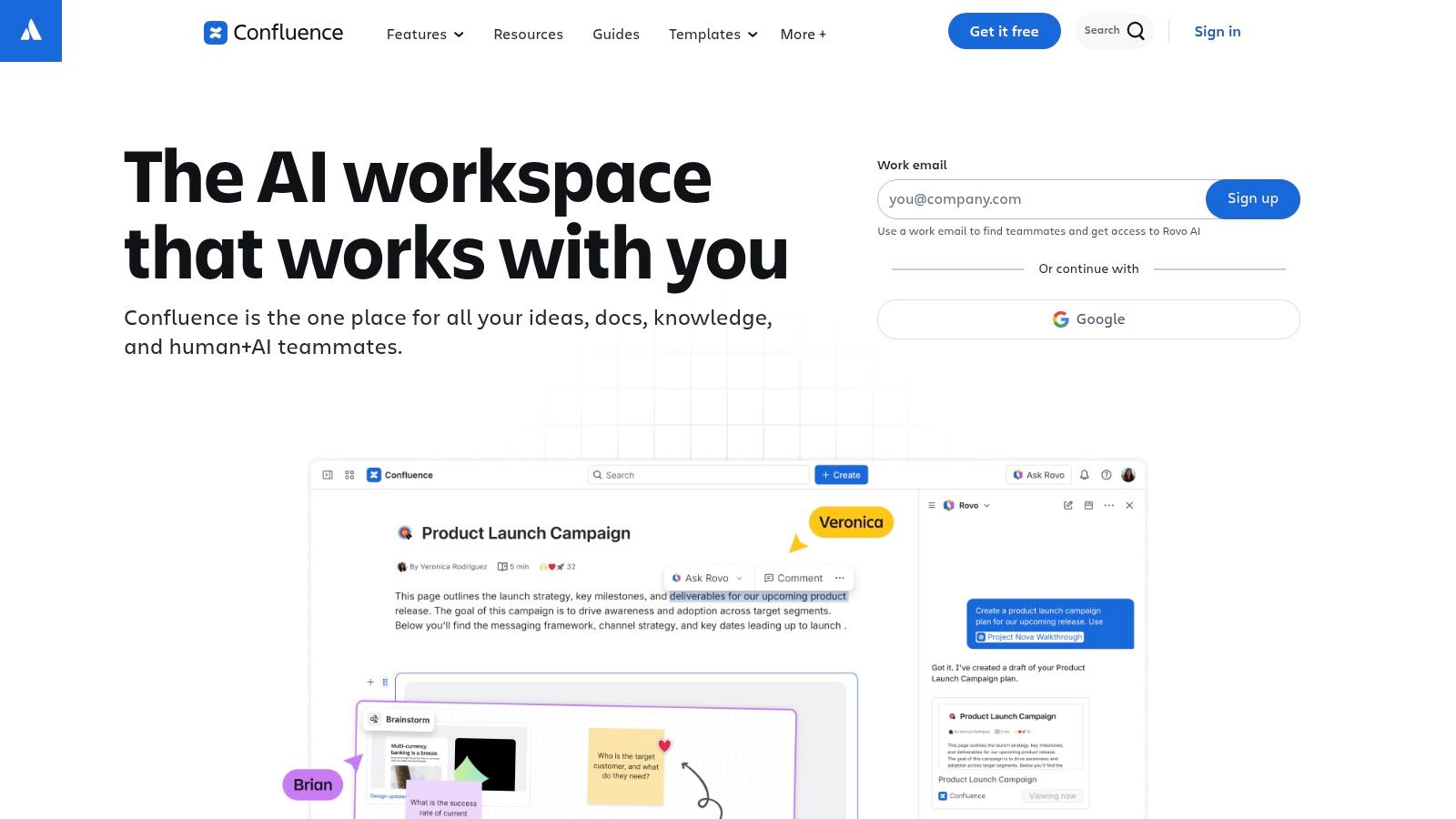
Confluence is the strongest choice for organizations that need a structured, governed knowledge workspace connected to project and engineering work. Its spaces, pages, page trees, templates, permissions, and version history support documentation that must remain traceable and organized.
The platform fits technical teams, HR functions, and cross-functional groups that need more than a simple repository. Teams can connect knowledge to Jira work, use integrations with tools such as Trello, Slack, Microsoft 365, and Google Workspace, and extend workflows through Atlassian’s marketplace. Atlassian describes Confluence’s workspace and collaboration capabilities here.
Recent AI-assisted features support content creation, summarization, and insights. Those capabilities can reduce the effort required to draft or locate documentation, but they don’t remove the need for human ownership. AI-generated summaries still depend on source quality, permissions, and a clear information architecture.
Where Confluence fits best
Confluence is particularly useful when employees need context around work artifacts. An engineering team can connect specifications, decisions, and delivery tasks. An HR team can organize policies, manager guidance, and process documentation. A distributed workforce can use shared spaces instead of relying on private folders or chat history.
Its main trade-off is administrative weight. Large organizations need owners for spaces, naming conventions, permission rules, archival practices, and review workflows. Without those controls, a mature wiki can become a large collection of pages that employees technically can access but can’t confidently use.
For teams assessing the difference between an intranet and a workplace knowledge hub, Confluence is better understood as a collaborative work and documentation layer. It can support broad internal communication, but its greatest value appears when knowledge is closely tied to projects, decisions, and specialized team workflows.
Practical rule: Choose Confluence when traceability and connection to work matter more than the fastest possible rollout.
2. Microsoft SharePoint Microsoft 365
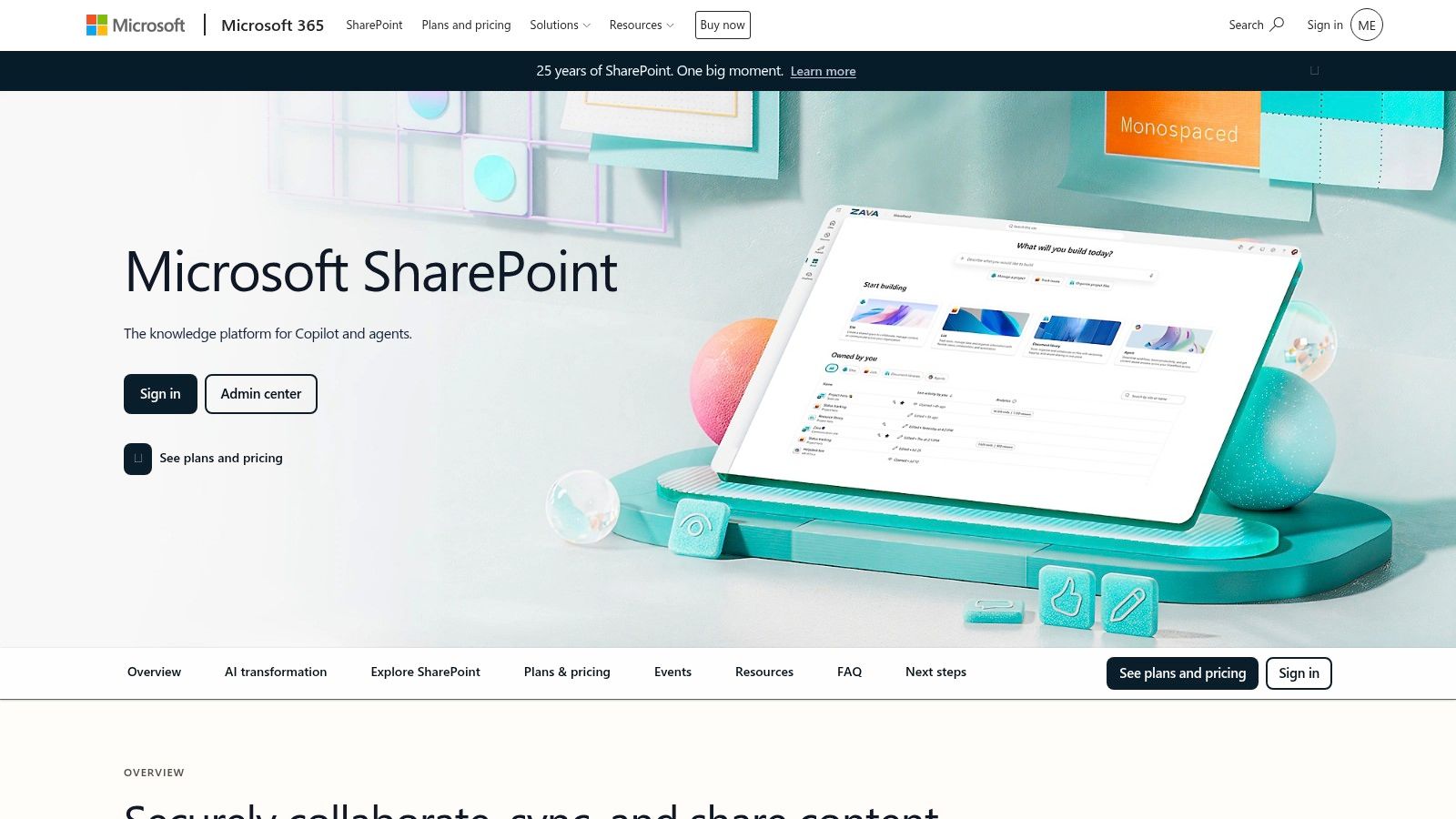
SharePoint is the best fit for organizations already standardized on Microsoft 365 and looking for a governed internal knowledge hub. It combines site pages, document libraries, lists, hubs, permissions, metadata, and versioning inside the Microsoft ecosystem.
Employees can reach SharePoint content through the web, Teams, Office applications, and mobile experiences. That matters for distributed workforces because the platform can meet employees in tools they already use instead of creating another isolated destination. Microsoft’s SharePoint product page explains its role across content collaboration and organizational information.
SharePoint also aligns closely with enterprise identity, compliance, and administration through Microsoft services such as Entra and Intune. Search and Microsoft Graph-based discovery can connect information across Microsoft 365, although the usefulness of that discovery depends on permissions, metadata, naming, and the quality of the underlying content.
Why governance determines the outcome
SharePoint gives organizations considerable flexibility, but flexibility creates design responsibility. Site architecture, hub structure, document ownership, metadata, permissions, publishing standards, and lifecycle rules need to be agreed before content spreads across departments.
Microsoft continues to add Copilot-powered experiences, including FAQ-oriented capabilities, while the retirement of Viva Topics has reinforced the need for buyers to understand how knowledge will be created, indexed, governed, and maintained in their own tenant. AI can improve discovery, but it can’t compensate for contradictory documents or unclear authority.
For leaders comparing Microsoft Viva alternatives for employee experience, SharePoint makes the most sense when Microsoft 365 is already the operating environment. It may be less attractive when the organization wants a narrowly focused, consumer-simple knowledge product with minimal administration.
Best match: enterprise HR, internal communications, IT, and operations teams that need governed knowledge across an existing Microsoft estate.
3. Notion
Notion suits fast-changing teams that need knowledge sharing to function as a collaborative workspace rather than a formal document repository. It brings together wikis, documents, databases, templates, automations, integrations, and embedded information from other tools, giving teams one place to connect reference material with ongoing work.
Teams can build department hubs, project spaces, onboarding systems, process libraries, and lightweight operational trackers without adopting a rigid hierarchy. Page ownership and verification features help identify trusted content. Notion AI and agent capabilities can support drafting, retrieval, and work across connected information. Notion’s workspace platform provides the product details.
The strongest workforce-experience benefit is contribution. A clean editor and flexible page structure let people outside IT or knowledge-management teams write, update, and organize useful guidance. That makes it easier to capture working knowledge before it remains in meetings or direct messages. For employees, findability depends less on a fixed taxonomy than on consistent page practices and search quality.
The flexibility trade-off
Flexibility can produce inconsistent information architecture. Teams may use different conventions for titles, databases, ownership, access, and review, increasing the time employees spend locating the right page. Permissions also become harder to manage as the workspace grows, especially when material serves groups with different confidentiality requirements.
AI agents require separate cost and governance review because usage may depend on plan-specific credit models. Buyers should test whether responses surface authoritative knowledge, signal uncertainty, and respect access boundaries. A fluent answer still needs a reliable source behind it.
Teams building an internal knowledge base built for daily use should define owners, verification rules, and archive triggers before broad contribution begins. Notion works well when adaptability, rapid authoring, and user experience matter most. Organizations needing strict enterprise control will need stronger operating discipline around governance, permissions, and maintenance.
Best match: product, creative, startup, and cross-functional teams seeking a flexible employee knowledge sharing platform with rapid authoring.
4. Guru
Guru is built around an answers-first model. Instead of asking employees to browse a large wiki, it aims to place verified knowledge inside the flow of work through browser extensions, Slack, Teams, ticketing systems, and other workplace tools.
Its core content model uses verified cards with review and expiration workflows. That makes freshness visible and assigns responsibility to subject-matter experts. Audit trails and usage analytics help knowledge teams understand which answers employees use and where content requires attention. Guru’s knowledge platform outlines its approach to verified, accessible answers.
AI agents can help turn conversations and support tickets into structured knowledge, then route material to SMEs for review. That workflow addresses a difficult problem in knowledge management, capturing tacit know-how from work as it happens rather than expecting experts to write polished articles later.
Why Guru suits distributed operations
Guru is well suited to support, sales enablement, internal operations, and distributed frontline use cases where employees need a short, actionable answer during a task. A browser extension or chat integration can reduce the gap between asking a question and locating the relevant guidance.
The card-based model isn’t ideal for every organization. Teams accustomed to long-form pages, deep documentation, or elaborate project spaces may need change management. Guru also depends on SME participation. Review workflows only create trust when subject experts verify and retire content.
For teams exploring AI as knowledge-base infrastructure, the key evaluation question is not whether Guru can produce an answer. It’s whether employees can see why the answer is trusted, when it was reviewed, and what to do when it conflicts with another source.
Verified knowledge only stays valuable when someone owns the review decision.
Best match: support, sales, service, and frontline teams that need concise answers inside existing communication and workflow tools.
5. Bloomfire
Bloomfire is an enterprise knowledge-sharing platform for organizations that need strong findability, rich media, engagement tools, and visibility into content health. It supports AI-assisted search and answer experiences, including answers with citations, so employees can move from a question to relevant source material.
The platform handles written content and embedded media, which makes it useful for customer support, sales enablement, and company-wide knowledge hubs. Curation tools can help teams organize important material, while analytics reveal usage, gaps, and content that may need attention. Bloomfire’s platform overview provides more detail on its knowledge-sharing approach.
Its APIs and integrations can also surface knowledge through portals and intranets. That matters when a workforce already uses several systems and the buyer wants to bring answers closer to the employee’s normal workflow rather than forcing a separate destination.
Where Bloomfire creates value
Bloomfire’s strongest workforce-experience use case is a large content environment where leaders need to understand not only whether employees visit, but whether they find and use useful information. Rich media support can help teams publish demonstrations, product guidance, customer material, and operational explanations for different learning preferences.
The trade-off is implementation effort and commercial complexity. Enterprise administration means early choices about taxonomy, permissions, content ownership, and import strategy will shape the long-term experience. Pricing is typically quote-based, so buyers should compare total implementation and administration costs rather than looking only for a license figure.
Teams considering employee communication tools should distinguish communication reach from knowledge reuse. A message may be delivered successfully and still fail if employees can’t retrieve it when the task occurs.
Best match: larger organizations that need searchable enterprise knowledge, content-health analytics, media support, and implementation assistance.
6. Slab
Slab is a focused team wiki for organizations that want fast authoring, clear organization, and low rollout friction. Its clean editor, real-time collaboration, topics, labels, and search provide a simpler alternative to heavier knowledge management platforms.
Teams can cross-post content to multiple topics, use SSO and integrations, and search across Slab and connected tools. Content insights help identify stale or high-impact posts, giving managers a practical starting point for maintenance. Slab’s wiki platform presents the product’s approach to organized team knowledge.
The employee experience is deliberately straightforward. Contributors don’t need to understand a complex publishing system before writing a process note, project retrospective, or onboarding page. That simplicity can help smaller distributed teams build a useful hub without a long technical rollout.
What Slab doesn’t try to be
Slab has a smaller ecosystem than Atlassian or Microsoft, and its advanced governance and automation options are lighter than those offered by some enterprise competitors. That isn’t necessarily a weakness. It becomes a limitation when the buyer needs elaborate compliance controls, deep workflow orchestration, or extensive cross-system administration.
Slab works best when teams have a manageable content domain and can establish simple ownership rules. It’s less suitable when frontline employees need targeted, mobile-first delivery or when a global enterprise needs highly granular distribution by role, location, or device.
Best match: teams that want a modern, focused wiki with accessible contribution and enough integration support for distributed work.
7. Inkling Inkling Knowledge and Learning
Inkling is the strongest choice among these platforms for frontline and deskless employees who need operational knowledge on mobile devices. It combines searchable, versioned SOPs and guides with microlearning, training delivery, analytics, and targeted distribution for locations, roles, and device types.
That combination changes the buying question. For a retail associate, nurse, hospitality worker, manufacturing operator, or field employee, a knowledge-sharing platform has to support task execution, not just documentation. Inkling’s mobile-first design and media-rich operational content are built around quick access on the floor.
Why frontline access changes platform choice
Frontline teams often work across shifts, locations, devices, and varying levels of desk access. A platform that performs well in an office browser may still fail if employees must move through long pages, remember complex search terms, or leave the operational environment to find an answer.
Inkling supports targeted content distribution and links knowledge with learning delivery. That can help organizations connect an SOP with the training required to use it, while versioning and analytics give leaders a way to monitor whether guidance remains current and reachable.
The trade-offs are clear. Inkling is enterprise-focused, uses quote-based pricing, and may offer more capability than a primarily desk-based organization needs. Buyers should test the actual mobile workflow with employees, managers, and local administrators rather than evaluating only the authoring experience.
Frontline test: Ask an employee to find and apply a procedure with one hand, limited time, and no help from a manager. The result is more revealing than a feature tour.
Best match: retail, hospitality, healthcare, manufacturing, and other highly distributed, shift-based, seasonal, or deskless workforces.
Top 7 Knowledge Sharing Platforms, Feature Comparison
| Solution | Implementation Complexity 🔄 | Resource Requirements ⚡ | Expected Outcomes 📊⭐ | Ideal Use Cases 💡 | Key Advantages ⭐ |
|---|---|---|---|---|---|
| Atlassian Confluence (Cloud) | High, requires IA design, governance and admin controls | Moderate–High, admins, integrations, marketplace apps | Enterprise-grade, governed documentation with traceability and cross-linking to work items | Regulated orgs, engineering, cross-functional documentation tied to Jira | Granular permissions, deep integrations, Atlassian Intelligence, extensible marketplace |
| Microsoft SharePoint (Microsoft 365) | High, tenant config, information architecture and governance | High, M365 admins, identity/compliance alignment, integration work | Broad content services across Microsoft 365 with strong compliance and discoverability | Enterprises on M365, intranets, document-heavy use cases | Native M365 integration, Copilot experiences, strong compliance and search |
| Notion | Low–Medium, flexible setup; governance becomes needed at scale | Low–Medium, contributors, workspace admins; optional automation | Fast rollout and adaptable structures with high contributor adoption | Fast-changing teams, startups, product/design teams seeking flexibility | Highly adaptable databases/templates, attractive UX, Notion AI/agents |
| Guru | Low–Medium, card model and verification workflows to configure | Medium, SME reviewers, extension/chat integrations for in-flow use | Reliable, up‑to‑date answers surfaced in the flow of work (chat/CRM/browser) | Support, sales enablement, distributed frontline operations | In‑flow delivery (extensions, chat), verification cadence, audit trails |
| Bloomfire | Medium, AI search, curation and analytics setup required | Medium–High, content curation, possible implementation services | High findability and content health insights for large knowledge sets | Customer support, sales enablement, company knowledge hubs | AI-powered search/answers with citations, rich media support, analytics |
| Slab | Low, quick setup with purposeful wiki experience | Low, minimal admin, encourages broad authorship | Fast adoption and improved search with simple governance | Teams wanting a lightweight, focused knowledge hub | Clean editor, low-friction authoring, topic hierarchy and insights |
| Inkling (Knowledge + Learning) | Medium, mobile-first distribution, versioning and targeting | High, implementation, device support, licensing and content build | On‑the‑floor access to SOPs and microlearning; faster time-to-proficiency | Frontline/deskless teams: retail, hospitality, healthcare, manufacturing | Mobile-first SOPs, targeted distribution, combined knowledge + training |
Choose for Time-to-Action, Not Feature Count
The best knowledge sharing platforms are the ones that help the right employee find a trustworthy answer and act on it with minimal friction. Feature count is a poor substitute for that outcome. A large wiki can fail a frontline worker, while a focused answer system can outperform it for support or service teams.
Organizations that need knowledge access to sit alongside internal communications and frontline reach may also consider a broader employee intranet platform, particularly when mobile access, AI-assisted search, and workforce communication need to work within the same employee experience.
Turn On Work’s editorial model is to score each platform against the work context, not against an abstract checklist. Treat the following as a practical decision framework, not an established industry standard.
The Turn On Work workforce-experience scorecard
Score each category according to your organization’s needs, using a simple low, medium, or high rating before assigning any commercial weighting.
- Audience reach: Can office, hybrid, remote, frontline, and deskless employees access the same knowledge appropriately?
- Frontline and mobile access: Can employees use the platform quickly on the devices and networks available during work?
- Search quality: Does search understand meaning, surface relevant sources, and show enough context to support judgment?
- Content ownership: Does every important article, answer, SOP, or policy have a named owner?
- Review workflow: Can SMEs verify, update, expire, and archive knowledge without relying on informal reminders?
- Integrations: Can employees access knowledge through Teams, Slack, browsers, ticketing systems, intranets, or operational applications?
- Accessibility: Can employees with different abilities, languages, devices, and working conditions use the experience?
- AI safeguards: Does AI show sources, respect permissions, expose uncertainty, and route questionable answers to humans?
- Analytics: Can leaders measure search success, repeat questions, content freshness, contribution, and use by role?
- Implementation effort: Can HR, IT, internal communications, and operations support the rollout with available resources?
- Total cost: Include licensing, migration, integration, administration, content cleanup, training, and ongoing governance.
The practical scoring question is simple: which platform reduces time-to-action for the employee who currently struggles most to find or apply knowledge?
A pilot workflow for distributed teams
Start with one use case, such as onboarding new retail employees, resolving customer-support questions, distributing manufacturing SOPs, or helping remote managers answer a recurring HR process question.
- Document the current workflow. Record where employees search, whom they interrupt, which systems they consult, and where answers conflict.
- Choose a bounded content set. Avoid migrating every document. Select the material needed for one role, process, or location.
- Assign owners before launch. Name the policy owner, operational SME, communications lead, and technical administrator.
- Test with real employees. Include a frontline worker, a manager, a new employee, and a remote or hybrid user where relevant.
- Measure behavior and execution. Compare search success, repeat questions, content freshness, contribution, completion, adoption by role, and operational time-to-action.
- Review failure points. Improve taxonomy, mobile formatting, permissions, integrations, or manager routines before expanding.
The Microsoft-cited Spiceworks research reports that employees may save four to six hours per week when they don’t have to search for information or recreate existing work, and potentially five to eight weeks of productivity per employee each year when existing knowledge is easy to find and use. The Microsoft knowledge-sharing report supports treating findability as an operational productivity issue, not merely a collaboration preference.
Governance belongs to more than IT
IT should manage identity, security, integrations, access, and technical reliability. HR and internal communications should define employee-facing language, audience segmentation, onboarding, and channel behavior. Operations leaders should own procedures and make sure content reflects how work is performed. Managers should reinforce use, flag gaps, and protect time for contribution and learning.
The measurement plan should pair adoption with outcomes. Useful operational KPIs include time-to-insight, search success rate, repeat visits, contribution frequency, and the share of briefs or initiatives that reuse platform content. Stravito’s knowledge-management KPI guidance emphasizes that usage counts alone don’t show whether a platform improves decisions.
Before rollout, establish baselines for search time, onboarding duration, repeat questions, and email exchanges needed to resolve common issues. Bloomfire’s guidance on knowledge-sharing metrics recommends comparing those measures after launch, alongside content freshness windows of roughly 90 to 180 days, active participation, and contribution rates.
AI deserves a separate review. Recent research on AI for internal communication identifies efficiency and information flow as benefits, while also highlighting insufficient staff knowledge, job-security and bias anxiety, and concern about authenticity. The ERIC-indexed study on AI and internal communication supports a practical conclusion: training and trust are part of AI implementation, not optional communications work.
Knowledge Sharing Platforms FAQs
What are knowledge sharing platforms?
Knowledge sharing platforms are software systems that capture, organize, search, and distribute internal knowledge. They can include wikis, document hubs, verified-answer systems, operational guides, learning content, expert contributions, and AI-assisted search.
Which knowledge sharing platforms are best for frontline workers?
Inkling is the clearest fit when frontline employees need mobile SOPs, operational guides, microlearning, version control, and targeted distribution. Guru can suit frontline support and service teams that need short verified answers inside browsers, chat, or ticketing tools.
Which platforms work best for distributed and remote teams?
Confluence, SharePoint, Notion, Guru, Bloomfire, and Slab can support distributed teams, but the best choice depends on the workflow. Consider whether employees need governed documentation, adaptable collaboration, verified answers, enterprise search, rich media, or a lightweight wiki.
What’s the difference between a knowledge base and a knowledge sharing platform?
A knowledge base usually emphasizes organized reference content. A knowledge sharing platform is broader. It may support contribution, discussion, expert discovery, collaboration, learning, search across systems, governance, analytics, and workflow access.
How should a distributed organization choose knowledge sharing software?
Start with the employee and task that currently experience the most information friction. Test mobile and desktop access, search quality, permissions, ownership, review workflows, integrations, AI safeguards, analytics, implementation effort, and total cost using a real pilot.
What mistakes should buyers avoid?
Don’t migrate everything before establishing ownership and structure. Don’t measure success through logins alone. Don’t assume AI answers are trustworthy without source visibility and human review. Don’t overlook managers, frontline employees, accessibility, network conditions, or the time required to maintain content.
What features matter most in knowledge sharing software?
The most important features are reliable search, clear ownership, review and expiration workflows, permissions, integrations, mobile access where required, contribution tools, analytics, and safeguards for AI-assisted retrieval. The right mix depends on how employees perform work.
How much does knowledge sharing software cost?
Pricing varies by platform, plan, users, integrations, implementation requirements, and enterprise controls. Several enterprise products use quote-based sales processes, so buyers should compare licensing with migration, administration, integration, training, and ongoing content-governance costs.
What should organizations evaluate about AI in 2026?
Evaluate whether AI can retrieve authoritative content, respect permissions, cite sources, identify uncertainty, detect conflicting material, and route questions to experts. Also assess employee training, trust, bias concerns, authenticity, and the human decisions that remain necessary.
Choose one real employee workflow and test the shortlist with the people who perform it, manage it, and maintain its knowledge. Compare search success, freshness, contribution, repeat questions, and time-to-action before expanding across the organization.