The surprising truth is that most companies don’t need another employee app, they need a control layer. The stack is already crowded with tools for communication, engagement, tasks, schedules, knowledge, surveys, and AI, but fragmentation still makes work harder to coordinate, harder to measure, and harder to improve. That’s why the market for workforce management is expanding into a major enterprise software category, estimated at USD 12.05 billion in 2026 and projected to reach USD 28.38 billion by 2034, a 11.3% CAGR that signals workforce operations are being formalized as a distinct layer, not left as scattered HR tasks (Straits Research).
If the OS claim is real, communications, tasks, and engagement share a control layer; that is the evaluation frame teams use when they look at a unified employee experience platform.
The idea of a workforce operating system matters. It’s not a prettier portal or a larger suite; it’s the connective layer that turns messaging, knowledge, scheduling, AI, analytics, and employee signals into one operating model. For Turn On Work’s editorial lens, that’s the shift: better workforce experience happens when communication, engagement, technology, AI, and operations work together instead of competing for attention.
Key Takeaways
- Fragmentation is the tax, not a lack of features.
- A workforce operating system links communication, knowledge, workflows, AI, analytics, and experience signals.
- HRIS and HCM are necessary, but they’re not enough to run day-to-day work.
- Frontline teams feel the cost of disconnected systems first and most sharply.
- The strongest vendors behave like a control layer, not a rebranded bundle.
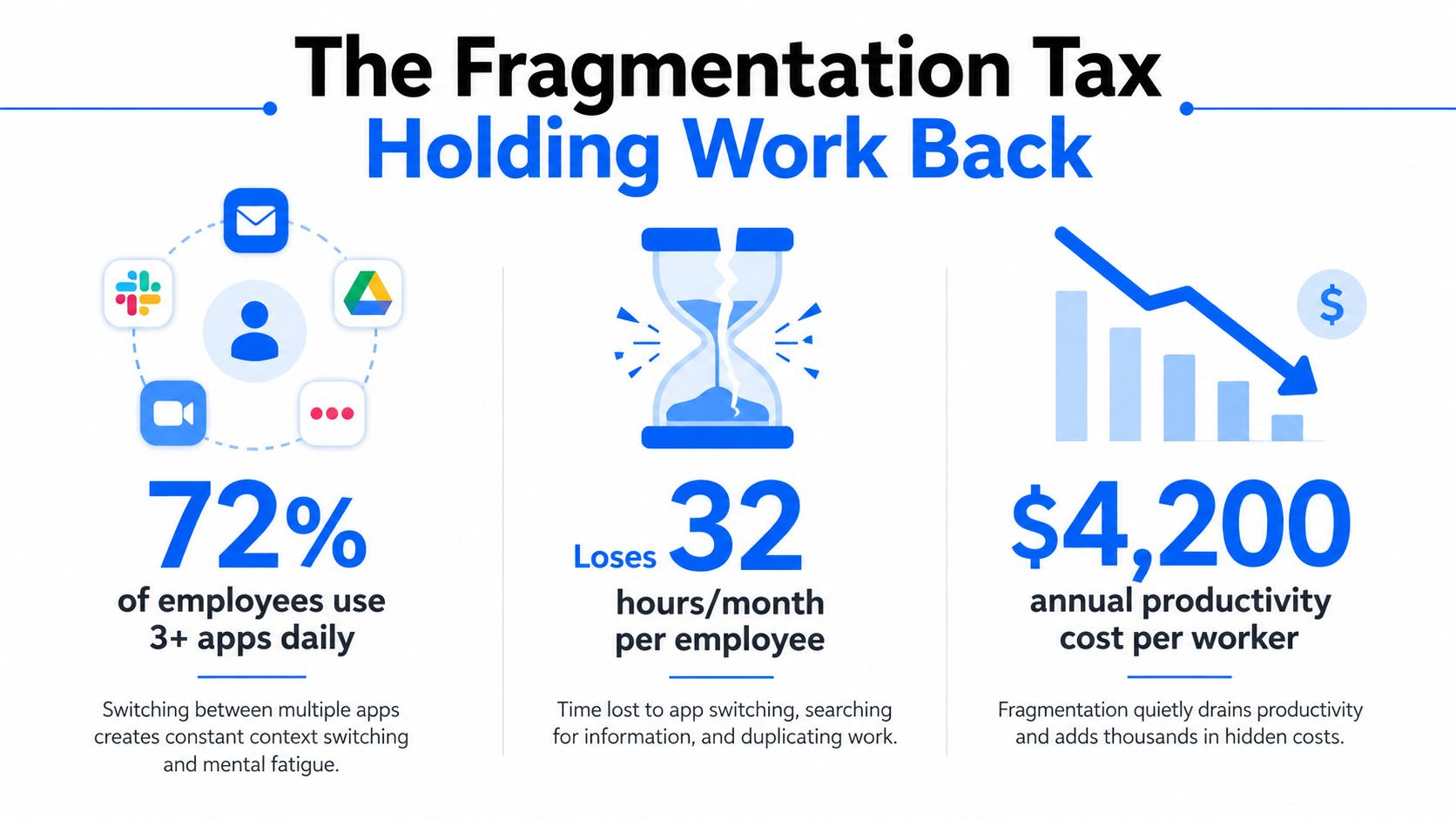
The Fragmentation Tax Holding Work Back
The common mistake is to treat workplace software sprawl as a purchasing problem. It isn’t. It is an operating problem, and once the stack starts splitting communication from scheduling, scheduling from knowledge, and AI from workflow execution, the employee experience becomes a chain of handoffs instead of a coherent system.
The pressure is visible in how the category has expanded. If buyers were still treating labor coordination as a back-office utility, a market estimated at USD 12.05 billion in 2026 and projected to reach USD 28.38 billion by 2034 would not be attracting sustained attention from category watchers. That growth points to a deeper shift, organizations are formalizing workforce operations as a distinct layer because they need tighter control over scheduling, attendance, labor forecasting, time tracking, and productivity measurement.
Why standalone tools fail
Each standalone tool solves one problem and creates two more. A messaging app sends the update, but the policy still lives elsewhere. A survey tool captures sentiment, but managers do not get the operational context that would let them act. A scheduling tool assigns shifts, but the knowledge needed to execute the shift sits in another system.
Practical rule: if a worker has to switch apps to understand, act, and confirm, the system is already breaking the flow of work.
A fragmented stack forces people to search for instructions, reconcile conflicting sources of truth, and rely on managers to translate between systems. On a deskless team, that means more time spent chasing clarity and less time spent doing the work itself.
A workforce operating system solves that by becoming the environment where operational intent is communicated, work is routed, and feedback comes back in the same loop. That is the editorial point of view that matters most, better workforce experience happens when communication, engagement, technology, AI, and operations stop living in silos and start working as one connected layer. For a closer look at how workforce operations fit into the broader stack, see Turn On Work’s workforce operations coverage.
What a Workforce Operating System Actually Is
A workforce operating system is not a single app, and it’s not just another umbrella term for HR software. It’s a control layer that connects the moments when work is communicated, interpreted, assigned, measured, corrected, and improved. Think of it as the architecture that keeps the workforce from becoming a loose collection of disconnected transactions.
The six-layer model
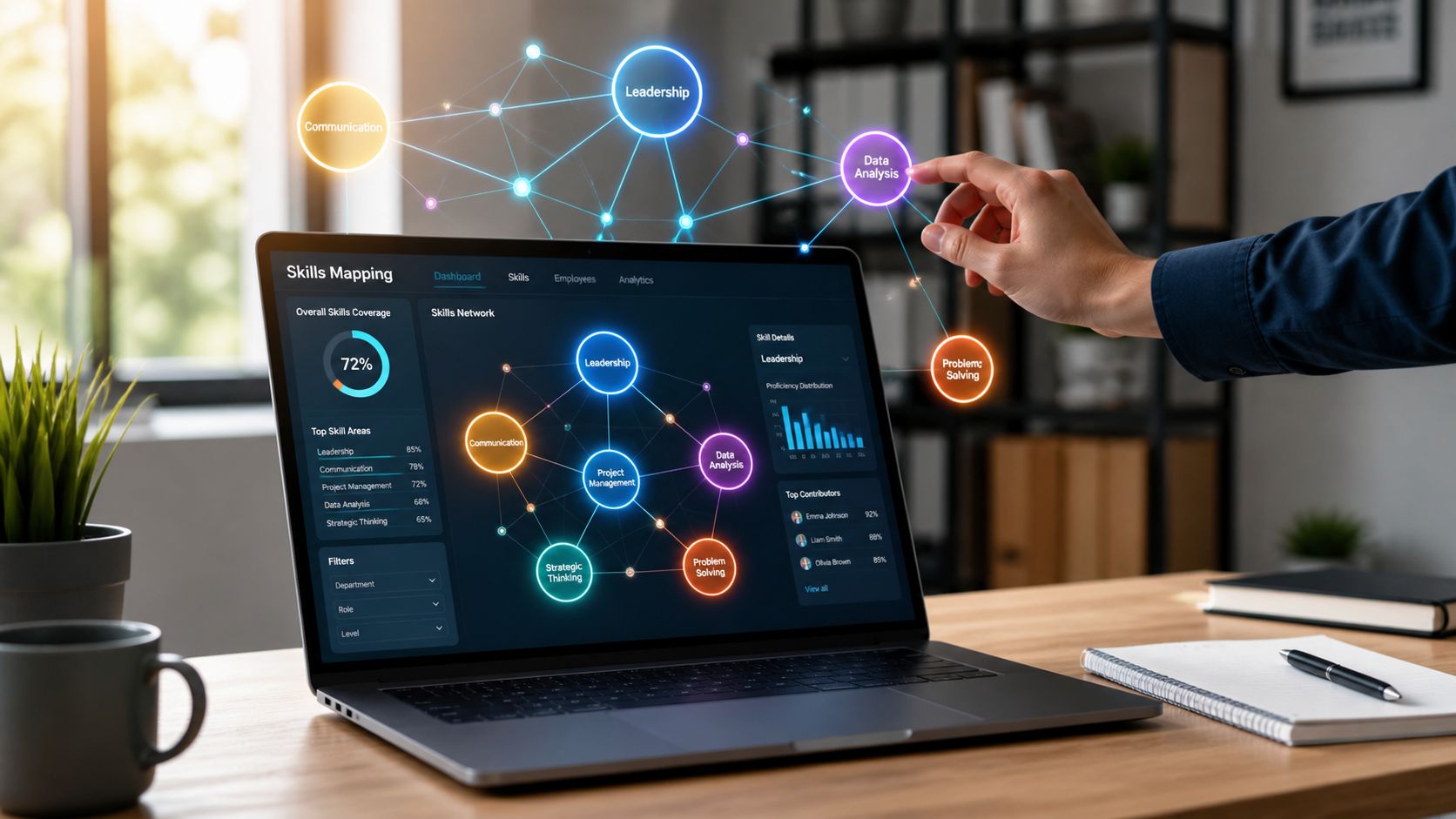
Communication is the nervous system, it moves instructions, alerts, and context to the right people fast.
Knowledge is memory, it keeps policies, playbooks, and answers available where work happens.
Workflows are the circulatory system, they move tasks, approvals, and escalations through the organization.
AI is the reasoning engine, it helps interpret patterns, recommend actions, and automate routine decisions.
Analytics are the senses, they show what’s happening across staffing, execution, and performance.
Employee experience signals are the feedback loop, they capture what workers are feeling, seeing, and struggling with in real time.
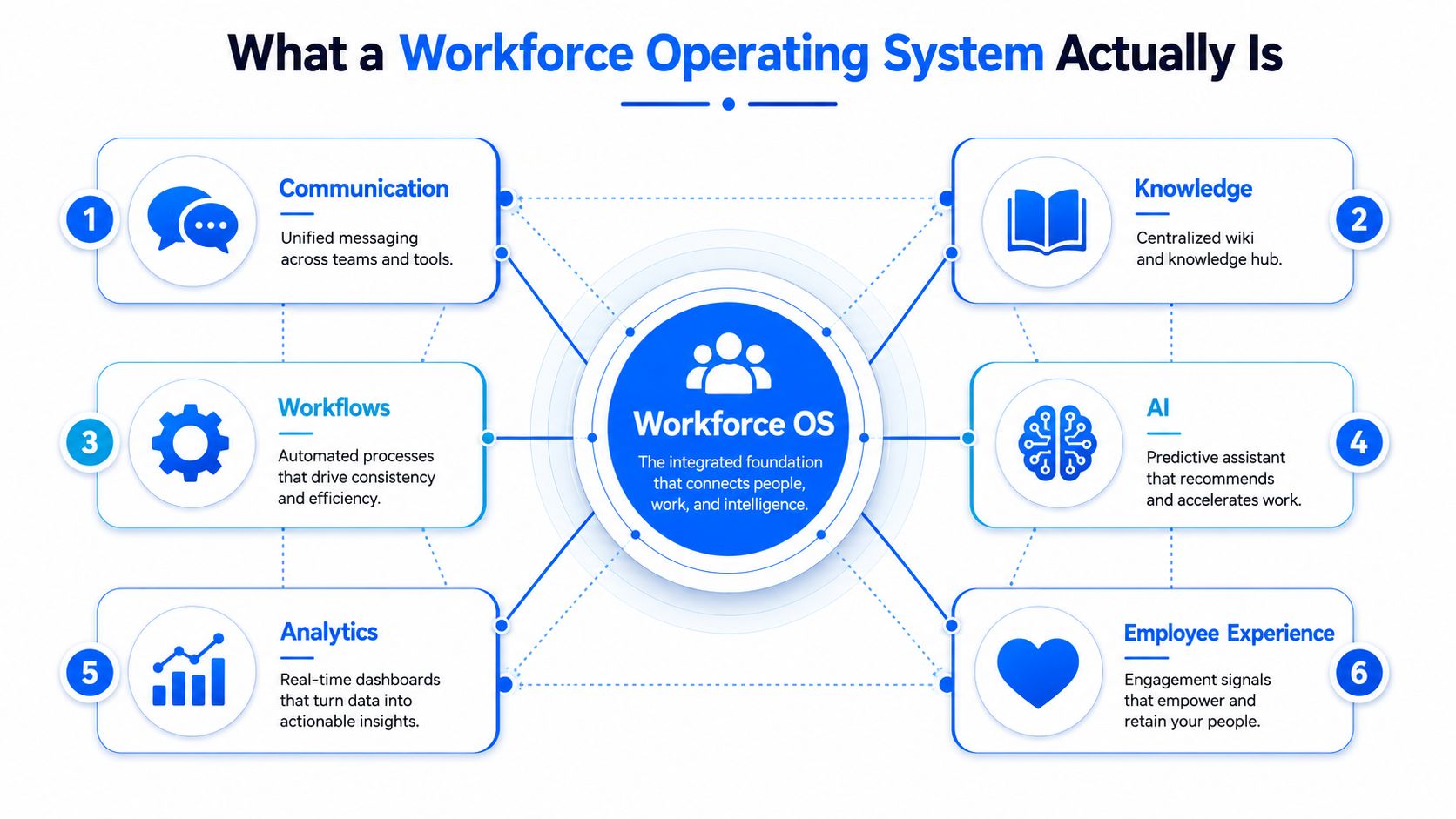
A useful mental test is simple. If a platform only stores data, it’s not an operating system. If it only sends messages, it’s not an operating system. If it can’t turn a signal into action and then measure the outcome, it’s still just a tool.
The operating logic behind the layers
The strongest workforce operating system is designed around one feedback loop. A manager shares operational intent, the worker receives the context, the workflow routes the action, AI helps interpret exceptions, analytics track the result, and employee signals show whether the system is working. That is very different from a stack where each tool performs one isolated function and hopes an integration will glue the experience together.
A real workforce OS doesn’t just distribute information, it shapes how decisions travel through the organization.
That’s why this category should be judged by coordination quality, not feature count. If the platform can’t connect message, task, knowledge, and measurement into one operational motion, it’s not changing the system, it’s adding another layer of software friction.
For an example of how this thinking changes employee-facing design, see Turn On Work’s workforce experience platform coverage.
How a Workforce OS Differs From HRIS, HCM, and Point Solutions
The cleanest way to understand the category is to separate systems of record from systems of action. HRIS and HCM are built to store employee data, manage core HR processes, and support compliance. A workforce operating system sits closer to execution. It coordinates what has to happen now, by whom, with what context, and with which follow-up.
That distinction matters because many buyers think they already have the answer. They don’t lack an HR system. They lack a layer that connects the operational dots once the record is already in place. ADP defines workforce management around allocating people and resources, tracking attendance, and complying with changing workplace laws and regulations, while Workday emphasizes knowing how many employees are needed to complete a job or fill a shift each day, week, and month, especially for frontline workers (ADP). Those are core functions, but they still don’t equal a full control layer.
Where the boundary sits
| Category | Primary Function | Scope | Where It Sits |
|---|---|---|---|
| HRIS | Employee recordkeeping and core HR administration | System of record | Back office foundation |
| HCM | Broader HR process management and talent administration | System of record plus HR process layer | HR operations |
| Point solutions | One job at a time, such as surveys, scheduling, or chat | Narrow, specialized scope | Tactical add-ons |
| Workforce Operating System | Coordinates communication, knowledge, workflows, AI, analytics, and feedback | System of action and control | Operational layer across the stack |
Point solutions can still be useful. An engagement platform may capture sentiment well. A scheduling tool may optimize shift coverage. An intranet may store policy content. The problem is that each one creates another login, another data silo, and another integration dependency. Buyers end up managing tools instead of running operations.
Why the category framing matters
The newer market language around workforce platforms often describes unification, and that instinct is right. But category clarity matters more than bundle size. If a vendor can’t explain how a policy update becomes a worker action, or how a scheduling change becomes an auditable operational event, the product is still just a cluster of features with shared branding.
Decision test: if the system can store, but can’t coordinate, it’s not a workforce OS.
For internal communication buyers evaluating how messages travel through work, see Turn On Work’s employee communication tools coverage.
Why Frontline and Deskless Workforces Feel the Gap Most
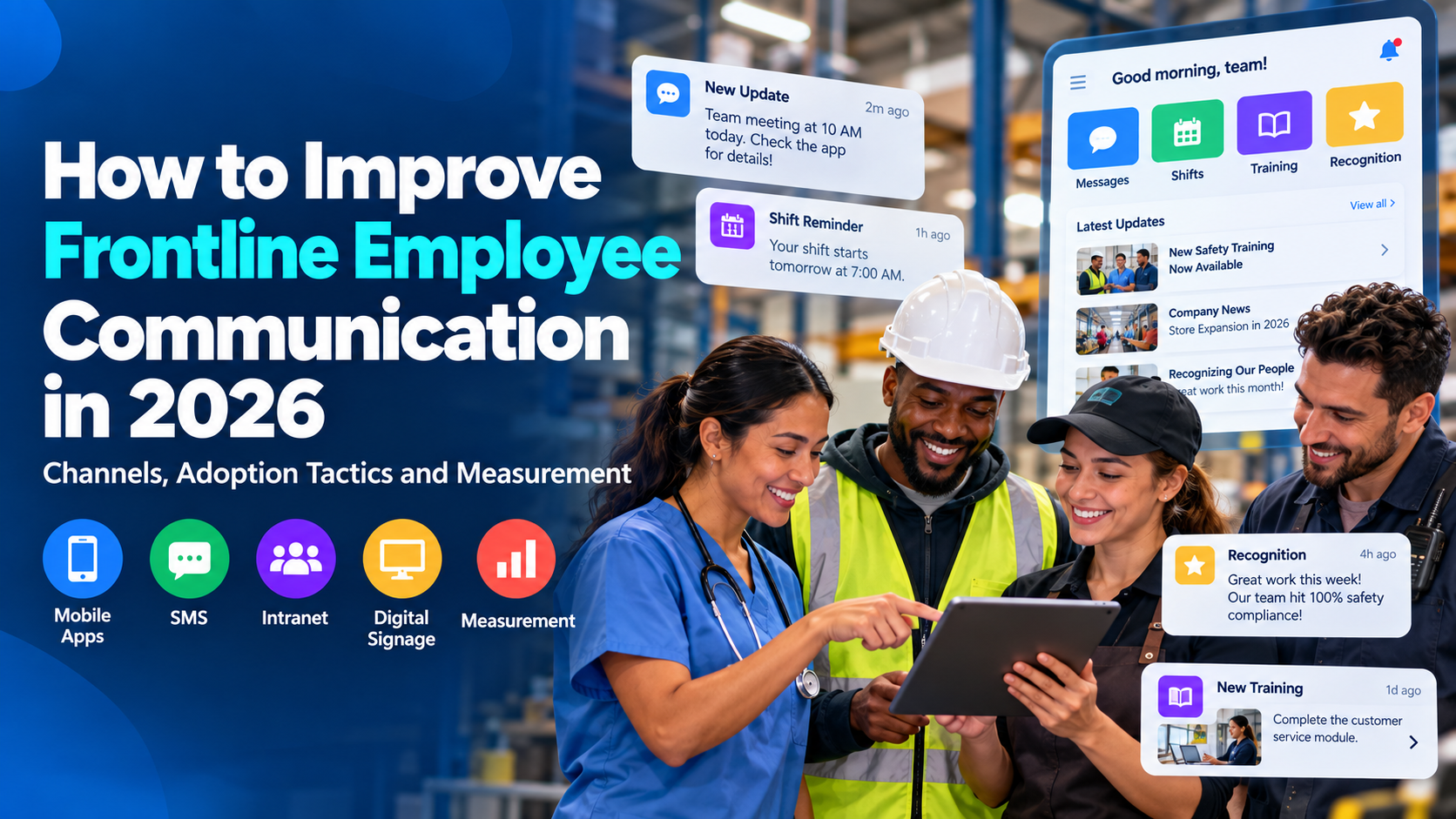
Fragmentation is painful everywhere, but frontline teams feel it first because their work depends on speed, context, and constant change. A nurse needs a shift update now, not after three systems sync. A retail associate needs policy clarity on the floor, not in an inbox. A manufacturing lead needs to rebalance tasks in response to demand, not wait for a manager to reconcile separate reports.
McKinsey’s frontline talent model is useful here because it treats frontline performance as a connected system rather than a standalone HR challenge. It emphasizes management engagement, machine-learning-based demand and supply forecasts, and scheduling that balances business needs with employee preferences (McKinsey). That’s exactly the kind of operating logic a workforce OS should support.
The practical cost of delay
When information moves slowly, frontline work gets reworked manually. A schedule change is texted, then reposted, then verbally relayed. A policy update is issued, but the old version is still pinned somewhere else. A task handoff is approved, but the manager on duty never sees the alert. Those are not minor inconveniences, they’re execution failures.
The policy language is moving in the same direction. A LinkedIn analysis of workforce systems points out that the problem is often a broken operating system that hides decision bottlenecks and over-relies on a few key people, while U.S. federal workforce strategy language now calls fragmented programs a patchwork that should be replaced with a coordinated system (LinkedIn analysis). The point is bigger than software. Organizations are increasingly being pushed toward unified service delivery because fragmentation slows response.
What a frontline OS has to do
A workforce operating system for frontline environments has to do more than publish updates. It has to surface who needs to know, what changed, what action is required, and whether the action happened. That means the design must support fast escalation, clear decision rights, and local context, especially across sites and shifts.
For more on employee-facing execution in shift-based environments, see Turn On Work’s frontline employee engagement coverage.
The Business Case and KPIs That Prove It Works
The strongest business case for a workforce operating system isn’t that it feels more modern. It’s that it makes work measurable in places where the current stack is mostly guesswork. Each layer should map to a different KPI family, and if a vendor can’t show that connection, the investment is probably more style than substance.
KPI mapping by layer
- Communication: reach, open or read rates, and time to acknowledgment.
- Knowledge: time-to-answer and policy retrieval speed.
- Workflows: cycle time, handoff accuracy, and error rate.
- AI: automation rate with human review still visible.
- Analytics: forecast accuracy and exception detection.
- Employee experience signals: engagement sentiment, friction points, and retention risk patterns.
The value isn’t only in the metric itself. It’s in how the metric changes behavior. If managers can see that a message didn’t land, they can resend it differently. If workers can search knowledge inside the flow of work, they waste less time hunting for answers. If AI flags an exception but keeps human oversight intact, leaders get speed without losing governance.
What boards actually care about
Boards and senior leaders usually want to know whether the system reduces churn in execution. That includes manager capacity reclaimed from repetitive coordination, fewer context switches for employees, and faster onboarding for new sites or shifts. Those outcomes don’t need hype, they need traceability. The more a platform can tie operational action to a measurable result, the easier it is to defend.
Useful benchmark: if the platform can’t show a line from signal to action to outcome, the KPI story isn’t complete.
Employee listening is part of that measurement layer, not a separate culture initiative. For a practical view of how feedback data should connect to operations, see Turn On Work’s employee listening strategy coverage.
The deeper point is that a workforce OS doesn’t just improve the employee experience. It makes the employee experience legible to the business. That’s a far stronger investment case than generic claims about engagement.
A 90-Day Roadmap to Build Your First Workforce OS
The fastest way to stall a workforce OS initiative is to try to launch every layer at once. Sequencing matters more than completeness. The goal in the first 90 days is to prove that a connected operating layer can remove one obvious point of friction, then earn the right to expand.
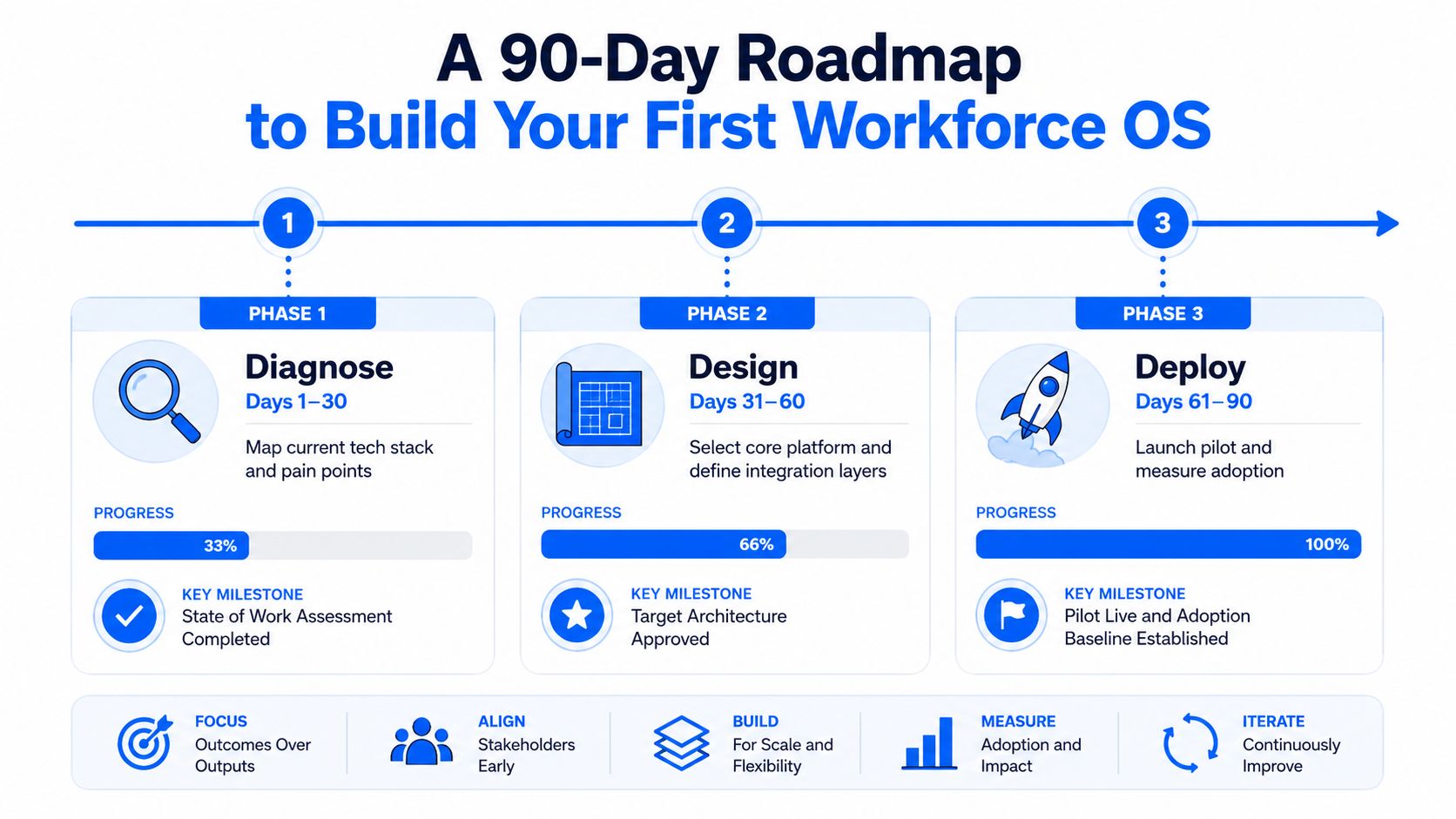
Days 1 to 30, Diagnose
Start by mapping every workforce-facing tool, including the systems people use for communication, scheduling, policy access, task assignment, and feedback. Identify where decisions slow down, where managers become the bottleneck, and where workers keep asking the same questions in different channels. Then choose one frontline-heavy population where the pain is obvious and the execution surface is manageable.
The output here should be a simple operating map, not a slide deck. You want to know what information exists, who touches it, and where the handoff breaks. That gives you a baseline for governance and measurement.
Days 31 to 60, Design
Pick one core layer to connect first, usually communication plus knowledge, because those two often create the fastest visible win. Wire them to existing systems of record instead of replacing everything. Then define the narrow KPI that matters most for the pilot population, such as faster acknowledgment, fewer repeat questions, or quicker access to shift-critical instructions.
This phase also requires governance to be explicit. If AI will touch the pilot, decide what human oversight looks like, what data is trusted, and how regional differences will be handled. Mercer warns that technology adoption fails when AI is layered onto an old operating model without a data strategy, trusted training data, and governance that reflects cultural and regional context. Their guidance also stresses multilayered oversight and employee adoption as conditions for AI to work in practice (Mercer).
Days 61 to 90, Deploy
Launch the pilot with a tight group, then watch adoption and friction closely. Add workflows, AI assistants, and experience signals only after the first layer is stable. The proof point should show up in daily operations, not just in a dashboard review.
If the pilot works, expand one layer at a time. If it does not, the failure is usually sequence, not concept. A workforce operating system earns trust by removing one frustrating handoff first.
Vendor Evaluation Criteria That Separate a Real OS From a Rebrand
Many vendors now speak as if they sell a workforce operating system, but the label is easy to copy. The decision lens has to be sharper than the marketing. A credible OS should pass three tests that expose whether it is a control layer or just a bundled set of tools.
Test 1, AI governance is provable
The vendor should explain how it handles bias, regional compliance, trusted training data, and human oversight. If those controls cannot be described clearly, the AI story is doing more work than the product. As noted earlier, organizations need multilayered governance, cross-functional oversight, and employee adoption if AI is going to hold up in practice. If a platform falls back on generic AI language instead of naming the controls, the governance layer is weak.
Test 2, the frontline experience works on a phone
Frontline usability should be judged by time-to-action on a mobile device, not by a polished desktop demo. A warehouse lead, nurse, or retail supervisor does not need a beautiful homepage. They need the right instruction, in the right context, with as few taps as possible. If a task still takes multiple handoffs on mobile, the platform is not built for frontline work.
Test 3, integration openness beats feature breadth
APIs, webhooks, and pre-built connectors matter more than a long feature sheet. A platform that cannot integrate cleanly with HRIS, scheduling, payroll, knowledge, and IT service systems will recreate the same silos it claims to remove. Single sign-on helps, but it does not solve coordination by itself. The stronger test is whether the system can move information across layers without forcing teams back into manual workarounds.
A practical evaluation rubric is short:
- Governance: Can the vendor show how AI is controlled, not just enabled?
- Usability: Can a frontline employee complete the core action quickly on mobile?
- Openness: Can the platform fit into the existing stack without trapping data?
The main trap is buying a relabeled suite that hides fragmentation behind one login. If the system still behaves like separate tools with shared branding, the operating model has not changed at all.
Workforce Operating System FAQs
How is a workforce operating system different from adding AI to an HRIS?
Adding AI to an HRIS can improve search, automate routine tasks, or summarize records. A workforce operating system goes further because it connects communication, workflows, analytics, and experience signals into one control layer. In human-AI settings, that layer works best when tasks are broken down at the atomic level so automation stays auditable, as described in the ACIG Journal paper.
How should organizations govern AI-augmented workforce data across regions?
Governance has to account for region, role, and risk. Oversight should be layered, cross-functional, and tied to trusted training data and cultural context, because AI use breaks down fast when local rules and decision rights are not explicit.
What signals should a workforce OS expose for frontline teams?
It should expose change notices, task ownership, schedule updates, escalation status, policy access, and employee feedback in one flow. The purpose is to reduce handoff failures and make it obvious who needs to act next. That visibility matters most where work moves quickly and a missed update becomes a missed shift, a delayed task, or a policy breach.
How do you pilot without creating compliance risk?
Start with one population, one operational problem, and one measurable outcome. Keep humans in the loop, limit the data surface at first, and expand only after the governance model is working cleanly in the pilot. A narrow pilot exposes whether the operating layer can support controlled action without spreading risk across the wider workforce.
What’s the clearest sign a vendor is not a real workforce OS?
If the vendor can’t explain how a message becomes an action, how that action is measured, and how the feedback returns to the system, it’s probably a suite, not a control layer. A real workforce OS connects communication to execution and then closes the loop with measurement. If that loop is missing, the product is still just a collection of tools with a shared interface.
A workforce operating system is the next logical layer for organizations that have already outgrown disconnected tools but do not want to rebuild everything from scratch. For teams mapping communication, knowledge, scheduling, and AI across a frontline or distributed workforce, the first step is to audit where decisions break, then build the smallest connected layer that removes that break.