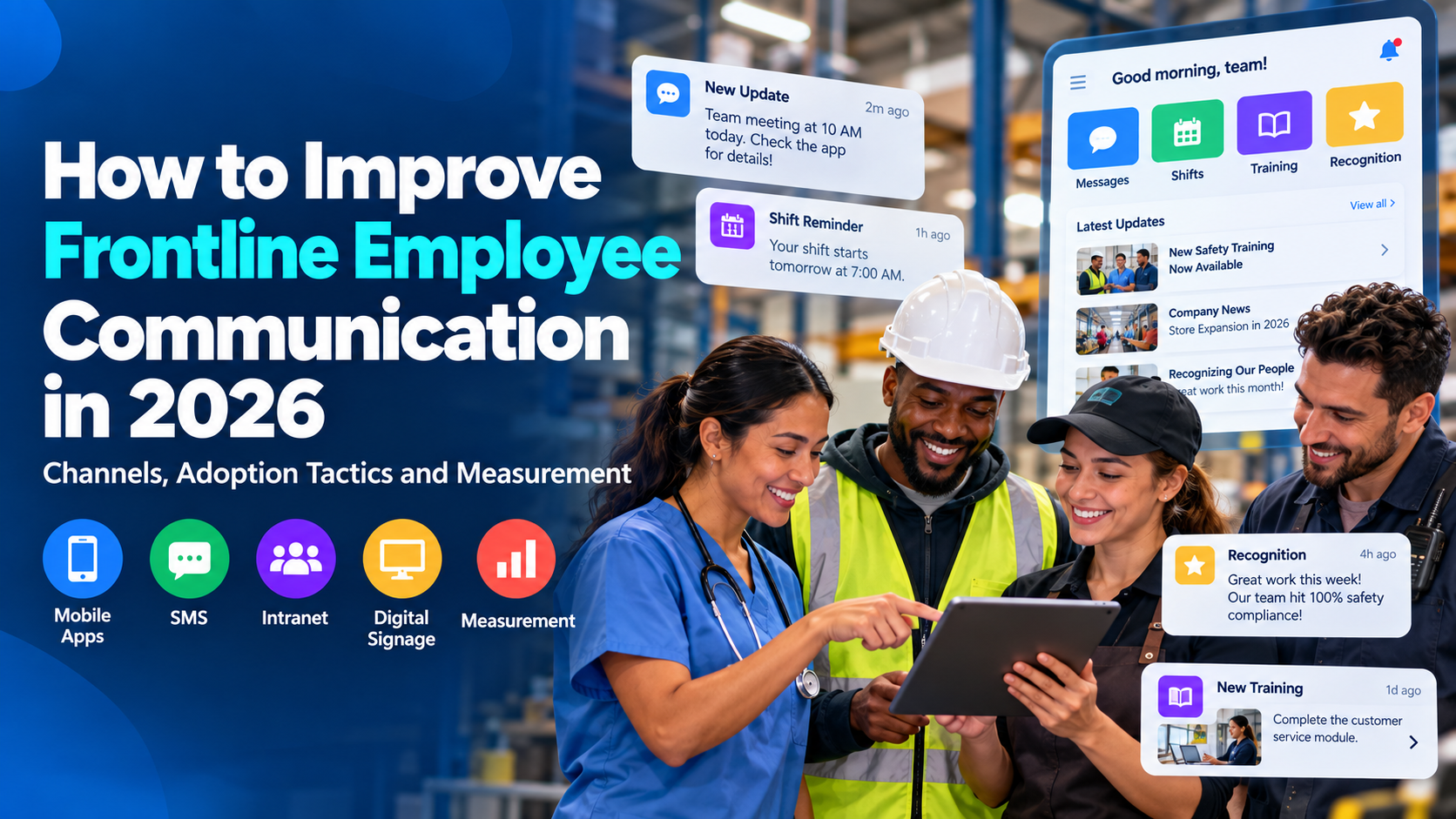
Improving frontline employee communication in 2026 means designing communication around the way frontline employees actually work. Many of these employees do not spend their day in email, may not have a corporate laptop, work different shifts from headquarters, and often have only short windows in which to read company information. The challenge is therefore not simply producing better content. It is making sure the right employee can access the right information, understand what it means for their work, and act on it without having to navigate a communication system designed for desk employees.
A strong frontline communication strategy has three parts. The first is channel design: deciding which combination of mobile apps, SMS, digital signage, manager conversations, knowledge hubs, kiosks, and other channels should carry different kinds of information. The second is adoption: making those channels useful enough that employees keep using them after the launch campaign ends. The third is measurement: moving beyond opens and views to determine whether employees actually understood the message and did what the organization needed them to do.
Those three problems are closely connected. A perfect message cannot work if employees cannot reach it. A well-designed employee app creates little value if half the night shift never activates it. And a 90% read rate tells you very little if the operational change behind the communication still fails.
Why Frontline Employee Communication Breaks Down
Frontline communication usually breaks for practical reasons rather than dramatic ones. An announcement is sent to an inbox employees rarely open. A plant manager receives an important update at 9 a.m., explains it to the day shift, and assumes the evening supervisor will do the same. A new policy is published on the intranet, but warehouse employees need to find a shared computer, remember a password, and search through several menus to reach it. A mobile app technically supports every employee, but registration requires a corporate email account thousands of workers do not have.
Research cited by SHRM on communicating with deskless employees illustrates how structural these problems can be. In the research, 62% of surveyed HR professionals cited limited computer access during the workday as a communication barrier for deskless employees, while irregular schedules and limited face-to-face communication were also common challenges.
Recent research from Ragan Communications and Interact points in the same direction. Their work on frontline communication found that only a very small share of communicators considered themselves highly effective at reaching frontline employees. Ragan’s research on building a connected frontline workforce also emphasizes a problem that many organizations will recognize immediately: important information may exist somewhere inside the company, yet employees still struggle to find it when they need it.
The answer is not simply to publish more frequently. Most organizations already produce plenty of communication. The harder job is creating a dependable system in which employees know where urgent information will appear, where permanent information lives, which channels they are expected to use, and how to ask a question when the message does not make sense.
Start by Understanding How Frontline Employees Actually Work
Before deciding whether the organization needs another mobile app, an SMS provider, digital signage, or a new intranet, map the actual working conditions of the people the communication is supposed to reach.
“Frontline employee” is too broad to define a channel strategy by itself. A nurse, warehouse picker, truck driver, hotel housekeeper, retail associate, manufacturing operator, and field technician may all work away from a traditional office, but their access to technology and information can be completely different.
A nurse may work around several computers but have very little uninterrupted time to read. A retail associate may own a smartphone but be unable to use it on the sales floor. A warehouse employee may have access to a scanner throughout the shift but only use a shared computer during breaks. A hotel employee may rely primarily on a personal phone, while a machine operator may not be allowed to carry a phone in the production area at all.
That is why a useful frontline communication audit should document more than job titles. For each major employee group, understand whether employees have corporate email, whether they use personal or company devices, whether personal phones are allowed during work, whether shared kiosks or computers are available, which languages employees prefer, where connectivity is weak, which workplace applications they already open, and when they realistically have time to read.
The question behind the entire exercise is straightforward: Can this employee realistically receive, understand, and act on this information during the normal working day?
If the answer is no, the communication strategy needs another route.
It also helps to trace several important messages from beginning to end. Choose a safety update, a shift change, a benefits deadline, a new operating procedure, and a significant company change. Then follow each one from the person who creates it to the employee who is expected to act on it.
An organization may believe the process is:
Corporate Communications → Employee App → Employee
The real process may be:
Corporate Communications → Regional Director → Site Manager → Supervisor → Screenshot in a group chat → Shift huddle → Employee
That difference matters. Every handoff creates an opportunity for delay, omission, reinterpretation, or confusion.
For each message type, establish who owns the information, who approves it, which employees need it, how urgent it is, where the authoritative version lives, how managers are involved, how employees can ask questions, and what observable action should follow.
For organizations dealing with broader multi-location communication design, TurnOnWork’s guide to an internal communication strategy for distributed workforces provides a useful companion framework.
Pillar 1: Build a Frontline Communication Channel System
The most effective frontline communication strategies rarely rely on a single channel. Mobile apps, SMS, digital signage, manager conversations, knowledge hubs, kiosks, email, and team messaging all solve different problems. The challenge is not choosing one winner. It is deciding what each channel is responsible for.
A communication channel becomes much easier to manage when its job is clear. SMS may be reserved for urgent alerts. A mobile employee app can become the primary destination for recurring company communication. Digital signage can provide repeated visibility in the physical workplace. Managers can explain local implications. A knowledge hub can hold the authoritative policy employees need to find three months later.
Without those distinctions, every channel slowly becomes responsible for everything. That is when employees begin asking whether the “real” schedule is in the app or the manager’s text message, whether the policy in the intranet is newer than the printed copy on the wall, and whether an urgent message will arrive by SMS or simply appear somewhere in the employee feed.
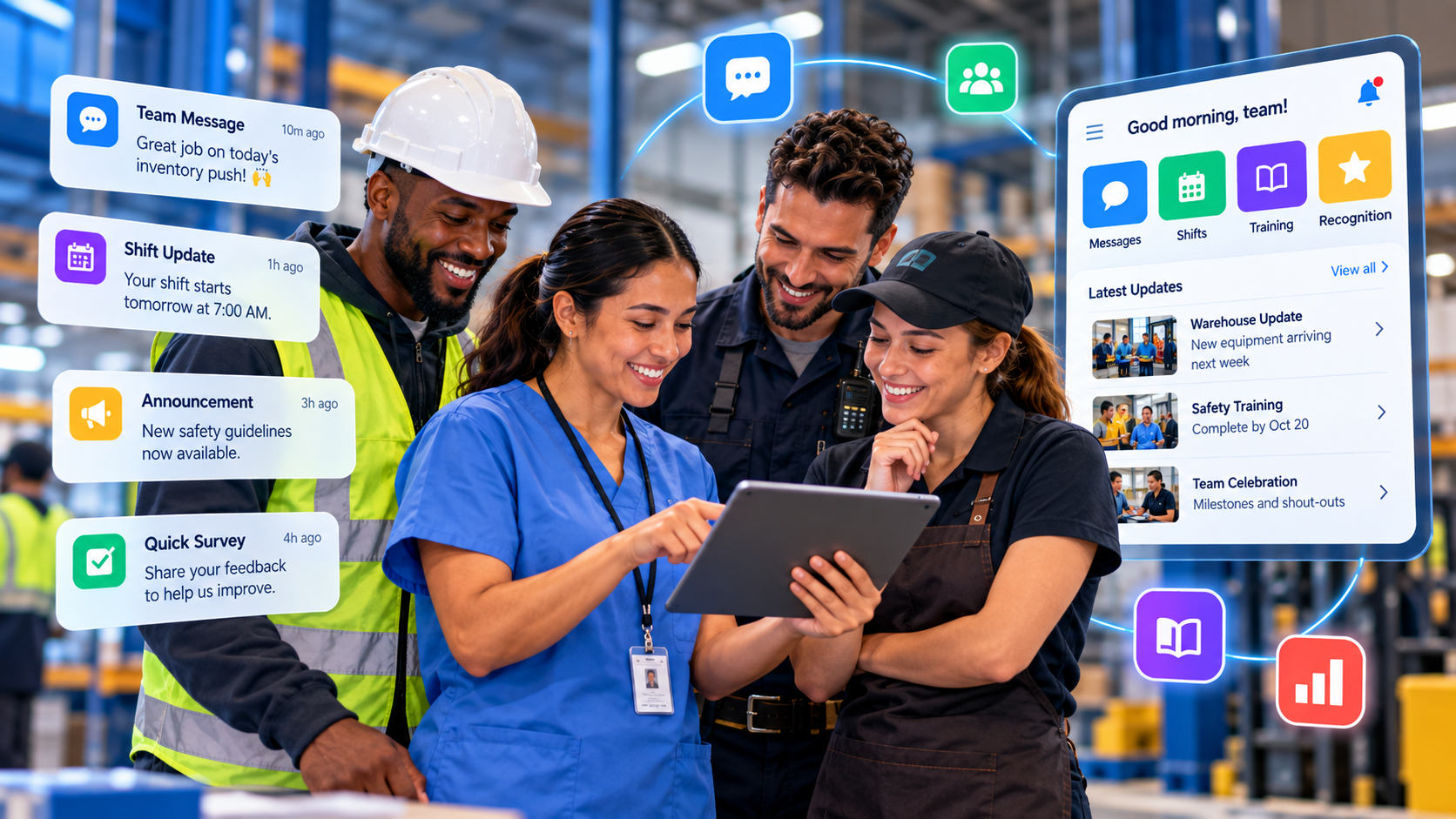
A practical frontline channel model
| Channel | Best use | Main advantage | Main limitation |
| Employee mobile app | Recurring targeted communication, resources and feedback | Personal, persistent and measurable | Requires activation and continued use |
| SMS | Urgent alerts and hard-to-reach employees | Direct and simple | Limited detail and personal-phone considerations |
| Digital signage | Physical workplace visibility | Employees do not need to open anything | Cannot prove individual receipt |
| Manager huddle | Context, clarification and local discussion | Human explanation | Execution varies between managers |
| Mobile intranet/knowledge hub | Policies, SOPs and permanent information | Searchable source of truth | Employees must intentionally access it |
| Shared kiosk | Employees without individual devices | Does not depend on personal phones | Requires convenient physical access |
| Detailed information for employees who actually use it | Familiar and searchable | Poor primary channel for many frontline populations | |
| Team messaging | Local coordination and rapid updates | Fast and conversational | Important information becomes buried |
| QR code | Connecting physical and digital communication | Low-friction bridge | Requires an intentional scan |
| Required notices and simple local reminders | Easy physical access | Difficult to update and measure |
Employee apps work best when they become useful, not merely informative
A frontline employee communication app can become the main digital home for employees who otherwise have no reliable company inbox. It can carry targeted announcements, push notifications, local information, recognition, surveys, policies, forms, knowledge links, HR resources, and manager updates.
The important distinction is between an app that contains company communication and an app employees have a reason to open.
If the entire experience consists of leadership messages, culture stories, and corporate announcements, Communications has to persuade employees to return every time. If employees can also check a schedule, find an attendance policy, access a payroll link, complete a form, read a procedure, recognize a coworker, answer a survey, or find an HR contact, the app begins to solve real problems.
That everyday utility matters more for long-term adoption than a polished launch campaign.
SMS should remain an interruption channel
SMS is valuable because it can reach employees who do not have corporate email and employees who have not adopted another digital workplace tool. It is especially useful for severe weather, site closures, urgent scheduling changes, critical safety instructions, or a deadline that cannot afford to disappear into a general employee feed.
A useful text message might say:
Plant 3 will open at 10 a.m. today because of severe weather. Do not report before 10. Full instructions: [link].
The SMS carries the essential fact. The linked page carries the detail.
The discipline is protecting that channel from routine communication. Once employees receive text messages about every leadership update, social event, internal survey, and recognition story, SMS stops feeling urgent. The organization has turned its highest-attention channel into another feed.
Digital signage is excellent for visibility but weak for complexity
Digital signage has one advantage that digital channels do not: employees can encounter the message without deciding to open anything.
That makes it useful in break rooms, employee entrances, warehouse transition areas, cafeterias, staff corridors, retail back rooms, time-clock areas, and other places employees naturally pass during a shift.
The strongest signage messages are short. A safety reminder, training deadline, benefits date, operating priority, recognition message, or QR code to a longer resource can work well.
A six-paragraph HR announcement does not become easier to understand because it is displayed on a 55-inch screen.
The full guide to digital signage platforms for employee communication goes deeper into signage hardware, employee use cases, emergency alerts, and platform selection.
Managers should provide context rather than serve as the entire delivery system
Managers remain one of the most important frontline communication channels because employees naturally ask them practical questions. When headquarters announces a new process, the employee often wants to know what happens on tomorrow’s shift, whether the rule applies to their role, and what to do when an exception occurs.
That makes the manager valuable as an interpreter.
It does not mean every message should travel through a five-level cascade before the employee sees it.
Gallup’s research on frontline managers has long documented how strongly managers influence the employee experience. The communication implication is clear: managers can make organizational information locally meaningful, but the company should not make them responsible for recreating every message from memory.
Where possible, send the factual information directly to employees and equip managers to explain it.
A strong manager briefing should explain what changed, why it changed, who is affected, what employees need to do, when the change begins, what is staying the same, what questions employees are likely to ask, and what the manager should escalate rather than answer locally.
Permanent knowledge needs a permanent home
Announcements are temporary. Policies, SOPs, benefits information, employee handbooks, safety procedures, IT instructions, and HR guidance are not.
A mobile intranet or knowledge hub gives frontline employees somewhere to return after the original announcement has disappeared from the feed.
The difficult part is not search technology. It is information governance.
If three versions of the attendance policy exist, an excellent search engine simply helps employees find the contradiction faster. Every important policy or procedure needs a clear owner, a current version, a review date, and a process for retiring the old version.
Frontline communication improves when employees no longer need to ask, “Which one is the current document?”
Shared kiosks still make sense in some workplaces
Not every frontline strategy should assume personal phone use.
Shared kiosks or terminals can work particularly well in warehouses, manufacturing sites, hospitals, hospitality environments, and other locations where employees regularly pass a common area.
The sign-in experience matters enormously. A kiosk that requires employees to remember a complicated corporate password and spend several minutes authenticating will quickly become unused.
The organization also needs to think about privacy, automatic logout, what information can safely appear on a shared screen, and whether the kiosk is located somewhere employees can realistically use it without sacrificing their break.
Email should be measured rather than assumed
Email can still work for some frontline groups. Store managers, clinical employees, field teams, or supervisors may check it frequently.
The problem is assuming that a sent email represents workforce reach.
Measure email performance by employee segment. If headquarters employees consistently open messages while plant employees rarely do, the company does not have one email communication result. It has two different employee experiences.
That distinction should influence channel planning.
Create a channel policy employees can remember
A simple channel policy can prevent a surprising amount of confusion:
| Information | Primary route |
| Emergency | SMS/push and local manager communication |
| Today’s operational issue | Local mobile channel and shift huddle |
| Company announcement | Employee app or mobile intranet |
| Detailed policy | Knowledge hub |
| Shift information | Scheduling system |
| Local coordination | Team messaging |
| Safety reinforcement | Manager huddle, app and/or signage |
| Employee feedback | Survey, form or private route depending on the subject |
Employees should not need an internal communications degree to know where important information appears.
Dedicated Software for Frontline Employee Communication
Software should support the channel system rather than define it. Once the organization knows how employees need to receive information, software selection becomes much more practical.
Several platforms are particularly relevant to frontline communication, but they approach the problem differently.
HubEngage
HubEngage is particularly relevant when an organization needs frontline communication to operate across more than one channel. Its employee communication environment can cover mobile, web, email, SMS, digital displays, and broader engagement functions such as surveys and recognition.
That makes it useful for organizations with mixed workforces. Corporate employees may rely heavily on email and web communication, while plant, retail, healthcare, hospitality, or warehouse employees may require mobile access, SMS, or physical displays.
The advantage is not simply having several channels on a feature list. It is being able to manage different employee communication routes from a broader shared environment rather than rebuilding the same campaign separately for every workforce group.
For example, an open-enrollment campaign could appear in the employee app, go to office employees by email, receive a deadline reminder through SMS, and appear on workplace screens for employees who spend little time in digital channels.
HubEngage also becomes more relevant when communication, surveys, recognition, and employee feedback are expected to live together rather than in separate systems.
Its pricing is customized rather than published as one universal per-user rate, so serious buyers should request pricing for the exact combination of channels and capabilities they plan to deploy.
The HubEngage employee communication platform provides the current product scope.
Blink
Blink takes a more explicitly frontline-first approach, particularly around mobile access.
It is designed for workforces in sectors such as healthcare, transport, retail, hospitality, and logistics where employees may not have corporate email. Its environment combines a personalized employee feed with chat, knowledge, forms, surveys, recognition, communities, and other mobile functions.
Blink is especially relevant when the first problem is simply getting a usable digital channel into employees’ hands without building a large enterprise intranet program around it.
Its onboarding model and no-email access options deserve attention because authentication is one of the least glamorous and most important parts of frontline adoption.
For very large organizations with highly complex editorial governance, many brands, and sophisticated cross-channel campaigns, buyers should compare Blink’s model with broader enterprise communication platforms before deciding.
Staffbase
Staffbase sits further toward enterprise Internal Communications.
Its platform spans employee apps, intranet capabilities, email, digital signage, and broader communication management. It is therefore particularly relevant when a large Internal Communications team needs central governance while regional or local publishers still need room to communicate with their own employee groups.
That makes Staffbase a sensible option for multinationals, major retailers, manufacturers, or other organizations where communication publishing is distributed across business units and regions.
The trade-off is scale. A powerful enterprise publishing environment can be excessive for a smaller frontline business that mainly needs reliable mobile access and local updates.
TurnOnWork’s Staffbase alternatives comparison provides a deeper comparison of the current enterprise options.
Beekeeper by LumApps
Beekeeper has historically been built around frontline employees and operational workflows. Its product direction combines communication with forms, tasks, workflows, employee resources, and other activities closer to day-to-day work.
That can be useful in sectors such as hospitality, logistics, manufacturing, and retail, where communication is frequently connected with doing something rather than simply reading something.
Beekeeper is now part of LumApps. Buyers evaluating the combined offering in 2026 should ask a very specific question during procurement: Which capabilities are available today, and which belong to the future combined roadmap?
The acquisition creates interesting possibilities around connecting frontline communication with a broader employee hub, but roadmap functionality should not be evaluated as if it is already deployed.
Firstup
Firstup is particularly relevant when the organization already communicates frequently but struggles with targeting, orchestration, and follow-up across a large enterprise.
Its model focuses on employee audiences, personalization, multiple delivery channels, employee journeys, retargeting, and analytics.
That becomes useful when the problem is not publishing a message but making sure the right version reaches tens of thousands of employees across countries, functions, working patterns, and channels.
A large organization may want to identify employees who did not engage with an important campaign and follow up through another route. That is a different communication problem from simply maintaining a mobile feed.
For a smaller organization that mainly needs a straightforward frontline app, that level of orchestration may be unnecessary.
Speakap
Speakap is another product built specifically around mobile frontline communication.
Its focus includes direct employee access, targeted communication, read confirmation, acknowledgement, translation, and HR-system synchronization. Those capabilities can make it particularly relevant in distributed frontline environments where Communications needs more confidence that important messages actually reached employees.
Acknowledgement is worth distinguishing from ordinary analytics.
“Sent” means the system attempted delivery. “Read” means the employee opened the message. An explicit acknowledgement asks the employee to confirm receipt.
Those are different levels of evidence, and the difference matters most for important operational or compliance-related messages.
How the software options differ
| Platform | Strongest fit |
| HubEngage | Multi-channel employee communication combined with surveys, recognition and broader engagement |
| Blink | Straightforward frontline mobile communication and no-email access |
| Staffbase | Enterprise-scale Internal Communications and publishing governance |
| Beekeeper by LumApps | Communication tied closely to frontline workflows and daily operations |
| Firstup | Complex employee targeting, orchestration and cross-channel journeys |
| Speakap | Direct mobile reach, acknowledgement and frontline-focused communication |
The purpose of this section is not to turn the guide into another software ranking.
The more important conclusion is that different platforms solve different communication problems. Software selection becomes much easier once those problems have been defined properly.
Pillar 2: Frontline Adoption Has to Continue After Launch
The most misleading employee communication metric may be the launch activation rate.
Employees scan a QR code, download the app, log in once, and the project team announces that 84% of the workforce has activated the new channel.
That is useful progress, but it is not adoption.
Activation means an employee successfully entered the platform. Adoption means the channel has become part of how they obtain useful work information.
That distinction becomes visible several months after launch, when the posters have disappeared and managers are no longer reminding employees every day.
Practical utility is the strongest adoption tactic
The most sustainable reason for employees to return to a communication platform is that it solves something they need.
Depending on the organization, that may include schedules, HR information, policies, forms, training, payroll links, SOPs, employee discounts, recognition, surveys, local announcements, or contact information.
The platform does not need to perform every task itself. It may simply give employees a reliable route into the systems that do.
What matters is that opening the employee app becomes useful independently of the Communications team’s publishing calendar.
A practitioner will recognize the failure pattern immediately: the organization launches an app with a strong campaign, downloads climb quickly, leadership posts welcome messages, and usage starts dropping once employees realize most of the content is corporate news they can safely ignore.
That is not a content-volume problem.
It is a utility problem.
Treat authentication as part of communication design
A frontline employee can be excluded from a digital channel before seeing the home screen.
Test onboarding with real employees who are not especially comfortable with company technology. Watch how they move from “I have never used this application” to successfully signed in.
Do they need a corporate email address they do not have? Do they know their employee ID? Can they receive an SMS verification code? Can they use a QR invitation? What happens on a shared device? What happens if they change phones or forget a password?
These details often receive less attention than homepage design and more directly affect whether employees can communicate.
Make the communication channel part of day-one onboarding
Frontline employees should not work for three months before somebody explains where official company information lives.
By the end of onboarding, an employee should know where urgent alerts appear, where their schedule lives, how to find a current policy, which channel carries general company communication, how to ask a question, where to provide feedback, and what they are expected to check during the working day.
They should also know what they are not expected to monitor while off duty.
That last part becomes important when workplace communication is installed on a personal device.
Be explicit about personal-phone privacy and off-duty expectations
Employees can reasonably have questions about installing workplace apps on their own phones. They may wonder whether the employer can see personal photos, location, browsing history, or other private information.
Do not answer those concerns with “don’t worry about it.”
Explain clearly what the app can access, what information the organization receives, whether location permissions are used, which notifications employees should expect, and what happens to access when employment ends.
There is also a wage-and-hour dimension for U.S. employers. The U.S. Department of Labor’s guidance on off-the-clock work explains that covered nonexempt employees generally must be paid for work an employer requires or allows them to perform.
That does not mean every workplace notification creates compensable time. It does mean employers should distinguish between making information available and requiring an hourly employee to complete training, answer work questions, read extensive instructions, or perform another task outside scheduled hours.
HR and employment counsel should define those boundaries.
Managers can reinforce adoption or quietly destroy it
Imagine telling every employee that the new app is now the official communication channel while local supervisors continue saying, “Don’t bother checking it. I’ll text you if something matters.”
The informal channel has already won.
Managers need to understand the new communication model before frontline employees are asked to use it. They should know where official information lives, how to direct employees toward it, how to handle common access questions, and which communication still belongs in a face-to-face huddle.
They should not need to become technical support.
For major changes, TurnOnWork’s frontline change-management communication plan provides a more detailed implementation framework.
Relevance protects adoption
Employees stop checking channels that repeatedly waste their time.
Target communication using the employee attributes that genuinely affect relevance: location, role, shift, business unit, language, manager, employment type, or certification.
A Texas warehouse employee does not need a parking notice for headquarters in Boston. A night-shift employee should not receive a push notification about an event that ended before their shift began. A cashier does not need detailed information intended only for regional leadership.
That does not mean creating tiny information bubbles around every employee. Company strategy, leadership communication, and major cultural information can still have broad audiences.
Operational communication should simply respect context.
Language belongs inside the communication strategy
Multilingual communication is not solved by adding a translation button after the English version has been written.
Start by making the source communication clear.
Then translate it.
For safety-related information, the standard should be particularly high. OSHA’s guidance on understandable worker training emphasizes that required safety and health training must be delivered using language and vocabulary employees understand.
That principle is useful beyond formal training.
High-risk or complex translations deserve appropriate review. Videos need captions. Visual instructions can sometimes explain a process more clearly than dense text. Employees should also have a way to ask a question when translated information remains unclear.
Two-way communication needs an owner on the other side
Many companies describe comments, polls, surveys, or messaging as “two-way communication.”
The technology may technically support two directions.
The employee experience depends on whether anybody responds.
Different issues also need different routes. A question about a company announcement can live in a Q&A thread. A sensitive HR problem needs privacy. A safety issue may require a formal reporting workflow. A local operating problem may belong with a supervisor. A broader sentiment question may belong in a pulse survey.
The key governance questions are simple: Who receives the feedback? Who owns the response? What should be escalated? What response time can employees reasonably expect?
A feedback button with nobody accountable behind it is not employee voice.
Show employees what happened after they spoke
Feedback becomes more credible when employees can see evidence of action.
If employees say they cannot find the attendance policy and HR fixes the navigation, communicate the change.
A simple format works well:
You told us: The attendance policy was difficult to find on mobile.
We changed: It now appears under Quick Links and can also be found by searching “attendance,” “absence,” or “call out.”
Next: We will check search behavior and feedback again next month.
That kind of closure gives future surveys and feedback requests more legitimacy.
Measure adoption by workforce segment
A company-wide activation figure can hide the people the communication strategy was specifically meant to reach.
An 82% activation rate may look excellent until it is separated into:
Corporate office: 98%
Store managers: 95%
Store day shift: 86%
Store evening shift: 72%
Distribution center day shift: 68%
Distribution center night shift: 37%
The organization does not have one adoption result.
It has a night-shift access problem.
Track adoption by location, shift, role, manager, language, tenure, and other relevant workforce groups. Then investigate why specific groups are underperforming.
The answer may be authentication, poor manager support, personal-phone concerns, lack of useful content, language, or simply poor access during working time.
Use a 30-60-90 day adoption model
During the first 30 days, focus on access. Get employees into the system, identify locations with poor activation, fix login problems, train managers, and make sure the channel contains information employees actually need.
During days 31 through 60, focus on routine. Start putting recurring useful information into the platform, direct employees toward the official knowledge source, introduce feedback mechanisms, and begin reducing unofficial alternatives where appropriate.
During days 61 through 90, test durability. Are employees still returning without launch reminders? Which features are genuinely useful? Which shifts or locations remain underrepresented? Have old communication processes actually been retired, or did the company simply add another app on top of everything else?
That final question matters. A successful rollout should remove friction somewhere.
Pillar 3: Measure Whether Frontline Communication Changed Anything
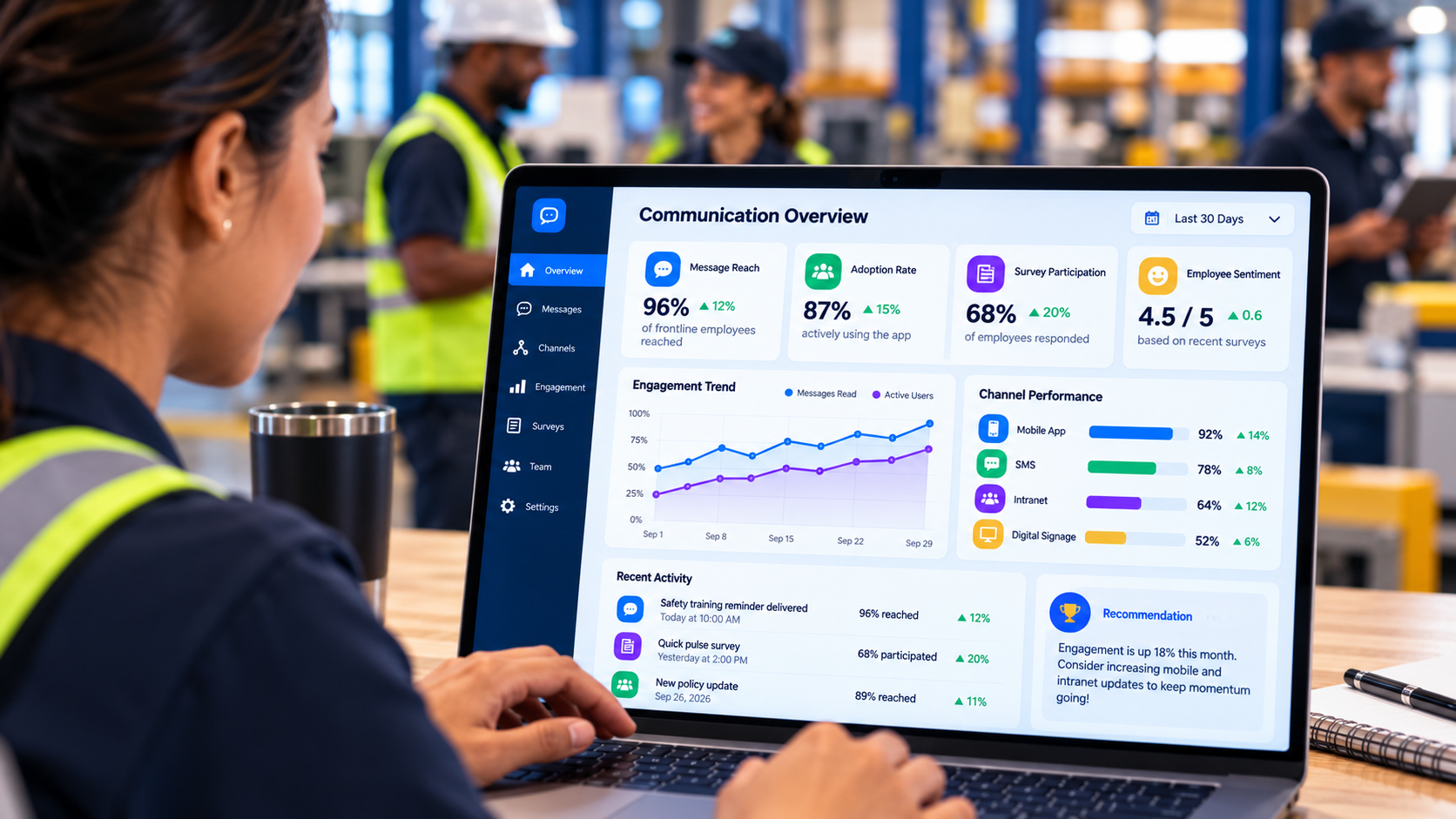
Frontline communication measurement becomes much more useful when it stops at neither “sent” nor “opened.”
The strongest measurement question is: What happened after employees received the information?
Recent Ragan and Interact research on communication impact found that 62% of communicators consider employees taking a desired action part of meaningful engagement, yet only 8% connect internal communication data with employee behavior.
That gap matters because channel analytics are easy to collect. Business effects are harder.
An email system can tell you the message was opened. An employee app can tell you how many people viewed a post. An SMS platform can report delivery. A signage system can confirm a slide played.
Those metrics describe what the communication channel did.
They do not automatically describe what the employee did.
Measure five stages instead of one
The AMEC Integrated Evaluation Framework distinguishes communication activity from audience outcomes and broader impact. For frontline communication, that can be translated into five practical stages.
Delivery
Did the technical system successfully send or display the communication?
Examples include SMS delivery, push delivery, email delivery, successful app publication, signage uptime, or successful synchronization.
Delivery matters because a failed system gives the employee no chance to see the information.
Access
Did the intended employee actually encounter it?
Useful measures can include unique views, opens, QR scans, page visits, app activity, or acknowledgement.
This is evidence of exposure.
It is not proof of understanding.
Understanding
Did employees understand what changed and what they need to do?
This layer can be measured through a brief pulse question, a short knowledge check, manager observation, employee interviews, support-question analysis, or the types of questions employees ask after a major communication.
For a safety procedure or major operating change, this is much more useful than reporting another content-view number.
Action
Did employees complete the requested behavior?
That could mean completing training, enrolling in benefits, acknowledging a policy, adopting a new process, submitting a required form, activating a new system, or following a new operating procedure.
This is where communication begins connecting directly with work.
Operational or workforce outcome
Did the underlying problem change?
Possible outcomes include fewer process errors, fewer repeated HR questions, higher training completion, faster adoption, lower missed-shift rates, better safety reporting, improved compliance with a new process, or reduced support demand.
Be careful with causal claims. Communication may contribute to the outcome alongside training, managers, technology, staffing, or policy changes.
The goal is credible contribution, not pretending Communications caused everything.
Use KPIs that match the purpose of the message
| KPI | What it tells you |
| Reachable workforce | Whether employees can access the channel at all |
| App activation | Whether employees completed setup |
| Active usage | Whether the channel is still being used |
| Reach by location/shift | Which workforce groups are being missed |
| Critical-message acknowledgement | Whether important information was explicitly confirmed |
| Time-to-acknowledge | How quickly important messages reach employees |
| Manager briefing completion | Whether local context was provided |
| Understanding score | Whether the message made sense |
| Feedback participation | Whether information is flowing back |
| Search success | Whether employees can find answers later |
| Desired-action completion | Whether employees did what the message requested |
| Operational result | Whether the underlying workforce or business issue moved |
TurnOnWork’s Internal Communications KPIs and Metrics guide provides a broader framework for building these measures into regular reporting.
Segment before interpreting results
Frontline communication data should almost never be interpreted only as a company-wide average.
Suppose 80% of employees saw a safety communication. That appears healthy.
Once segmented, the picture may look very different:
Corporate: 97%
Store managers: 93%
Retail day shift: 84%
Retail evening shift: 71%
Distribution center day shift: 69%
Distribution center night shift: 39%
The organization does not have an 80% success story.
It has a significant reach problem hiding inside the average.
Segment measurement using the same characteristics that affect communication: location, role, shift, manager, language, employment type, tenure, and channel.
Critical messages need faster measurement
A normal culture story does not need an acknowledgement workflow.
A safety change may.
For high-priority communication, time-to-acknowledge can be more useful than eventual reach.
For example, the organization may track the percentage of employees who acknowledged the message within 30 minutes, before their next shift, and after manager follow-up.
Employees who have not received or acknowledged the communication can then be escalated through another channel.
This should be reserved for information where missing the message genuinely matters. If every routine announcement requires acknowledgement, employees will quickly turn the action into another checkbox.
Measure manager cascades like a real communication channel
Organizations regularly measure email, app, SMS, and intranet performance and then treat “manager cascade” as something that simply happened.
It should be measured too.
Did managers receive the briefing before employees?
Did they access it?
Did required shift huddles happen?
What questions did employees ask?
Did teams where managers completed the briefing demonstrate better understanding or faster adoption?
This can reveal that the weakness was not the original corporate message but the final local handoff.
Measure whether employees can find information later
Frontline communication continues after the original announcement disappears.
Search behavior can reveal useful problems.
What are employees trying to find? Which searches return no useful answer? Which queries are reformulated several times? Which HR questions continue arriving even though the organization believes the answer is available?
If hundreds of employees search “bereavement” while the policy is titled “Compassionate Leave Framework,” the problem is not employee search behavior.
It is the organization’s language.
A good knowledge system should use the words employees naturally use.
Connect communication metrics to workforce operations
Suppose a warehouse introduces a new damage-reporting process.
Communications can measure message reach.
Training can measure course completion.
Operations can measure whether employees actually use the new reporting process.
Quality can measure damaged-goods reporting.
Managers can report which questions employees continue asking.
Those signals become much more useful when they are considered together.
A campaign report could show that 98% of the audience technically received the communication, 91% viewed it, 86% answered a knowledge check correctly, 89% completed training, 82% adopted the new process within two weeks, and unclassified incidents declined afterward.
That is much closer to the question leadership cares about than “the post generated 7,400 views.”
Build One Source of Truth Behind Every Channel
Multi-channel communication becomes dangerous when different channels contain different facts.
The employee sees one deadline on digital signage, another in the app, an older PDF from the manager, and a different date on the intranet.
The problem is no longer reach.
It is trust.
The channels should be treated as different doors leading to the same authoritative information.
For example, an open-enrollment campaign might work like this:
SMS says enrollment closes Friday.
Digital signage says enrollment closes Friday and provides a QR code.
The employee app carries the detailed announcement.
The manager reinforces the deadline.
The benefits portal contains the authoritative plan details and enrollment process.
The formats are different. The facts are not.
That requires content ownership. HR owns benefits information. Safety owns safety standards. Operations owns local operating instructions. Communications helps make information understandable and distributable, but it should not accidentally become responsible for verifying every subject in the company.
Give Local Teams Room to Communicate Without Losing Control
Centralized communication can become irrelevant when every local message requires headquarters approval. Fully decentralized communication can become chaotic when every manager publishes whatever they want.
The practical answer is delegated governance.
Corporate Communications can own company strategy, leadership messages, enterprise campaigns, and brand standards. HR can own policies and benefits. Safety can own enterprise safety standards. Local managers can publish site-specific operational information, recognition, local events, and other content inside defined boundaries.
Emergency communication should have clearly designated roles.
Software permissions should mirror those rules.
Good governance does not mean headquarters approves the cafeteria closure at a plant 1,000 miles away. It means everybody knows which information they are authorized to publish.
Frontline Communication Should Follow the Rhythm of the Shift
Frontline employees experience work through shifts rather than an editorial calendar.
That gives Communications a useful planning framework.
Before the shift, employees may need information about weather, closures, parking, schedules, location changes, or something they must bring to work.
At shift start, employees need the day’s priorities, safety information, customer updates, production changes, staffing information, and immediate operating context.
During the shift, employees need searchable procedures, urgent alerts, task-related information, and a quick way to find an answer.
During shift handoff, the outgoing team may need to transfer information about equipment, customers, patients, unfinished work, production, or other local conditions.
After the shift, nonurgent feedback, optional recognition, and longer company communication may be appropriate, subject to the organization’s off-duty expectations.
Designing communication around these moments makes the system feel much closer to work.
Different Industries Need Different Frontline Communication Models
A retail strategy cannot simply be copied into manufacturing, healthcare, or field service.
Retail communication has to account for variable schedules, customer-facing work, promotions, product information, and large numbers of locations. Mobile communication, scheduling systems, break-room displays, SMS for urgent issues, and manager huddles often need to work together.
Manufacturing communication is closely connected with safety, production, maintenance, quality, training, and shift handoffs. Personal phone use may be restricted on the floor, so kiosks, shared devices, displays, and supervisor communication may matter more.
Healthcare employees may use sophisticated technology all day and still be difficult to reach with workforce communication because time, privacy, alert fatigue, shift patterns, and application overload create different constraints.
Hospitality often combines front desk, housekeeping, food and beverage, events, maintenance, and security under one organization. Language, device access, and information needs can differ dramatically between those groups.
Warehousing and logistics require communication close to safety, equipment, weather, schedules, route changes, volume, and shift priorities. The best communication appears at natural points in the workflow rather than requiring employees to stop work simply to search for information.
Field service and construction rely more heavily on mobile and SMS because employees may spend very little time in a central location. Offline access and low-bandwidth information can matter more than a sophisticated company feed.
Common Frontline Communication Mistakes
Many failures repeat across industries. Organizations assume corporate email reaches everyone because everybody technically has an address. They launch employee apps before testing login with real frontline employees. They add new channels without retiring old ones. They send the same content to every location and shift. They make managers responsible for cascading information without giving them enough context or preparation.
Other problems appear later. Push notifications become so frequent that employees stop paying attention. Surveys collect feedback without visible follow-up. Company-wide averages hide poorly reached sites. App activation is reported as adoption even when employees rarely return. Communication analytics stop at opens and views. Permanent policies become scattered across chats, PDFs, intranet pages, and printed copies.
The common thread is treating communication as content distribution rather than an operating system.
A 90-Day Plan to Improve Frontline Communication
During the first month, diagnose the current system. Trace several high-value communication journeys, audit every channel, document device and email access, talk with employees on different shifts, interview frontline managers, review language needs, and measure one meaningful campaign by site and shift. The goal is to finish the month with specific problems rather than a vague statement that “frontline engagement is low.”
A useful finding might be: Night-shift warehouse employees cannot access the intranet during normal work, depend heavily on supervisor screenshots, and receive safety changes later than the day shift.
That is actionable.
During days 31 through 60, redesign the communication system around those findings. Give every channel a defined role. Establish one authoritative source for persistent information. Create urgency levels. Set employee-targeting rules. Build a repeatable manager briefing format. Clarify language and translation standards, local publishing permissions, feedback ownership, personal-device policies, and off-shift expectations.
Only after those decisions should technology changes be finalized.
During days 61 through 90, test the new model with an important communication that requires a real employee action. A policy change, benefits campaign, safety procedure, technology rollout, or operating change is much more useful than a low-stakes company announcement because you can observe whether the communication worked.
Measure whether the message was technically delivered and whether the intended employees actually accessed it. Check whether managers received enough preparation to answer questions. Test employee understanding where the message is important enough to justify it, then measure whether employees completed the requested action. Compare results between locations and shifts rather than relying on one company-wide average.
The final part of the pilot should be qualitative. Ask employees and frontline managers what was confusing, which information arrived too late, which channel felt unnecessary, and where they still had to rely on an informal workaround. Then use those findings to change the process before declaring the new communication model successful.
That is what makes the pilot useful. You are not testing whether the organization can send a message. You are testing whether the entire communication system can carry important information from the organization to the employee and produce the intended result.
Frequently Asked Questions
What is the best channel for frontline employee communication?
There is no single best channel because different channels solve different problems. A mobile app is useful for recurring personalized communication and resources. SMS works well for urgent reach. Digital signage creates repeated physical visibility. Managers add local context. A mobile intranet or knowledge hub gives employees somewhere to find the current answer later.
Most organizations need a deliberate combination rather than one universal channel.
How do you communicate with employees who do not have company email?
Use channels that do not require a corporate inbox. Employee apps can support alternative authentication, SMS can reach personal phones, signage and kiosks work in physical workplaces, and manager huddles can reinforce important information. Workforce-management systems employees already use can also become communication touchpoints.
The important question is not whether the communication is theoretically available. It is whether employees can realistically access it during work.
How do you increase frontline employee app adoption?
Start with usefulness. Make login simple, include the platform in onboarding, train managers before rollout, target content carefully, and give employees practical reasons to return such as schedules, forms, policies, HR resources, recognition, or knowledge.
Then measure recurring usage by location and shift rather than relying on launch downloads.
Is SMS better than an employee app?
They solve different problems. SMS is stronger for urgent, direct communication. Employee apps are better for richer recurring communication, persistent resources, feedback, targeting, and long-term employee access.
A severe-weather closure may warrant SMS. An employee handbook does not.
How does digital signage fit into a frontline communication strategy?
Digital signage provides repeated visibility in physical workplaces. It is especially useful in employee entrances, break rooms, warehouses, staff corridors, cafeterias, and similar areas.
Use it for short, easily understood communication and direct employees to another channel when they need more detail.
What role should frontline managers play?
Managers should add context, answer practical questions, and explain what organizational changes mean locally. They should not be the only route by which employees receive important factual information.
Whenever possible, employees should have direct access to the official message and use the manager conversation for clarification.
How should frontline communication be measured?
Measure delivery, employee access, understanding, action, and the relevant workforce or operational outcome. Segment results by shift, location, role, manager, language, or other important workforce characteristics.
A high overall read rate can hide serious communication gaps.
How do you measure frontline communication ROI?
Connect communication activity with an observable business or workforce outcome. That may include reduced printing, fewer repetitive HR questions, faster process adoption, increased training completion, fewer missed procedures, reduced manager time spent manually relaying information, or improved participation in an employee program.
TurnOnWork’s Internal Communications ROI guide provides a more detailed framework for connecting communication activity with financial and operational value.
How can companies improve multilingual frontline communication?
Write the original message plainly, translate important communication into the languages employees actually use, review high-risk translations carefully, caption video, and give employees a way to ask for clarification.
Do not solve multilingual communication by cramming several dense translations into the same message.
What is the difference between frontline communication and frontline engagement?
Frontline communication is the system through which employees receive information, find answers, ask questions, and communicate back to the organization.
Frontline engagement is broader. It includes relationships with managers, recognition, scheduling, working conditions, growth, trust, employee voice, and connection to the organization.
Good communication supports engagement, but it cannot compensate for a poor employee experience.
Final Take
Strong frontline employee communication should eventually feel unremarkable. Employees know where urgent information will appear, where the current policy lives, how to ask a question, and which channel they can trust. Managers receive enough context to explain change without becoming the entire distribution system, and important information reaches night shifts and remote sites as reliably as it reaches headquarters.
That outcome requires more than an employee app. It requires deliberate channels, practical reasons for employees to use them, clear information ownership, manager preparation, feedback that leads somewhere, and measurement that continues past the moment somebody opens a message.