The best Microsoft Viva alternatives in 2026 are HubEngage, Workvivo, Simpplr, Staffbase, LumApps, Firstup, Haiilo, Unily, Happeo and Blink.
There isn’t a single replacement that matches every part of Microsoft Viva. HubEngage is a strong fit for organizations prioritizing frontline communication, recognition, surveys and gamified engagement. Workvivo suits companies looking for a communication-led digital workplace. Simpplr, Staffbase, LumApps and Unily make more sense for larger intranet and employee experience programs. Firstup goes deeper into communication orchestration, while Blink focuses heavily on mobile-first frontline teams.
For this guide, I worked through the current product and pricing information for each vendor and compared what each one actually does differently from Microsoft Viva.
That distinction matters. The right choice is less about finding a like-for-like Viva clone and more about identifying which part of the employee experience you need to improve.
Best Microsoft Viva Alternatives by Use Case
If you already know the problem you’re trying to solve, this is the quickest way to narrow the list:
- Best for frontline communication, recognition and engagement: HubEngage
- Best for a social communication-led digital workplace: Workvivo
- Best for a personalized enterprise intranet: Simpplr
- Best for large-scale internal communications: Staffbase
- Best for connecting corporate and operational frontline teams: LumApps
- Best for communication targeting and orchestration: Firstup
- Best modular intranet and communications platform: Haiilo
- Best for highly configurable global enterprise intranets: Unily
- Best for knowledge-centric intranets: Happeo
- Best for a mobile-first frontline employee app: Blink
Microsoft Viva Alternatives at a Glance
How We Evaluated These Microsoft Viva Alternatives
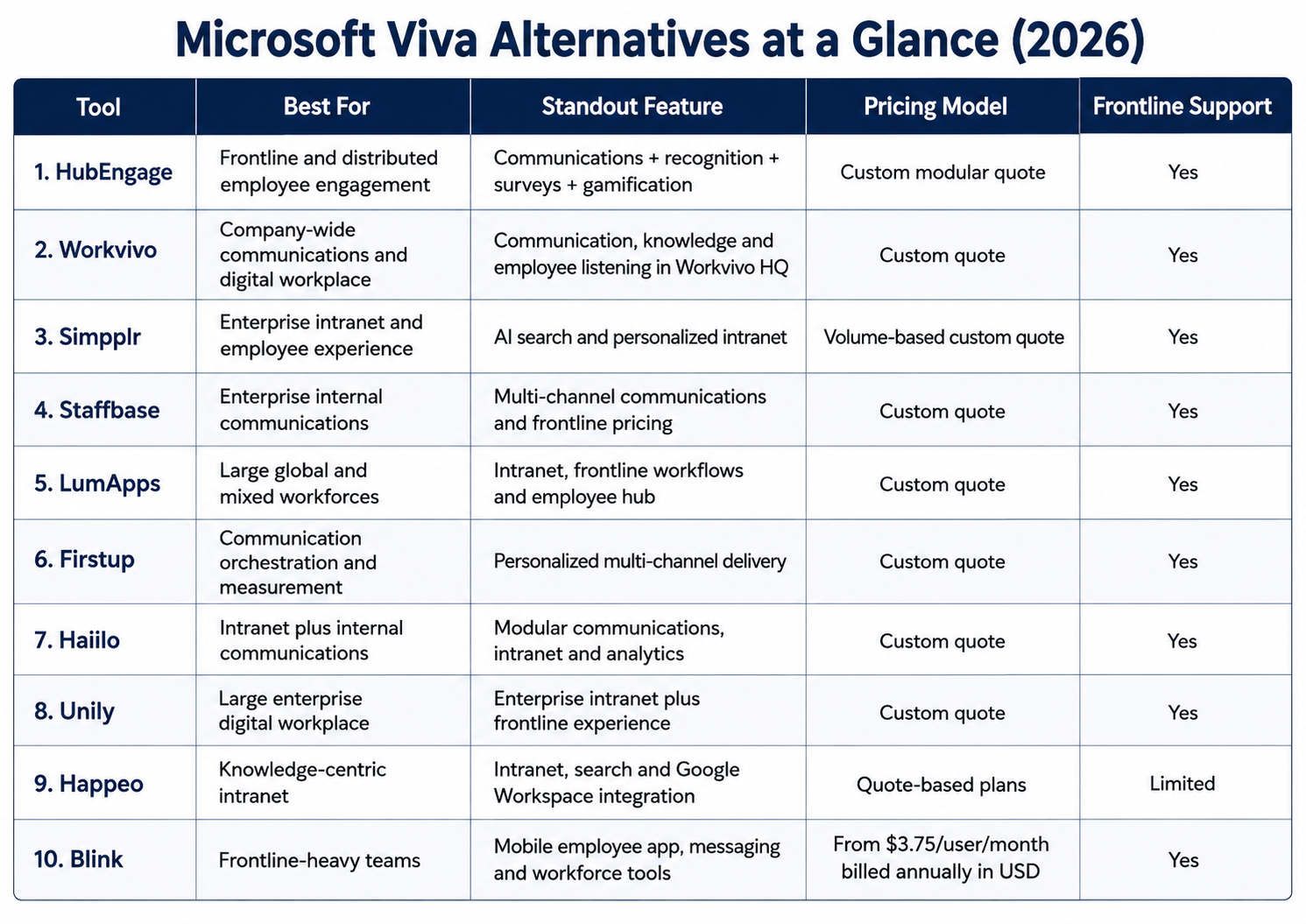
This ranking focuses specifically on platforms that overlap with the employee experience, internal communications, intranet and frontline use cases associated with Microsoft Viva.
We compared each platform across six areas:
- Employee communication
- Frontline and mobile access
- Intranet and knowledge capabilities
- Employee engagement features
- Pricing and packaging transparency
- How clearly the platform solves a different problem from Microsoft Viva
A lower position doesn’t necessarily mean a weaker product. In several cases, it simply means the tool solves a narrower problem.
Pricing, current product positioning and feature availability were checked against first-party vendor sources on August 7, 2026. Where vendors don’t publish numeric pricing, this guide doesn’t estimate it.
Why Consider an Alternative to Microsoft Viva?
Microsoft Viva remains a logical choice for companies that already run heavily on Microsoft 365.
Microsoft currently organizes Viva around employee communications and communities, workplace analytics and employee feedback, and learning. Its portfolio includes Viva Connections, Viva Engage, Viva Amplify, Viva Insights, Viva Glint, Viva Pulse and Viva Learning.
On Microsoft’s U.S. pricing page, current annual-commitment pricing is:
- Viva Employee Communications and Communities: $2 per user/month
- Viva Workplace Analytics and Employee Feedback: $6 per user/month
- Microsoft Viva Suite: $12 per user/month
- Viva Learning individually: $4 per user/month
- Viva Insights individually: $4 per user/month
- Viva Glint individually: $2 per user/month
Some Viva employee experience features are also included in eligible Microsoft 365 enterprise plans.
Microsoft has a real frontline offering too. Its frontline Teams experience can surface Viva Connections alongside apps such as Shifts, Planner and Approvals, while Viva Engage gives frontline employees access to communities, leadership updates and company conversations.
So the case for moving beyond Viva usually comes down to something more specific. A company may want communication outside the Microsoft ecosystem, stronger mobile-first access, built-in recognition, dedicated frontline workflows, a different intranet experience, or fewer products to manage.
Microsoft also retired Viva Goals on December 31, 2025, so organizations that used it for OKRs need to address that requirement separately.
1. HubEngage
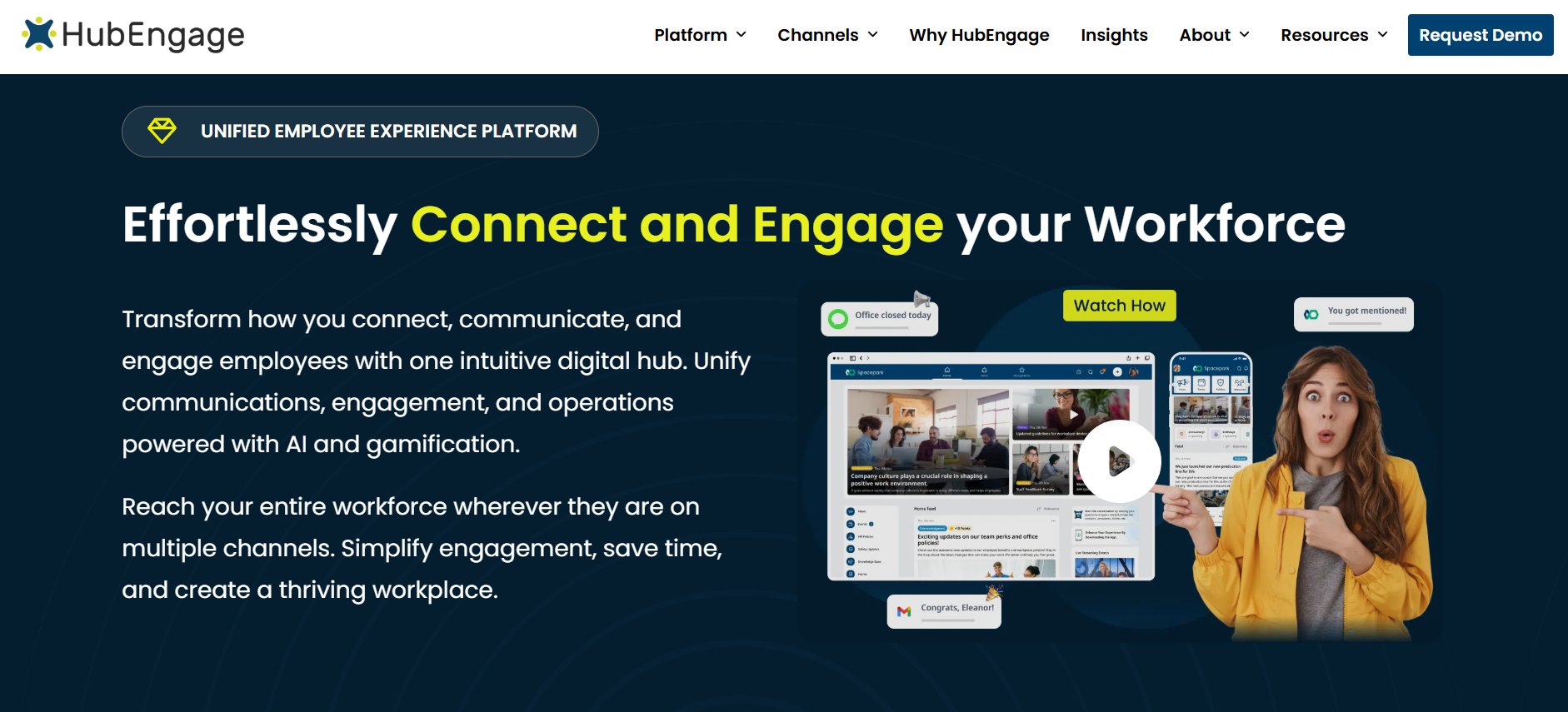
Verdict: HubEngage is a strong Microsoft Viva alternative for organizations that want employee communication, recognition, surveys and social engagement in one configurable platform. Its clearest advantage is for distributed and frontline workforces that can’t rely on email, Teams or a traditional desktop intranet as their main communication channel.
Best for: Frontline-heavy and distributed organizations that want to combine employee communications and engagement rather than purchasing separate point solutions.
What makes HubEngage different?
HubEngage can distribute employee communication through a web intranet, branded mobile apps, email, SMS and digital signage. That gives communication teams several ways to reach employees who may not have a corporate inbox or spend their day at a desk.
Recognition sits inside a broader participation system rather than simply acting as a feed of appreciation posts. Managers and employees can recognize achievements and milestones, while points, gift cards and gamified participation can be tied to recognition activity.
The same platform-wide gamification model can also be used across surveys, communications and social activity. That makes the engagement layer more connected than it would be if each capability lived in a separate tool.
The survey product supports distribution through web, mobile, SMS, email and digital signage. It also includes recurring and pulse surveys, anonymous surveys, auto-translation and AI-assisted sentiment and thematic analysis of responses.
HubEngage is modular, so organizations can switch capabilities such as communications, recognition, surveys, social engagement, messaging and its AI assistant on or off rather than deploying every module at once.
That modularity is worth paying attention to because it changes how you should compare the platform with a bundled suite such as Viva.
HubEngage pricing
HubEngage uses custom quote-based pricing based on organization size and the modules selected.
Its own 2026 intranet pricing guide states that plans can start at $1 per user per year when averaged across modules, but the same page says a vendor quote provides the most accurate price.
That figure shouldn’t be treated as a fixed list price for a standard HubEngage deployment.
HubEngage vs. Microsoft Viva
The biggest difference is architecture.
Microsoft Viva works naturally inside Microsoft 365 and distributes different employee experience functions across products such as Connections, Engage, Amplify, Glint, Pulse, Insights and Learning.
HubEngage puts communications, recognition, surveys, social engagement and gamification into one modular employee platform and distributes those experiences across several channels.
Choose HubEngage over Viva if: your main problem is getting frontline or distributed employees to receive communications, respond to surveys, recognize colleagues and participate without depending heavily on Microsoft 365.
Consider Viva instead if: Microsoft 365 is already the center of your employee technology stack and native Microsoft analytics, learning and collaboration are more important than consolidating engagement features.
2. Workvivo
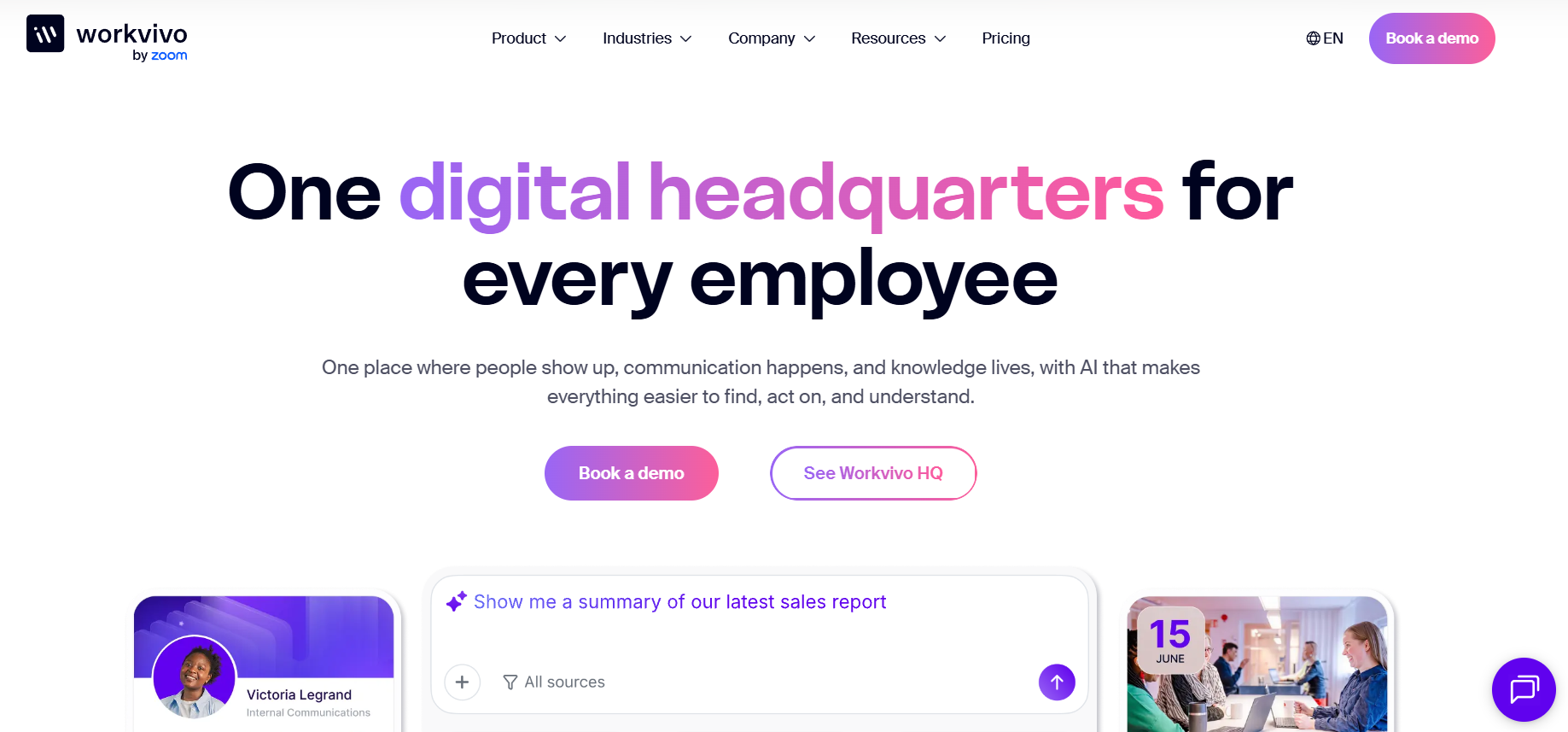
Verdict: Workvivo is one of the stronger Viva alternatives for companies that want employee communication and company culture to sit at the center of the digital workplace. Its social-style experience feels quite different from a traditional publishing-led intranet.
Best for: Medium and large companies that want a communication-led digital workplace with employee communities, company knowledge and AI-assisted information access.
What makes Workvivo different?
On June 17, 2026, Workvivo launched Workvivo HQ. The new platform combines employee communication, knowledge, engagement and embedded AI in a single employee headquarters.
Workvivo says it now serves more than 10 million users across 1,300 organizations in more than 200 countries and territories.
Within Workvivo HQ, employees can access company knowledge and policies, receive personalized information, create communications with AI assistance and use the platform across devices. Single sign-on can also be configured for employees who don’t have a company email address.
The packaging deserves a close look, though.
HQ Agent is an add-on that extends HQ with agentic search and task execution across connected systems. Seer, Workvivo’s employee listening and people intelligence platform, can be purchased as an HQ add-on or separately. Chat and Workvivo TV are also listed as add-ons.
That distinction matters when comparing Workvivo with vendors that package employee surveys, real-time chat or digital signage differently.
Workvivo pricing
Workvivo doesn’t publish a fixed price.
The company says pricing depends on the number of licenses and the organization’s specific requirements, with a custom quote provided through sales. Workvivo doesn’t currently offer a free trial.
Workvivo vs. Microsoft Viva
Workvivo gives employees a more centralized, social communication experience. Microsoft Viva spreads its capabilities across the wider Microsoft 365 environment.
Workvivo’s position also changed significantly with the 2026 introduction of HQ and HQ Agent, making knowledge retrieval and AI-assisted work a larger part of the product than in earlier versions.
Choose Workvivo over Viva if: communication, culture, communities and a social digital workplace are your primary requirements.
Watch for: Seer, HQ Agent, Chat and Workvivo TV are separate add-ons, so compare your actual required package rather than assuming every Workvivo capability is included in HQ.
3. Simpplr
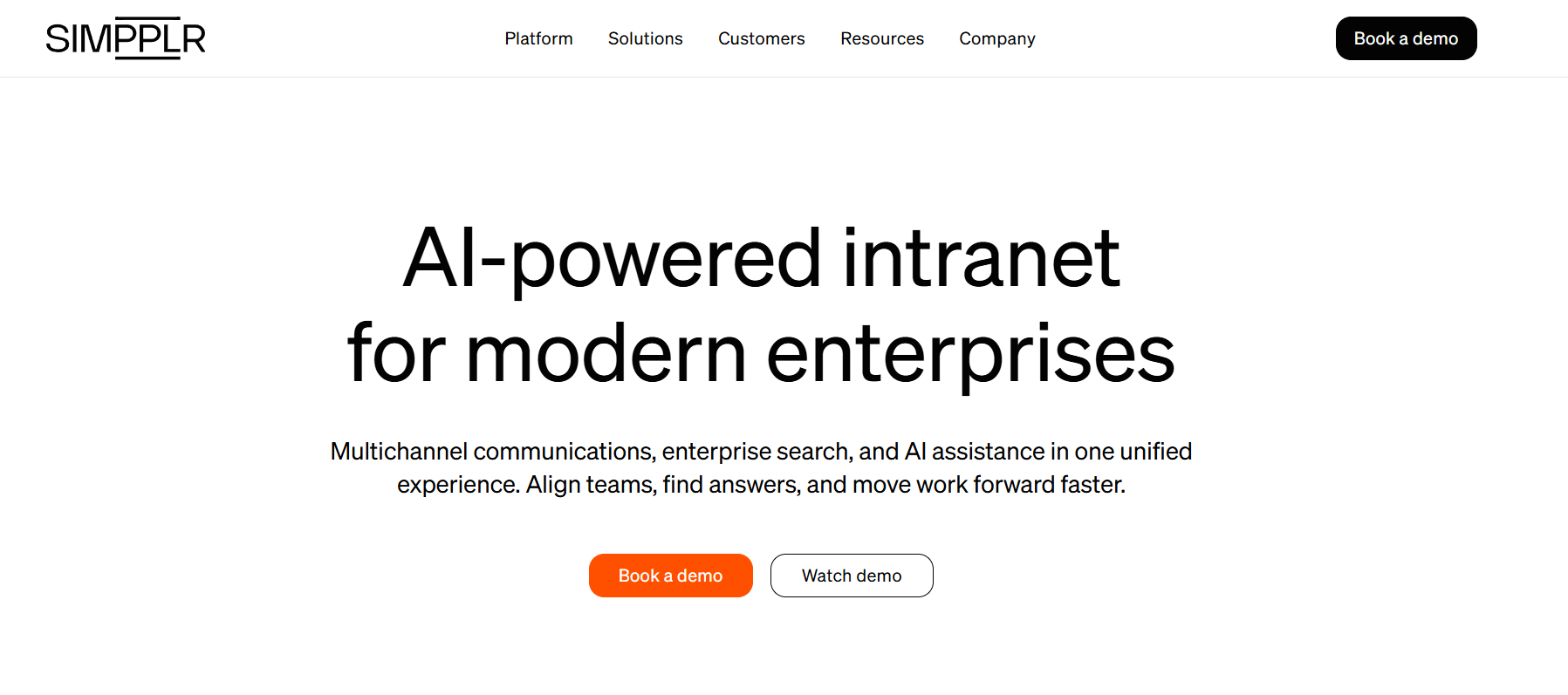
Verdict: Simpplr is a strong Viva alternative for organizations that want the intranet itself to become the main employee destination. Its current platform combines personalized information, employee communication, enterprise search, frontline access and AI-assisted employee service.
Best for: Mid-sized and large organizations replacing an older intranet or trying to centralize employee information and services.
What makes Simpplr different?
Simpplr’s frontline product can deliver information across desktop, mobile, SMS and digital screens. Employees can also use secure instant messaging rather than depending only on corporate email or a desktop portal.
The platform can surface operational information such as schedules, pay information and task workflows on an employee dashboard. Simpplr also offers a 24/7 AI Assistant that can answer employee questions about areas such as payroll, benefits and shift management.
Recognition and rewards can be integrated into the employee experience, allowing employees to recognize colleagues and tie awards to company values and milestones.
Employee listening is available too, but this is another area where packaging matters. Simpplr’s support documentation identifies its all-purpose surveys under Employee Listening as a paid add-on.
That isn’t necessarily a drawback. It just means buyers should compare the package they’re actually being quoted, not the broadest possible feature set shown across the vendor’s site.
Simpplr pricing
Simpplr uses volume-based custom pricing.
The vendor says quotes depend on organization size, complexity and the required level of ongoing support. Its standard employee experience subscription typically includes Simpplr One, support, training and customer success oversight.
Simpplr vs. Microsoft Viva
Simpplr makes sense when a company wants a dedicated employee intranet rather than building its employee experience primarily through Teams, SharePoint and separate Viva applications.
Its combination of personalization, search, employee service and communication is particularly relevant when finding information and completing common employee tasks are major pain points.
Choose Simpplr over Viva if: your priority is a modern employee intranet that sits above several workplace systems.
Watch for: confirm whether employee listening, recognition or other premium products are included in the commercial package you’re comparing.
4. Staffbase
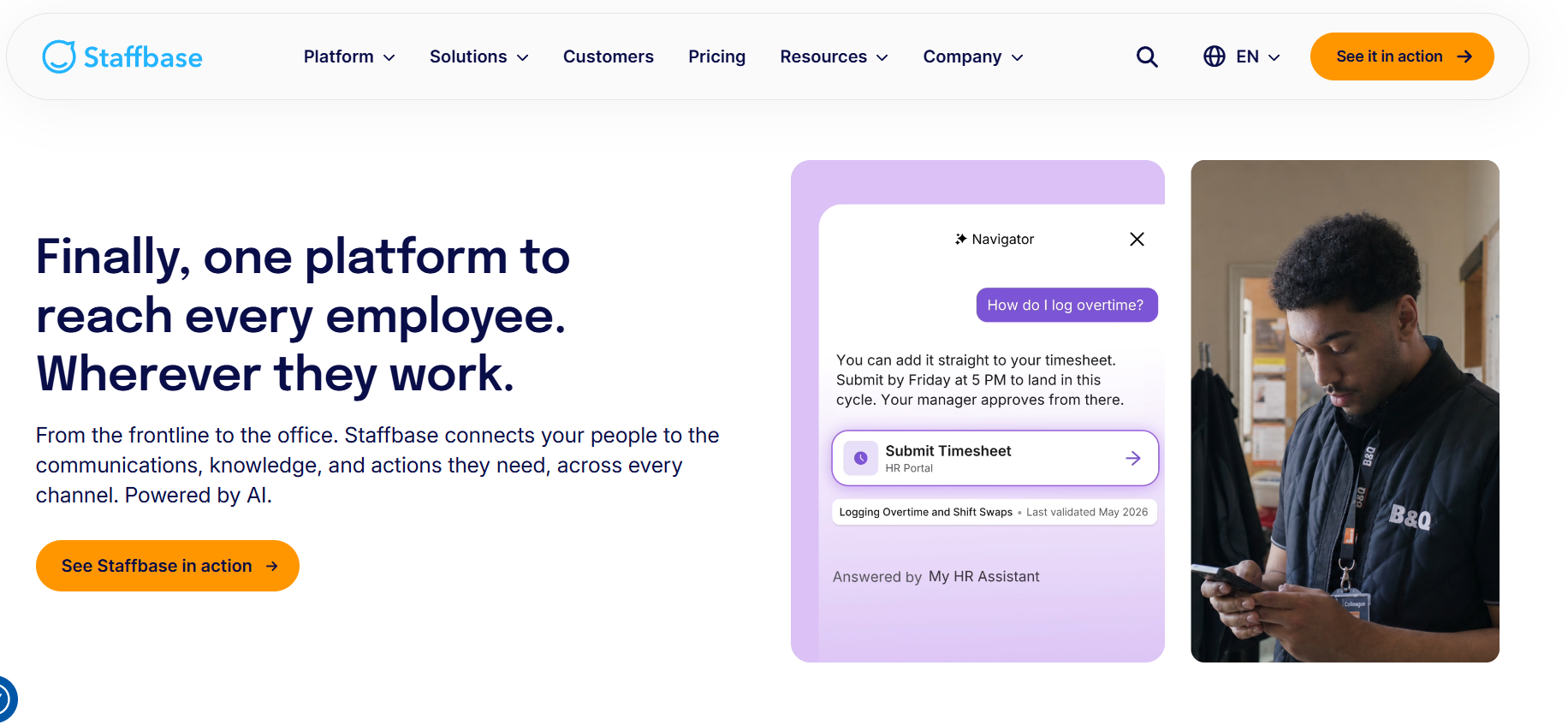
Verdict: Staffbase is one of the stronger Microsoft Viva alternatives for enterprise internal communications. It’s particularly useful when a communication team needs to publish across multiple channels rather than treating the intranet as the only employee destination.
Best for: Large, distributed organizations with formal internal communications teams and a mix of desk-based and frontline workers.
What makes Staffbase different?
Staffbase brings together an employee app, intranet, targeted employee email and digital signage. That lets communication teams manage the same broader communication program across employees who consume information in very different ways.
The platform also integrates with Microsoft 365, ServiceNow and Workday. Choosing Staffbase, then, doesn’t necessarily mean abandoning the Microsoft ecosystem. Staffbase can act as the communication layer while Microsoft remains part of the underlying workplace stack.
Frontline support isn’t an afterthought either. Staffbase says frontline-only deployments are a core use case and offers purpose-built support for workers without corporate email, shift-based access and environments where employees don’t regularly use desktop systems.
Its current platform also includes an AI Assistant for retrieving answers from trusted company knowledge.
Staffbase pricing
Staffbase uses custom pricing and doesn’t publish a fixed per-user price.
The vendor says this is because workforce size and configuration vary significantly between customers. Companies can begin with one channel, such as the employee app, and later add intranet, email or digital signage.
Staffbase vs. Microsoft Viva
Staffbase is more communication-led than Microsoft Viva.
Viva covers communication, communities, employee feedback, insights and learning across several Microsoft products. Staffbase focuses more heavily on how communication teams create, govern, distribute and measure information across channels.
Choose Staffbase over Viva if: your internal communications team needs stronger control over app, intranet, email and physical-screen communication.
Consider another platform if: recognition, employee listening or operational task management is the central requirement rather than communication.
5. LumApps
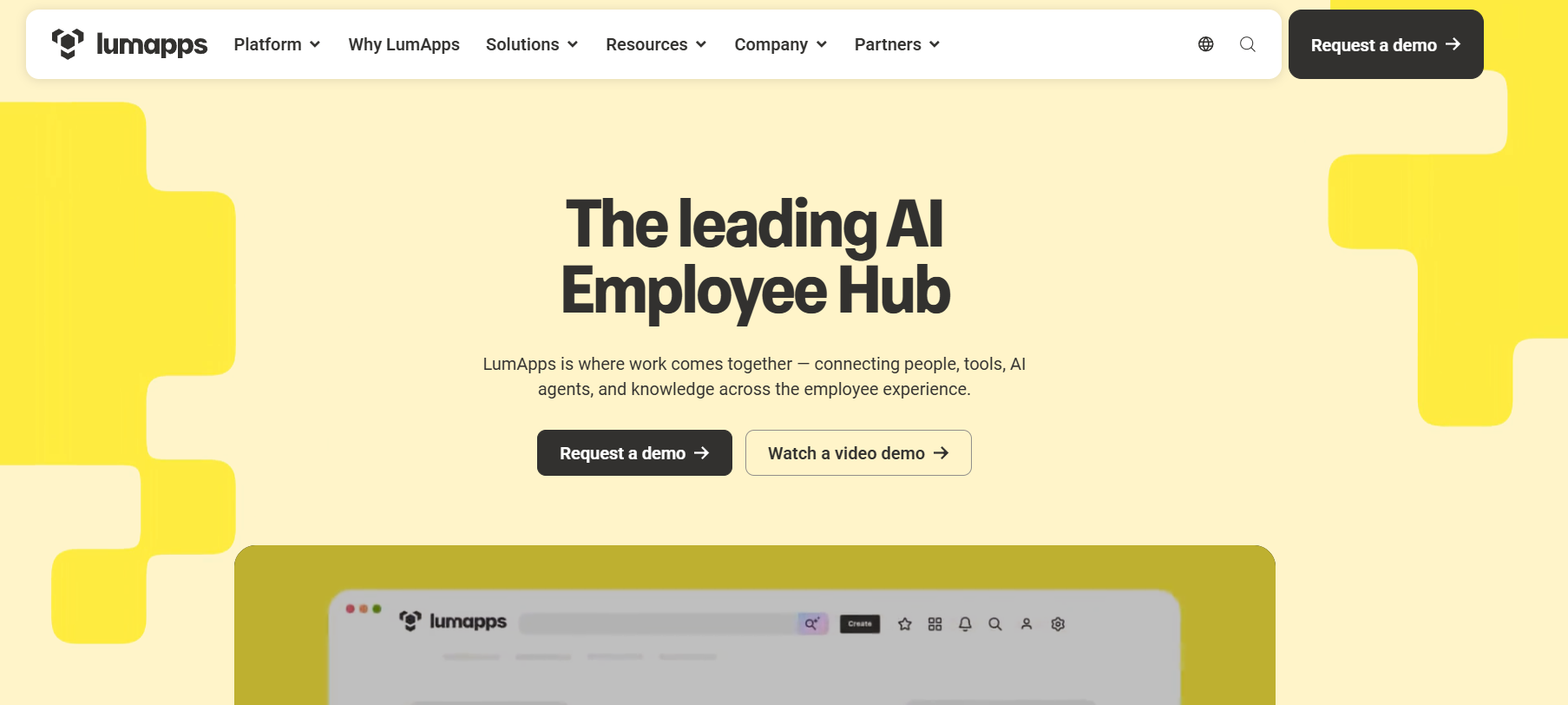
Verdict: LumApps has become much more relevant as a Viva alternative for frontline-heavy organizations following its combination with Beekeeper. It now brings together LumApps’ employee hub and intranet direction with Beekeeper’s mobile-first frontline communication and operations capabilities.
Best for: Large organizations that need to connect corporate employees with retail, manufacturing, healthcare, hospitality or other operational frontline teams.
What makes LumApps different?
Beekeeper officially became part of LumApps following the companies’ 2025 combination. The current platform positioning connects HQ and frontline users across communication, knowledge, workflows and employee tools.
Beekeeper’s frontline product can send updates by role, shift or location without requiring corporate email. Workers can access information through secure mobile login.
Where LumApps gets more interesting is in the operational layer. The frontline capabilities go beyond communication and support digital checklists, forms, incident reports, task assignments, shift swaps, approvals, onboarding steps and compliance reminders.
The platform also connects to systems including Workday, ServiceNow, SAP SuccessFactors and UKG. LumApps states that more than 500 integrations are available.
LumApps says the combined business serves 7 million-plus users across more than 2,000 organizations.
LumApps pricing
LumApps doesn’t publish a standard numeric list price for the combined employee hub and frontline offering. Buyers need to request pricing based on their workforce and required capabilities.
There is one important 2026 consideration.
The company says it is building a unified LumApps and Beekeeper product experience that will roll out in phases over 12 to 18 months. Existing Beekeeper customers currently keep their existing login, data, support and commercial arrangements while the products come together.
In my view, that transition is one of the most important details to ask about during a LumApps demo because it affects how buyers should interpret the combined feature set today.
LumApps vs. Microsoft Viva
LumApps has a stronger case when the employee experience needs to connect both an enterprise intranet and operational frontline work.
Viva has genuine frontline capabilities through Microsoft 365 and Teams, but LumApps goes deeper into purpose-built frontline workflows such as checklists, task assignments, shift processes and incident reporting.
Choose LumApps over Viva if: connecting HQ communication with day-to-day frontline execution is a major requirement.
Watch for: the unified LumApps-Beekeeper product is still being rolled out, so buyers should distinguish between capabilities available today and the future combined experience during demos and contract discussions.
6. Firstup
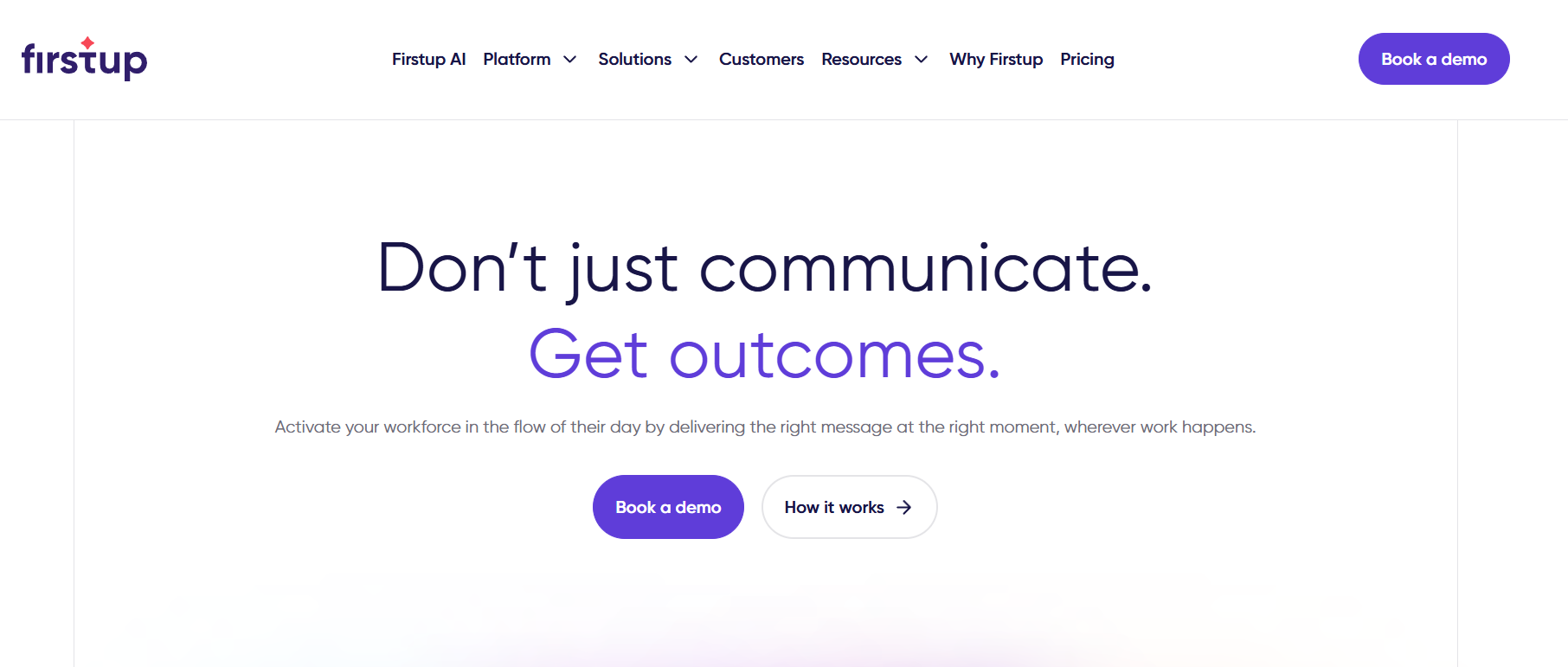
Verdict: Firstup is a stronger fit than Viva when the main problem isn’t creating content, but making sure the right employee receives it through the right channel at the right time.
Best for: Large enterprises with complex employee audiences and mature internal communication programs.
What makes Firstup different?
Firstup’s Essential package lets communication teams build audiences using multiple employee attributes, create content, deliver it to email, mobile app and desktop, and automatically retarget employees who haven’t engaged or completed a required action.
Move up to Professional, and the platform adds AI-assisted content creation and intelligent delivery that can optimize the channel and timing used to reach an employee. It also adds employee-generated posts, embedded widgets and translation across channels.
The Premier level adds employee journeys. Teams can use a flow builder and triggers to create personalized experiences around different points in the employee journey, then measure performance across those experiences.
Firstup has expanded its search capabilities as well. Its current AI Search can answer natural-language questions across Firstup and connected sources such as Google Drive and Microsoft SharePoint, with administrator controls over which sources can be accessed.
Firstup pricing
Firstup doesn’t publish numeric pricing.
Its commercial packages are organized into Essential, Professional and Premier capability levels. A fully featured employee intranet is listed as an add-on to these packages.
Firstup vs. Microsoft Viva
Firstup goes deeper into communication orchestration.
Viva Amplify offers centralized campaign management and multichannel publishing, but Firstup’s model places more emphasis on audience rules, retargeting, delivery timing and automated employee journeys.
Choose Firstup over Viva if: reaching and measuring specific employee audiences is more important than having a broad Microsoft employee experience suite.
Watch for: the intranet is an add-on, and advanced journey functionality sits higher in the package structure.
7. Haiilo
Verdict: Haiilo is a good Microsoft Viva alternative for organizations that want to assemble their employee intranet, communications, measurement and AI capabilities in a modular way.
Best for: Organizations with both office and frontline teams that want an intranet and communication layer across a mixed workplace stack.
What makes Haiilo different?
Haiilo doesn’t package everything under one broad feature label. Instead, it separates the platform into distinct capability areas.
Engage provides the intranet and employee app, including desktop and mobile access, personalized timelines, homepages, communities, employee directories, documents, knowledge bases and peer-to-peer chat.
Align is the employee communications product. It includes audience targeting, scheduling, content collaboration, newsletters, digital signage, Microsoft Teams and Slack integrations, and reach metrics.
Measure covers intranet, communications, community and search analytics. Haiilo also sells AVA, its AI product, which includes AI-assisted search across systems, writing, summarization, analytics, image generation and spoken articles.
For frontline employees, Haiilo can provide mobile access without a company email address. Its current frontline product also supports targeted content, chat, digital signage, mobile dashboards, translation and HR integrations.
Haiilo pricing
Haiilo uses custom quote-based pricing.
The vendor says its pricing can scale with employee volume. Companies can build a package using Engage, Align, Measure and AVA depending on the capabilities required.
Haiilo vs. Microsoft Viva
Haiilo is more independent of one productivity ecosystem.
It can connect to Microsoft Teams and Slack while providing its own intranet, app and communication tools.
Choose Haiilo over Viva if: your organization wants one communications and intranet layer across several workplace systems rather than building primarily around Microsoft 365.
Watch for: several AI capabilities sit in AVA, so include the correct modules when comparing pricing.
8. Unily
Verdict: Unily is one of the stronger options on this list for very large organizations that want a configurable enterprise intranet and significant frontline capability in the same employee experience.
Best for: Global enterprises with complex governance, information, integration and frontline requirements.
What makes Unily different?
Unily’s frontline product does more than send company news to a mobile device.
Workers can receive targeted communication and push notifications, access selected content offline, use in-app chat and search company knowledge while away from a desk.
Its enterprise search can surface policies, training and guidance. Unily also connects employee knowledge to actions through Unily Glass, allowing users to access connected tools, trigger workflows and complete tasks without moving between several systems.
Voice is part of the frontline experience too. Employees can use natural-language voice search and text-to-speech when reading a screen is inconvenient or impractical.
Social communities include employee discussion and built-in recognition, while real-time frontline chat supports individual and team conversations.
Taken together, these features make Unily feel less like a publishing-only intranet and more like an employee layer sitting over several enterprise systems.
Unily pricing
Unily doesn’t publish a standard per-user price.
The vendor states that pricing is based on the needs and scale of the enterprise and positions the platform for organizations ranging from approximately 1,000 to 10,000-plus employees.
Unily vs. Microsoft Viva
Unily is designed to act as an employee experience layer across many enterprise systems.
Viva is more tightly connected to the Microsoft environment. Unily is useful when the organization wants a branded employee destination that sits above Microsoft and non-Microsoft applications.
Choose Unily over Viva if: you have a large global workforce and need intranet, knowledge, frontline access and integrated actions in one configurable experience.
Watch for: pricing is fully quote-based and the platform is clearly aimed at larger organizations, so smaller businesses may find more focused products easier to evaluate.
9. Happeo
Verdict: Happeo is best considered as a knowledge and intranet alternative to Viva rather than a complete frontline operations platform. It’s especially relevant to organizations using Google Workspace.
Best for: Companies that prioritize company knowledge, employee search and collaboration.
What makes Happeo different?
Happeo’s Starter plan includes Pages, Channels, Google Workspace integration, Slack integration and search, universal search, branding, a people directory, an organization chart and its mobile app.
Growth adds capabilities such as advanced analytics, polls, lifecycle management, scheduled posts and content review workflows. Enterprise adds federated search, API access, custom widgets and custom user attributes.
AI functionality is now included across all Happeo plans at different usage levels. AI Search and AI Assistant are listed in Starter, Growth and Enterprise, while some additional knowledge and domain-agent functions vary by plan or add-on.
Happeo also has legitimate frontline support. Its mobile application is designed for on-the-go, deskless and frontline employees, giving them mobile access to pages, channels, notifications and search across Happeo and connected systems.
The distinction is in depth. Happeo supports frontline access, but it doesn’t present the same range of native frontline operational workflows as LumApps, Blink or Unily.
Happeo pricing
Happeo publishes three packages but doesn’t publish their dollar prices.
Starter is recommended for intranets with fewer than 100 users and can be paid monthly. Growth and Enterprise start at 75 users and are billed annually.
Happeo vs. Microsoft Viva
Happeo is particularly relevant when knowledge and the intranet are the central buying problem, especially in a Google Workspace environment.
It supports frontline employees through mobile access, but it isn’t primarily an operational frontline workforce platform.
Choose Happeo over Viva if: your main requirement is a dedicated knowledge-centric intranet and Microsoft 365 isn’t the center of your workplace.
Watch for: mobile frontline access is supported, but this isn’t primarily an operational frontline workforce platform.
10. Blink
Verdict: Blink is one of the easier Microsoft Viva alternatives to understand if your main audience is frontline employees. It’s mobile-first, publishes public entry pricing and focuses on communication, collaboration and knowledge access for workers who may rarely use a desktop.
Best for: Frontline-heavy companies that want a practical employee app rather than a large enterprise intranet program.
What makes Blink different?
At its core, Blink combines an employee communication feed, secure real-time collaboration and a company knowledge hub in one employee app.
Its offline capability is particularly relevant for field and operational workers. Employees can save Hub content such as policies, procedures, instructions and updates to their device and read it when no network connection is available. Blink automatically updates saved material when the device reconnects.
Blink also offers shift-management functionality. Organizations can publish open shifts to eligible groups, let employees claim them from their phones, require manager approval and retain a record of the open, claim and approval process. Shift swapping is supported too.
The main distinction from products such as Staffbase or Unily is scope. Blink is designed more heavily around giving frontline employees an accessible daily app than around building a highly governed enterprise intranet.
Blink pricing
Blink has the most transparent public pricing in this comparison.
On its U.S. pricing page:
- Core: starts at $3.75 per user/month when billed annually
- Pro: starts at $5.00 per user/month when billed annually
- Enterprise: custom pricing
Blink also offers a free trial.
Blink vs. Microsoft Viva
Blink solves a narrower frontline problem than the full Viva Suite.
Instead of connecting several Microsoft employee experience products, a frontline team gets a dedicated mobile app for communication, knowledge and selected workforce activities.
Choose Blink over Viva if: the majority of your intended users work away from desks and mobile employee access is the primary requirement.
Consider Viva or another enterprise intranet instead if: you need deeper enterprise knowledge management, learning, workplace analytics or tight Microsoft 365 integration.
Which Microsoft Viva Alternative Should You Choose?
The clearest way to choose is to start with the problem rather than the vendor.
Choose HubEngage if employee participation is the problem
HubEngage is the strongest fit in this comparison when communications, recognition, surveys and gamification need to work together across office and frontline teams.
Choose Workvivo if communication and culture are the problem
Workvivo is well suited to companies that want employees to communicate, follow company activity, find knowledge and participate in workplace communities from one central experience.
Choose Simpplr if your intranet is the problem
Simpplr makes sense when employees struggle to find information, access workplace services or navigate an outdated intranet.
Choose Staffbase if communication distribution is the problem
Staffbase is particularly relevant when an internal communications team needs to coordinate employee app, intranet, email and digital-screen communication.
Choose LumApps if HQ and frontline operations are disconnected
The addition of Beekeeper gives LumApps one of the deeper frontline workflow sets in this comparison.
Choose Firstup if targeting and delivery are the problem
Firstup is built around audience rules, delivery optimization, retargeting and employee journeys.
Choose Haiilo if you want modularity
Haiilo separates intranet, communication, measurement and AI into clear capability areas that can be combined depending on need.
Choose Unily if enterprise complexity is the problem
Unily makes more sense for large organizations that need a highly configurable global intranet with serious frontline support.
Choose Happeo if knowledge access is the problem
Happeo is strongest when the goal is helping employees find and share trusted company information, particularly in Google Workspace environments.
Choose Blink if frontline mobile adoption is the problem
Blink gives frontline employees a direct mobile destination and has unusually transparent starting prices for this market.
Microsoft Viva vs. Alternatives: 7 Questions to Ask Before Buying
1. Do employees actually use Microsoft 365?
If most employees already work in Teams, Outlook and SharePoint, replacing Viva may add an unnecessary employee destination.
If a significant part of your workforce doesn’t regularly use those tools, a dedicated employee app becomes more valuable.
2. How many frontline employees lack corporate email?
This changes the shortlist quickly.
Look for mobile authentication, SMS, QR-code onboarding, employee IDs, digital signage or other ways to reach workers without conventional office accounts.
3. Is your problem communication or the intranet?
These aren’t the same purchase.
Staffbase and Firstup are particularly communications-led. Simpplr, Happeo and Unily lean more heavily into the intranet and knowledge experience. Workvivo puts more weight on communication and community.
4. Do you need recognition and employee surveys?
Don’t assume these are standard.
HubEngage includes dedicated recognition and survey modules. Simpplr offers both recognition and employee listening, but some listening functionality is sold separately. Workvivo’s Seer employee listening product is an add-on or standalone product.
Compare the actual package, not just the vendor’s overall feature list.
5. Do frontline employees need to complete work in the platform?
Receiving an announcement is different from completing a task.
LumApps/Beekeeper supports checklists, forms, incidents, tasks and shift processes. Unily connects information with workflows and enterprise tools. Blink offers capabilities such as open-shift management.
6. Which AI capabilities are actually included?
“Has AI” is no longer a useful comparison.
Ask:
- Can employees search company knowledge?
- Can the AI search connected systems?
- Can it take actions?
- Can it summarize content?
- Is it included in the standard license?
- Is it an add-on?
- What sources and permissions can administrators control?
Workvivo HQ Agent, for example, is an add-on. Haiilo sells AVA as a separate AI capability area. Happeo includes AI Search and AI Assistant across its plans with usage differences.
7. What will the platform really cost?
Sticker price rarely tells the full story.
Ask each vendor for:
- Subscription cost
- Frontline versus desk-worker licensing
- Required modules
- AI add-ons
- Implementation
- Data migration
- Integrations
- Branded mobile apps
- Training
- Support
- Contract length
- Expected price changes as headcount grows
This is especially important because nine of the ten alternatives in this comparison do not publish a simple standard per-user list price.
Frequently Asked Questions
What is the best Microsoft Viva alternative in 2026?
There isn’t a single best replacement for every Microsoft Viva deployment.
HubEngage is a strong choice for frontline communication, recognition, surveys and employee engagement. Workvivo is strong for communication and company culture. Simpplr is well suited to modern intranet projects, while Staffbase focuses strongly on enterprise employee communications.
Organizations with deeper frontline operational needs should also compare LumApps, Unily and Blink.
What is the best Microsoft Viva alternative for frontline workers?
HubEngage, LumApps, Staffbase, Unily and Blink all have strong frontline use cases, but they solve different problems.
HubEngage combines communication and engagement across mobile, SMS, email and digital signage. LumApps adds operational workflows through Beekeeper. Staffbase focuses on enterprise communication. Unily combines frontline communication, knowledge and actions. Blink is centered on a mobile frontline employee app.
What is the cheapest Microsoft Viva alternative?
Most enterprise Viva alternatives don’t publish enough pricing information to make a reliable “cheapest” ranking.
Among the products compared here, Blink has the clearest public starting price, with its U.S. Core plan starting at $3.75 per user/month when billed annually.
Microsoft’s own U.S. Employee Communications and Communities package is currently listed at $2 per user/month on an annual commitment, although it covers a different product scope.
What is the difference between employee engagement and employee experience?
Employee experience covers the broader relationship an employee has with the organization, including technology, communication, workplace processes, development, recognition and day-to-day work.
Employee engagement describes how connected, involved and motivated an employee is within that experience.
Employee engagement software can therefore solve one part of a wider employee experience problem.
What is an employee journey map?
An employee journey map outlines the major stages and interactions employees experience during their relationship with an organization.
Common stages include recruitment, onboarding, everyday work, learning, performance, career development and offboarding.
Companies use these maps to identify where communication fails, information is difficult to find or employees encounter unnecessary friction.
Which Microsoft Viva alternative is best for Google Workspace?
Happeo deserves particular consideration for Google Workspace-based organizations because Google Workspace integration is included in its Starter plan and has historically been central to the product.
LumApps and other enterprise platforms can also work across mixed ecosystems, so Google Workspace alone shouldn’t determine the decision.
Is Workvivo better than Microsoft Viva?
Workvivo is likely to be a better fit when employee communication, company culture, communities and a centralized social workplace are the priority.
Microsoft Viva is likely to be a better fit when the company already relies heavily on Microsoft 365 and wants communication, insights, feedback and learning to stay closely connected to Microsoft’s existing tools.
Workvivo also requires buyers to account for separate products such as HQ Agent, Seer, Chat and Workvivo TV when comparing capabilities and cost.
Which Microsoft Viva alternatives include employee recognition?
Several products offer recognition functionality, but the depth and packaging vary.
HubEngage has a dedicated recognition module with peer recognition, milestones, points and rewards. Simpplr offers integrated Recognition and Rewards. Unily includes reward and recognition within its social communities and frontline employee experience.
Buyers should confirm whether recognition is part of the quoted package rather than assuming it’s included in every plan.
Final Verdict
Microsoft Viva is still a strong choice when Microsoft 365 already sits at the center of how employees communicate and work.
The case for an alternative becomes stronger when there is a specific gap to solve.
For companies that need frontline communication, recognition, surveys and employee participation in one modular platform, HubEngage is a strong first option to evaluate.
For a communication-led digital workplace, Workvivo deserves close consideration. Simpplr, Staffbase, LumApps and Unily are better suited to different types of larger employee experience and intranet programs. Firstup stands out when communication targeting and orchestration are the main challenge. Happeo is strongest around knowledge-centric intranet use cases, while Blink provides one of the clearest propositions for mobile-first frontline teams.
The best Microsoft Viva alternative isn’t the platform with the longest feature list. It’s the one that addresses the employee experience problem your current Microsoft setup isn’t solving.