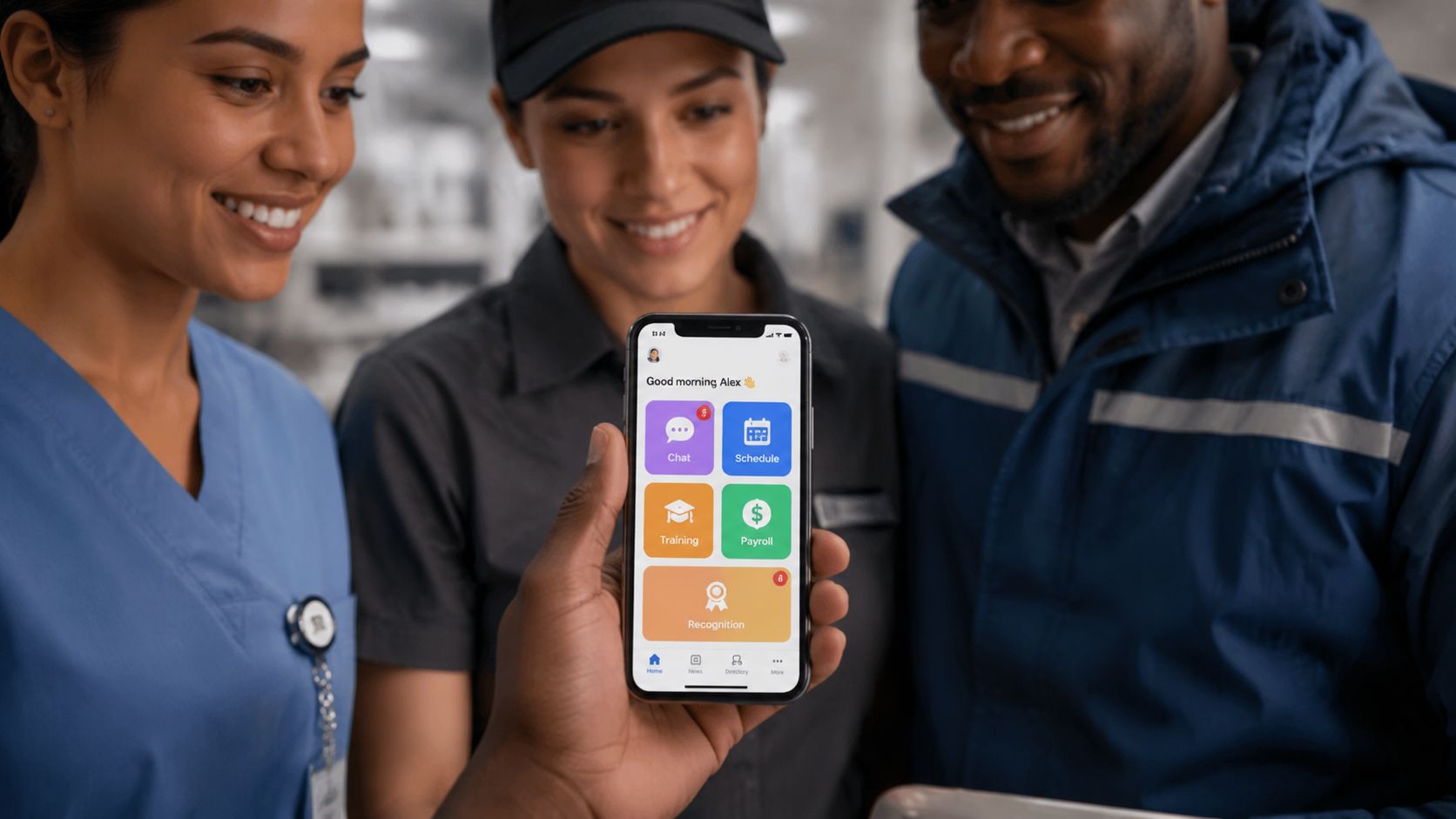
Strong onboarding changes retention economics fast. Organizations with strong employee onboarding processes achieve a new hire retention rate that is 82% higher than their peers, while 20% of employees quit within the first 45 days and replacing an employee costs between 90% to 200% of annual salary, according to HRChief’s onboarding statistics roundup. For frontline and distributed teams, that makes onboarding less of an HR ritual and more of an operating system.
The problem is that many companies still design onboarding for people who sit at laptops all day. They send forms by email, hide training in desktop portals, and assume new hires can absorb culture through Slack threads or hallway conversations. That model breaks down in stores, plants, hospitals, warehouses, field service, hospitality, and any environment where work starts on the move.
The best employee onboarding experience comes from connecting communications, tools, manager behavior, learning design, and day-to-day operations. If any one of those pieces is weak, new hires feel it immediately.
Key Takeaways
- Treat onboarding as a journey: The experience starts at offer acceptance and continues through the first 90 days and beyond.
- Design for the actual work environment: Frontline workers need mobile-first access, shift-aware communication, and training that fits into active work.
- Use the 4 Cs as a design test: Compliance, Clarification, Culture, and Connection all need deliberate execution.
- Make managers operational owners: A strong manager cadence and buddy support matter more than a polished slide deck.
- Measure belonging early: Retention matters, but early signals like confidence, support, and feeling seen tell you whether the process is working.
Why Most Onboarding Programs Fail Frontline Workers
Most onboarding programs fail frontline workers for a simple reason. They are built around administrative completion, not job readiness.
I see this pattern across corporate and field environments. The process looks organized on paper because forms are signed, videos are assigned, and policies are acknowledged. The new hire still shows up to the floor, truck, site, or unit unsure who to ask, where to find information, or what success looks like in the first week. That gap creates mistakes, delays, and early attrition.
The root problem is desk-based design applied to non-desk work.
A lot of onboarding still assumes a company email, uninterrupted screen time, stable system access, and a manager who can sit beside the new hire for an hour. Frontline roles rarely offer those conditions. A retail associate may start during the busiest part of the day. A manufacturing technician may need safety instruction and equipment access before doing any productive work. A home health worker may spend most of the shift away from a central location and need answers in the field, not in a portal they only saw once.
Programs usually break in the following ways:
- Paperwork becomes the main event: New hires spend their first stretch completing forms instead of building orientation to the work and meeting the people around them.
- Training sits in the wrong place: Critical information lives in desktop systems, long LMS modules, or email threads that frontline employees do not check during live work.
- Managers wing it: Strong managers create a good first week. Everyone else assumes HR or operations covered the basics.
- Culture stays abstract: Values appear in slides, but no one explains how they show up on a shift, with a customer, or during a handoff.
- Basic access is late: Uniforms, badges, devices, schedules, system credentials, and site instructions are not ready on day one.
Frontline onboarding breaks when companies split communication, access, training, and manager expectations into separate workstreams. New hires experience all of it as one system. If one part fails, the whole experience feels unreliable.
That is why the gap between desk-based and deskless onboarding matters. Office teams can often work around friction. They can search the intranet, message a colleague, or wait a few hours for IT. Frontline teams usually cannot. If a cashier lacks login access, a nurse tech cannot find the right procedure, or a field rep does not know who approves an exception, the problem hits operations immediately.
The better model is cross-functional. HR sets the standard and sequence. Operations defines what readiness looks like on the job. IT and systems teams make access available on the devices people use. Internal communications makes sure instructions are clear, timed properly, and understandable at shift speed. That is less about creating a polished orientation and more about building an operating rhythm that supports someone from accepted offer through the first months on the job.
For teams working on that broader operating problem, the same friction shows up in frontline employee engagement programs. People disengage quickly when information, support, and decision-making context are hard to access during the workday.
What frontline workers need instead
The best employee onboarding experience for frontline and distributed teams usually includes the same practical elements:
- Mobile-first communication
- Role-specific learning delivered in short bursts
- Visible manager ownership
- A named buddy or peer contact
- Fast access to job-critical knowledge during live work
- A clear path to an early win
Those basics sound simple. They are not always easy to execute at scale. But they give new hires what they need in the first days: clarity, access, support, and a reason to believe they can do the job well.
The 4 Cs Blueprint for High-Impact Onboarding
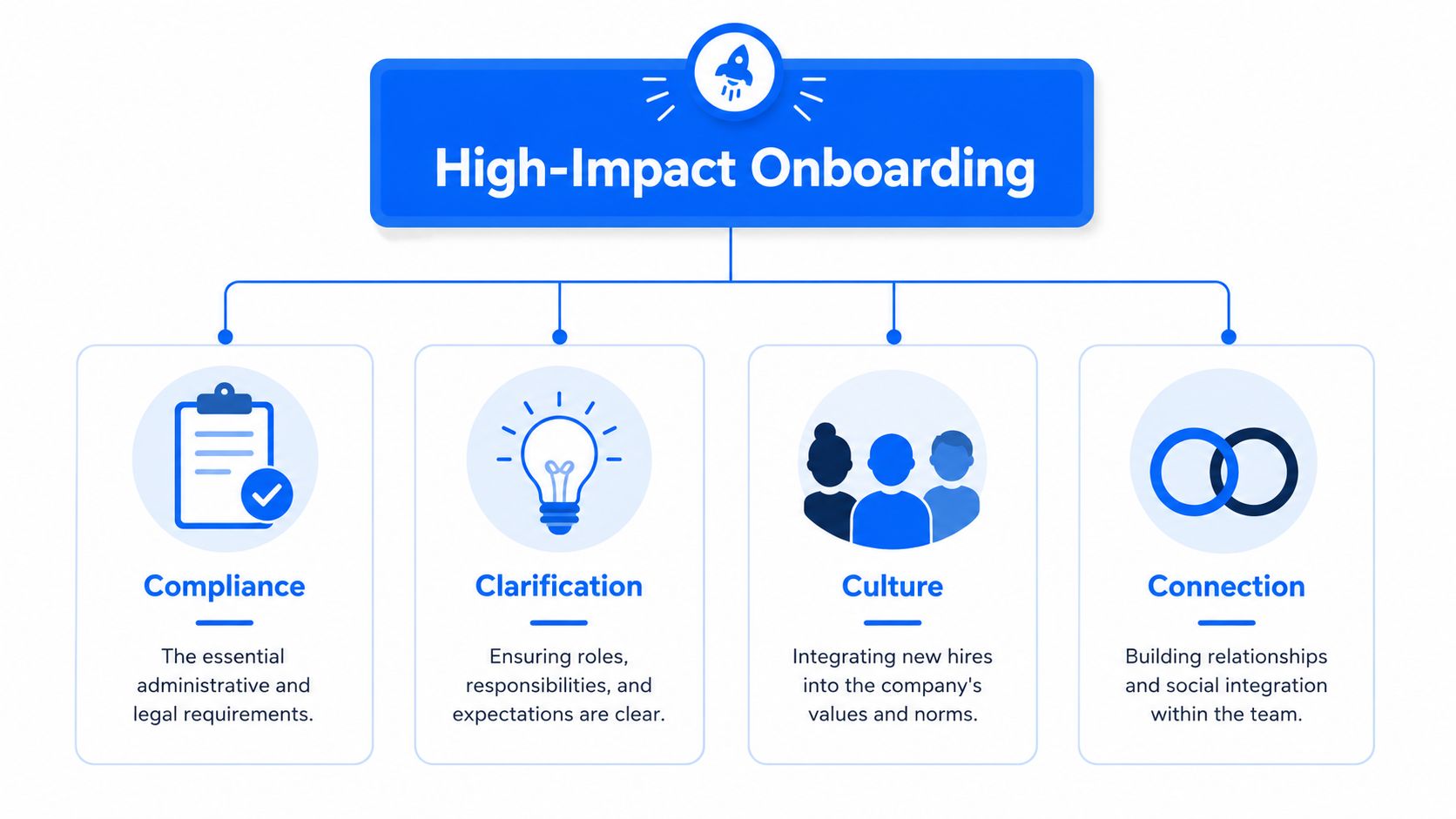
The most useful framework I’ve seen for onboarding design is the 4 Cs: Compliance, Clarification, Culture, and Connection. It’s simple enough to use in a checklist, but specific enough to expose where programs are unbalanced.
Organizations implementing this four-pillar framework see a 50% increase in new hire productivity speed, and digital content performs better when video stays in the 3 to 7 minute range and interactive modules stay in the 5 to 10 minute range, according to PeopleHum’s onboarding guidance.
Compliance isn’t the experience
Compliance covers the essentials. Policy acknowledgments, legal forms, payroll setup, safety requirements, device provisioning, and system access.
Many companies overinvest. They confuse completion with readiness.
For an office employee, compliance might happen through an HRIS portal and an IT checklist. For a frontline hire, it may need to happen through a mobile workflow, kiosk, shared device, or manager-assisted process before the shift starts. The key is to remove friction without letting paperwork consume the human welcome.
Clarification reduces wasted motion
Clarification is where real onboarding begins. People need to know what success looks like, what they own, who decides what, and what “good” looks like in the first month.
For a remote analyst, that might mean documented goals, software walkthroughs, and a clear decision-making map. For a manufacturing technician, it could mean workstation standards, escalation rules, quality checks, and a progression from observation to supervised execution.
A strong clarification layer usually includes:
- Role expectations: What the person is responsible for now, not someday.
- First deliverables: Tangible early work that proves progress.
- Workflow visibility: Where to find procedures, schedules, updates, and changes.
- Manager cadence: A set rhythm for questions, coaching, and correction.
Culture has to be visible in work
Culture is not the slide with company values. Culture is how the team communicates, responds to mistakes, handles urgency, and treats customers and coworkers.
For desk-based teams, culture may show up in how meetings run and how decisions get documented. For frontline teams, culture often shows up more directly. How supervisors hand off shifts. How safety concerns are raised. Whether a new person gets help without being made to feel slow.
Practical rule: If a new hire can’t point to one real behavior that proves each company value, culture onboarding hasn’t happened yet.
Connection needs design, not hope
Connection is often the weakest part of onboarding because leaders assume it will happen naturally. It won’t, especially in distributed work or high-turnover environments.
For a corporate employee, connection might include team intros, virtual coffee chats, and a channel map. For a deskless worker, connection is usually more physical and immediate. Who greets them. Who checks in mid-shift. Who answers “small” questions without judgment.
The 4 Cs also line up well with a modern employee experience strategy for 2026, where better workforce experience comes from coordinating systems, communication, and operating behavior rather than treating them as separate programs.
A 30-60-90 Day Onboarding Plan for Any Role
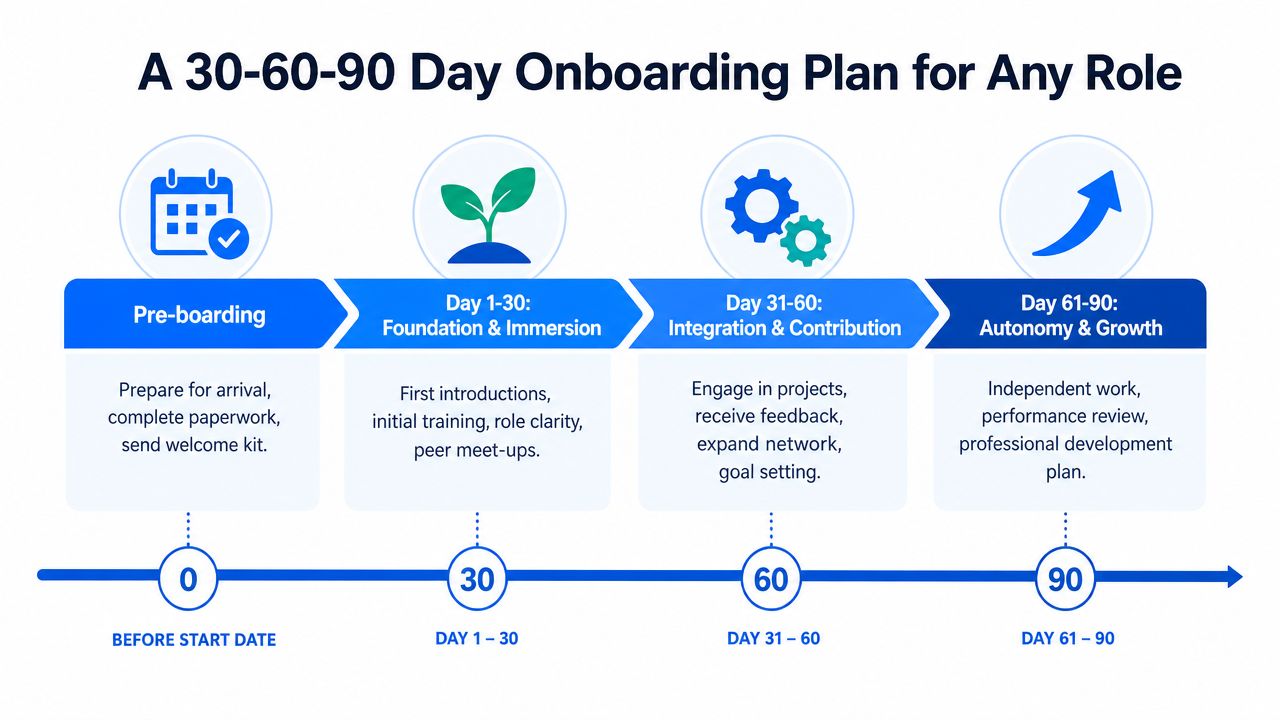
A strong onboarding journey needs structure without becoming robotic. The best model I’ve used is straightforward: define what the new hire, manager, and buddy each do before Day 1, during the first month, and during the ramp to autonomy.
A systematic review published in the Journal of Vocational Behavior found that structured and supported on-the-job training is the most effective strategy for improving role clarity and competence. It also points to three mechanics that matter: a clear 30-60-90 day plan, a mandatory buddy assignment, and weekly manager 1:1s, as summarized in this research overview hosted by PubMed Central.
Preboarding and Day 1
Preboarding sets the emotional tone. If the first useful communication arrives after the employee walks in, you started too late.
The manager should send a welcome note soon after offer acceptance. Equipment, uniforms, credentials, and location instructions should be ready before the first shift. For deskless workers, that often means text-friendly or mobile-friendly communication, not a long email chain.
A practical Day 1 checklist looks like this:
- Manager: Confirm schedule, introduce the team, explain what the first week will look like, and remove access blockers.
- Buddy: Make first contact, answer basic questions, and stay visible during the first shift or first working sessions.
- New hire: Complete essentials, learn how to get help, and leave Day 1 knowing where to go, what to do, and who to ask.
Days 1 to 30
The first month is about orientation to real work. Too many programs at this stage either overwhelm people with information or abandon them after compliance tasks.
For office and remote roles, use short video explainers, live walkthroughs, and documented job aids. For frontline roles, build training around the actual flow of work: microlearning before the shift, shadowing during the shift, quick recaps after the shift.
A useful structure for the first month:
| Focus | Manager action | Buddy action | New hire outcome |
|---|---|---|---|
| Role clarity | Set weekly expectations and first deliverables | Explain informal norms | Understands what good performance looks like |
| Knowledge access | Show where SOPs, schedules, and updates live | Reinforce where to find answers | Can locate key information independently |
| Social integration | Introduce core partners and team routines | Create low-pressure check-ins | Feels safe asking questions |
| Early feedback | Run weekly 1:1s | Flag confusion early | Adjusts quickly without losing confidence |
The first month should produce early wins, not just completed modules.
For frontline teams, one simple adaptation makes a big difference: attach each learning step to a task the employee will perform that week. If they’re learning returns, opening procedures, patient intake, or machine checks, the training should point directly to that activity.
Days 31 to 60
At this stage, the employee should start contributing more independently while still getting close coaching.
Managers should move from orientation questions to performance questions. What is going well, where is hesitation showing up, and what skill still needs repetition? Buddies become less of a tour guide and more of a confidence buffer.
This is also the right time to test whether the person can operate within the actual work environment without constant rescue. Can they find information, escalate issues properly, and handle normal variance?
Days 61 to 90
By day 90, onboarding should shift into growth. Not just “you made it.”
That means reviewing what the person now owns independently, what support still matters, and what development comes next. For frontline roles, this may include cross-training, shift leadership basics, advanced safety or quality checks, or exposure to adjacent workflows. For office roles, it may include larger projects, stakeholder ownership, or more autonomous problem solving.
Teams building this kind of journey usually benefit from a stronger employee listening strategy because the most useful onboarding fixes often come from what new hires report in the first few weeks, not what HR assumes in advance.
The Onboarding Tech Stack for a Distributed Workforce
Technology doesn’t create a great onboarding experience by itself. But the wrong stack absolutely creates a bad one.
That’s especially true for deskless environments. 76% of frontline workers report feeling disconnected from company culture due to lack of digital access, and this gap affects over 250 million global workers, according to CultureMonkey’s discussion of frontline onboarding challenges.

What the stack actually needs to do
Many companies have an HRIS, an LMS, and a messaging tool. New hires still get lost because those systems don’t feel connected from the employee side.
A distributed onboarding stack should support five jobs:
- Communication: Deliver welcome messages, schedules, updates, and manager touchpoints in channels employees use.
- Knowledge access: Make SOPs, policies, and job aids searchable on mobile.
- Learning delivery: Support short modules, checklists, and reinforcement in the flow of work.
- Task guidance: Help employees complete system processes without heavy coaching.
- Feedback collection: Capture questions and sentiment while the experience is still unfolding.
Products vary by category, but the pattern is consistent. Workday or UKG may handle core HR workflows. Microsoft Teams or Slack may support communication for desk-based groups. A frontline team may need a mobile employee app, microlearning platform, digital forms, and push-based alerts instead of desktop tools.
Integration matters more than feature volume
The best employee onboarding experience feels coherent. The new hire shouldn’t have to guess whether the answer is in email, an LMS, a team chat, a binder, or a supervisor’s memory.
When evaluating systems, look for these operational criteria:
- Mobile usability first
- Shared ownership across HR, ops, and managers
- Simple navigation during live work
- Role-based content delivery
- Completion visibility for managers
- Fast updates when procedures change
A useful reference point for this broader design problem is the idea of a connected workforce experience platform. The platform question isn’t just software architecture. It’s whether the employee can move from message to learning to task execution without hitting a wall.
Measuring Onboarding Success Beyond Retention
Retention is tracked because it’s easy to explain. That’s necessary, but it’s late.
A better system catches signals early. Gallup reports that new hires who feel “seen” through a welcome package or a genuine leader encounter in the first week have a 2.5x higher likelihood of staying long-term, according to Gallup’s practical guidance for better onboarding. If you only measure whether people stayed, you miss the moments that influenced that decision.
What to measure in practice
Start with operational metrics, but don’t stop there.
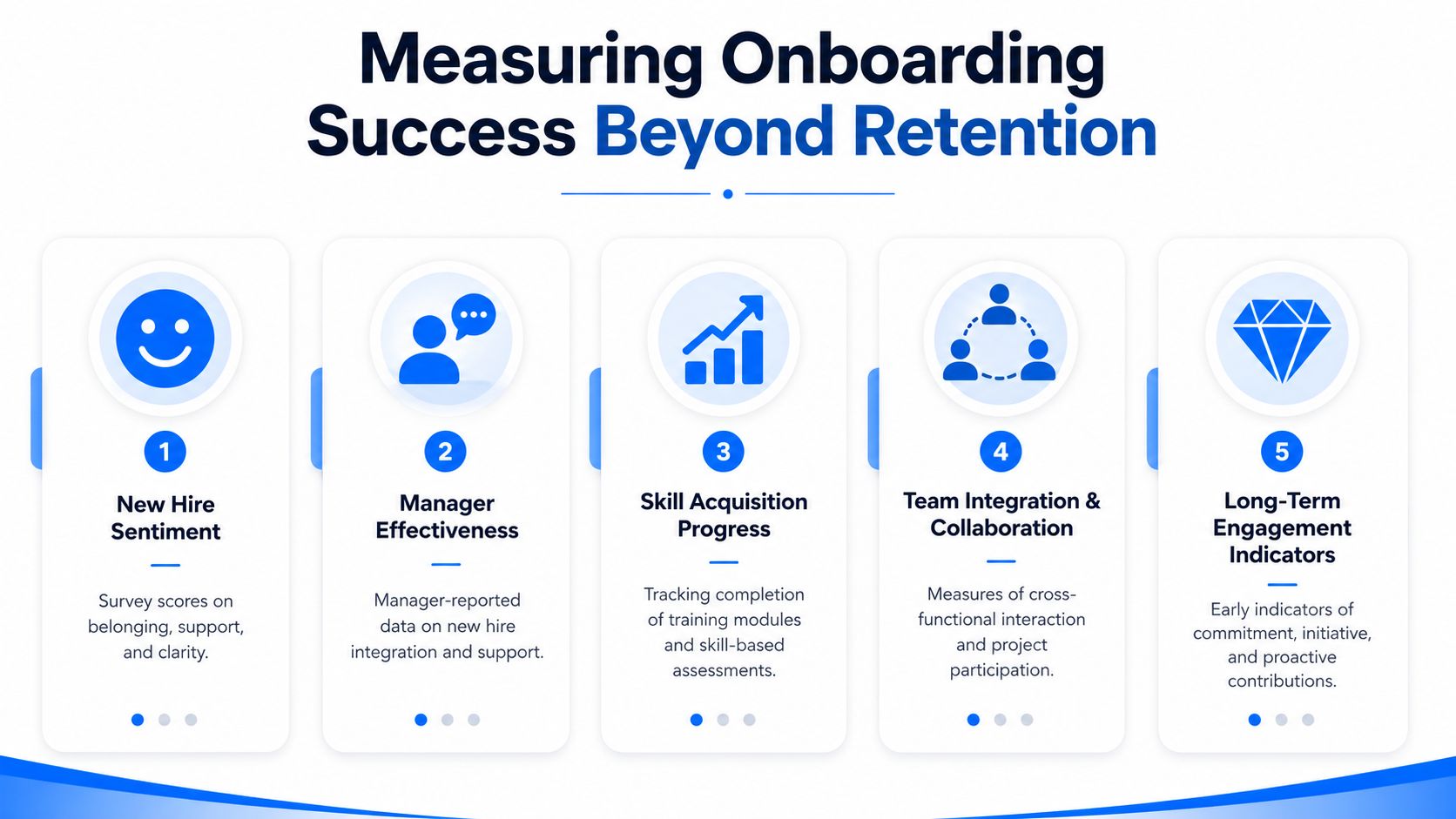
A more balanced onboarding scorecard can include:
- Time-to-productivity: PeopleHum recommends tracking the total days for new hires to become productive divided by total new hires in the group, as described in the earlier section.
- Training completion rates: Also covered earlier, this shows whether required learning is being finished.
- New hire retention rate: Docebo recommends calculating this as the percentage of new hires who stay at least 18 months, using the formula described in Docebo’s onboarding KPI guide.
- New Hire eNPS: NetSuite explains that this score is calculated by subtracting the percentage of detractors from the percentage of promoters after asking whether a new hire would recommend the company as a place to work, in NetSuite’s onboarding metrics overview.
The leading indicators most companies miss
Belonging and psychological safety usually show up before turnover does.
Ask managers to record what they learn in weekly 1:1s. Ask buddies where the new hire still hesitates. Use short pulse questions at 30, 60, and 90 days around clarity, support, confidence, and access to information. For frontline teams, make those surveys mobile, short, and shift-friendly.
If a new hire says, “I know what to do, I know where to find answers, and I know who has my back,” onboarding is probably working.
This is also where the distinction between employee experience and operations becomes useful. The gap between sentiment and execution is exactly what sits inside employee experience vs workforce experience. If people feel welcomed but can’t access tools, the experience is still broken.
Conclusion
The best employee onboarding experience isn’t a polished first-day orientation. It’s a coordinated system that helps people feel prepared, connected, and useful as quickly as possible.
For frontline and distributed teams, that means designing onboarding around the realities of work. Mobile access, short-form learning, manager discipline, buddy support, and clear communication matter more than a perfect slide deck. When communication, technology, engagement, and operations work together, onboarding becomes a real performance lever instead of a recurring point of failure.
If you want more practical analysis on workforce experience, internal communications, frontline enablement, and HR technology, explore Turn On Work.
Best Employee Onboarding Experience FAQs
What makes the best employee onboarding experience different from orientation?
Orientation is usually a short event. Onboarding is a longer journey that covers preboarding, role clarity, manager support, culture, and practical ramp-up. If the process ends after forms and a welcome session, it’s orientation, not onboarding.
How should onboarding change for frontline workers?
Design it for mobile access, active shifts, and on-the-job learning. Don’t assume email, desktop training, or long classroom sessions will work. Frontline employees need short learning moments, clear task guidance, and easy ways to ask for help in real time.
How involved should managers be?
Very involved. Managers should own expectation setting, weekly check-ins during the early weeks, first deliverables, and early feedback. HR can orchestrate the process, but managers make the experience real.
Should every new hire get a buddy?
In most cases, yes. A buddy helps with informal questions, local norms, and social connection. That support matters even more in distributed teams and high-pace frontline environments.
Can AI improve onboarding?
Yes, when it removes friction. AI can help summarize policies, personalize learning paths, answer common questions, and surface next steps. It shouldn’t replace manager conversations, peer support, or human judgment.
What’s the biggest onboarding mistake?
Treating onboarding like an administrative checklist. New hires don’t remember whether your workflow was technically complete. They remember whether they felt ready, supported, and able to do the job.